
Draftbit vs Glide: A Glide app can't go in the App Store.
A Draftbit app can go in the App Store and Google Play as well as on the web, and the code is yours to export. Glide's help center says "Glide apps are Progressive Web Apps (PWAs), and publishing directly to the App Store or Google Play is not supported." The apps, data, and workflows stay on Glide too, so the first thing to decide is which one you're making, an internal tool for your team or an app your customers download.
By Brian Luerssen, Founder of Draftbit. Facts checked . Published by Draftbit, one of the two products compared.
Which should you choose?
Choose Draftbit if
- Your customers expect an app in the App Store or Google Play, not a link to add to their home screen.
- You want the code, so a developer can take it over or you can host it somewhere else.
- You want to build on your own Claude or ChatGPT subscription on any plan. With Glide that starts on Pro, at $125 a month.
- You're building a product for customers, with its own backend and a website to go with it.
Choose Glide if
- Your team needs an internal tool on its own data this week.
- The data is in spreadsheets or a SQL database today, and you want the apps on top of it kept private to your company.
- A web app that people open from a link, or add to their home screen, is enough.
- You want workflows that run on a schedule or when data changes, without building a backend.
Draftbit vs Glide at a glance
Glide and Draftbit are made for different jobs, so these rows are about where the app can be published, who holds the data and the code, and what you build it on.
| What's compared | Draftbit | Glide |
|---|---|---|
| Where the app goes | ||
| App Store and Google Play | Built, signed, and uploaded to App Store Connect and Google Play from the Publish menu, on Standard and up. | "Glide apps are Progressive Web Apps (PWAs), and publishing directly to the App Store or Google Play is not supported." Source : Glide on app store and google play |
| On the web | On every plan, at a draftbit.dev address on Free and your own domain on Standard and up. | Shared by link and installed from the browser with Add to Home Screen. Publishing needs a paid plan. Source : Glide on on the web |
| The AI | ||
| What you build on | Your own Claude or ChatGPT subscription or API key on every plan, Free included, or Draftbit credits. | Glide credits, or your own agent from Pro up. "Tokens run on the Claude, ChatGPT, or Cursor plan you already pay for." Source : Glide on what you build on |
| The data | ||
| Starting from data you have | The agent builds the database from your description, or an API backend connects to a Postgres database you already run. | "You can connect spreadsheet files, Google Sheets, or external data sources like SQL databases." Every app in the project shares that database. Source : Glide on starting from data you have |
| Where it lives | In your project's backend, on Cloudflare D1, Supabase, or a Postgres database you already run. | In Glide's database. A connected Google Sheet is copied in, and "Any updates made to the data through the app remain on GlideOS." Source : Glide on where it lives |
| Getting it out | The backend's code exports like any other app in the project, and a Supabase backend we set up can be moved into your own Supabase account. | Any table exports to a CSV file, and Pro adds a Postgres-compatible connection string for outside tools. Source : Glide on getting it out |
| Workflows | Scheduled jobs are code in an API backend, which the agent writes when you ask. | Workflows that run on a schedule, on a request, on an action in an app, or when data changes. They need a paid plan to run. Source : Glide on workflows |
| The code | ||
| Seeing and exporting it | Read the code on every plan. Code editing, ZIP export, and GitHub export on Standard and up. | "View code and project files" is listed under Enterprise. We couldn't find an export, a download, or GitHub sync on any plan. Source : Glide on seeing and exporting it |
Glide
- Connect your data
- Agent builds the app
- App, data, and workflows on Glide
- Web app from a link
- App Store (not available)
- Google Play (not available)
Draftbit
- Describe the app
- Agent builds the app
- Backend in your project
- Web app
- App Store
- Google Play
Where your app can go
If the app needs to be in the App Store or Google Play, build it in Draftbit, because a Glide app is a web app and store publishing isn’t supported.
Glide’s help center says it in one sentence: “Glide apps are Progressive Web Apps (PWAs), and publishing directly to the App Store or Google Play is not supported.” People open a Glide app from a link, or add it to their home screen. For a tool your own team uses, that’s often what you want, since a link is easier to share and to update than an app in a store.
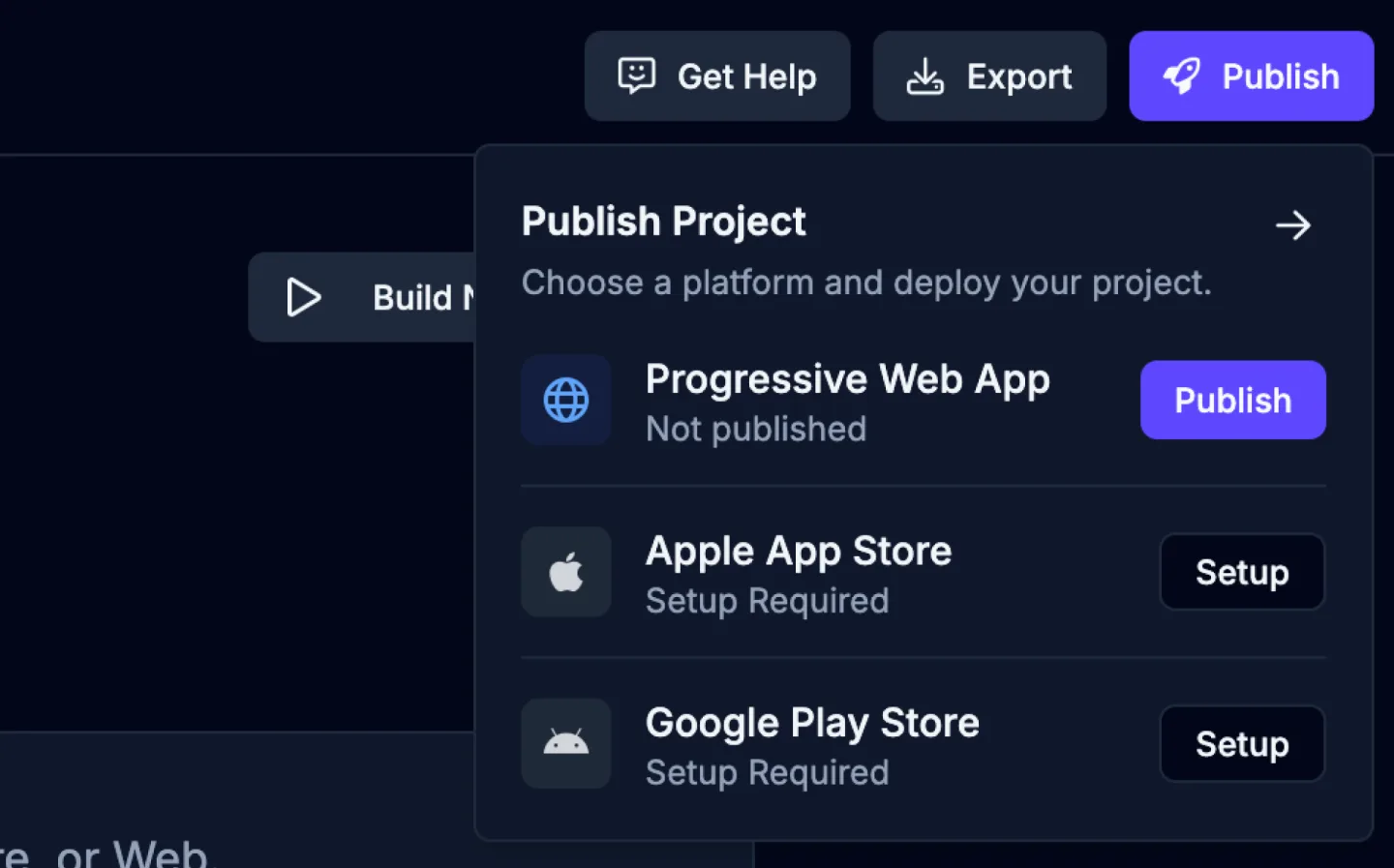
All of the code that Draftbit produces for mobile apps is React Native and Expo, so one set of source files becomes the iOS app and the Android app. On Standard and up, you publish from the same menu as the web version, and the app is built, signed, and uploaded to App Store Connect and Google Play. Apple and Google still review it.
Who holds the app
A Draftbit app is code you can export and run somewhere else, and a Glide app lives on Glide.
Glide’s site says so directly: “The app lives in Glide, so the agent is interchangeable.” Its pricing page lists “View code and project files” under Enterprise, and we couldn’t find a code export, a download, or GitHub sync on any plan. The data is easier to reach, because any table exports to a CSV file, and Pro adds a Postgres-compatible connection string for outside tools.
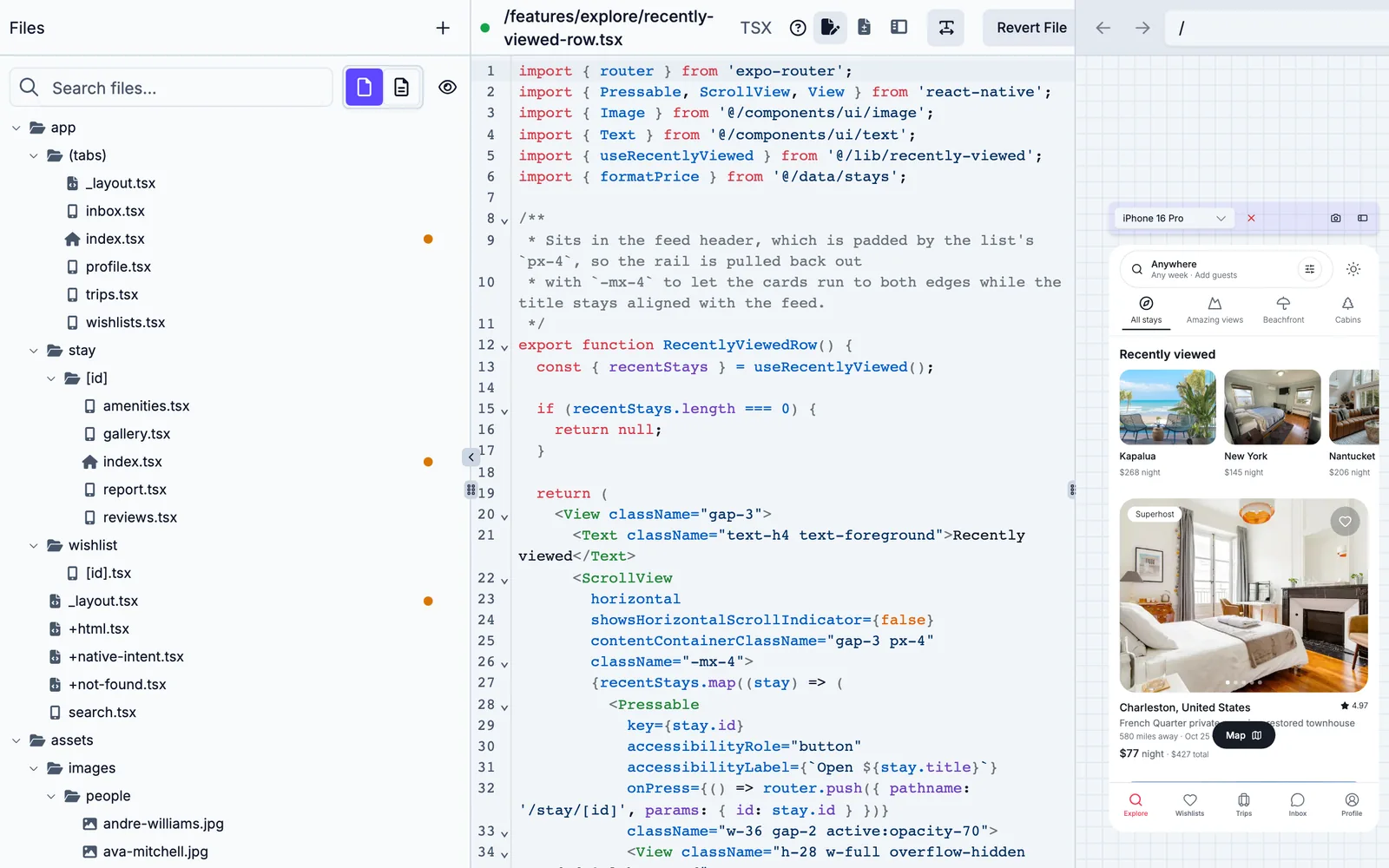
In Draftbit, ZIP and GitHub export are on Standard and up, and what comes out is an ordinary React Native, Vite, Astro, or Hono project. The backend is code in the same project, so it exports the same way as your other apps. Hosting and store publishing are services we run, though, so you’d replace those if you left.
Building on your own AI plan
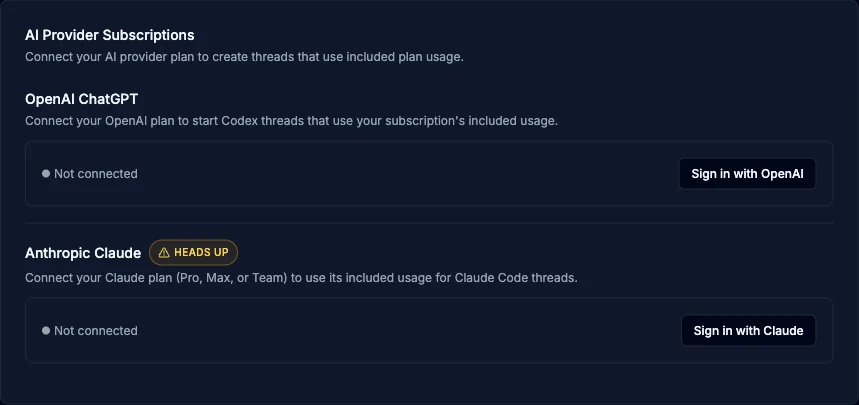
With both tools you can build on the Claude or ChatGPT plan you already pay for, and the difference is which plan you have to be on first.
With Glide, that starts on Pro, at $125 a month. From there you connect Claude Code, Claude, Cursor, or ChatGPT, and in Glide’s words, “Tokens run on the Claude, ChatGPT, or Cursor plan you already pay for.” It adds that “Glide credits still cover workflows Glide runs.”
In Draftbit, it’s on every plan, Free included, where you get 20 agent runs a week on your own subscription or key. Threads on your own account don’t use Draftbit credits, and your provider’s usage limits still apply. We sell credits too, for anyone who’d rather not connect an account.
Internal tools on your own data
If your team needs an internal tool on its own data this week, we’d pick Glide.
That’s the job it’s made for. In a Glide project you connect spreadsheet files, Google Sheets, or SQL databases, every app in the project works from the same database, and workflows run on a schedule or when data changes. Hosting and team permissions come with it, so nobody has to set up a backend.
In Draftbit, the same tool would be a web app and a backend in one project. You end up with code and a database you control, but there’s more to build, and a Supabase backend’s staging and production environments need a paid plan and use credits while they run. We think that trade is worth it for a product your customers use, and often isn’t for a tool that only your own team opens.
What you'll pay
Draftbit Standard
$15/month; or $144/year ($12/month equivalent)
Base subscription with code editing, ZIP and GitHub export, custom domains, and iOS/Android publishing. AI usage is separate.
GlideOS Basic
$25/month
100 credits, 2 team members, 2 published apps for personal and team use, and 1 enabled workflow.
If you already pay for Claude or ChatGPT, that subscription does the building in Draftbit, so Standard stays at $15 a month. If you'd rather not connect a subscription, you can add Draftbit credits to the plan, from $5 a month for 5,000. GlideOS Basic is $25 a month with 100 credits and 2 published apps, and building on your own AI plan starts with Pro at $125 a month, where Glide credits still pay for workflows and for AI features inside your apps.
Prices are in US dollars and were checked on November 23, 2026. See every Draftbit plan and Glide's current pricing.
What other sites get wrong about Draftbit
Many comparisons on other sites describe an older Draftbit. Here's what they say, and what's true today.
- Claim Draftbit is a drag-and-drop builder.
- Fact Claude Code and Codex build the app from what you describe. The visual editor is for the changes you'd rather make by hand, and it edits the same code. Read more
- Claim Draftbit has no backend.
- Fact A project can hold an API backend with its own database, or a Supabase backend we set up for you and you can move into your own account. Read more
- Claim You have to buy AI credits.
- Fact You can build on your own Claude or ChatGPT subscription, or your own API key, on every plan, Free included. We sell credits too, for anyone who'd rather buy them from us. Read more
- Claim Draftbit only makes mobile apps.
- Fact It builds mobile apps, web apps, websites, games, and backends, and one project can hold all of them. Read more
What's new at Glide. In August 2026, Glide added a way to build with your own AI agent on its Pro and Enterprise plans, and in November 2026 it added Glide inside Microsoft 365 Copilot for plans that include it. GlideOS is a separate product from Glide Classic, with its own subscription, and this page compares GlideOS.
Switching from Glide
A Glide app stays on Glide, and our import takes JavaScript and TypeScript projects, so there's nothing to bring in. Moving means building the app again in Draftbit, with the Glide app open beside you as the reference for what each screen does.
The data can come along. Any table in a Glide project exports to a CSV file, and on Pro you can also read it through a Postgres-compatible connection string. Then choose where it lives next, which can be a Supabase backend we set up for you or a database you already run.
We couldn't find a way to export Glide's workflows or permissions, so list them before you start and describe each one to the agent, which builds it as code in your backend.
If the Glide app is an internal tool that's working, we'd leave it where it is, and build the customer-facing app that needs the stores in Draftbit.
What Draftbit can import and how Draftbit Experts can do the move for you.
In customers' words
“What helped me the most was the level of freedom it gives you to build a truly professional app without feeling locked into a closed system.”
“The visual builder let me focus on features and UX, while the clean code export meant I wasn’t locked in.”
Test it yourself
Don't take our word for it. Try these in both tools before you decide. Draftbit's Free plan is enough to run them.
- Decide where people will get the app. If the answer is the App Store or Google Play, check whether each tool can put it there.
- Build one screen in both, then find out how you'd get the code and the data out of each.
- Price a month of building on your own AI plan in each: the plan you'd need to be on, plus anything the builder still charges credits for.
Frequently asked questions
Can a Glide app be published to the App Store or Google Play?
No. Glide's help center says "Glide apps are Progressive Web Apps (PWAs), and publishing directly to the App Store or Google Play is not supported." People open a Glide app from a link or add it to their home screen. In Draftbit, mobile apps are React Native and Expo projects that you publish to the App Store and Google Play from the builder, on Standard and up.
Is Draftbit cheaper than Glide?
It depends on the plan you'd need. Draftbit Standard is $15 a month if you bring your own Claude or ChatGPT plan, or $15 plus a credit add-on that starts at $5 a month for 5,000 credits. GlideOS Basic is $25 a month with 100 credits, and building on your own AI plan starts with Pro at $125 a month for 5 team members. Glide's pricing page says annual plans are coming soon.
Do Draftbit's paid plans include AI credits?
No. Standard is $15 a month and that doesn't include credits, because you can build on your own Claude or ChatGPT subscription, or your own API key, on every plan. If you'd rather use Draftbit credits, you can add them to any paid plan, from $5 a month for 5,000.
Can I use my own Claude or ChatGPT subscription with Glide?
Yes, from the Pro plan. Glide's site says "Tokens run on the Claude, ChatGPT, or Cursor plan you already pay for", and that Glide credits still cover the workflows Glide runs. In Draftbit, you can connect a Claude or ChatGPT subscription, or your own API key, on every plan, Free included.
Can I move a Glide app to Draftbit?
Not by importing it. A Glide app stays on Glide, so it's rebuilt in Draftbit from your description, with the Glide app as the reference. The data can come with you, because any table exports to a CSV file, and Pro adds a Postgres-compatible connection string.
Who owns the code in both?
In Draftbit the code is yours, with ZIP and GitHub export on Standard and up. We couldn't find a statement about code ownership on Glide's site. Its pricing page lists "View code and project files" under Enterprise, and its site says "The app lives in Glide".
Is GlideOS the same as Glide Classic?
No. Glide's pricing page calls GlideOS "a standalone product, completely separate from the original Glide platform (Glide Classic)", with its own plans, and says there's currently no tool for migrating Classic apps to GlideOS. The prices on this page are for GlideOS.
Sources
We publish Draftbit, so we have a stake in this comparison. Every fact about Glide comes from its own site and docs, checked on November 23, 2026.
Related comparisons
-
Draftbit vs Adalo
An Adalo app runs on Adalo, and the code costs extra.
-
Draftbit vs Bubble
On Bubble, you own your data and Bubble owns the code.
-
Draftbit vs FlutterFlow
With FlutterFlow, you have to pick a product.
A Glide app can't go in the App Store.
If your app belongs in the App Store, start it where it can get there, and see how far you get on the Free plan before you spend anything.