
Draftbit vs FlutterFlow: With FlutterFlow, you have to pick a product.
In Draftbit, one project is where the agents build, you edit by hand, the code exports, and the backend lives. Since November 4, 2026, FlutterFlow has been two products: a new AI builder called FlutterFlow, with no code export and no manual screen editors, and the visual builder, now called FlutterFlow Studio. Its site says projects "cannot currently be transferred between FlutterFlow and FlutterFlow Studio", so you choose one before you start, and that choice decides whether you can get the code.
By Brian Luerssen, Founder of Draftbit. Facts checked . Published by Draftbit, one of the two products compared.
Which should you choose?
Choose Draftbit if
- You want an agent to build the app, and you still want to change it by hand and export the code.
- You'd rather not choose up front between an AI builder and a visual builder that can't share projects.
- You want the backend in the same project as the app, on a database you choose.
- You want a web app or a website next to the mobile app, in the same project.
Choose FlutterFlow if
- You want Flutter and Dart, which is what both FlutterFlow products produce.
- You want to build the whole app visually. FlutterFlow Studio is a visual builder first, and in our visual editor logic and data stay in code.
- Your data is in Firebase. Studio's Firestore and Firebase Auth integration is included on every plan.
- You already drive Studio from your own coding agent through its CLI, and that setup works for you.
Draftbit vs FlutterFlow at a glance
FlutterFlow is two products now, so each cell says which one it's about. These rows cover who builds the screens, whether you can change them by hand, and what you can take with you.
| What's compared | Draftbit | FlutterFlow |
|---|---|---|
| Building the app | ||
| Changing what the agent built | By hand in the visual editor on every plan, or in the code editor on Standard and up. | FlutterFlow: "no manual editors for screens. The agent builds them when you ask in a thread." Source : FlutterFlow on changing what the agent built |
| Building visually | The visual editor changes layout, styles, and text on the code the agents write. Logic and data stay in code. | Studio: a visual builder where you "Connect Firebase, Supabase or your own APIs, and query them from any widget." Source : FlutterFlow on building visually |
| Your own coding agent | Claude Code or Codex inside the builder, on your own subscription or API key, on every plan. | Studio: Claude Code, Codex, Gemini CLI, or any MCP-compatible client through its CLI. FlutterFlow: we couldn't find a way to. Source : FlutterFlow on your own coding agent |
| Moving between products | Nothing to move. The agents and the visual editor work on one project. | "Projects cannot currently be transferred between FlutterFlow and FlutterFlow Studio." Source : FlutterFlow on moving between products |
| The code | ||
| Export | ZIP and GitHub export on Standard and up. | FlutterFlow: none. "If you want the code, build in FlutterFlow Studio." Studio: code download on paid plans. Source : FlutterFlow on export |
| GitHub | One-way export to a branch you choose, on Standard and up. | Studio: a one-way push to a branch named flutterflow, on Pro and up. Source : FlutterFlow on github |
| The backend | ||
| Where it runs | An API backend in your project on Cloudflare D1, Supabase, or your own Postgres, or a Supabase backend we set up for you. | FlutterFlow: "A managed database, sign-in and file storage, set up as the app needs them." Studio: your own Firebase or Supabase project, or your own APIs. Source : FlutterFlow on where it runs |
| Getting your data out | The backend's code exports like any other app in the project, and a Supabase backend we set up can be moved into your own Supabase account. | FlutterFlow: "Backend doesn't import records from spreadsheets or CSV files, export records, or edit or delete records in bulk." Source : FlutterFlow on getting your data out |
| Where it ships | ||
| Stores and the web | The App Store and Google Play on Standard and up, and the web on every plan. | FlutterFlow: the App Store and Google Play. Studio: the App Store, Google Play, and the web. Source : FlutterFlow on stores and the web |
FlutterFlow
- Agent builds the app
- Visual editor for screens (not available)
- Code export (not available)
- Built-in backend
- App Store and Google Play
- Move the project to Studio (not available)
FlutterFlow Studio
- Visual builder, or your own agent
- Visual editor for screens
- Code export
- Connect your own Firebase or Supabase (you do this yourself)
- App Store, Google Play, and web
- Move the project to FlutterFlow (not available)
Draftbit
- Agent builds the app
- Visual editor for screens
- Code export
- Backend in your project
- App Store, Google Play, and web
Picking before you start
In Draftbit you never choose between an agent that builds the app and an editor you can use by hand, and with FlutterFlow that’s now the first decision you make.
Since November 4, 2026, the name FlutterFlow belongs to a new AI builder. Its docs say it has “no manual editors for screens”, so every change is a request to the agent in a thread. The visual builder is now called FlutterFlow Studio, and you can’t start in one and finish in the other. In FlutterFlow’s own words, “Projects cannot currently be transferred between FlutterFlow and FlutterFlow Studio.”
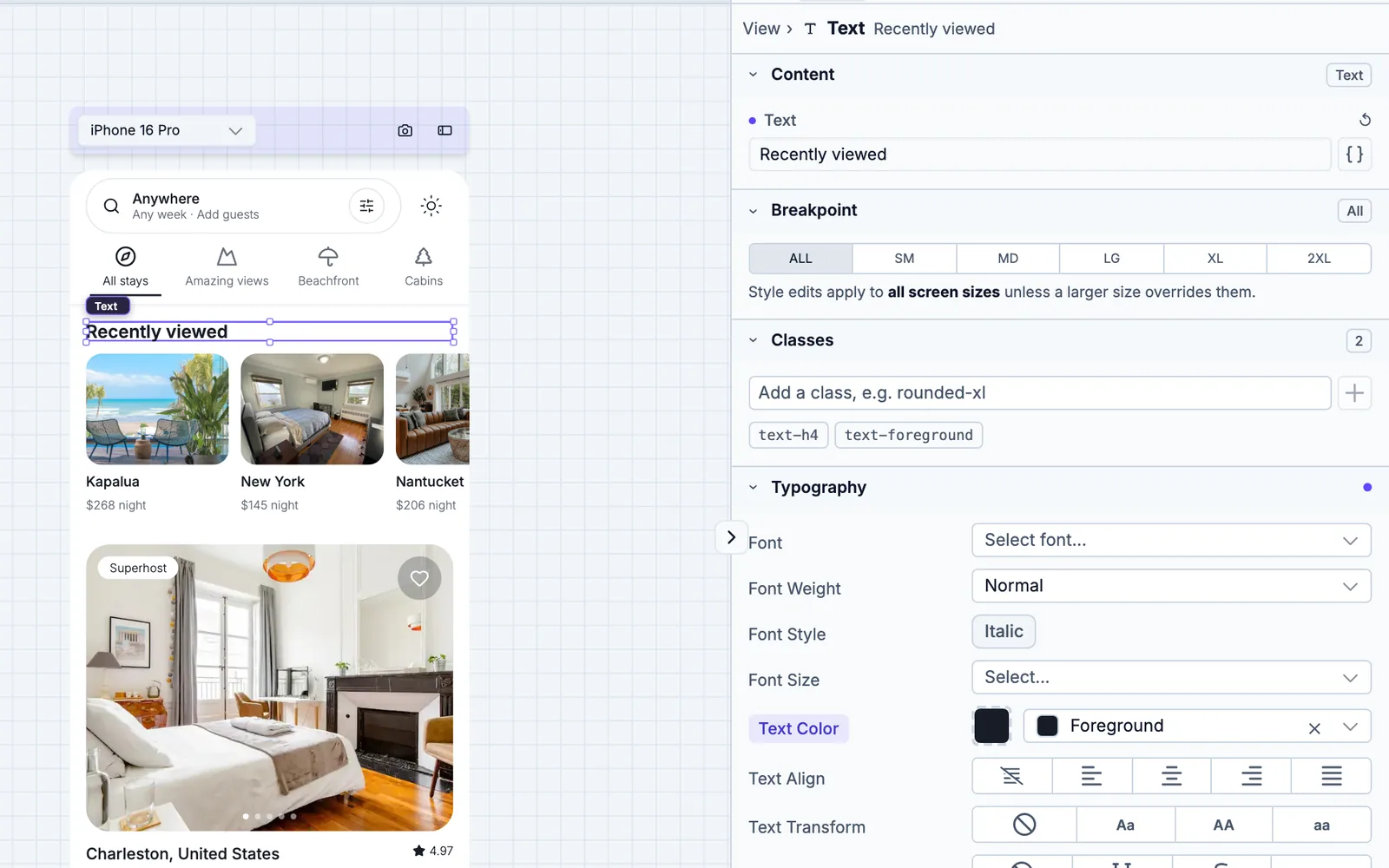
In Draftbit, Claude Code and Codex build the app and the visual editor changes the same source files, so you can fix a margin yourself and hand the next feature back to the agent. Studio goes further on visual building than we do. There you connect your data and query it from any widget, while in our visual editor logic and data stay in code.
Getting the code out
If you want an agent to build the app and still leave with the code, one Draftbit project covers both, and with FlutterFlow you’d need to have started in Studio.
FlutterFlow’s FAQ asks “Can I export my app’s code?” and the answer is no. It ends with a pointer to the other product, “If you want the code, build in FlutterFlow Studio.” In Studio, the Flutter project downloads on any paid plan, and pushing to GitHub starts on FlutterFlow’s Pro plan, to a branch named flutterflow.
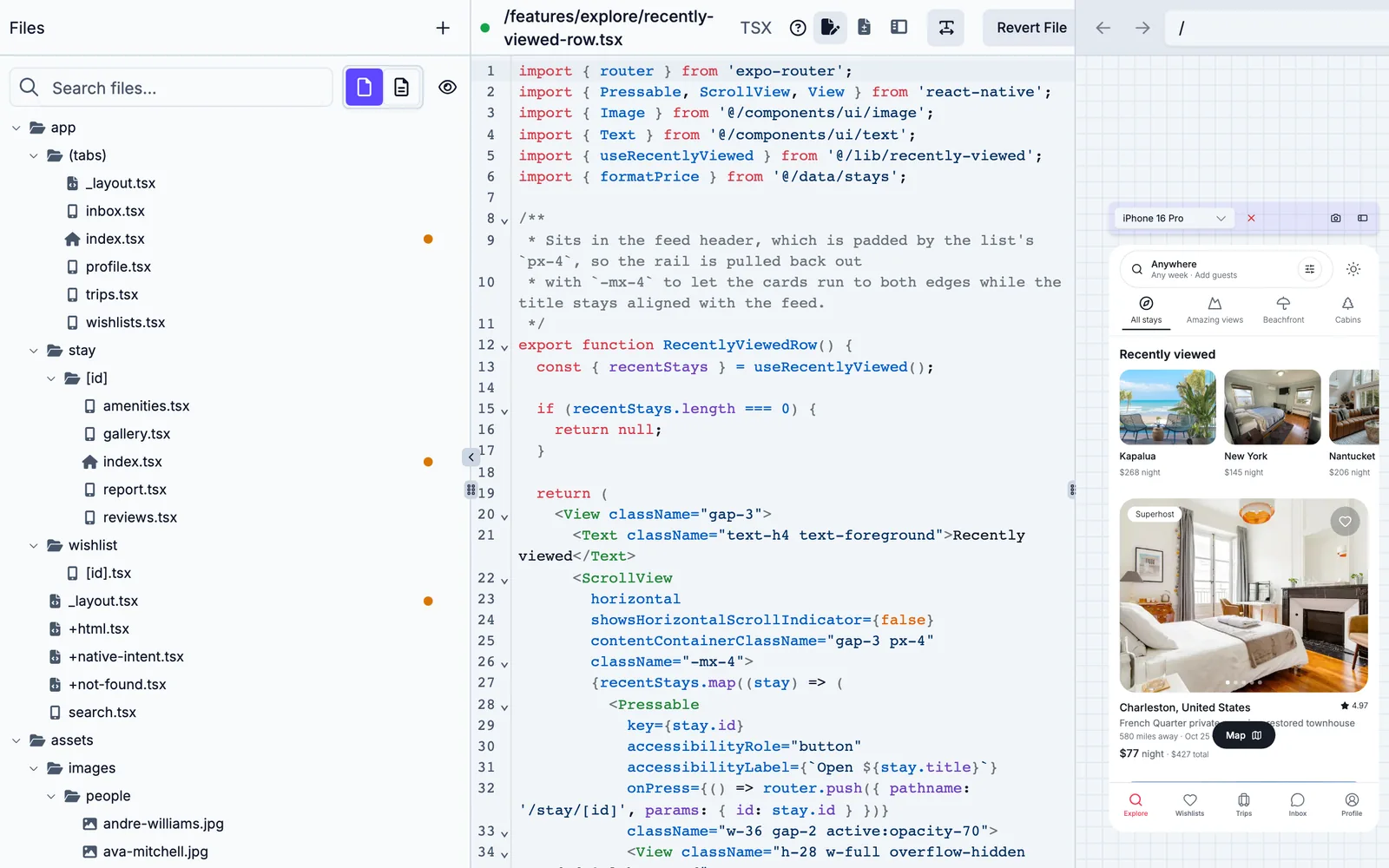
In Draftbit, ZIP and GitHub export are on Standard and up. Our GitHub export goes one way too, to a branch you choose. The framework is the bigger question, because if your team writes Dart, Flutter code from Studio is worth more to you than React Native code from us.
The backend and your data
The two FlutterFlow products take opposite approaches to the backend, and in Draftbit the backend is code in the same project as the app.
The new FlutterFlow has a built-in backend for sign-in, saved data, and uploaded files, which is quick to start with. Its docs name the limit: “Backend doesn’t import records from spreadsheets or CSV files, export records, or edit or delete records in bulk.” Studio has no backend of its own. You connect your own Firebase or Supabase project instead, so your data starts out in an account you control.
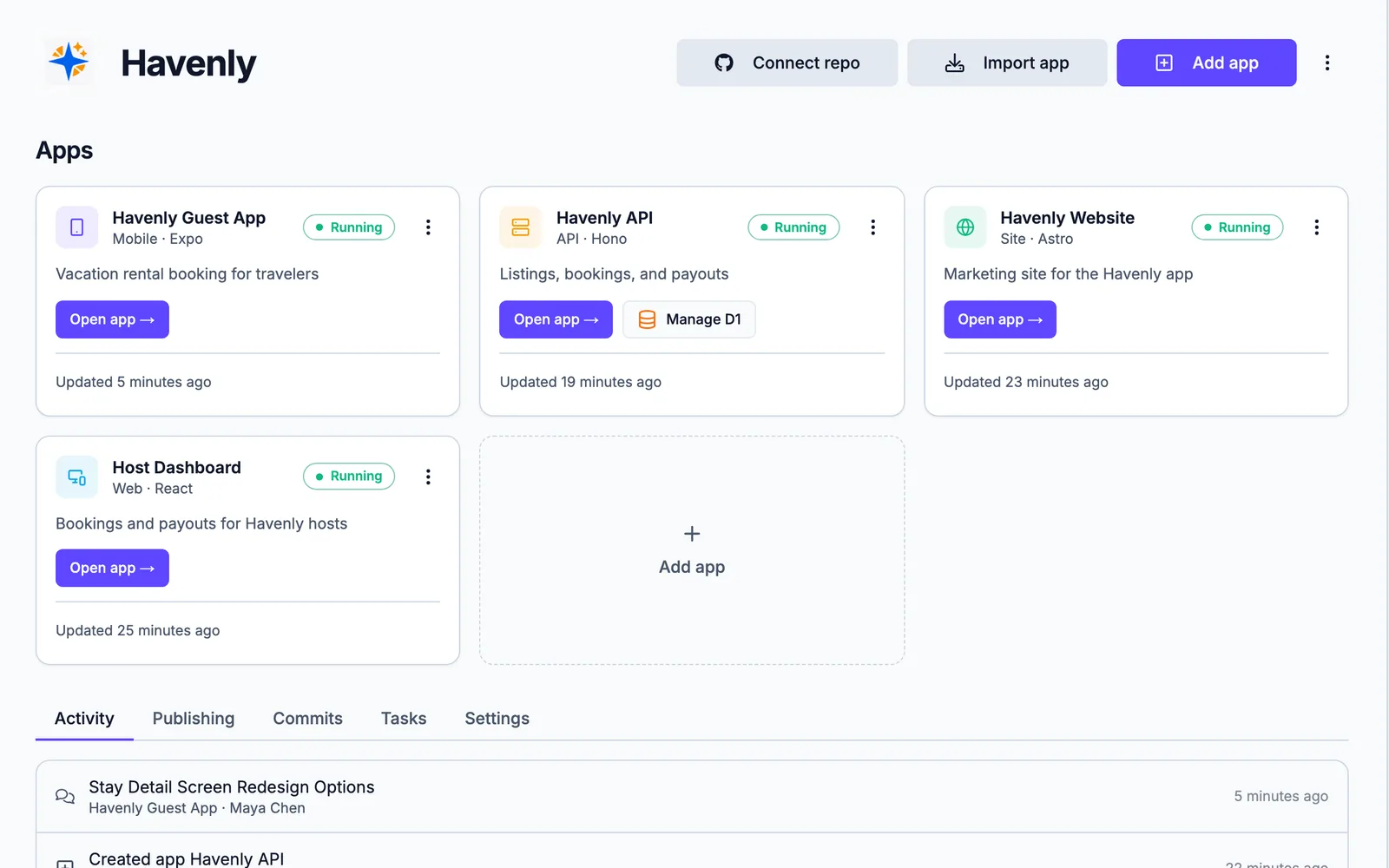
In Draftbit, the backend is another app in your project, on Cloudflare D1, Supabase, or a Postgres database you already run, and its code exports the same way as your other apps. If you’d rather we set up Supabase for you, that project can be moved into your own Supabase account. Its staging and production environments need a paid plan, and they use credits while they run.
Building with your own coding agent
You can build with your own coding agent in FlutterFlow Studio as well as in Draftbit, so that isn’t what separates the two.
With Studio’s CLI, you create and edit Studio apps “from the terminal using your own AI coding agent, such as Claude Code, Gemini CLI, Codex, or any MCP-compatible client”, on Basic and up. We couldn’t find a way to do the same in the new FlutterFlow.
In Draftbit, Claude Code and Codex are in the builder, so there’s nothing to install. You can sign in with a Claude or ChatGPT subscription or add an API key on every plan, Free included, and threads on your own account don’t use Draftbit credits. Your provider’s usage limits still apply.
What you'll pay
Draftbit Standard
$15/month; or $144/year ($12/month equivalent)
Base subscription with code editing, ZIP and GitHub export, custom domains, and iOS/Android publishing. AI usage is separate.
FlutterFlow Basic
$39/month, or $351/year
AI usage for a simple app, with no refills. In Studio, unlimited projects, code download, the CLI, one-click store deployment, and 1 custom domain, for 1 editor.
If you already pay for Claude or ChatGPT, that subscription does the building in Draftbit, so Standard stays at $15 a month. If you'd rather not connect a subscription, you can add Draftbit credits to the plan, from $5 a month for 5,000. FlutterFlow Basic is $39 a month for both products, with AI usage sized for a simple app and no refills, and pushing to GitHub from Studio starts on Pro at $80 a month. With Studio you can also build from your own coding agent on Basic and up, so compare the plans that have the export and GitHub features you need.
Prices are in US dollars and were checked on November 23, 2026. See every Draftbit plan and FlutterFlow's current pricing.
What other sites get wrong about Draftbit
Many comparisons on other sites describe an older Draftbit. Here's what they say, and what's true today.
- Claim Draftbit is a drag-and-drop builder.
- Fact Claude Code and Codex build the app from what you describe. The visual editor is for the changes you'd rather make by hand, and it edits the same code. Read more
- Claim Draftbit has no backend.
- Fact A project can hold an API backend with its own database, or a Supabase backend we set up for you and you can move into your own account. Read more
- Claim You have to buy AI credits.
- Fact You can build on your own Claude or ChatGPT subscription, or your own API key, on every plan, Free included. We sell credits too, for anyone who'd rather buy them from us. Read more
- Claim Draftbit only makes mobile apps.
- Fact It builds mobile apps, web apps, websites, games, and backends, and one project can hold all of them. Read more
What's new at FlutterFlow. On November 4, 2026, FlutterFlow launched a new AI builder under the FlutterFlow name and renamed its visual builder FlutterFlow Studio. One subscription now covers both, and Studio's AI draws on the same usage allowance as the new builder.
Switching from FlutterFlow
Both FlutterFlow products produce Flutter apps written in Dart, and our import takes JavaScript and TypeScript projects, so there's nothing to bring in. Moving means building the app again in React Native, with the old one as the reference for what each screen does.
How much of a reference you have depends on which product you're in. From Studio, download the Flutter project on a paid plan and keep it beside you while you describe each screen to the agent. From the new FlutterFlow there's no source to download, so the running app and your own notes are what you'll work from.
The data splits the same way. A Studio app's data is already in your own Firebase or Supabase project, and a Supabase database can stay where it is, because an API backend in a Draftbit project can connect to a Postgres database you already run. The new FlutterFlow's backend doesn't export records, so find out how you'd get your data out before you commit to a move.
If you have an app that's working well in Studio and a team that writes Dart, we'd leave it there. The move is most worth making when you started in the new FlutterFlow and now want the code.
What Draftbit can import and how Draftbit Experts can do the move for you.
In customers' words
“The visual builder let me focus on features and UX, while the clean code export meant I wasn’t locked in.”
“The UI is genuinely intuitive—clean, pixel-perfect control, and real-time previews that make tweaking designs feel effortless.”
Test it yourself
Don't take our word for it. Try these in both tools before you decide. Draftbit's Free plan is enough to run them.
- Ask the agent in each tool for a screen with a list and a form, then change one label and one margin on it by hand.
- Export the code from each, or find out which product and which plan you'd need to be on to do it.
- Add a table with a few records and a sign-in screen, then try to get those records back out.
Frequently asked questions
What's the difference between FlutterFlow and FlutterFlow Studio?
Since November 4, 2026, FlutterFlow is a new AI builder where you describe the app and an agent builds it, and FlutterFlow Studio is the visual builder that used to be called FlutterFlow. One subscription covers both, and FlutterFlow's site says projects can't currently be transferred between them.
Who owns the code, and can I export it?
In Studio, yes. FlutterFlow's site says "The code is yours: download the Flutter project on any paid plan." In the new FlutterFlow, its docs say "no one can download or export its source code or send it to GitHub", though you can download the built phone files. In Draftbit the code is yours, with ZIP and GitHub export on Standard and up.
Is Draftbit cheaper than FlutterFlow?
For the plan that includes code export, yes. Draftbit Standard is $15 a month if you bring your own Claude or ChatGPT plan, or $15 plus a credit add-on that starts at $5 a month for 5,000 credits, and it includes ZIP and GitHub export. FlutterFlow Basic is $39 a month with code download from Studio, and Studio's push to GitHub starts on Pro at $80 a month. Both are lower when billed yearly.
Do Draftbit's paid plans include AI credits?
No. Standard is $15 a month and that doesn't include credits, because you can build on your own Claude or ChatGPT subscription, or your own API key, on every plan. If you'd rather use Draftbit credits, you can add them to any paid plan, from $5 a month for 5,000.
Can I move a FlutterFlow app to Draftbit?
Not by importing it. FlutterFlow apps are Flutter and Dart, and our import takes JavaScript and TypeScript projects, so the app is rebuilt in React Native from your description, with the Studio export as the reference if you have one. Data in your own Firebase or Supabase project stays where it is.
Can I use my own AI agent with FlutterFlow?
With Studio, yes. Its CLI works with Claude Code, Codex, Gemini CLI, or any MCP-compatible client, on Basic and up. We couldn't find a way to bring your own agent to the new FlutterFlow. In Draftbit, you can connect a Claude or ChatGPT subscription, or your own API key, on every plan, Free included.
Can Draftbit or FlutterFlow build desktop apps?
Draftbit has no build target for macOS, Windows, or Linux. FlutterFlow's docs say the new FlutterFlow "has no desktop builds". We couldn't confirm FlutterFlow Studio's desktop support on the pages we checked, so read its docs first if a desktop app is a requirement.
Sources
We publish Draftbit, so we have a stake in this comparison. Every fact about FlutterFlow comes from its own site and docs, checked on November 23, 2026.
- FlutterFlow or FlutterFlow Studio: how the two differ
- What the new FlutterFlow doesn't do
- FlutterFlow product FAQ, including code export
- FlutterFlow for developers: backend, built files, and source
- FlutterFlow Studio
- FlutterFlow pricing
- FlutterFlow plan comparison
- Studio's push to GitHub
- Building Studio apps with your own coding agent
- FlutterFlow changelog
Related comparisons
-
Draftbit vs Adalo
An Adalo app runs on Adalo, and the code costs extra.
-
Draftbit vs Bubble
On Bubble, you own your data and Bubble owns the code.
-
Draftbit vs Glide
A Glide app can't go in the App Store.
With FlutterFlow, you have to pick a product.
Describe the app, change it by hand, and read the code, all in one project, and see how far you get on the Free plan before you spend anything.