Draftbit platform features, pricing, and FAQ: a low-code builder for React Native mobile and web apps with AI agents (Claude, GPT, and other models), full code ownership with GitHub export, human expert services, and free-to-enterprise pricing. 200k+ builders, 50k+ apps created.
# Build the whole app, not just the screens.
> Build mobile apps, web apps, websites, games, and backends in one project with Claude Code and Codex, a visual editor, live preview, and code you own.
Most apps need sign-in, a database, a website to market them, and a way to ship updates. In Draftbit you can build every piece in one project, with Claude Code and Codex doing the heavy lifting, a visual editor for the precise parts, and real code you own.
Start building free
[View pricing](/pricing)
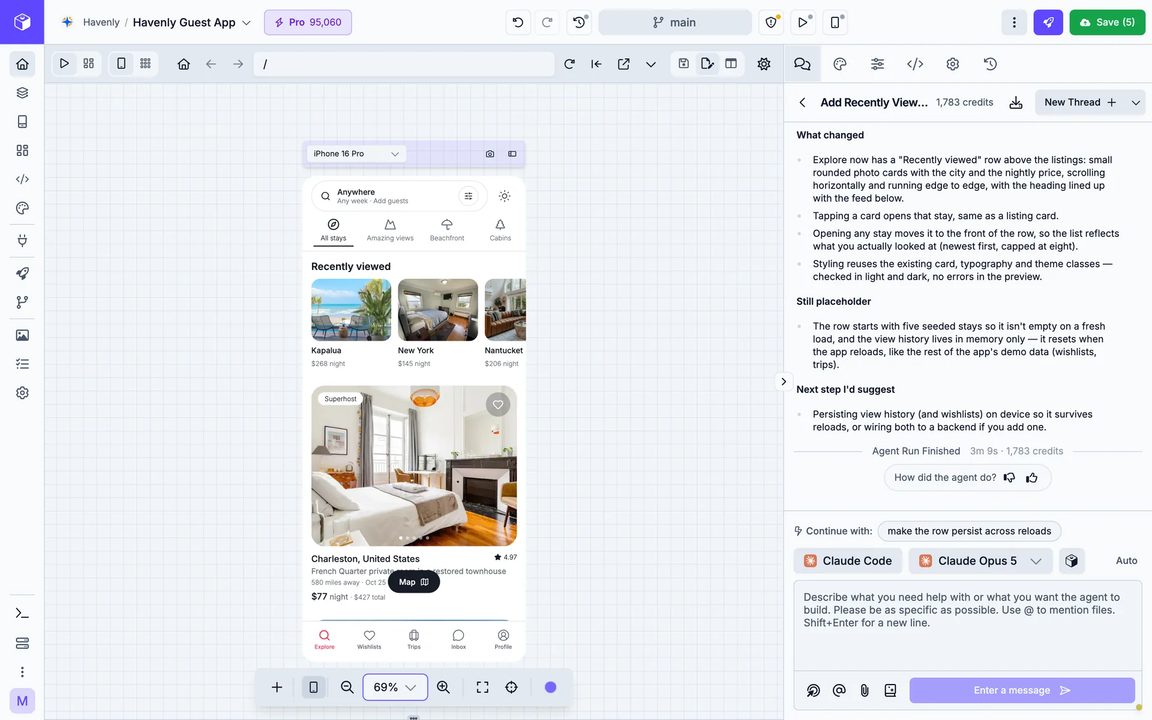
The platform
## From the first prompt to the app store, and every update after.
Here's what you can do in the builder today. Each part has more detail further down the page.
### [Claude Code and Codex](#agents)
[Describe a change, and the agent makes it in your app's real code, then checks the preview to see that it worked.](#agents)
### [Bring your own AI](#agents)
[Sign in with your Claude or ChatGPT account, or add an API key, and the agent runs on your own AI.](#agents)
### [Mockups](#mockups)
[Ask for a few design options, compare them side by side, and have the agent build the one you like.](#mockups)
### [Visual editing](#visual-editing)
[Click any element in the preview to change its layout, styles, or content, and the edit goes straight into the code.](#visual-editing)
### [Every app in one project](#projects)
[Keep a mobile app, web app, website, and backend together, so they share one database and one agent can work across them.](#projects)
### [A cloud sandbox for each app](#sandbox)
[There's nothing to install, so you can build from any browser, including the one on your phone.](#sandbox)
### [Live preview](#preview)
[Check your app on 30+ device sizes in the browser, or scan a QR code to open it on your own phone.](#preview)
### [Code you own](#code)
[Import an existing app, work in your own GitHub repo, edit any file, and export the code whenever you want.](#code)
### [Publishing and updates](#publishing)
[Ship to the web, the App Store, and Google Play, then send fixes to installed apps over the air.](#publishing)
Projects
## Your mobile app, backend, and website in one project.
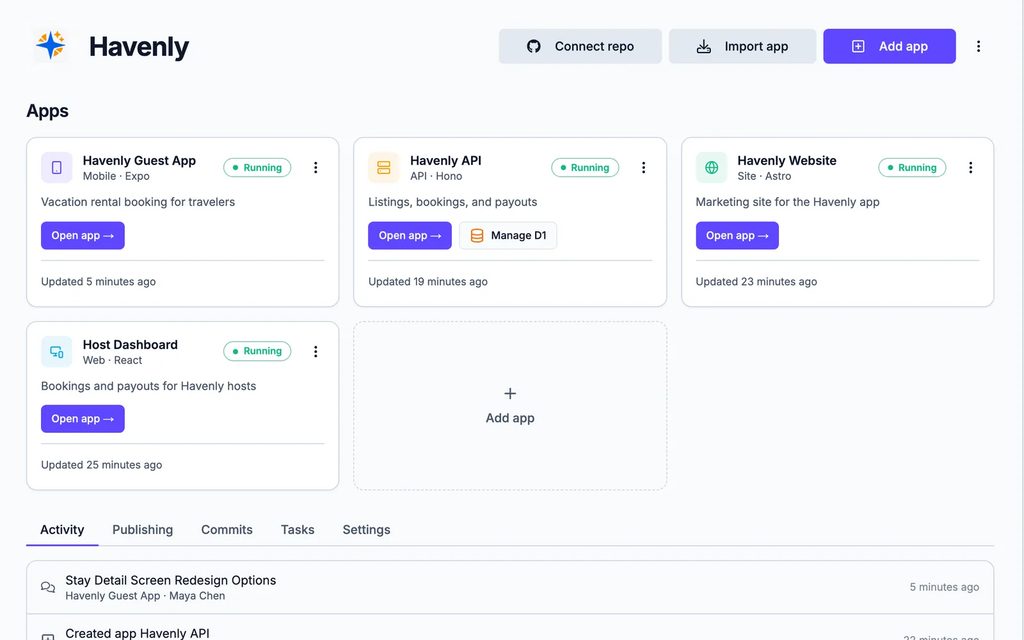
Once an app needs sign-in and stored data, it needs a backend, and soon after that a website to market it and maybe a dashboard for your team. A Draftbit project keeps all of them together, so they share one backend and the agent can work across them.
* Mobile apps
One codebase for the web, iOS, and Android, produced with React Native and Expo.
* Web apps
Dashboards, admin portals, and customer tools built with React and Vite.
* Websites
Marketing sites and content pages built with Astro.
* Games
2D games built with Phaser and 3D games built with Three.js, inside an Expo app, so they run on the web, iOS, and Android.
* API backends
Your own API built with Hono, with a console for testing requests, API keys, and a database from Cloudflare D1, Supabase, or any Postgres.
* Supabase backends
Sign-in, a Postgres database, storage, and edge functions, with separate development, staging, and production environments.
* One agent across every app
The agent can see every app in the project, so it can build a screen and the API behind it, then wire the two together in one pass.
AI agents
## Claude Code and Codex, working inside your app.
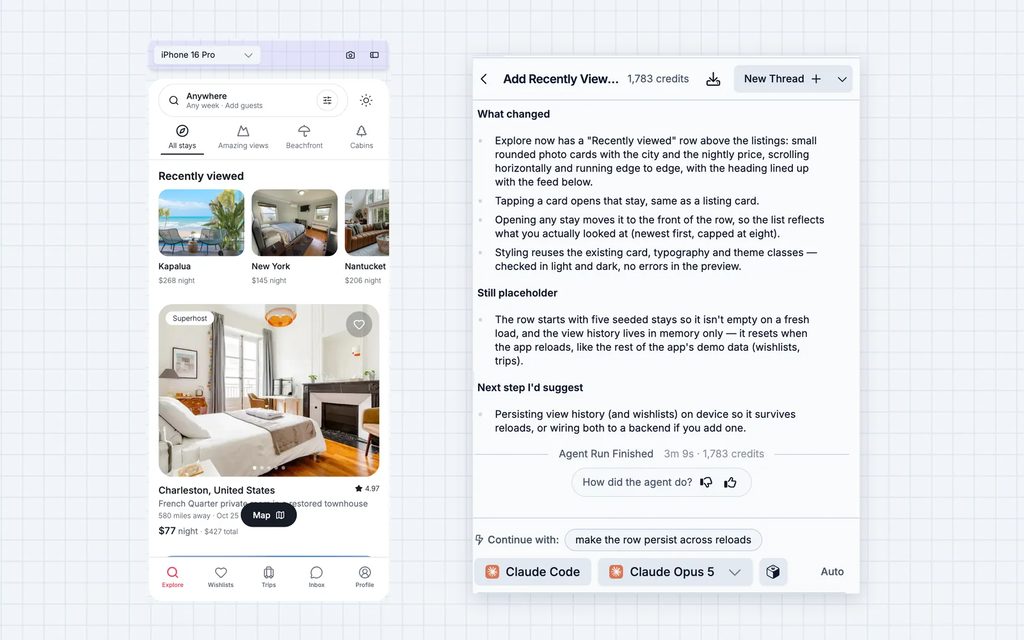
We didn't build our own agent. The coding agents developers already rely on run in your app's sandbox, with the same files, commands, and running preview they'd have on a developer's computer, plus tools we've added for building apps.
* Bring your own AI
Sign in with your Claude or ChatGPT account, or add an Anthropic, OpenAI, or OpenRouter API key, and share the connection with your whole workspace.
* Plan first, then build
In Plan mode, the agent lays out its approach for you to review before it touches any code. Read-only mode lets it answer questions without changing anything.
* An agent that checks its work
The agent can take screenshots of your preview and read console errors, so it sees what you see.
* Threads for each task
Keep each piece of work in its own thread, queue up follow-up prompts while the agent works, and search or download old threads.
* Work that runs while you're away
Start a task in the background, close the tab, and get an email when the agent is done.
* Several agents at once
Run agents in separate threads on different parts of your app at the same time.
Mockups
## Compare designs before anything gets built.
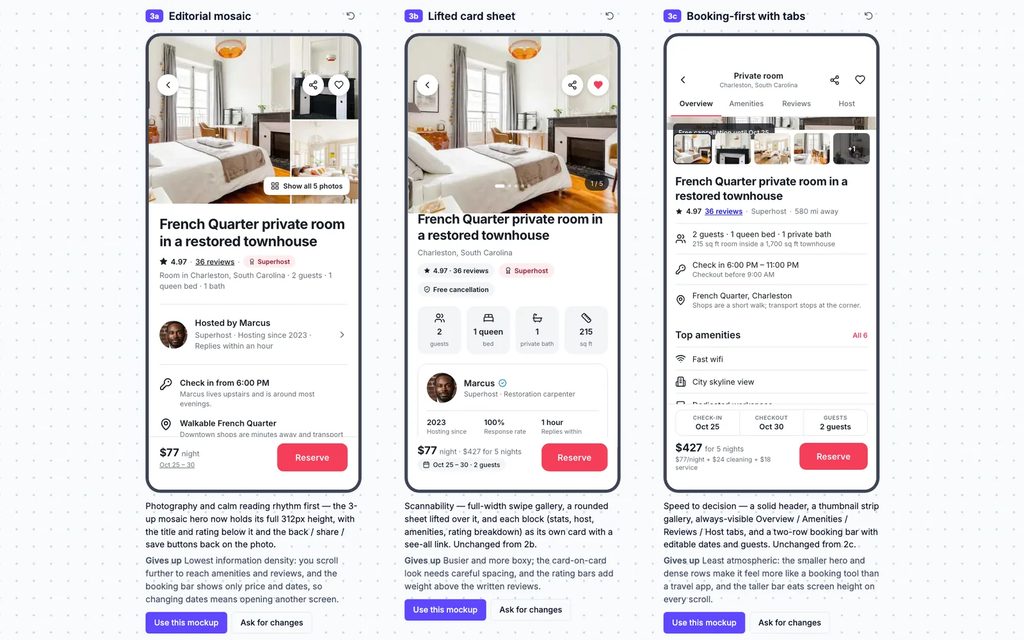
It's hard to describe a screen you haven't seen yet. When you ask for mockups, the agent designs a few different takes, you compare them side by side, and the agent builds the one you pick into your app.
* Options side by side
Mockups open on a canvas you can pan and zoom, and each one notes what it tries and what it gives up compared with the others.
* Any screen size
Ask for phone, tablet, or desktop designs, and rotate them between portrait and landscape.
* Ask for another round
Ask for changes to the option you like best, and the next round lands in the same set so you can compare them all.
* Build the one you choose
Select Use this mockup, and the agent builds it into your app with your app's own components.
Visual editing
## Make precise changes without writing a prompt.
For a small change, doing it yourself is often faster than explaining it to an agent. Everything you change in the visual editor is written straight into your app's real code, so you can see exactly what changed, and the agent picks up from there.
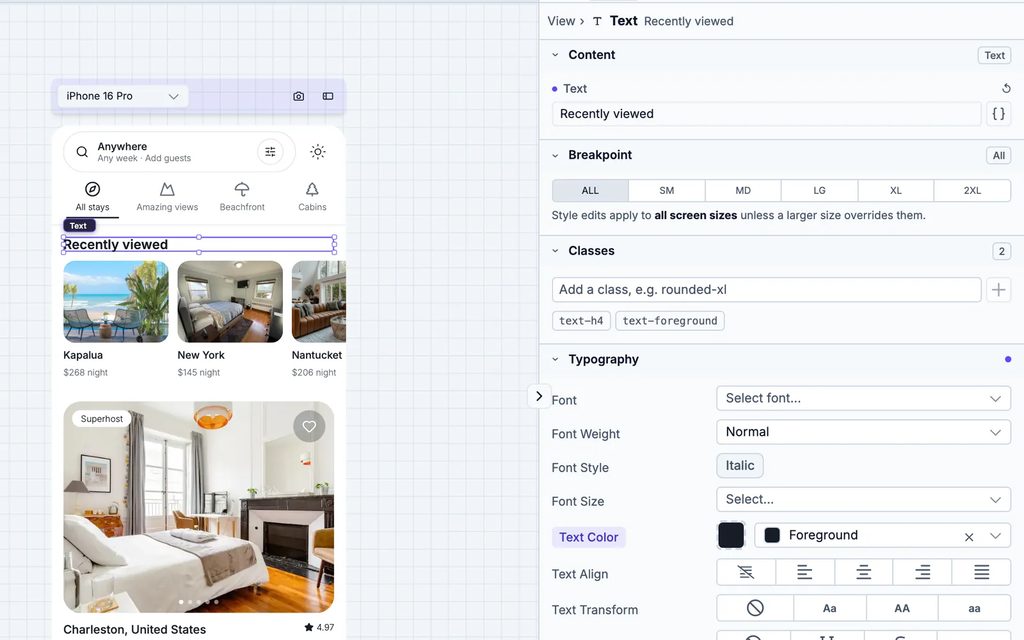
* Click to select
Click any element in the preview to select it, or double-click text to edit it in place.
* Styles panel
Change layout, spacing, colors, and typography, whether the app uses Tailwind, NativeWind, or React Native styles.
* Content without code
Edit text, images, links, icons, and the data that feeds a field from the Content section.
* Drag, drop, and rearrange
Drag components onto the preview, then duplicate, wrap, or move them around.
* Every state of a screen
Preview signed-out screens, empty lists, and other conditional states without changing your data.
* Themes and design import
Manage colors and fonts for light and dark mode in one place, or give the agent a Claude Design export or an HTML site to build screens from.
* Works on apps you bring in
The visual editor also works on Expo, Vite, and Astro projects you import from somewhere else.
Try the visual editor
Games
## Describe a game, and play it minutes later.
A game idea is easy to describe and hard to try, since even a simple one needs controls, a game loop, and art before anyone can play it. When you add a Game to your project, the agent builds it with Phaser for 2D or Three.js for 3D, and you play it in the preview while you ask for changes.
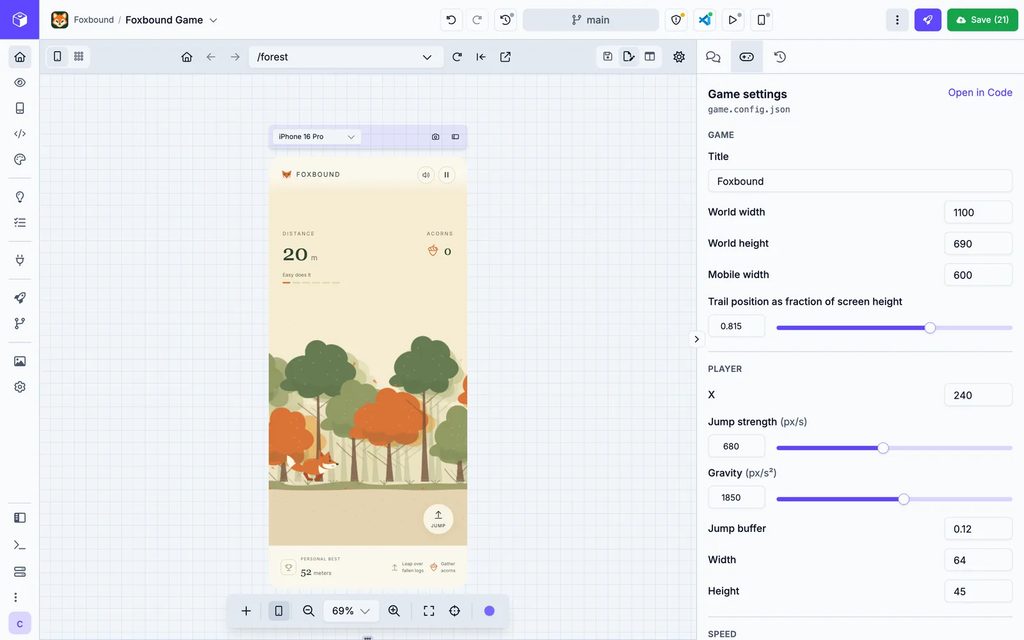
* Start from a template
39 working games in 2D and 3D, from Solitaire and Snake to a kart racer and a first-person escape room, or a blank game if you'd rather start from nothing.
* Tune it in the Game tab
Speeds, colors, and difficulty show up as sliders, switches, and color pickers, so you can change how the game plays without asking the agent. Level layouts, art, and game logic still go through the chat or the code.
* Scores, progress, and players
When the game needs to save something, add an API backend to the same project, and the agent can build both sides.
* Publish it like any mobile app
Put your game on the web on any plan, or on the App Store and Google Play on Standard and up.
[Browse game templates](/game-templates/)
Templates
## Start from an app that's already designed.
A blank page is the slowest way to start. You can open a template with every screen and component already built, then change it visually or with the agent, connect your backend, and publish to the web, iOS, and Android. If you're making a game, there are [game templates](/game-templates/) for that too.
* [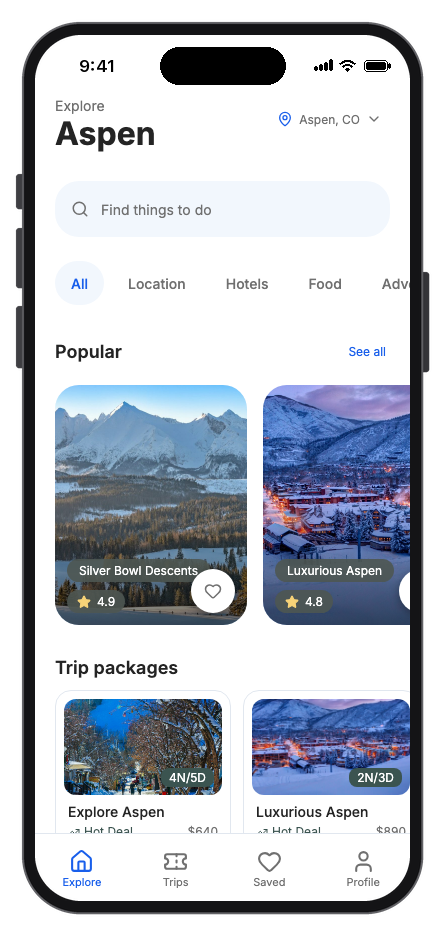](/mobile-app-templates/aspen-travel/)
[Aspen Travel travel](/mobile-app-templates/aspen-travel/)
[Mountain travel discovery, trip planning, and stay booking](/mobile-app-templates/aspen-travel/)
* [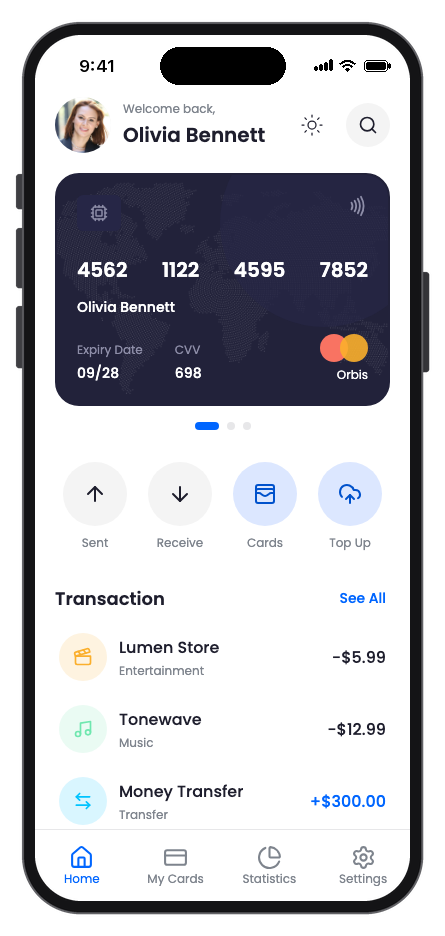](/mobile-app-templates/bankpick/)
[BankPick finance](/mobile-app-templates/bankpick/)
[Mobile banking with cards, transfers, and spending insights](/mobile-app-templates/bankpick/)
* [](/mobile-app-templates/bigcart/)
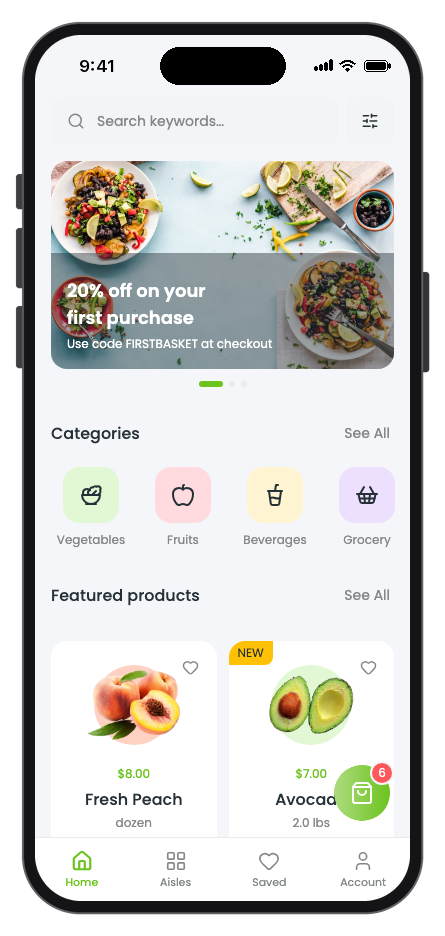
[BigCart ecommerce](/mobile-app-templates/bigcart/)
[Grocery shopping from product discovery through checkout](/mobile-app-templates/bigcart/)
* [](/mobile-app-templates/budgetwise/)
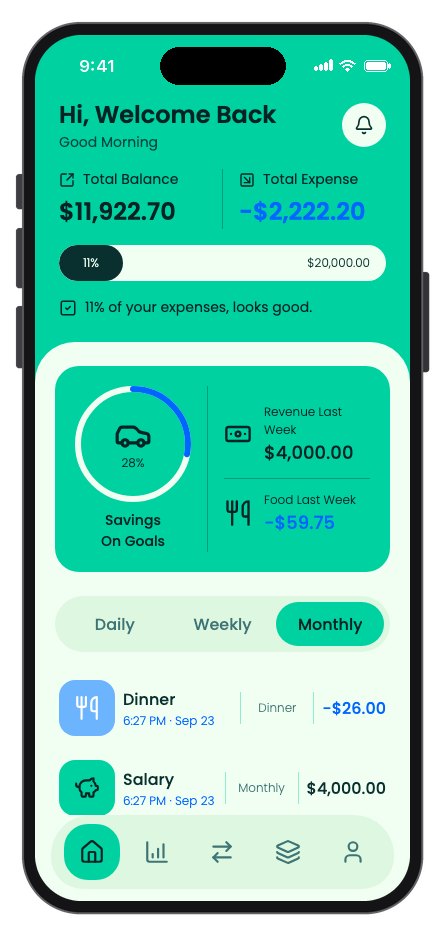
[BudgetWise finance](/mobile-app-templates/budgetwise/)
[Personal budgeting with transactions, goals, and spending analysis](/mobile-app-templates/budgetwise/)
* [](/mobile-app-templates/chat/)
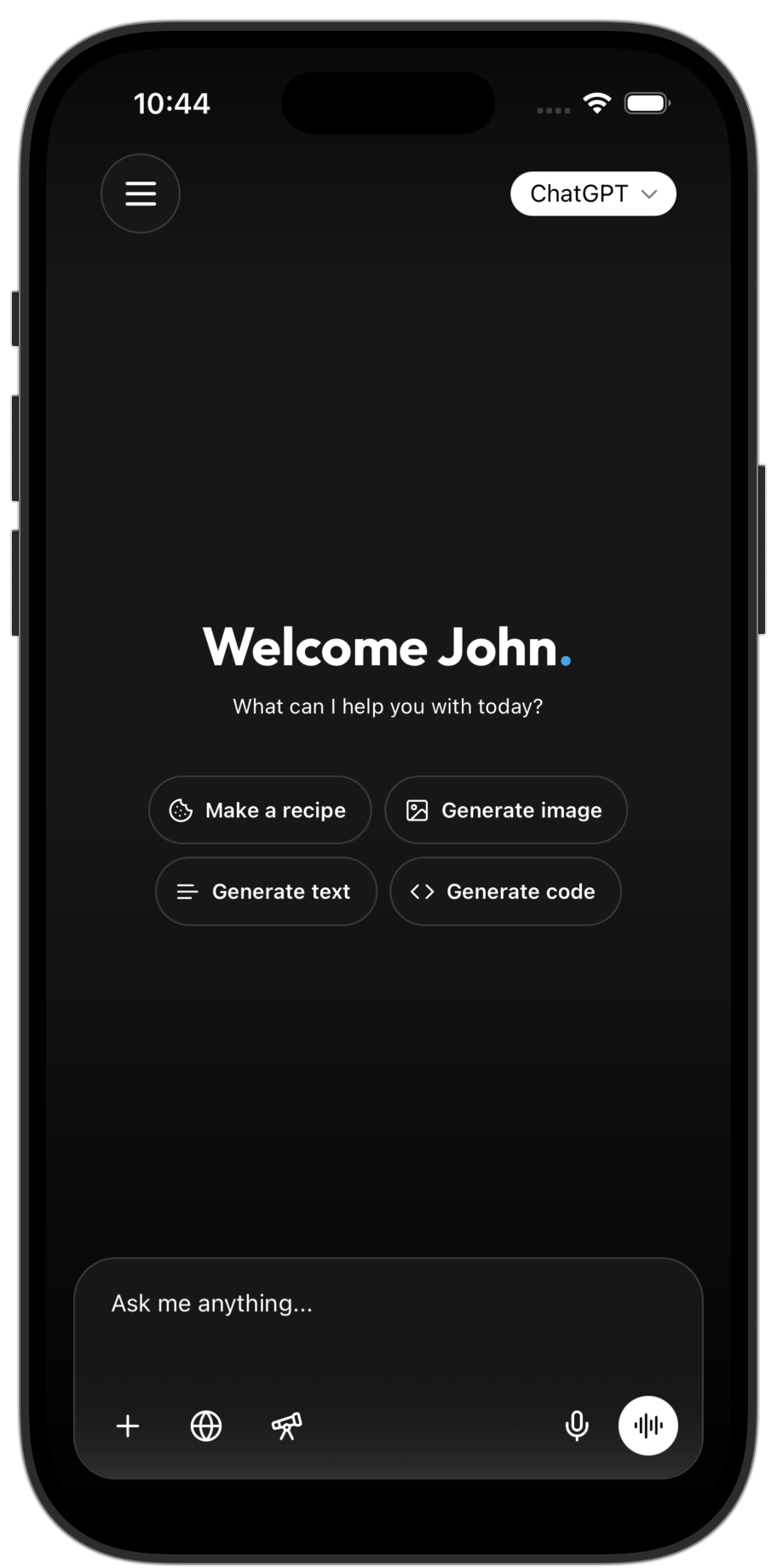
[Chat ai](/mobile-app-templates/chat/)
[AI chat app with voice and subscriptions](/mobile-app-templates/chat/)
* [](/mobile-app-templates/chatbox/)
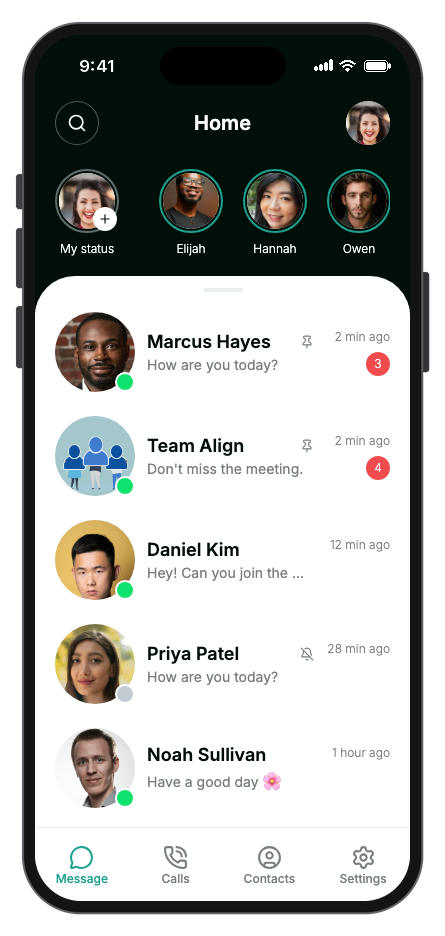
[ChatBox social](/mobile-app-templates/chatbox/)
[Private messaging with conversations, calls, contacts, and groups](/mobile-app-templates/chatbox/)
[Browse mobile app templates](/mobile-app-templates/) Start building free
Cloud sandbox
## Every app runs in its own private cloud sandbox.
There's nothing to install on your computer. Each app gets a sandbox in the cloud that holds its code, installs packages, runs the preview, and gives the agent a real place to work. It can take a few seconds to start after you've been away, which is the trade-off for being able to pick up from any browser right where you left off.
### Nothing to set up
Dependencies, builds, and the dev server are managed for you, so you can start from a browser tab.
### A real environment for the agent
The agent works with files, the command line, and running processes the same way it would on a developer's computer.
### Build from your phone
The builder works on phones and tablets too, so you can keep going when you're away from your desk.
### Environments
Keep separate development, staging, and production settings, and see which variables are missing in each one.
### Sensitive variables
Store API keys and other secrets as sensitive variables instead of pasting them into your code.
### Health checks
See the state of the sandbox, dependencies, and dev server at a glance, and restart the preview if it gets stuck.
Preview and debugging
## See it on every screen size before your users do.
The preview runs your actual app, not a picture of it, so what you tap is what people will get. You can line up several devices on one canvas, open the app on your own phone, and dig into the logs when something breaks.
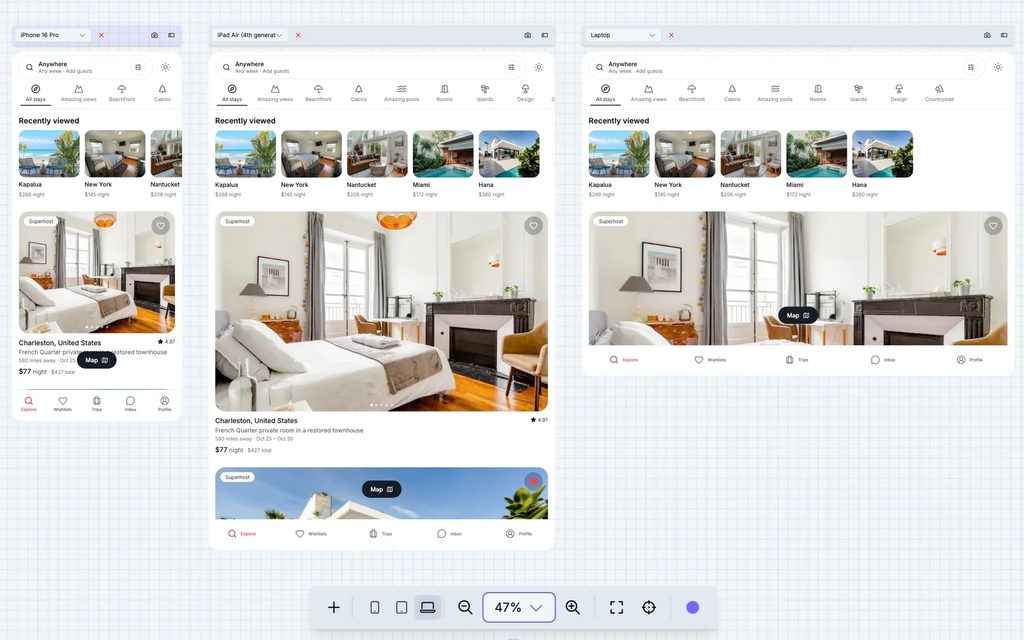
* 30+ device sizes
iPhones, iPads, Android phones and tablets, and desktop sizes, side by side on one canvas.
* A browser inside the canvas
Type a route, go back and forward, switch between light and dark mode, or pop the preview out into its own window.
* Every screen at once
Lay out all of your app's routes in a grid to review the whole app in one view.
* On your own phone
Scan a QR code to open the app on a real device.
* iOS and Android simulators
Run your app in native simulators without leaving the browser.
* Before and after
View your saved and working versions side by side to see exactly what changed.
* Logs and debugging
Read build and runtime logs, and ask the agent for help when you hit an error.
Your code
## Your code. No lock-in.
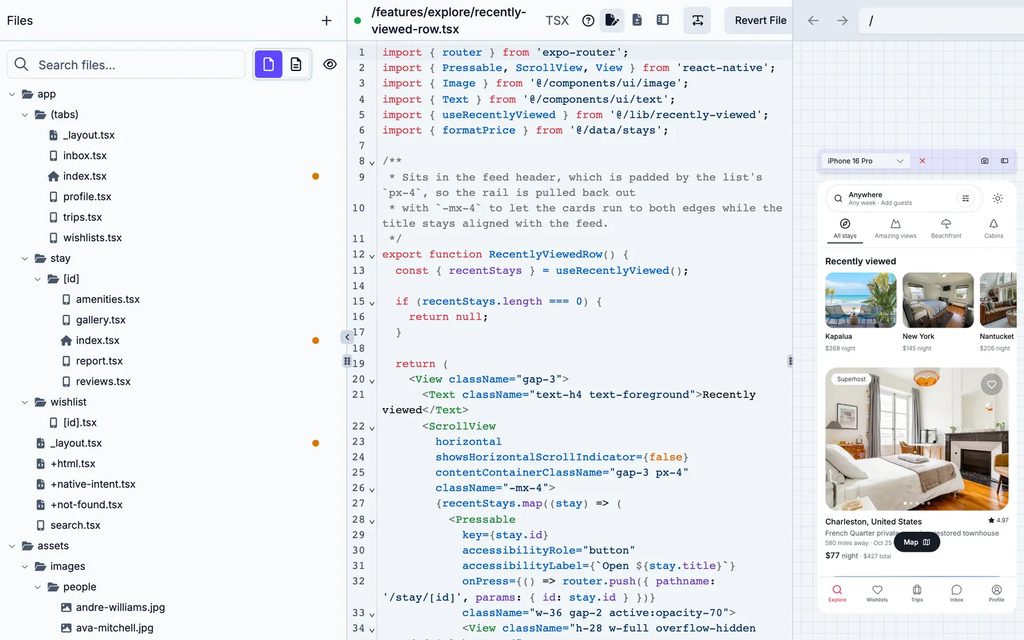
All of the code that Draftbit produces is standard React Native, React, Astro, or Hono, kept in Git, so you can read every line, change it, and take it with you. And if you already have an app, you can bring it in instead of starting over.
* Import an existing app
Bring a JavaScript or TypeScript project in from GitHub or a zip file.
* Work in your own repo
Connect a GitHub repository and build directly in it.
* Code editor
Edit files with autocomplete, syntax highlighting, and inline errors, and organize them in a file explorer.
* Version history
See every change, compare versions, and restore an earlier one.
* Commit messages written for you
When you save, a commit message is drafted from what changed.
* Export to GitHub or a zip file
Push the code to a GitHub repository or download it, along with daily backups of your project.
Backends
## A real backend, in the same project as your app.
Once your app needs sign-in and stored data, you can add a backend to the project instead of setting one up somewhere else. The agent builds it alongside your app, and each environment gets its own database, so testing can't change real data.
Your apps
* Mobile appExpo
* Host dashboardReact
* WebsiteAstro
API key
Havenly API
API backend
Hono
* GET/v1/listings
* POST/v1/bookings
* GET/v1/bookings/:id
* PATCH/v1/payouts/:id
API key on every routeOpenAPI docs
Migrations
Database
* Cloudflare D1Default
* Supabase PostgresManaged
* Your own Postgrespostgres\://…
DevelopmentStagingProduction
Each environment gets its own database.
### API backends with Hono
Your own API built with Hono and TypeScript. The agent writes the routes, the database schema, and the tests, and every route needs an API key by default.
### Supabase backends
Postgres, sign-in, storage, and edge functions, managed from the builder. When you're ready, you can claim the project into your own Supabase account.
### Database options
Give an API backend a Cloudflare D1 database, a managed Supabase Postgres database, or no database until you need one.
### Bring your own Postgres
Connect a Postgres database you already host with its connection URL, and your migrations run against it when you publish.
### Separate environments
Development, staging, and production each connect to their own database, so testing in one can't change another.
### API console and docs
Send test requests to every route, check the request logs, and read docs generated from your API's OpenAPI schema.
Integrations
## Connect the services your app depends on.
Most apps lean on a few outside services, like payments, error tracking, a CMS, or a design tool. You can connect them as REST or GraphQL APIs your app calls, or as MCP servers the agent works with directly while it builds.
### REST and GraphQL APIs
Pick a service from the catalog, set up your own endpoint, or import an OpenAPI spec, then test each endpoint before your app calls it.
### MCP servers
An MCP server lets the agent manage a service directly, like creating tables, deploying functions, or setting up subscriptions. Most only ask you to sign in.
### Your own MCP server
There are thousands of MCP servers out there, and the custom MCP connector lets you connect the agent to almost any of them.
### A few of the services in the catalog
* Supabase
* Neon
* Xano
* Hasura
* Appwrite
* Stripe
* RevenueCat
* Shopify
* Clerk
* Auth0
* Contentful
* Strapi
* Directus
* Algolia
* Zapier
* Sentry
* Linear
* Figma
* Canva
* Cloudflare
Looking for a specific service?[Browse integrations](/integrations/)
Publishing
## Publish to web, iOS, and Android from one workflow.
Releasing an app usually means a pile of accounts, certificates, and store forms. We've built that into the same place you build the app, so you can keep shipping changes after launch.
### Web publishing
Publish web apps and websites to a draftbit.dev address, or to your own domain once you're ready.
### iOS and Android
Build and submit to the App Store and Google Play, with checks that catch missing credentials before a build starts.
### Over-the-air updates
Send a bug fix or a text change straight to installed apps, without waiting on another store review.
### Help with app review
Generate store screenshots, send testing builds, and bring in a Draftbit Expert when the last steps get messy.
Start building your app
Team collaboration
## Build together in the same project.
Invite teammates or clients into your workspace, give each person the access they need, and see who's working where.
### Shared workspaces
Everyone works in the same projects, from the same code.
### Roles
Owners, admins, editors, and viewers each get the access that fits what they do.
### Live presence
See who's online and working in the project right now.
### Tasks
Plan work on a shared board, assign it to a teammate, or hand a task to the agent when you're ready.
### Shared agent instructions
Set instructions once so every agent in the project follows the same conventions.
### One place to manage it
Manage members, projects, and AI connections for your whole workspace.
Get started
## Start building. Keep control. Ship when you're ready.
You can start from a prompt, a template, or the app you already have. And if you'd rather have someone build it with you, Draftbit Experts can pick it up from there.
Start building free[Talk to us](/services)
---
# Start for free. Upgrade to go live.
> Compare Draftbit plans, features, and collaboration options to choose the right setup for building and launching your mobile app.
No long-term commitment. Switch plans at any time when you need more publishing, more power, or more support.
Get Started Free
[Talk to an Expert](/services)
## Individuals and teams
Start free, ship sooner, and upgrade when you need more.
## Free
Get started building with AI assistance.
$0
/month
Free Forever
Get Started
Everything you need to get started building:
* 1 open project at a time
* Build with Claude Code & OpenAI Codex
* Build Mobile Apps, Web Apps & Websites
* All Visual Editing features
* Built-in Supabase backend
* Use your own AI subscription or API key (20 agent runs a week)
* 5,000 credits to get started
* 1-click publishing to Web (draftbit.dev)
## Standard
Everything you need to ship your app.
$12
/month, billed yearly
MonthlyYearly · Save 20%
Get Started
Add editor seats for
$8
/seat/mo
Works with your Claude or ChatGPT subscription, or your own API key.
Add monthly credits
Everything in Free, plus:
* 1 open project at a time, +1 per added seat
* Unlimited Projects
* Full Code Editing & Export
* Export to GitHub
* 1-Click Publishing for iOS, Android & Web
* Custom Domains
* Remove Draftbit Branding
## Pro
Most popular
Advanced features for full control.
$24
/month, billed yearly
MonthlyYearly · Save 20%
Get Started
Add editor seats for
$16
/seat/mo
Works with your Claude or ChatGPT subscription, or your own API key.
Add monthly credits
Everything in Standard, plus:
* 3 open projects at once, +1 per added seat
* Run up to 5 agents at once
* Custom MCP Server Integrations
* Daily Code Backups, kept 14 days
* Larger, Faster Sandboxes
* iOS & Android Simulators
* iOS & Android Testing Builds
* Over-the-Air Updates
* App Store Submission Assistance
* Priority Support & Training
## Enterprise
For organizations that need SSO, custom SLAs, or more agents and open projects than Pro allows. We set it up with you directly.
## Enterprise
Custom solutions for large organizations.
Custom
Custom annual pricing
[Talk to us](/services)
Everything in Pro, plus:
* Custom credit allocations
* Unlimited editor seats
* Unlimited concurrent agents & open projects
* Code Backups kept 60 days
* SSO / SAML authentication
* Custom SLAs
* Dedicated infrastructure
* Private / Self Hosting Options
* Custom integrations
* Dedicated success manager
* Team training sessions
* Custom onboarding
* Early access to new features
* Invoice billing
Don't have an AI subscription? Any paid plan can add monthly credits, or buy them once from $5 at 1,000 credits per dollar. [How credits work](#pricing-faq)
Compare plans
## See what changes as you move up.
The core workflow stays the same. What changes is how much room you have to build, ship, collaborate, and get help.
| Feature | Free | Standard | Pro | Enterprise |
| ------------------------------------------ | ------------------------------- | -------------------- | -------------------- | ------------- |
| AI & Building | | | | |
| AI Agent Chat | | | | |
| Claude Code & OpenAI Codex | | | | |
| Visual Editing | | | | |
| Mobile Apps, Web Apps & Websites | | | | |
| Built-in Supabase backend (beta) | | | | |
| Tasks & AI-assisted planning | | | | |
| Use your own AI subscription | | | | |
| Use your own AI API key | | | | |
| Agent runs on your own AI | 20 a week | Unlimited | Unlimited | Unlimited |
| Credits | 5,000 one-time | Optional add-on | Optional add-on | Custom |
| Projects | 3 | Unlimited | Unlimited | Unlimited |
| Apps per Project | 3 | 5 | 10 | Unlimited |
| REST API integrations | Unlimited | Unlimited | Unlimited | Unlimited |
| Agent & model choice with Draftbit Credits | Codex + supported OpenAI models | All supported | All supported | All supported |
| Concurrent Agents | 1 | 1 | 5 | Unlimited |
| Open Projects | 1 | 1 + 1 per added seat | 3 + 1 per added seat | Unlimited |
| Code & Export | | | | |
| Code Editing | | | | |
| Code Export | | | | |
| GitHub Integration | | | | |
| Daily Code Backups | | | Kept 14 days | Kept 60 days |
| Custom MCP Servers | | | | |
| Publishing | | | | |
| Web Publishing | draftbit.dev | | | |
| iOS Publishing | | | | |
| Android Publishing | | | | |
| iOS & Android Builds per Month | | 15 per seat | 30 per seat | Unlimited |
| Custom Domains | | | | |
| Remove Branding | | | | |
| iOS & Android Simulators | | | | |
| Testing Builds | | | | |
| Over-the-Air Updates | | | | |
| App Store Assistance | | | | |
| Collaboration | | | | |
| Editor Seats | 1 | 1 + add-ons | 1 + add-ons | Unlimited |
| Live Collaboration | | | | |
| SSO / SAML | | | | |
| Support | | | | |
| In-App Chat Support | | | | |
| Email Support | | | | |
| Priority Support | | | | |
| Training Sessions | | | | |
| Dedicated Account Manager | | | | |
| Custom SLAs | | | | |
Add-on credits are granted each billing cycle. Plan and purchased credits expire one year after they're added to your account. Enterprise plans are customized around seats, credits, support, and infrastructure needs. Reading this with an AI agent? [Get pricing as Markdown](/pricing.md).
Our customers love us.
## Teams already shipping with Draftbit.
Our support team is here to help you with whatever you need to be successful.
Need human help?
## When AI gets you 80% there, our experts can help finish the last 20%.
Draftbit is built to be self-serve. But if the bug is stubborn, the launch is messy, or the architecture needs a second set of eyes, you can bring in real people who know the product and know how to ship.
### Good times to bring us in
* Complex integrations or architecture choices
* App Store submission, fixes, and launch support
* Team onboarding or production hardening
[Explore expert help ](/services)
Practical FAQ
## Straight answers about pricing.
No jargon. No maze. Just the questions people usually ask before they start.
### Do I need an AI subscription?
No, but most people use one. Connect your Claude or ChatGPT subscription, or an OpenAI, Anthropic, or OpenRouter key, and the agent runs on that. If you don't have one, the Free plan's 5,000 credits let you try Draftbit first, and any paid plan can add more. On Free, your own AI covers 20 agent runs a week. Paid plans have no weekly limit.
### Can I change my plan at any time?
Yes. Upgrades apply right away with a prorated charge and restart your billing cycle. Downgrades and cancellations take effect at the end of the current period, and you keep the paid features until then.
### What happens to my projects if I downgrade?
Your projects and apps stay in your account and stay open. From the day the lower plan starts, you cannot create projects or apps beyond its limits, and features above the plan, such as code export or app store publishing, lock until you upgrade again. Custom MCP servers stop being used by the agent, and editors beyond the plan's seats can view apps but not change them. Custom domains keep working for 30 days, then they're disconnected.
### Do credits roll over to the next month?
Yes, for up to a year. Credits expire one year after they're added to your account, whether they come from a monthly plan, a credit package, a one-time purchase, or a reward. Yearly plans get the whole year's credits up front, and they last for that year. Unused credits carry over, and the credits that expire soonest are always spent first.
### What are credits used for?
Credits pay for the AI model calls that Draftbit funds, which happen in agent threads while an agent reads, plans, and changes your app. Each call costs the provider's price for that model plus a Draftbit markup, so a long task across many files costs more than a small edit. Threads that run on your own OpenAI, Anthropic, or OpenRouter key skip credits.
### Can I try before I commit?
Yes. The Free plan has no time limit and includes the AI agents, the visual editor, a one-time grant of 5,000 credits, and web publishing on a draftbit.dev address. Upgrade when you need code export, a custom domain, or app store publishing.
### What payment methods do you accept?
Visa, Mastercard, and American Express, processed by Stripe. Prices are in USD. Enterprise customers can arrange invoice billing.
---
# Become a Draftbit affiliate
> Refer people to Draftbit and earn 50% of what they pay for a plan in their first 12 months, paid by PayPal each month.
If the people who follow you are building apps, or want to, you can earn from sending them to Draftbit. When someone signs up through your link and pays for a plan, you get 50% of their plan payments for their first 12 months, and 10% of any Experts payments for their first 6 months.
## How it works
1. **Apply to join.** Applications are approved automatically, so your link is ready as soon as you sign up.
2. **Share your link.** Anyone who clicks it and signs up within 60 days counts as your referral, and you're credited whenever they start paying. If someone clicked more than one affiliate's link, the first click counts.
3. **Get paid.** We review commissions and pay them by PayPal each month once your balance reaches $25. If a customer gets a refund, the commission on that payment is removed.
## Commission structure
50%
of plan payments for each customer's first 12 months
10%
of Experts payments for each customer's first 6 months
There's no cap on what you can earn. Credit purchases, including monthly credit add-ons, don't earn a commission.
## Who is it for?
The people who get the most out of Draftbit are founders and business owners building a real app with AI, so the best fit is anyone they already listen to.
Creators who teach app building with AI
Newsletters and communities for founders
Agencies and freelancers who build apps for clients
Bloggers and reviewers who cover app builders
Educators teaching app development
Streamers who build in public
Interested in joining the affiliate program?
[Apply to join](https://affiliates.draftbit.com/)
---
# You're in good company
> See how teams use Draftbit to build and launch production apps faster while keeping control of code, product decisions, and release workflows.
From idea to launch and beyond, thousands of builders trust Draftbit with their apps.
Start Building
[See Pricing](/pricing)
[4.8Avg Rating](/customers)
[Trusted by 200k+ builders](/customers)
Testimonials
## Don't take our word for it
Hear from builders who ship real apps with Draftbit every day.
Case Studies
## Real Apps, Real Companies
Real apps built and launched with Draftbit — from first screen to the app store.

### Trident Mindset
[tridentmindset.com](https://www.tridentmindset.com/)
Trident Mindset is a mental toughness and mental health training program created by Navy SEALs and neuroscientists that teaches proven tactics for reducing stress, increasing happiness, and thriving during adversity.
We believe the quality of your mindset determines the quality of your life. Our mission is to teach you to master your mindset so you can live your happiest life.
Trident Mindset teaches 12 proven tactics that will help you be calm, effective, and happy no matter what life throws at you: micro-goals, focus, breath control, intentionality, choosing the wrench, stoicism, discipline, meditation, mindfulness, flipping the script, self talk and visualization. Through concise daily lessons, practice exercises, and check-ins, you'll learn to master all 12 tactics.
[App Store](https://apps.apple.com/us/app/trident-mindset/id1616593368)[Google Play](https://play.google.com/store/apps/details?id=com.pikwxwpq5b1i.plgj6rakapp)
### Montage
[searchmontage.com](https://searchmontage.com/)
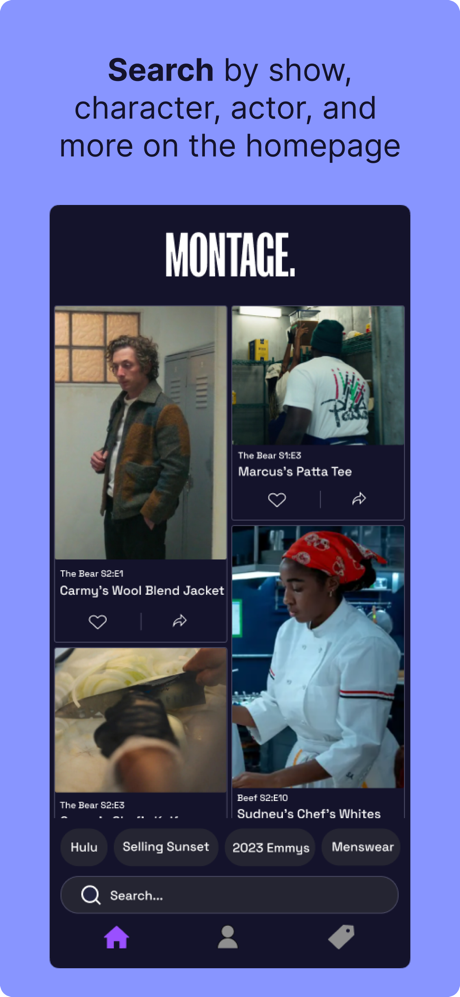
Use MONTAGE to discover and purchase the styles you see on TV. Featuring thousands of apparel and accessories tagged from hundreds of shows and movies, MONTAGE is the most comprehensive and convenient way to shop what you see on screen.
Search for specific shows, characters, or brands — or browse the app to discover new styles and shows you never knew you needed.
Find your style on MONTAGE.
Instant search with AlgoliaSign in with Apple and GoogleCustom ads integration
[App Store](https://apps.apple.com/us/app/montage-search-tv-style/id6445878135)[Google Play](https://play.google.com/store/apps/details?id=com.searchmontage.app)

### StoryNest
[storynest.ca](https://www.storynest.ca/)
Save time finding gentle, ad-free audio stories with our consciously curated collection. Everything in StoryNest has been selected by our team of parents from storytellers across the world.
Inspiring the imaginations of children ages 3–9. Age-appropriate and suitable for sensitive children.
[App Store](https://apps.apple.com/us/app/storynest-kids-stories-songs/id6446899129)[Google Play](https://play.google.com/store/apps/details?id=ca.storynest.storynestapp)
### Graze
[joingraze.com](https://www.joingraze.com/)
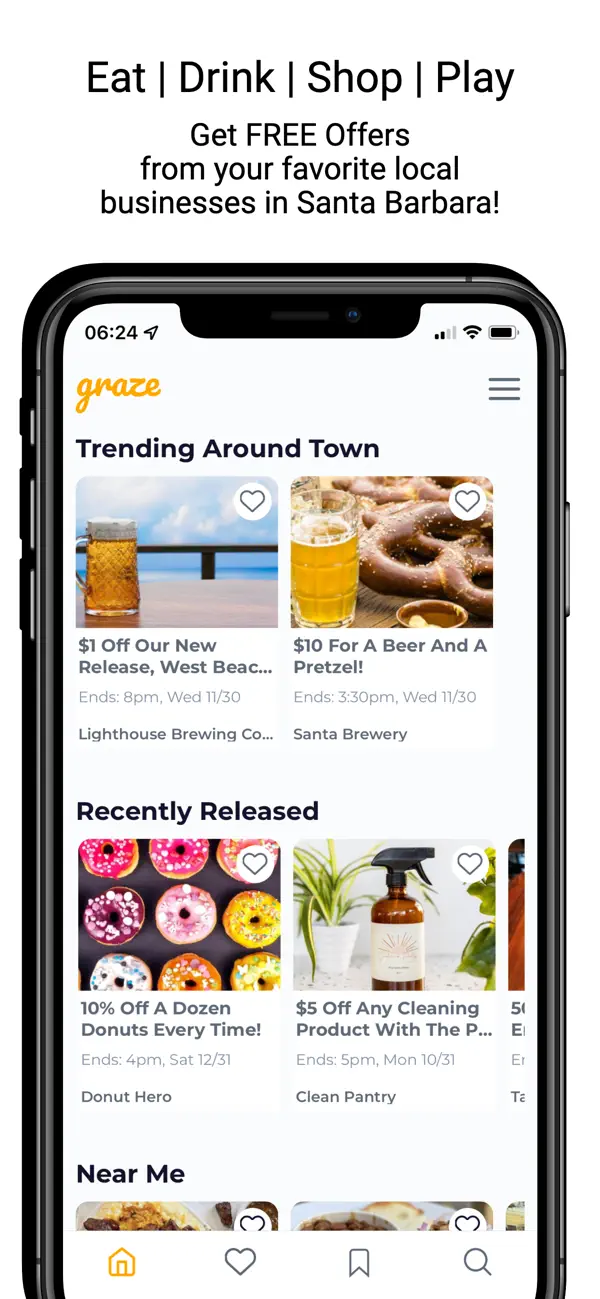
Graze is a platform that helps you save money at your favorite businesses around Santa Barbara, CA. There's no need to claim anything, you simply get access to promotions, deals and discounts. There’s no limit to how much you can save and businesses are constantly adding new promotions for you to take advantage of! We’re not your typical deals app. This is a win-win for you AND the business you’re buying from. So support local and help your community thrive!
Location-based offersPush NotificationsReal-time QR Code-based redemption
[App Store](https://apps.apple.com/us/app/graze-local/id1635343025)[Google Play](https://play.google.com/store/apps/details?id=com.graze.android)

### LiveTime
[liveti.me](https://www.liveti.me)
LiveTime lets campus groups manage events better. Publish fraternity parties, RSO meetings, sporting games, speaker engagements, birthday celebrations, or study sessions.
Invite campus groups, individuals, or the entire school community in one click. Manage new rushes or members with "interested lists" and by-request private groups.
Request access to private events, discover upcoming group events, and keep tabs on who's in and out with the state-of-the-art barcode system.
[App Store](https://apps.apple.com/us/app/lynkr-app/id6463145067)[Google Play](https://play.google.com/store/apps/details?id=com.lynkr.app)
---
# Bring AI-first visual development to your entire organization.
> Bring AI-first visual development to your organization. Book time to learn about custom onboarding, SSO, and dedicated support.
Draftbit for Enterprise
Build internal tools and app-store ready apps with source code you own. Book time to learn how Draftbit fits your team's workflow.
Custom onboarding SSO & security Dedicated support
---
# Common questions about building with Draftbit
> Direct answers about Draftbit pricing, AI agents, visual editing, code ownership, publishing, integrations, expert services, and other app building topics.
Draftbit FAQ
Each question has a short answer here and a full page when you want the details. Search, or browse by topic.
Search all questions
Try source code, pricing, or app stores `/`
83 answers
Browse by topic
1. [01 Getting started 9](#getting-started)
2. [02 AI agents 9](#ai-agents)
3. [03 Visual editor 6](#visual-editor)
4. [04 Code and ownership 7](#ownership)
5. [05 Platforms and publishing 11](#platforms-publishing)
6. [06 Backends and integrations 9](#backends-integrations)
7. [07 Pricing 8](#pricing)
8. [08 Expert services 12](#expert-services)
9. [09 Teams and support 5](#teams-support)
10. [10 Comparisons 7](#comparisons)
01
## Getting started
What Draftbit is, who it is for, and what you can build.
What is Draftbit? + −
Draftbit is a browser-based app builder for mobile apps, web apps, websites, and games. You describe what you want to Claude Code or OpenAI Codex, refine the result in a visual editor, edit the code yourself on paid plans, and publish to the web, the App Store, and Google Play from the same project. Draftbit also has an in-house expert team you can hire.
[Read the full answer ](/faq/what-is-draftbit/)
What can I build with Draftbit? + −
You can build native iOS and Android apps with React Native and Expo, browser web apps with Vite, content websites with Astro, and 2D and 3D games, plus an API backend or Supabase backend in the same project. Draftbit templates cover social communities, booking, food delivery, finance, fitness, dashboards, admin tools, ecommerce, portfolios, marketing sites, and games. Desktop apps are not a target.
[Read the full answer ](/faq/what-can-you-build-with-draftbit/)
Is Draftbit a no-code, low-code, or AI app builder? + −
Draftbit is all three, depending on how you work. You can build with prompts to Claude Code or Codex, in a visual editor, or directly in the code, and every path edits the same React Native, Vite, or Astro project. Prompts and visual editing are on every plan. Saving code edits needs Standard or higher.
[Read the full answer ](/faq/is-draftbit-no-code-low-code-ai-builder/)
Who is Draftbit for? + −
Draftbit is for people who want to ship a real mobile app, web app, or website without a full engineering team, and for developers who want AI agents and a visual editor on top of a normal React Native, Vite, or Astro codebase. First-time builders can start on the Free plan. Developers get code editing, export, and GitHub on paid plans.
[Read the full answer ](/faq/who-is-draftbit-for/)
Can I build a production app with Draftbit if I don't know how to code? + −
Yes. No coding experience is required to build in Draftbit, and the Free plan includes the AI agents, the visual editor, and web publishing on a draftbit.dev address. Publishing to the App Store and Google Play needs Standard or higher and your own developer accounts. Before launch, have someone technical review authentication, payments, and data access, or hire Draftbit experts to do it.
[Read the full answer ](/faq/can-build-production-app-without-code/)
Is Draftbit for production apps or only prototypes? + −
Both. A Draftbit project is a real React Native, Vite, or Astro codebase, and the same project can go from a shareable prototype to a published app. You can share a public prototype link on any plan, publish to the web free on a draftbit.dev address, and publish to the App Store and Google Play on Standard or higher. Production still needs testing, review, and store approval.
[Read the full answer ](/faq/draftbit-production-apps-or-prototypes/)
Can Draftbit build complex apps? + −
Yes, within its stack. Draftbit projects are ordinary React Native, Vite, or Astro codebases with optional API and Supabase backends, so agents and developers can add the logic, packages, and services the app needs. Plan limits apply to projects, agents, and how many projects can be open at once rather than to screens or features. Hard systems still need architecture, testing, and often an experienced engineer.
[Read the full answer ](/faq/can-draftbit-build-complex-apps/)
How long does it take to build and launch an app with Draftbit? + −
Draftbit builds a first version from your description before you ever open the editor, and you can share it or publish it to a draftbit.dev address right away. A launch-ready app takes longer. Draftbit's own expert team scopes an MVP at four to eight weeks and a launch-ready v1 with backend, QA, and store approval at eight to twelve weeks, and Apple and Google control how long their review takes.
[Read the full answer ](/faq/how-long-to-build-and-launch/)
When is Draftbit not the right fit? + −
Draftbit is not the right starting point if you need a desktop app, want to import an existing repository, must write your backend in Python, PHP, or C#, are building a console game or a graphics-heavy 3D game, or need every tool to run inside your own network. It creates React Native, Vite, and Astro projects, plus games built with Phaser or Three.js, in a cloud sandbox, and those are the limits worth checking first.
[Read the full answer ](/faq/when-is-draftbit-not-right-fit/)
02
## AI agents
How the agents work, which models and keys you can use, and what to do when one gets stuck.
How does AI work in Draftbit? + −
You describe what you want in a chat thread. A coding agent, Claude Code or OpenAI Codex, runs inside your app's sandbox, reads and edits the real project files, runs checks, and asks you when it needs a decision. The changes land in the same project you edit visually, and you pay with Draftbit credits or your own provider account.
[Read the full answer ](/faq/how-does-draftbit-ai-work/)
Which AI models and coding agents does Draftbit support? + −
Draftbit runs two coding agents, Claude Code from Anthropic and Codex from OpenAI. Claude models run through Claude Code, OpenAI models through Codex, and models from Google, xAI, DeepSeek, Meta, and other vendors arrive through OpenRouter. The model picker in the chat shows the current list. A Google Gemini agent is on the roadmap.
[Read the full answer ](/faq/which-ai-models-does-draftbit-support/)
What can Draftbit AI agents do? + −
Agents edit your project's source and use built-in tools to type check, lint, add packages, manage environment variables, restart the preview server, call connected REST and GraphQL APIs, read publish history, manage tasks, and search Draftbit docs. They pause to ask you when a decision is needed.
[Read the full answer ](/faq/what-can-draftbit-ai-agents-do/)
Can I run multiple AI agents at the same time in Draftbit? + −
Yes, up to your plan's limit. Free and Standard run one agent at a time, Pro up to 5, and Enterprise has no fixed limit. Each agent runs in its own thread, and threads in one app share that app's sandbox, so give each one a separate part of the project.
[Read the full answer ](/faq/can-i-use-multiple-ai-agents/)
Can I use Claude Code and OpenAI Codex while still editing my app visually? + −
Yes. Claude Code and Codex edit the same project files the visual editor renders, so you can prompt an agent, review its changes, then keep working on the canvas. Every plan includes both agents and the visual editor. Saving hand-written code edits requires Standard or higher.
[Read the full answer ](/faq/use-claude-code-and-codex-with-visual-editor/)
Can I use my own OpenAI, Anthropic, or OpenRouter key in Draftbit? + −
Yes. Connect an OpenAI, Anthropic, or OpenRouter API key, or sign in with a ChatGPT or Claude subscription, on any plan including Free. Threads that use your own account go straight to the provider and do not use Draftbit credits. Your provider's limits and model availability apply to those threads.
[Read the full answer ](/faq/can-i-use-my-own-ai-api-key/)
Do changes made by an AI agent appear in Draftbit's visual editor? + −
Yes. The visual editor builds its Component Tree from the screen's source code, so an agent's edits show up on the canvas and in the style and content panels. Custom code the agent writes still runs, but parts of it may have no visual control and need the Code tab or another prompt.
[Read the full answer ](/faq/do-ai-changes-appear-in-visual-editor/)
What happens if AI gets stuck or my app needs custom engineering? + −
Roll back to a working save point, narrow the problem to one failing flow, and try a Read Only thread or the other agent. You can edit the code yourself on Standard and above, reach support through the Get Help chat, or bring in Draftbit Experts to repair the app or build the custom part.
[Read the full answer ](/faq/what-if-ai-agent-gets-stuck/)
Are my prompts and source code used to train AI models? + −
Draftbit does not use your code to train AI models, and you own the code you create. Each thread's prompts go to the model provider for its billing path, either through Draftbit's accounts when credits pay or directly under your own key or subscription, and that provider's terms for your account type govern retention and training.
[Read the full answer ](/faq/are-prompts-and-source-code-used-for-ai-training/)
03
## Visual editor
How the visual editor and the code stay in sync, and what you can do with components and packages.
How does Draftbit's visual builder work? + −
The visual builder is a live view of your app's source code. You pick a screen, select a component in the preview or the component tree, and change its styles, text, or code in the panel on the right. You can add components from a panel, reorder them in the tree, and preview on several devices at once. Every change edits the same project files the AI agents and the code editor use, and visual editing is included on every plan.
[Read the full answer ](/faq/how-does-draftbit-visual-builder-work/)
Can I create reusable components in Draftbit? + −
Yes. A Draftbit project is a normal React Native, React, or Astro codebase, so a shared component is a file you or an agent write once and import wherever it is needed. Components exported from your project show up in the visual builder's Add Component panel, and theme tokens keep them consistent across screens.
[Read the full answer ](/faq/can-i-create-reusable-components/)
Can I edit my app's code directly in Draftbit? + −
Yes, on the Standard plan and above. Draftbit has a Code tab for the selected component and a full in-browser Code Editor with a file tree, TypeScript-aware autocomplete, ESLint diagnostics, formatting, and search. Your edits are saved and reverted the same way as agent changes, and you can also export the code as a ZIP or to GitHub.
[Read the full answer ](/faq/can-i-edit-code-directly/)
What are the limits of Draftbit's visual editor? + −
The visual editor edits what it can read from your source. It handles screens, the component tree, utility-class styles, static text, and adding or reordering components. Logic, data, dynamic text, inline style objects, packages, and native configuration stay in code, where an agent or the code editor takes over. Saving code edits yourself needs the Standard plan.
[Read the full answer ](/faq/what-are-visual-editor-limits/)
Can I use npm packages and custom native modules in Draftbit? + −
Yes for npm packages. You add them in Settings, under Packages, or ask an agent to install and configure them. Native functionality works through Expo packages and React Native packages that auto-link or ship an Expo config plugin, and native previews must be rebuilt after a native package changes. Draftbit has no workflow for writing your own Swift or Kotlin module, so that work happens outside the builder.
[Read the full answer ](/faq/can-i-use-npm-packages-and-native-modules/)
Can I import an existing React Native or Expo app into Draftbit? + −
Yes, for Expo apps from a public GitHub link, a connected GitHub account (private repositories included), or a zip file. Draftbit checks the project, detects the framework, and lets you either migrate the app to Draftbit's conventions with an agent or import it with minimal changes and a reduced feature set. Vite web apps and Astro sites import the same way, a React Native app without Expo can only use the minimal path, and Draftbit Classic apps have their own import tab.
[Read the full answer ](/faq/can-i-import-existing-react-native-or-expo-app/)
04
## Code and ownership
Source code, GitHub, exports, and what happens if you leave.
Do I own the source code Draftbit generates? + −
Yes. All code created in Draftbit belongs to you, and Draftbit does not use your code to train AI models. On Free you can view a selected component's code from the Code tab. The full code editor, ZIP download, and pushing to a GitHub repository need the Standard plan or higher.
[Read the full answer ](/faq/do-i-own-source-code-draftbit-generates/)
Can I export my Draftbit app and continue development outside Draftbit? + −
Yes. On Standard or higher you can download the full source as a ZIP or push it to a GitHub repository. The code is an ordinary React Native, Vite, Astro, Hono, or Payload project that runs with standard tools. Hosting, store publishing, and a Draftbit-provisioned Supabase backend need a new home if you leave.
[Read the full answer ](/faq/can-i-export-and-continue-outside-draftbit/)
Can I connect a Draftbit project to GitHub? + −
Yes, on the Standard plan or higher. GitHub Export pushes your app's generated source code to a repository and branch you choose, authenticated with a personal access token. Each export replaces the target branch's contents and skips empty commits, so use a dedicated branch, or set a subdirectory to replace only one folder of a monorepo. Draftbit does not pull changes back from GitHub.
[Read the full answer ](/faq/can-i-connect-draftbit-to-github/)
What language and framework does Draftbit use? + −
Draftbit projects are written in TypeScript. Mobile apps are React Native with Expo, web apps are React built with Vite, websites are Astro, games are Expo apps that use Phaser for 2D or Three.js for 3D, API backends are Hono, and CMS projects are Payload. Draftbit can also create Supabase backend projects. Exports are ordinary projects for those frameworks.
[Read the full answer ](/faq/what-language-and-framework-does-draftbit-use/)
Do I own my app, data, and intellectual property in Draftbit? + −
Yes. Your applications and their code belong to you, and Draftbit does not use your code to train AI models. App data lives in whichever backend the app uses. A Draftbit-provisioned Supabase project can be transferred to your own Supabase organization, and a backend you already run stays under that provider's agreement with you.
[Read the full answer ](/faq/do-i-own-my-app-data-and-ip/)
Can a developer take over a Draftbit app later? + −
Yes. Invite a developer into your Draftbit organization as an Editor, push the code to GitHub or hand over a ZIP export, both on Standard or higher. Developers from Draftbit's Expert Services join under a separate Expert role that does not use one of your editor seats.
[Read the full answer ](/faq/can-a-developer-take-over-my-draftbit-app/)
What happens to my app and code if I cancel Draftbit? + −
Your projects stay in your account and nothing is deleted. Paid features keep working until the end of the billing period, then the organization moves to the Free plan, which does not include the full code editor, ZIP downloads, GitHub export, custom domains, or app store publishing. Export your code before the paid period ends.
[Read the full answer ](/faq/what-happens-to-my-app-if-i-cancel/)
05
## Platforms and publishing
Publishing to the web, iOS, and Android, plus previews, app store review, and shipping updates.
Which platforms does Draftbit support? + −
Draftbit builds iOS and Android apps from one React Native and Expo project, and that same project can publish to the web as a progressive web app. Separate Web and Website project types build browser-only products with Vite and Astro. Desktop targets such as macOS, Windows, and Linux are not supported.
[Read the full answer ](/faq/which-platforms-does-draftbit-support/)
Are Draftbit mobile apps native or web wrappers? + −
Draftbit mobile apps are React Native apps built on Expo. They render native iOS and Android interface components and reach device APIs through Expo and React Native packages, so they are not a website wrapped in a web view.
[Read the full answer ](/faq/are-draftbit-mobile-apps-native/)
Can Draftbit apps use camera, location, notifications, and other device features? + −
Yes. Draftbit mobile apps are Expo React Native apps, so camera, location, push notifications, file access, secure storage, and other device features come from Expo and React Native packages. You add them in Settings, under Packages, or by asking the agent, and packages with native code need a new native preview build before they run in the simulators.
[Read the full answer ](/faq/can-draftbit-apps-use-device-features/)
How does live preview work in Draftbit? + −
Your app runs in a cloud sandbox while you build, and the Preview Panel shows it on web and phone-sized devices that update as changes happen. The Pro plan adds real iOS and Android simulators in the browser, and the Draftbit Preview app opens the running app on your own phone through a QR code.
[Read the full answer ](/faq/how-does-live-preview-work/)
Can I test a Draftbit app on real devices and simulators? + −
Yes. The Draftbit Preview app opens the running app on a real iPhone or Android phone through a QR code. The Pro plan and above adds iOS and Android simulators that run in the browser from native preview builds. On the Standard plan and above, a staging publish reaches testers through TestFlight or the Google Play Internal testing track.
[Read the full answer ](/faq/can-i-test-on-real-devices-and-simulators/)
Can Draftbit publish directly to the Apple App Store, Google Play, and the web? + −
Yes. The Publish menu in the builder sends a web build to a draftbit.dev address or your own domain, and sends iOS and Android builds to App Store Connect and Google Play under your developer accounts. iOS, Android, and custom domain publishing start on the Standard plan. Apple and Google still review the app and decide when it goes live.
[Read the full answer ](/faq/can-draftbit-publish-to-app-stores-and-web/)
Can I use my own domain for a Draftbit web app? + −
Yes, on the Standard plan and above. You connect a root domain or subdomain you own from the Publishing page, add the CNAME and TXT records Draftbit shows you at your registrar, and verify. Draftbit issues the SSL certificate. Free plan publishes stay on a generated draftbit.dev address.
[Read the full answer ](/faq/can-i-use-my-own-domain/)
Does Draftbit help with Apple App Store and Google Play submission? + −
Yes, in two ways. One-click publishing on the Standard plan and above builds, signs, and uploads your iOS and Android apps to App Store Connect and Google Play, and the Pro plan adds App Store Assistance. Draftbit Expert Services can manage a submission for you. Approval and release timing still belong to Apple and Google.
[Read the full answer ](/faq/does-draftbit-help-with-app-store-submission/)
Which developer accounts and fees do I need to publish a mobile app? + −
You need your own Apple Developer Program membership, which costs $99 per year, and your own Google Play developer account, which has a one-time $25 registration fee. Both may ask for government ID verification. Draftbit publishes under these accounts on the Standard plan and above, and the fees are paid to Apple and Google separately from your Draftbit plan.
[Read the full answer ](/faq/which-developer-accounts-and-fees-do-i-need/)
Can I self-host a Draftbit app or publish it manually? + −
You can publish manually on the Standard plan and above by exporting the source code as a ZIP or pushing it to GitHub, then building and hosting it with your own tools. Running Draftbit itself on your own infrastructure is offered only as an Enterprise option arranged through sales.
[Read the full answer ](/faq/can-i-self-host-or-publish-manually/)
How do I update a Draftbit app after it is published? + −
Make and test the change, then publish again from the Publish menu with a new version name and number. A web update replaces the current deployment when the publish finishes. An iOS or Android update uploads a new build to App Store Connect or Google Play, where Apple and Google review it and control when it reaches users.
[Read the full answer ](/faq/how-do-i-update-an-app-after-publishing/)
06
## Backends and integrations
APIs, databases, auth, payments, secrets, and MCP servers.
Which integrations does Draftbit support? + −
Draftbit connects apps and AI agents to REST APIs, GraphQL APIs, and MCP servers. The catalog lists more than 80 providers, including Supabase, Xano, Neon, Stripe, RevenueCat, Sentry, Linear, Cloudflare, Canva, Shopify Storefront, and Contentful. A custom REST, GraphQL, or MCP source covers any other service with a suitable API.
[Read the full answer ](/faq/which-integrations-does-draftbit-support/)
Can Draftbit connect to my existing backend, database, and APIs? + −
Yes. Add your API on the Integrations page as a custom REST source, an imported OpenAPI spec, or an introspected GraphQL schema. Its endpoints become tools the agent can call and test, and verified endpoints get a generated client so the app calls your server directly at runtime. Your database stays behind that API or a client library with access rules.
[Read the full answer ](/faq/can-draftbit-connect-existing-backend-database-apis/)
Can Draftbit use MCP servers? + −
Yes. The MCPs tab on the Integrations page connects an AI agent to catalog servers such as Supabase, Xano, Directus, Linear, Sentry, Stripe, RevenueCat, Cloudflare, and HighLevel. Adding a custom MCP server by URL needs the Pro plan or higher. MCP tools run while a chat thread is active, so they help the agent build and are not a runtime backend for the published app.
[Read the full answer ](/faq/can-draftbit-use-mcp-servers/)
Can Draftbit connect to REST and GraphQL APIs? + −
Draftbit apps and agents can use both. The catalog has REST and GraphQL services plus custom sources, you can import an OpenAPI spec or a GraphQL schema, and every endpoint can be tested in the Builder and exposed to the agent as a tool. Endpoints that pass a test also get a generated client in the app code, so the finished app calls them directly over the network.
[Read the full answer ](/faq/can-draftbit-connect-to-rest-and-graphql-apis/)
Does Draftbit include a backend and database? + −
Yes, in open beta. Draftbit can provision a Supabase backend for your app with a Postgres database, authentication, storage, and edge functions that the AI agent manages, and the pricing table lists it on every plan including Free. You can also bring your own backend through REST, GraphQL, or MCP connectors, and you can later transfer a Draftbit-provisioned Supabase project into your own Supabase organization.
[Read the full answer ](/faq/does-draftbit-include-backend-and-database/)
Can I use Supabase, Firebase, or Xano with Draftbit? + −
Yes, with different depths. Supabase is the most integrated option, with a Draftbit-provisioned backend in open beta or a connector to your own project. Xano connects through its MCP server and a REST catalog entry. Firebase works through Cloud Firestore and Firebase Auth REST entries or its client SDK, while the Firebase MCP connector is still Coming Soon.
[Read the full answer ](/faq/can-i-use-supabase-firebase-or-xano/)
How does user authentication work in Draftbit apps? + −
A Draftbit app authenticates users through the backend you connect. With the open beta Supabase backend, the agent sets up Supabase Auth and the Builder lets you turn on email, phone, and social sign in with providers such as Google, Apple, and GitHub. Clerk, Auth0, Stytch, Firebase Auth, Keycloak, and generic OpenID Connect providers are in the REST catalog. Your backend still decides what each signed in user may access.
[Read the full answer ](/faq/how-does-authentication-work/)
Can I add payments and subscriptions to a Draftbit app? + −
Yes. Stripe is in the catalog twice, as a REST integration whose endpoints import from Stripe's official OpenAPI spec and as an MCP server the agent uses to set up payment processing and manage products and prices. RevenueCat and Square have MCP servers for mobile subscriptions, in-app purchases, and commerce. Payment verification and secret keys belong on a server, never in the app.
[Read the full answer ](/faq/can-i-add-payments-and-subscriptions/)
How does Draftbit handle API keys, secrets, and environment variables? + −
Settings stores environment variables per app for development, staging, and production with plain text or sensitive visibility. Plain text values are bundled into the app and visible to users, so Expo apps require the EXPO\_PUBLIC\_ prefix on them. Sensitive values are encrypted at rest, masked after saving, and kept out of compiled app code, and anything private still belongs on a server.
[Read the full answer ](/faq/how-does-draftbit-handle-secrets-and-environment-variables/)
07
## Pricing
Plans, credits, payment methods, and what happens when you downgrade or cancel.
Is Draftbit free and what does it cost to build and publish an app? + −
Yes, you can start free. The Free plan has no time limit and lets you build on your own Claude or ChatGPT subscription for 20 agent runs a week, plus 5,000 one-time credits. Standard is $15 a month and Pro is $30 when you bring your own AI, with no weekly limit. Yearly billing costs 20% less, and credit packages are optional, from $5 a month.
[Read the full answer ](/faq/is-draftbit-free-and-how-much-does-it-cost/)
Which Draftbit plan do I need? + −
Use Free to learn and ship a first web version on your own AI account. Standard fits one person who needs code access, GitHub export, a custom domain, and app store publishing. Pro adds custom MCP servers, simulators, parallel agents, and submission help. Both can add editor seats as your team grows. Enterprise is for organizations that need SSO, custom SLAs, or more capacity than Pro.
[Read the full answer ](/faq/which-draftbit-plan-do-i-need/)
Can I change or cancel my Draftbit plan at any time? + −
Yes. An organization owner or admin can upgrade, downgrade, or cancel from the Billing section at any time. Upgrades apply immediately with a prorated charge and restart your billing cycle. Downgrades and cancellations take effect at the end of the current period, and you keep paid features until then.
[Read the full answer ](/faq/can-i-change-or-cancel-my-plan/)
What happens to my Draftbit projects if I downgrade? + −
Your projects and apps aren't deleted. Every project and app stays in your account and stays accessible. From the date the lower plan starts, you can't create projects or apps beyond its limits, and features above the plan lock, including code editing and export, mobile publishing, GitHub, simulators, custom MCP servers, and extra editor seats. Connected custom domains keep working for 30 days, then they're disconnected.
[Read the full answer ](/faq/what-happens-to-projects-after-downgrade/)
Do unused Draftbit credits roll over? + −
Yes, for up to a year. Credits expire one year after they're added to your account. That covers monthly and yearly plan credits, credit packages, one-time purchases, the 5,000 signup credits, and reward credits.
[Read the full answer ](/faq/do-unused-credits-roll-over/)
What uses Draftbit credits? + −
Draftbit credits pay for the AI model calls that Draftbit funds, mainly agent threads that read, plan, and change your app. Each call costs the provider's token price plus a Draftbit markup, converted at 1,000 credits per dollar. Threads that run on your own key or subscription do not use credits.
[Read the full answer ](/faq/what-uses-draftbit-credits/)
Which payment methods does Draftbit accept? + −
Draftbit accepts major credit cards, including Visa, Mastercard, and American Express, through Stripe, and all prices are in USD. The same checkout handles subscriptions and one-time credit purchases. Enterprise customers can arrange invoice billing.
[Read the full answer ](/faq/which-payment-methods-does-draftbit-accept/)
What happens when I run out of Draftbit credits? + −
Draftbit-funded AI work stops. You cannot start a new thread or message with an empty balance, and a running task stops at its next model call. Your app, code, editor, and publishing keep working. Fix it by buying a one-time top-up or adding a credit package on a paid plan, connecting your own AI key or subscription, or earning credits.
[Read the full answer ](/faq/what-happens-when-i-run-out-of-credits/)
08
## Expert services
What Draftbit experts can build, fix, publish, and maintain.
What are Draftbit Expert Services? + −
Expert Services are paid help from Draftbit's own full-time designers, developers, and backend engineers. You can buy a fixed-price package, keep a dedicated team on a monthly plan from $2,000, or add an advisor for $150 a week while you keep building yourself.
[Read the full answer ](/faq/what-are-draftbit-expert-services/)
What kinds of Expert Services does Draftbit offer? + −
Draftbit offers three engagement types. Fixed-price packages (Starter Backend, MVP, and v1), monthly plans from $2,000 with a dedicated team, and an Advisory plan from $150 a week. The work covers design, screens, backends, custom code, integrations, custom components, training, QA, and app store submission.
[Read the full answer ](/faq/which-expert-services-does-draftbit-offer/)
What are Draftbit's fixed-price Expert Service packages? + −
Three packages are listed today. Starter Backend at $2,500, an MVP at $6,499 delivered in 4 to 8 weeks with 30 days of free maintenance, and a v1 at $12,999 delivered in 8 to 12 weeks with QA, App Store and Google Play approval, and 60 days of maintenance and support. Scope and price are locked at the start.
[Read the full answer ](/faq/what-are-fixed-price-expert-projects/)
What is the Draftbit Advisory plan? + −
Advisory pairs you with a Draftbit expert while you keep building. For $150 per week or $500 per month you get a shared Slack channel, code review, architecture guidance, troubleshooting, one-on-one training, priority support, and up to 2 hours a week of hands-on work. You can pause or cancel at any time.
[Read the full answer ](/faq/what-is-draftbit-advisory-plan/)
What are Draftbit's monthly Expert development plans? + −
Monthly plans put a dedicated Draftbit team on your roadmap. Bronze is $2,000 per month for one part-time expert, Silver is $4,000 for a part-time team across design, development, and QA, Gold is $7,500 for a full product team, and Platinum starts at $12,000 for a custom team. Every plan can be paused or canceled at any time.
[Read the full answer ](/faq/what-are-monthly-development-plans/)
How do Expert Services work with the Draftbit platform? + −
Draftbit staff add the expert to your organization with an Expert role, which gives editor-level access to your project without using one of your editor seats. Work happens in the same project you use, updates arrive every 48 hours over Slack and email, and the code stays yours.
[Read the full answer ](/faq/how-do-experts-work-with-draftbit-platform/)
Can I get expert help with just one part of my app? + −
Yes. Draftbit experts take on small jobs as well as full builds, such as wiring up Stripe or Twilio, building a custom component, fixing a stuck build, adding a backend, cleaning up code, or handling an app store submission. A scoping call sets the estimate, and small ongoing tasks often fit inside the Advisory plan's 2 hours a week of hands-on work.
[Read the full answer ](/faq/can-i-get-help-with-one-part-of-my-app/)
Do I own the code built by Draftbit experts? + −
Yes. You own everything Draftbit experts build or help you build, the same as any code created in Draftbit. It stays in your project, you can export it or push it to GitHub on Standard plans and above, and Draftbit never uses your code to train AI models.
[Read the full answer ](/faq/do-i-own-code-built-by-draftbit-experts/)
Can I pause or cancel a monthly Draftbit expert plan? + −
Yes. Monthly plans and the Advisory plan can be paused or canceled at any time, with no long-term commitment or seat minimum. Fixed-price packages work differently, because their scope and price are locked at the start and they end when the build and its maintenance period are delivered.
[Read the full answer ](/faq/can-i-pause-or-cancel-expert-plan/)
Can Draftbit experts modernize an old app? + −
Yes. Upgrading an old app is one of the three use cases Draftbit experts offer. The work covers a performance audit and optimization, dependency and framework upgrades, a UI refresh, code cleanup and technical debt reduction, and new features on the upgraded base. You keep what already works, and the app can stay outside Draftbit.
[Read the full answer ](/faq/can-experts-modernize-an-old-app/)
Can Draftbit experts migrate an app from another platform? + −
Yes. Migration is one of the three use cases Draftbit experts offer. They audit the existing app and data, rebuild the screens in Draftbit, migrate or reconnect the backend and APIs, move data with integrity checks, and test everything before you switch over. The target can be Draftbit or a fully independent codebase.
[Read the full answer ](/faq/can-experts-migrate-an-app-to-draftbit/)
Can Draftbit experts fix a broken AI-generated or vibe-coded app? + −
Yes. Rescuing a stuck vibe-coded app is one of the three use cases Draftbit experts take on. They review the code, diagnose the failures, fix broken logic, navigation, and state, restructure the AI-generated parts so they can be maintained, connect or repair backend integrations, and hand back a working app you understand. Rescue work is scoped at 2 to 6 weeks.
[Read the full answer ](/faq/can-experts-fix-a-broken-ai-generated-app/)
09
## Teams and support
Inviting teammates, roles and seats, support options, and how your data is protected.
Can I invite teammates to a Draftbit project? + −
Yes. On every plan, an owner or admin can invite people by email as viewers, editors, or admins. Viewers are read-only and do not use a seat. Free includes 1 editor seat. Standard and Pro include 1 and can add as many as you need, and Enterprise has no limit.
[Read the full answer ](/faq/can-i-invite-teammates/)
What collaboration features does Draftbit have? + −
Every plan has an organization with owner, admin, editor, and viewer roles, plus live collaboration, which shows who else is in the app with presence avatars, cursors, and open-file markers. Standard and Pro can add editor seats, Standard and up can export to GitHub for pull requests, and higher plans run more agents at once.
[Read the full answer ](/faq/what-collaboration-features-does-draftbit-have/)
Does Draftbit support single sign-on and SAML? + −
SSO with SAML is an Enterprise feature. It is not a setting on the self-serve Free, Standard, or Pro plans, and it is set up as part of an Enterprise agreement, so start with an Enterprise conversation. On other plans, each teammate signs in with their own Draftbit account and you control access through roles and seats.
[Read the full answer ](/faq/does-draftbit-support-sso/)
What support options are available with Draftbit? + −
The builder has a Get Help chat in the top bar, and the docs are open to everyone. Email support starts at Standard and priority support and training sessions at Pro. Enterprise adds a dedicated success manager and custom SLAs. For hands-on work on your app, Draftbit Experts offer advisory, monthly plans, and fixed-price packages, with current prices on the services page.
[Read the full answer ](/faq/what-support-options-are-available/)
How does Draftbit protect my code, data, and secrets? + −
Draftbit encrypts stored credentials such as API keys, OAuth tokens, environment variable values, and database connection strings at rest with AES-256, uses TLS in transit, and does not use your code to train AI models. You own the code. Access is controlled with organization roles, and SSO is available on Enterprise. Your app's own backend and secrets still need your own controls.
[Read the full answer ](/faq/how-does-draftbit-protect-code-data-and-secrets/)
10
## Comparisons
How Draftbit differs from other builders and custom development.
How is Draftbit different from FlutterFlow, Bubble, and Lovable? + −
Draftbit produces a real React Native, Vite, or Astro codebase that you can edit, export, and publish, with Claude Code and Codex working in the same project as the visual editor and an in-house expert team behind it. FlutterFlow generates Flutter and Dart, Bubble runs apps on its own platform without source export, and Lovable focuses on web applications rather than native mobile.
[Read the full answer ](/faq/how-is-draftbit-different-from-other-app-builders/)
How does Draftbit compare with FlutterFlow? + −
Both offer visual editing, AI agents, code export, GitHub workflows, and mobile publishing. Draftbit generates React Native, Expo, and TypeScript, with Claude Code and Codex editing the same files as the visual editor, and ZIP and GitHub export on Standard. FlutterFlow generates Flutter and Dart. Your team's stack is usually the deciding factor.
[Read the full answer ](/faq/draftbit-vs-flutterflow/)
How does Draftbit compare with Bubble? + −
Draftbit produces editable, exportable React Native, Vite, or Astro code and works with a backend you choose, including a Supabase backend in open beta. Bubble provides a managed visual runtime, database, workflows, and hosting, but its app source code cannot be exported. On Draftbit, code editing, ZIP export, and GitHub export start on Standard.
[Read the full answer ](/faq/draftbit-vs-bubble/)
How does Draftbit compare with Lovable? + −
Lovable is focused on AI-built web applications. Draftbit builds native iOS and Android apps with React Native and Expo, plus Vite web apps and Astro websites, with a visual editor tied to the project files and Claude Code and Codex working in the same project. Both give you the source code and a GitHub path, which on Draftbit starts on the Standard plan.
[Read the full answer ](/faq/draftbit-vs-lovable/)
How does Draftbit compare with Adalo? + −
Both can build visual apps for web, iOS, and Android. Draftbit exposes a React Native and Expo codebase that Claude Code and Codex edit, that you can edit yourself on Standard or higher, and that you can export as a ZIP or to GitHub on Standard. Adalo centers on a no-code component, action, and database workflow.
[Read the full answer ](/faq/draftbit-vs-adalo/)
How does Draftbit compare with Bolt, Replit, and Cursor? + −
Bolt, Replit, and Cursor are code-focused AI environments with growing visual and mobile tools. Draftbit is built around an app-specific project, a visual editor that reads and writes the real source files, one-click iOS, Android, and web publishing, and an in-house expert team.
[Read the full answer ](/faq/draftbit-vs-bolt-replit-cursor/)
How does Draftbit compare with hiring a developer or agency? + −
Draftbit gives you a working React Native, Vite, or Astro project, a visual editor, Claude Code and Codex, and one-click publishing, so a founder or designer can start free and ship without waiting on every code change. Custom development gives a team full control of the stack from day one. You own the Draftbit code and can export it on Standard or higher, so you can start in Draftbit and hand off later, or hire Draftbit's in-house experts for the parts you cannot build.
[Read the full answer ](/faq/draftbit-vs-custom-development/)
No questions match that search. Try fewer words.
---
# Are Draftbit mobile apps native or web wrappers?
> Learn how Draftbit builds iOS and Android apps with React Native and Expo, and how that differs from wrapping a website in a mobile shell.
[ All questions](/faq/)
A Mobile project in Draftbit is an Expo React Native codebase. React Native describes the interface in JavaScript or TypeScript and renders it with the platform’s own controls, and packages from the Expo and React Native ecosystem give the app access to the camera, location, notifications, storage, and other operating system features. A web view wrapper loads a website inside a browser frame instead, and can only do what that browser allows.
The same project can publish to the web as a progressive web app, and the in-browser preview shows web and phone-sized devices side by side while you build. You can still write platform-specific code when iOS and Android need different behavior, permission handling, or design.
Native does not mean automatically fast or finished. Long lists, images, animations, network calls, and state updates need testing on real devices, and a package that ships native code needs a fresh native preview build before it shows up in the iOS or Android simulators. If you export the project, it is a standard Expo app that works with normal React Native tooling.
## Useful links
* [Read about React Native ](https://reactnative.dev)
In this section
[Platforms and publishing ](/faq/#platforms-publishing)
## Related questions
[What language and framework does Draftbit use? ](/faq/what-language-and-framework-does-draftbit-use/)[Can Draftbit apps use camera, location, notifications, and other device features? ](/faq/can-draftbit-apps-use-device-features/)[Which platforms does Draftbit support? ](/faq/which-platforms-does-draftbit-support/)
## Start with your app idea
Create a free account and describe what you want to build.
[Get started free ](https://app.draftbit.com/signup)
---
# Are my prompts and source code used to train AI models?
> What Draftbit does with your code and prompts, how the billing path decides which provider terms apply, and how to keep secrets out of threads.
[ All questions](/faq/)
Draftbit does not use your code to train AI models, and the code you create in Draftbit belongs to you. Your prompts and the agent’s replies are stored with the thread so you can review the history later. API keys and other credentials you store are encrypted at rest, and traffic is encrypted in transit.
What happens at the model provider depends on which billing path the thread uses. When Draftbit credits pay for a thread, the request goes through Draftbit’s infrastructure to the provider’s API under Draftbit’s accounts. When you connect your own OpenAI, Anthropic, or OpenRouter key, the thread goes straight from the sandbox to that provider under your account. A ChatGPT or Claude subscription works the same way with your subscription credentials, and Anthropic’s policies for Claude subscriptions apply. In every case the provider’s own terms for that account type decide retention and training, so read the terms for the account you connected. The chat and thread history label the provider and billing path for each thread, so you always know which terms apply.
Keep production secrets, customer records, and access tokens out of prompts. Store them as sensitive environment variables, which stay out of the app bundle, and use test data when real records are not needed.
This page is a product explanation, not a certification. If your organization needs a specific compliance standard, data residency, or contract language, ask us for the current terms in writing before you start.
## Useful links
* [Read the Draftbit privacy policy](/privacy)
* [Read OpenAI privacy information ](https://openai.com/policies/privacy-policy/)
* [Read Anthropic privacy information ](https://www.anthropic.com/legal/privacy)
In this section
[AI agents ](/faq/#ai-agents)
## Related questions
[Can I use my own OpenAI, Anthropic, or OpenRouter key in Draftbit? ](/faq/can-i-use-my-own-ai-api-key/)[How does Draftbit protect my code, data, and secrets? ](/faq/how-does-draftbit-protect-code-data-and-secrets/)[Which AI models and coding agents does Draftbit support? ](/faq/which-ai-models-does-draftbit-support/)
## Start with your app idea
Create a free account and describe what you want to build.
[Get started free ](https://app.draftbit.com/signup)
---
# Can a developer take over a Draftbit app later?
> How to hand a Draftbit app to a developer through team roles, GitHub Export, or a ZIP download, and what else belongs in the handoff.
[ All questions](/faq/)
Yes, and there are three ways to do it. Invite the developer into your Draftbit organization, hand them a GitHub repository, or give them a ZIP export and let them work in their own editor.
Inside Draftbit, invite them from your team page as an Editor, or as an Admin if they will also manage members and billing. A Viewer can look at the project but cannot save changes or export code. Free, Standard, and Pro include one editor seat, Standard and Pro can add more, and Enterprise is unlimited. Once in, the developer uses the same code editor and AI agents you do. Saving code edits needs Standard or higher, and the editor recognizes JavaScript, TypeScript, JSX, JSON, and Markdown files.
If you would rather bring in someone from Draftbit, Expert Services developers join your organization under a separate Expert role. It carries editor-level access and does not take one of your editor seats.
Outside Draftbit, GitHub Export on Standard or higher gives the developer a normal repository with commit history, and a ZIP download on Standard or higher gives them a snapshot. Either way they receive an ordinary React Native and Expo project for mobile, or a React, Astro, Hono, or Payload project for the other app types.
Whichever path you choose, hand over more than code. Environment variable names, backend access, domain settings, app store records, and the name of any dedicated export branch belong in the handoff. Transfer accounts through their own team controls rather than sharing passwords, and agree on whether Draftbit or the repository is the source of truth before the work starts.
## Useful links
* [Connect with Draftbit experts](/services)
In this section
[Code and ownership ](/faq/#ownership)
## Related questions
[Can I export my Draftbit app and continue development outside Draftbit? ](/faq/can-i-export-and-continue-outside-draftbit/)[Can I connect a Draftbit project to GitHub? ](/faq/can-i-connect-draftbit-to-github/)[What language and framework does Draftbit use? ](/faq/what-language-and-framework-does-draftbit-use/)
## Start with your app idea
Create a free account and describe what you want to build.
[Get started free ](https://app.draftbit.com/signup)
---
# Can I build a production app with Draftbit if I don't know how to code?
> What a nontechnical builder can do in Draftbit, which plan gates apply to code and publishing, and where expert review still matters before launch.
[ All questions](/faq/)
You can get a long way without writing code. Start by describing the app. An agent turns the description into a task list and builds a first version while you watch. Then use the visual editor to adjust screens, connect a backend such as Supabase, and preview the app in the browser. None of this requires coding experience.
The Free plan covers this stage. It includes AI agent chat, the visual editor, three projects, 5,000 one-time credits, and one-click web publishing on a draftbit.dev address. With the included credits you build with Codex and OpenAI models. Claude Code also works on Free when you connect your own Anthropic subscription or API key.
Publishing to a store is where the plan and outside accounts come in. iOS and Android publishing need Standard or higher, your own Apple Developer and Google Play accounts, and the credentials Draftbit needs to publish on your behalf. Pro adds App Store submission assistance. Apple and Google decide whether the app is approved and when, and they can reject a build that works for policy reasons.
The hard parts of production are rarely visible on a screen. One user must not see another user’s data. Payments need failure handling. Push notifications and offline behavior need testing on real devices. Agents can write all of this, and you should still check the result, because a screen that looks right is not proof that the code behind it is.
Build the most important flow first and test it with real data. Staging publishes go to TestFlight on iOS and the Internal Testing track on Google Play, which is how you get the app onto real phones before release. Ask someone technical to review authentication, secrets, payments, and data access before launch.
If you do not have that person, Draftbit experts fill the gap. Monthly retainers start at $2,000. A fixed-price MVP is $6,499 over four to eight weeks, and the $12,999 v1 package adds a production backend, QA, and App Store and Google Play approval over eight to twelve weeks. You can own the app without knowing how to code, as long as testing and technical review are part of the plan.
## Useful links
* [Start a free project ](https://app.draftbit.com/signup)
* [Get help from an expert](/services)
In this section
[Getting started ](/faq/#getting-started)
## Related questions
[Is Draftbit for production apps or only prototypes? ](/faq/draftbit-production-apps-or-prototypes/)[What happens if AI gets stuck or my app needs custom engineering? ](/faq/what-if-ai-agent-gets-stuck/)[When is Draftbit not the right fit? ](/faq/when-is-draftbit-not-right-fit/)
## Start with your app idea
Create a free account and describe what you want to build.
[Get started free ](https://app.draftbit.com/signup)
---
# Can Draftbit apps use camera, location, notifications, and other device features?
> Learn how Draftbit apps reach camera, location, notifications, and other iOS or Android features through Expo packages, and what setup they need.
[ All questions](/faq/)
A Mobile project is an Expo React Native app, so any device feature with an Expo or React Native package is open to it. The Expo team maintains packages for the camera, location, notifications, the file system, secure storage, and more, and the wider React Native ecosystem covers maps, payments, analytics, and audio.
You can add a package by name in the Packages section of Settings, or describe the feature in AI Chat and let the agent choose, install, and wire it up. The agent has tools to recommend packages, add and remove them, and run Expo’s compatibility check, and it can add the permission text and configuration a feature needs. Prefer packages that support auto-linking or ship an Expo config plugin. A package that needs hand-edited native project files is usually a poor fit, and the agent can tell you that before you install it. Packages built for native mobile may not work on the web, so ask for a web fallback if you publish to both.
Two limits apply. Native code does not appear in the web preview, so after adding a package with native code, create a new iOS or Android preview build on the Pro plan or test on a device. And some features need accounts outside Draftbit. Push notifications, for example, need a free Expo account, Apple push notification credentials on iOS or a Firebase project on Android, and a one-time credential setup in a terminal on your own machine. After that you publish again so the live build picks up the credentials.
## Useful links
* [Browse Expo SDK documentation ](https://docs.expo.dev/versions/latest/)
In this section
[Platforms and publishing ](/faq/#platforms-publishing)
## Related questions
[Can I use npm packages and custom native modules in Draftbit? ](/faq/can-i-use-npm-packages-and-native-modules/)[Are Draftbit mobile apps native or web wrappers? ](/faq/are-draftbit-mobile-apps-native/)[Can I test a Draftbit app on real devices and simulators? ](/faq/can-i-test-on-real-devices-and-simulators/)
## Start with your app idea
Create a free account and describe what you want to build.
[Get started free ](https://app.draftbit.com/signup)
---
# Can Draftbit build complex apps?
> How Draftbit handles complex logic, custom code, packages, backends, and native features, and which plan limits and review steps apply.
[ All questions](/faq/)
Complexity shows up in different places. Some apps have many screens, some have hard business rules, some depend on device hardware, and some have to hold up under real traffic. Draftbit handles the first kind without much fuss and gives you tools for the rest, but it does not make the hard parts easy.
There is no screen or workflow cap in the builder. The plan limits are elsewhere. Free allows three projects, three apps per project, and one agent at a time. Standard removes the project cap and allows five apps per project. Pro runs up to five agents at once, keeps three projects open at once (plus one per added seat), allows ten apps per project, and adds custom MCP servers. Enterprise has no fixed agent or open project limit.
Business logic lives in code, and the code is yours to shape. Agents write it, and on Standard or higher you can edit it directly in the builder. When the app needs server-side rules or its own database, add an API backend or a Supabase backend app to the same project instead of forcing everything into the client. The agent can also call your existing REST or GraphQL API while it builds.
Native features are the most common wall. Packages that include native code work, but every time you add, remove, or change one you need a new native preview build, and the code editor does not recognize native iOS or Android source for autocomplete or linting. Deep work on a new native SDK may be easier in an exported project with a local native toolchain.
A marketplace with payouts, a real-time collaboration app, or a regulated health product needs design decisions no builder can make for you. Test the risky flow before you build the rest of the screens, keep logic in small modules an agent can reason about, and connect GitHub if more than one person is writing code. If the requirements are unusual, an architecture review from Draftbit experts can tell you whether the app fits as-is, needs custom code, or should move part of its work to a separate backend.
## Useful links
* [Talk to a Draftbit expert](/services)
In this section
[Getting started ](/faq/#getting-started)
## Related questions
[What are the limits of Draftbit's visual editor? ](/faq/what-are-visual-editor-limits/)[Can I use npm packages and custom native modules in Draftbit? ](/faq/can-i-use-npm-packages-and-native-modules/)[What happens if AI gets stuck or my app needs custom engineering? ](/faq/what-if-ai-agent-gets-stuck/)
## Start with your app idea
Create a free account and describe what you want to build.
[Get started free ](https://app.draftbit.com/signup)
---
# Can Draftbit connect to my existing backend, database, and APIs?
> Learn how Draftbit connects to a backend you already run through REST, OpenAPI, GraphQL, or MCP, and which parts stay your responsibility.
[ All questions](/faq/)
You do not need to move your backend into Draftbit. On the Integrations page you can add a custom REST source with a base URL, an authentication header, and the endpoints you want to expose. If the API publishes an OpenAPI spec, Draftbit imports it and creates an endpoint for every operation, which works best for smaller specs. For GraphQL, Draftbit introspects the schema and creates one operation per query or mutation, and custom operations you add survive a reimport.
Each endpoint has a live request tester in the Builder. Once an endpoint returns a successful JSON response, the agent can call it as a tool during a chat thread, and Draftbit generates a typed client file in the app code so the app itself sends requests to your server over the network. An Integrations Agent sidebar can scaffold endpoints from a plain description of what you need.
Supabase, Xano, and Directus have MCP connectors as well. Use the MCP connector when you want the agent to manage the service, for example create tables or deploy functions. Use the REST or GraphQL connector when you only want to expose endpoints from a backend you already own.
Your backend keeps responsibility for authorization, validation, and rate limits. Keep the database behind an API or a client library with row-level rules, and treat any header value a mobile or web app sends as visible to its users. Connectors also depend on your service staying up and on credentials that have not expired.
## Useful links
* [Browse REST integrations](/integrations)
* [Browse GraphQL integrations](/graphql)
In this section
[Backends and integrations ](/faq/#backends-integrations)
## Related questions
[Can Draftbit connect to REST and GraphQL APIs? ](/faq/can-draftbit-connect-to-rest-and-graphql-apis/)[Can I use Supabase, Firebase, or Xano with Draftbit? ](/faq/can-i-use-supabase-firebase-or-xano/)[How does Draftbit handle API keys, secrets, and environment variables? ](/faq/how-does-draftbit-handle-secrets-and-environment-variables/)
## Start with your app idea
Create a free account and describe what you want to build.
[Get started free ](https://app.draftbit.com/signup)
---
# Can Draftbit connect to REST and GraphQL APIs?
> Learn how Draftbit apps and agents use REST endpoints and GraphQL operations, including catalog imports, testing, and generated client code.
[ All questions](/faq/)
A REST source takes a base URL, authentication through an API key, bearer token, or custom headers, and endpoints with a method, path, query parameters, and request body. The catalog currently lists more than 40 REST services and more than 20 GraphQL services, and Draftbit can import an OpenAPI spec to create endpoints in bulk, with a preview step that shows the operation count before anything is written.
A GraphQL source takes an endpoint URL and the same authentication options. Import GraphQL introspects the schema and creates one operation per query or mutation. You can test operations before saving, add your own, and reimport the schema later without losing them.
Every endpoint has a request tester. After a successful response, the agent can call the endpoint as a tool during a chat thread, and Draftbit writes a typed client file into the app code so the finished app sends the same request itself. A header that reads from an environment variable must use a plain text public variable in a mobile or web app, because that value ships with the app. Anything that needs a private key belongs on a server between the app and the service.
Test expired sessions, permission errors, empty results, and pagination before you rely on an integration.
## Useful links
* [Browse REST integration guides](/integrations)
* [Browse GraphQL integration guides](/graphql)
In this section
[Backends and integrations ](/faq/#backends-integrations)
## Related questions
[Can Draftbit connect to my existing backend, database, and APIs? ](/faq/can-draftbit-connect-existing-backend-database-apis/)[Which integrations does Draftbit support? ](/faq/which-integrations-does-draftbit-support/)[How does Draftbit handle API keys, secrets, and environment variables? ](/faq/how-does-draftbit-handle-secrets-and-environment-variables/)
## Start with your app idea
Create a free account and describe what you want to build.
[Get started free ](https://app.draftbit.com/signup)
---
# Can Draftbit publish directly to the Apple App Store, Google Play, and the web?
> Learn how one-click publishing works for web, iOS, and Android, which plans include each target, and what Apple and Google still control.
[ All questions](/faq/)
Web publishing is on every plan. A publish goes to a generated address on draftbit.dev at no charge, and the Standard plan and above can attach a custom domain and remove Draftbit branding. Each publish takes a version name, a version number, and an environment, and the production and staging deployments can be published or unpublished separately.
iOS and Android publishing start on the Standard plan and apply to Mobile projects. You enter your Apple or Google credentials once on the Publishing page. From then on Draftbit builds the app, handles certificates and signing, and uploads the result to App Store Connect or Google Play. A staging publish goes to TestFlight on iOS or the Internal testing track on Android, so testers can try a build before the production release. Google requires the very first Android binary to be uploaded by hand, so Draftbit hands you that file, and later Android publishes upload automatically.
The store listing, privacy policy, and screenshots are still yours to prepare, and the builder includes a screenshot tool for the listing images. Apple and Google make the review decision and set the release timing. If you would rather run your own build and release process, export the code and publish manually.
## Useful links
* [See publishing features](/platform)
* [Read Apple review guidance ](https://developer.apple.com/app-store/review/)
* [Read Google Play launch guidance ](https://support.google.com/googleplay/android-developer/answer/9859152)
In this section
[Platforms and publishing ](/faq/#platforms-publishing)
## Related questions
[Does Draftbit help with Apple App Store and Google Play submission? ](/faq/does-draftbit-help-with-app-store-submission/)[Which developer accounts and fees do I need to publish a mobile app? ](/faq/which-developer-accounts-and-fees-do-i-need/)[Can I self-host a Draftbit app or publish it manually? ](/faq/can-i-self-host-or-publish-manually/)
## Start with your app idea
Create a free account and describe what you want to build.
[Get started free ](https://app.draftbit.com/signup)
---
# Can Draftbit use MCP servers?
> Learn which MCP servers Draftbit agents can use, how they authenticate, which plan custom servers need, and what MCP does not do.
[ All questions](/faq/)
MCP stands for Model Context Protocol. An MCP connector lets the agent manage a service itself, for example create tables in Supabase, build APIs in Xano, deploy Cloudflare Workers, read Sentry errors, or create Linear issues. A REST or GraphQL connector exposes individual endpoints instead.
Most catalog servers authenticate when you sign in to the service and grant Draftbit access. Xano and Directus take a server URL and an access token. Canva is a special case, since connecting it lets you pick a design and start a thread that converts it into React Native screens. The Firebase and Figma connectors are marked Coming Soon.
A custom server takes any MCP server URL with OAuth, a header token, or authentication left for the agent to work out, plus optional custom headers and a cache setting. Adding one requires Pro or higher. The billing rules place no plan gate on catalog servers.
MCP tools run only while a chat thread is active. They are not a runtime connection for the published app, which needs its own SDK or network calls to reach the service. Give a server the smallest permissions the task needs, use a test environment when it can change outside data, and review what the agent did after a write operation. A connector can also fail when the upstream service is down, a credential expires, or the external API changes.
## Useful links
* [Browse Draftbit MCP servers](/mcp)
* [Check current MCP plan access](/pricing)
In this section
[Backends and integrations ](/faq/#backends-integrations)
## Related questions
[Which integrations does Draftbit support? ](/faq/which-integrations-does-draftbit-support/)[What can Draftbit AI agents do? ](/faq/what-can-draftbit-ai-agents-do/)[Which Draftbit plan do I need? ](/faq/which-draftbit-plan-do-i-need/)
## Start with your app idea
Create a free account and describe what you want to build.
[Get started free ](https://app.draftbit.com/signup)
---
# Can Draftbit experts fix a broken AI-generated or vibe-coded app?
> How Draftbit experts diagnose and repair a vibe-coded app with broken logic, state, navigation, or integrations, and how long it takes.
[ All questions](/faq/)
Apps built with AI tools often get most of the way there and then stall. Logic that almost works, state scattered across files, navigation that breaks on one path, and a backend that was never fully connected are the usual symptoms, and another broad prompt rarely fixes them. We see this a lot, and rescue is a named service on the services page.
The engagement starts with a deep code review to find what is actually broken. From there the expert fixes the broken logic, navigation, and state management, restructures the AI-generated code so a person can maintain it, and connects or repairs the backend integrations. The goal is a clean, working app that you understand and can keep building on, so the fix targets what is broken instead of rewriting code that already works.
Rescue projects are scoped at 2 to 6 weeks. The app does not have to live in Draftbit for us to work on it, since experts work inside Draftbit or in any other platform. If you want to continue in Draftbit afterwards, a public GitHub repository built with Expo, Vite, or Astro can be imported from the dashboard, and the expert can help with that step.
Bring the repository, the failing flows, and any error output to the scoping call. If you are building the app in Draftbit and the tangle is small, ask about the Advisory plan first, since its 2 hours a week of hands-on work covers debugging and fixing a stuck build.
## Useful links
* [Get an app unstuck](/experts-requests)
In this section
[Expert services ](/faq/#expert-services)
## Related questions
[What happens if AI gets stuck or my app needs custom engineering? ](/faq/what-if-ai-agent-gets-stuck/)[Can I get expert help with just one part of my app? ](/faq/can-i-get-help-with-one-part-of-my-app/)[Can Draftbit experts modernize an old app? ](/faq/can-experts-modernize-an-old-app/)
## Start with your app idea
Create a free account and describe what you want to build.
[Get started free ](https://app.draftbit.com/signup)
---
# Can Draftbit experts migrate an app from another platform?
> How Draftbit experts move an app from another builder or codebase, what the audit covers, and which imports you can try yourself first.
[ All questions](/faq/)
When a platform starts limiting what you can build, the expert team moves the app for you. The migration service covers a full audit of the existing app and its data, a screen-by-screen rebuild in Draftbit, migration or reconnection of the backend and APIs, a data migration with integrity checks, and testing and QA before the switch. You end up owning the code, either as a Draftbit project or as an independent codebase if you would rather not use Draftbit at all.
Two imports exist in the product, and they are worth trying before you pay for a migration. Any user can import a public GitHub repository by URL from the dashboard. If the importer recognizes the project as Expo, Expo Router, Vite with React, Vue, or Svelte, or Astro, an agent can migrate it to Draftbit conventions with the full builder feature set. Any other framework can only be imported with minimal changes, which keeps the code as it is and gives you a simplified builder with chat, code editing, and preview. Apps built in Draftbit Classic import from the same page once Expo Router is enabled on them. Private repository import and zip upload are currently limited to Draftbit staff.
Everything outside those paths is expert work. When a no-code platform does not export a codebase the importer understands, the team rebuilds the interface screen by screen and reconnects or replaces the backend. The audit decides how much of the old app is copied, rewritten, or left behind, and the estimate and timeline come out of the scoping call.
Bring the current app, an inventory of screens and data, and your store listing details to that call. Keeping the existing bundle identifiers and signing credentials lets the new build update the listing your users already have.
## Useful links
* [Plan an app migration](/experts-requests)
In this section
[Expert services ](/faq/#expert-services)
## Related questions
[Can I import an existing React Native or Expo app into Draftbit? ](/faq/can-i-import-existing-react-native-or-expo-app/)[Can Draftbit experts modernize an old app? ](/faq/can-experts-modernize-an-old-app/)[Can I export my Draftbit app and continue development outside Draftbit? ](/faq/can-i-export-and-continue-outside-draftbit/)
## Start with your app idea
Create a free account and describe what you want to build.
[Get started free ](https://app.draftbit.com/signup)
---
# Can Draftbit experts modernize an old app?
> How Draftbit experts upgrade an aging app, what the audit and cleanup cover, and whether the app has to move into Draftbit.
[ All questions](/faq/)
An app that works but has grown slow, hard to change, or short on features users now expect is the case the upgrade service is built for. The expert team modernizes the stack, cleans up the codebase, improves performance, and adds what is missing, while keeping the parts that already work.
The listed scope has five parts. A performance audit followed by optimization, dependency and framework upgrades, a UI and UX refresh using current design patterns, code cleanup that reduces technical debt, and new feature development on the upgraded base. The audit comes first because it decides how much of the rest you need. Ask for the maintenance work and the product work to be estimated separately so you can see which spending keeps the app running and which changes the roadmap.
The app does not have to move into Draftbit. Experts work inside Draftbit or in any other platform, so a React Native, Expo, or web codebase can stay where it is and be upgraded in place. If you do want the app in Draftbit afterwards, a public GitHub repository built with Expo, Vite, or Astro can be imported from the dashboard, and the team can plan that move as part of the project.
For upkeep after the upgrade, the monthly plans include proactive maintenance and performance tuning along with same-day emergency support. Bronze at $2,000 per month covers one part-time expert working one task at a time, which suits steady fixes and small improvements.
## Useful links
* [Request an upgrade estimate](/experts-requests)
In this section
[Expert services ](/faq/#expert-services)
## Related questions
[Can Draftbit experts migrate an app from another platform? ](/faq/can-experts-migrate-an-app-to-draftbit/)[Can Draftbit experts fix a broken AI-generated or vibe-coded app? ](/faq/can-experts-fix-a-broken-ai-generated-app/)[Can I import an existing React Native or Expo app into Draftbit? ](/faq/can-i-import-existing-react-native-or-expo-app/)
## Start with your app idea
Create a free account and describe what you want to build.
[Get started free ](https://app.draftbit.com/signup)
---
# Can I add payments and subscriptions to a Draftbit app?
> Learn how Stripe, RevenueCat, and Square connect to Draftbit apps and what their MCP servers do during a build compared with runtime.
[ All questions](/faq/)
Stripe appears twice in the catalog because the two entries do different jobs. The Stripe MCP connector gives the agent tools while it builds, such as creating products and prices in your Stripe account and wiring payment processing into the app. The Stripe REST integration exposes Stripe API endpoints, imported from Stripe’s OpenAPI spec, that the agent can test and that the app can call at runtime.
Requests that use your Stripe secret key must not run inside a mobile or web app, since anything in the bundle is visible to users. Draftbit refuses to generate app client code for a connector header that reads a sensitive environment variable. Put those calls in a Supabase edge function or your own backend, confirm the payment there or through a webhook, and only then mark an order paid.
For subscriptions and in-app purchases on iOS and Android, the RevenueCat MCP server lets the agent integrate subscription billing, create products and subscriptions, and manage status and renewals. The Square MCP server connects the agent to customers, orders, and items. Apple and Google still control app review and the policy decisions about what you sell inside a mobile app, so read their rules before you choose a payment path.
MCP connectors only run during an active chat thread. The published app needs the provider’s SDK or API calls in its own code, which the agent can write. Test renewal, cancellation, refunds, and restore purchases before release. Provider and store fees are separate from your Draftbit plan.
## Useful links
* [Read the Stripe integration page](/integrations/stripe)
* [Read the RevenueCat MCP page](/mcp/revenuecat)
In this section
[Backends and integrations ](/faq/#backends-integrations)
## Related questions
[Which integrations does Draftbit support? ](/faq/which-integrations-does-draftbit-support/)[Which developer accounts and fees do I need to publish a mobile app? ](/faq/which-developer-accounts-and-fees-do-i-need/)[How does Draftbit handle API keys, secrets, and environment variables? ](/faq/how-does-draftbit-handle-secrets-and-environment-variables/)
## Start with your app idea
Create a free account and describe what you want to build.
[Get started free ](https://app.draftbit.com/signup)
---
# Can I change or cancel my Draftbit plan at any time?
> Learn how Draftbit upgrades, downgrades, and cancellation work, when charges and credits change, and how to undo a pending change.
[ All questions](/faq/)
Plan changes live under Billing in the dashboard. The organization owner starts a paid subscription, and owners and admins can change or cancel it afterward. There is no long-term commitment on self-serve plans.
An upgrade is any change that raises your commitment, such as a higher tier, more seats, a bigger credit package, or a switch from monthly to yearly billing. It applies right away. Stripe credits you for the unused part of the old plan, charges the new one, and your billing cycle restarts on that day. Credits from a package you already paid for stay in your balance, and the new package’s credits are added when the invoice is paid.
A downgrade is scheduled for the end of your current period. You keep the current plan and its features until then, the Plan page shows the pending change and its date, and you can cancel the pending change before it happens. Only one change can be pending at a time, so cancel it first if you want something different.
Canceling means choosing the Free plan. The subscription stays active to the end of the paid period and then the organization moves to Free. Credits already granted are not revoked, and they remain usable until their own expiry dates. Your projects and code are not deleted, but Free plan limits apply from that day.
If Draftbit manages your plan directly, the Plan page says so and changes go through your Draftbit contact. Invoices and card details are handled in the Stripe billing portal linked from the Billing overview.
## Useful links
* [See current pricing terms](/pricing)
In this section
[Pricing ](/faq/#pricing)
## Related questions
[What happens to my Draftbit projects if I downgrade? ](/faq/what-happens-to-projects-after-downgrade/)[What happens to my app and code if I cancel Draftbit? ](/faq/what-happens-to-my-app-if-i-cancel/)[Do unused Draftbit credits roll over? ](/faq/do-unused-credits-roll-over/)
## Start with your app idea
Create a free account and describe what you want to build.
[Get started free ](https://app.draftbit.com/signup)
---
# Can I connect a Draftbit project to GitHub?
> How Draftbit's GitHub Export works, the Standard plan requirement, the token permissions it needs, and why a dedicated export branch is safer.
[ All questions](/faq/)
Yes, on the Standard plan or higher. GitHub Export pushes your app’s generated source code to a repository and branch you choose. The server enforces the plan requirement, so on Free the export dialog shows an upgrade prompt instead of the setup form.
Setup asks for a repository URL or an org/repo slug, a branch name, and a GitHub personal access token. Draftbit recommends a fine-grained token scoped to that one repository with Contents set to read and write, plus Workflows read and write if your app contains a .github/workflows directory. Check Access confirms that Draftbit can read the repository, though it does not test write access. Save Configuration stores the connection without pushing anything. To push, open the Export menu, click Commit next to GitHub, choose GitHub as the destination, and run the export. Larger apps can take a few minutes.
Each export replaces the entire contents of the target branch apart from the .git directory, and an export with no changes creates no commit. Anything committed to that branch outside Draftbit disappears on the next push, so export to a dedicated branch such as draftbit-export and merge from it deliberately. For a monorepo, set the optional Subdirectory field to a folder such as apps/mobile. Each export then replaces only that folder and leaves the rest of the branch untouched. Draftbit does not pull changes from the repository back into the project, so treat the connection as one direction.
GitHub Export is separate from the ZIP download, which needs Standard or higher. Exports do not appear on the Activity tab, so check the branch’s commit history to confirm a push. Repository permissions, review rules, and secret scanning are configured in GitHub rather than in Draftbit.
## Useful links
* [Read the GitHub connection guide ](https://docs.draftbit.com/guides/connecting-to-github)
* [Check current plan access](/pricing)
In this section
[Code and ownership ](/faq/#ownership)
## Related questions
[Can I export my Draftbit app and continue development outside Draftbit? ](/faq/can-i-export-and-continue-outside-draftbit/)[Can a developer take over a Draftbit app later? ](/faq/can-a-developer-take-over-my-draftbit-app/)[What happens to my app and code if I cancel Draftbit? ](/faq/what-happens-to-my-app-if-i-cancel/)
## Start with your app idea
Create a free account and describe what you want to build.
[Get started free ](https://app.draftbit.com/signup)
---
# Can I create reusable components in Draftbit?
> How shared components work in a Draftbit project, how they appear in the visual builder, and how themes and design blocks keep screens consistent.
[ All questions](/faq/)
New Expo projects start with a component library. The scaffold uses React Native Reusables, a set of shadcn-style primitives, in a components/ui folder, with layout pieces in components/layout, and the agent instructions tell agents to reuse an existing component before creating a new one. Web projects follow the same pattern with shadcn/ui-style components in src/components/ui. You extend these libraries with your own components, either by asking an agent or by writing the file yourself in the Code Editor.
The visual builder treats your own components like Draftbit’s. The Add Component panel lists components exported from your project files next to Draftbit’s defaults, so you can select a parent on any screen and drop in a card, header, or form row you built earlier. In the component tree, each use of a shared component appears as a single item. Its internals live in its own file, so to change what is inside the component you open that file, use the Code tab, or ask the agent. Styling the instance where it is used still works from the Styles tab.
Consistency comes from the theme instead of copied values. The Themes page holds the shared colors and typography for light and dark mode, and components reference those tokens through utility classes for background, foreground, and the other named colors, so a palette change updates every component at once. For new sections, the Design Blocks gallery offers screens, sections, navigators, and components that the agent adapts to your theme.
Tell the agent which parts of a component should stay editable, such as its label text or image, and keep one-off screen sections local. A component only pays off when several places should change together. You can also record conventions like “always use the existing component library before creating new components” in your agent instructions so every future run follows them.
## Useful links
* [Read the Draftbit documentation ](https://docs.draftbit.com)
In this section
[Visual editor ](/faq/#visual-editor)
## Related questions
[How does Draftbit's visual builder work? ](/faq/how-does-draftbit-visual-builder-work/)[Can I edit my app's code directly in Draftbit? ](/faq/can-i-edit-code-directly/)[Do changes made by an AI agent appear in Draftbit's visual editor? ](/faq/do-ai-changes-appear-in-visual-editor/)
## Start with your app idea
Create a free account and describe what you want to build.
[Get started free ](https://app.draftbit.com/signup)
---
# Can I edit my app's code directly in Draftbit?
> How Draftbit's Code tab and in-browser Code Editor work, which languages they support, and which plans include code editing and export.
[ All questions](/faq/)
There are two ways in. In the visual builder, select a component and open the Code tab in the Utility Panel to see and edit the source for that component without leaving the screen. For anything larger, switch to the Code Editor view from the main menu. It shows a file tree of the whole project, including hidden folders when your app has them, and you can add, update, or delete files and folders, or add a file to the AI Chat context so the agent works on it with you.
The editor recognizes JavaScript, TypeScript, JSX, JSON, and Markdown. For those it offers TypeScript-aware autocomplete and hover information, ESLint-backed inline diagnostics, formatting, and search. Other languages, including native iOS and Android source, get no autocomplete or linting. Before a file is saved the editor checks it for syntax errors. If it finds one, the save is blocked and the error location is highlighted, so the preview and the agent never see a half-broken file.
Your manual edits go through the same save flow as agent changes. The Save button in the top bar shows what is pending, and you can commit everything with a message or discard it. A single file can be reverted from the button at the top of the editor, and the save history lets you roll the whole app back to an earlier save point.
Editing and saving code yourself needs the Standard plan or higher. Standard also includes code export, which downloads the project as a ZIP for local work or manual publishing, and export to a GitHub repository. Once code lives outside Draftbit, decide which copy is the source of truth before both sides change the same files.
## Useful links
* [Check plans with code access](/pricing)
In this section
[Visual editor ](/faq/#visual-editor)
## Related questions
[Can I export my Draftbit app and continue development outside Draftbit? ](/faq/can-i-export-and-continue-outside-draftbit/)[What are the limits of Draftbit's visual editor? ](/faq/what-are-visual-editor-limits/)[Can I use npm packages and custom native modules in Draftbit? ](/faq/can-i-use-npm-packages-and-native-modules/)
## Start with your app idea
Create a free account and describe what you want to build.
[Get started free ](https://app.draftbit.com/signup)
---
# Can I export my Draftbit app and continue development outside Draftbit?
> How to export a Draftbit project as a ZIP or to GitHub, which plans include export, and which Draftbit-run services you replace when you leave.
[ All questions](/faq/)
Yes. The export is the full source of the app, the same files the Builder and the AI agents edit, so a developer can install the dependencies, run it locally, and keep working in any editor. Downloading the project as a ZIP or pushing it to a GitHub repository requires the Standard plan or higher. The Free plan lets you read the code inside Draftbit but not download it, so upgrade before the day you plan to leave.
What you receive depends on the project type. Mobile apps are React Native with Expo and TypeScript. Web apps are React projects built with Vite, websites are Astro projects, API backends are Hono services, and CMS projects run on Payload. Each one carries its own package.json and build scripts, and the tooling those frameworks use everywhere else works on the export.
Code is only part of a running product. Web publishing, custom domains, one-click iOS and Android publishing, and a Draftbit-provisioned Supabase backend are services Draftbit runs for you. If you leave, choose a host and a build process, and either keep the Supabase project by transferring it to your own Supabase organization or move the data somewhere else. App store accounts, domains, and third-party APIs are already in your name.
Export runs in one direction. Draftbit pushes to GitHub and does not pull commits back into the project, and each export replaces the contents of the target branch. Before both sides start changing the same files, decide whether Draftbit or the external repository is the source of truth, and record the environment variable names and service accounts the app depends on.
## Useful links
* [Read the GitHub export guide ](https://docs.draftbit.com/guides/connecting-to-github)
* [Check plans with export](/pricing)
In this section
[Code and ownership ](/faq/#ownership)
## Related questions
[Do I own the source code Draftbit generates? ](/faq/do-i-own-source-code-draftbit-generates/)[Can I connect a Draftbit project to GitHub? ](/faq/can-i-connect-draftbit-to-github/)[Can I self-host a Draftbit app or publish it manually? ](/faq/can-i-self-host-or-publish-manually/)
## Start with your app idea
Create a free account and describe what you want to build.
[Get started free ](https://app.draftbit.com/signup)
---
# Can I get expert help with just one part of my app?
> How to get focused Draftbit expert help for one integration, component, bug, backend, or store submission without buying a full package.
[ All questions](/faq/)
You do not need a full package to get help. The services and hiring pages list the smaller deliverables the team handles on their own, including screens and navigation, backend, auth, and APIs, custom components, Stripe, Twilio, and other integrations wired up, App Store and Google Play submission, performance audits and code cleanup, and one-on-one training.
The path is the same as for a larger project. Book a call through the services page, or leave your number in the builder and an expert calls within one business day. The call takes about 30 minutes, and afterwards you get a written plan with the estimate for the piece you asked about.
Two priced options already cover common small jobs. The Advisory plan, at $150 per week or $500 per month, includes up to 2 hours a week of hands-on work such as debugging, fixing a stuck build, or shipping a small feature, with extra hours at a discounted rate. The Starter Backend package, at $2,500 one time, adds authentication, roles, a database schema, and API endpoints to an app that already has its screens.
Come to the call with the current state, the result you expect, the steps that fail, and any deadline. The expert will ask what is in and out of the piece before quoting it, so ask what the quote includes in return. A bug fix and a cleanup of the code around it are different jobs.
## Useful links
* [Request expert help](/experts-requests)
In this section
[Expert services ](/faq/#expert-services)
## Related questions
[What is the Draftbit Advisory plan? ](/faq/what-is-draftbit-advisory-plan/)[What happens if AI gets stuck or my app needs custom engineering? ](/faq/what-if-ai-agent-gets-stuck/)[What kinds of Expert Services does Draftbit offer? ](/faq/which-expert-services-does-draftbit-offer/)
## Start with your app idea
Create a free account and describe what you want to build.
[Get started free ](https://app.draftbit.com/signup)
---
# Can I import an existing React Native or Expo app into Draftbit?
> What Draftbit's app import accepts from GitHub or a zip file, how the migrate and minimal import modes differ, and what to check before importing an Expo app.
[ All questions](/faq/)
Import lives under Migrate in the dashboard as Import App and behind the Continue from an existing project option when you create a project. It walks you through four steps. Pick where the app is, point Draftbit at it, name it and choose an import mode, then review and import. You can paste the link to a public GitHub repository, connect your GitHub account and pick any repository you have access to including private ones, or upload a zip of the project folder. Draftbit confirms it can reach the project, looks for a package.json at the root or at a subpath you give for an app inside a larger repo, checks that the selected folder is a single JavaScript app and not a monorepo workspace root, and reads the dependencies to detect the framework. Expo apps become Mobile projects, Vite apps become Web projects, and Astro sites become Websites. A React Native app that does not depend on Expo, a Next.js app, or anything else is treated as unrecognized.
Then you choose how to bring it in, and the choice is permanent for that project. Migrate to Draftbit asks an agent to plan and run a migration to Draftbit’s conventions. For an Expo app that means Expo Router for screens, NativeWind for styling with StyleSheet code converted where the conversion is mechanical, an app.config.js, strict TypeScript, and working web support because the sandbox preview is the web build. The agent keeps your existing components, icons, and theming approach, upgrades a very old Expo SDK one version at a time, and reports any abandoned packages it replaces. You get the full builder afterwards, at the cost of a large diff. Import with minimal changes keeps your code and tooling as they are in a simplified builder where you can chat with the agent, edit code, and run a preview. Draftbit’s framework-specific tooling stays off and no agent runs on import. Unrecognized frameworks can only use this mode.
Draftbit copies the repository’s default branch into a new project at import time and does not keep a live link to the original repo, so finish or freeze work there first. The migration is an agent run, so it uses credits or your own provider key like any other agent work, and the new project counts toward your plan’s project limit.
If you built the original in Draftbit Classic, use the V1 Apps tab instead. It creates an upgraded copy, leaves the original untouched, and requires Expo Router to be enabled in the Classic app first. For a large codebase, or if you would rather hand the migration to someone, Draftbit experts can run it for you.
## Useful links
* [Ask about app migration](/services)
In this section
[Visual editor ](/faq/#visual-editor)
## Related questions
[Can Draftbit experts migrate an app from another platform? ](/faq/can-experts-migrate-an-app-to-draftbit/)[Do changes made by an AI agent appear in Draftbit's visual editor? ](/faq/do-ai-changes-appear-in-visual-editor/)[What are the limits of Draftbit's visual editor? ](/faq/what-are-visual-editor-limits/)
## Start with your app idea
Create a free account and describe what you want to build.
[Get started free ](https://app.draftbit.com/signup)
---
# Can I invite teammates to a Draftbit project?
> How Draftbit team invitations work, which roles exist, how many editor seats each plan includes, and what extra seats cost.
[ All questions](/faq/)
Yes. Teammates join through your organization rather than a single project. An owner or admin opens the Team page, enters one or more email addresses, and picks a role. Each person gets an email with a link to accept, and someone without a Draftbit account creates one along the way. An invitation stays open for 60 days. While it is pending, an admin can resend or cancel it.
The roles are Owner, Admin, Editor, and Viewer. Viewers open apps in a read-only preview and do not use a seat, so their number is not tied to your plan. Editors, admins, and the owner each take an editor seat. Free, Standard, and Pro include one seat, and Enterprise has no limit. Pending editor invitations count toward the limit too.
Standard adds seats for $10 per seat per month, and Pro adds them for $20 per seat per month on monthly billing, with no cap on how many. Free cannot add seats. If a plan change leaves you with more editors than seats, the owner keeps editing while the other editors and admins see a seat limit notice and can only view the app until you add seats or change roles.
Only the owner can change a member’s role, and the owner can hand ownership to another member, so keep the owner on an account your company controls. Owners and admins can remove members, and anyone can leave. There is also an Expert role with editor-level access that does not use a seat. Only Draftbit staff can assign it, which lets a Draftbit expert work inside your project without taking one of your seats.
## Useful links
* [Check current seat limits](/pricing)
In this section
[Teams and support ](/faq/#teams-support)
## Related questions
[What collaboration features does Draftbit have? ](/faq/what-collaboration-features-does-draftbit-have/)[Does Draftbit support single sign-on and SAML? ](/faq/does-draftbit-support-sso/)[Which Draftbit plan do I need? ](/faq/which-draftbit-plan-do-i-need/)
## Start with your app idea
Create a free account and describe what you want to build.
[Get started free ](https://app.draftbit.com/signup)
---
# Can I pause or cancel a monthly Draftbit expert plan?
> How pausing or canceling a Draftbit monthly or Advisory plan works, how fixed-price packages differ, and what to settle before a pause.
[ All questions](/faq/)
Every monthly tier, from Bronze at $2,000 per month to Platinum, is billed as a fixed monthly amount that you can pause or cancel at any time. The Advisory plan at $150 per week or $500 per month works the same way, with no long-term commitment and no seat minimum. Pause when you are waiting on customer feedback, funding, or an internal decision, and pick the plan back up when you are ready. Monthly plans also let you scale the team up or down as your needs change.
Fixed-price packages are not pause-and-resume items. The Starter Backend, MVP, and v1 packages have a clear scope and a price locked at signing, so the engagement ends when the build is delivered. The MVP includes 30 days of free maintenance after delivery and the v1 includes 60 days of maintenance and support. If you need to stop a package mid-build, talk to the team about what has been delivered and what remains.
Before a pause takes effect, agree on which tasks finish and which stop, and collect the current code, setup notes, open issues, and the status of any outside accounts. The code is already in your project, so nothing has to be handed over, but a written summary of where things stand makes the restart easier. Remove any production access the team does not need during a long break, and ask how restart scheduling works if you expect to come back at a specific time.
## Useful links
* [See current monthly terms](/services#monthly)
In this section
[Expert services ](/faq/#expert-services)
## Related questions
[What are Draftbit's monthly Expert development plans? ](/faq/what-are-monthly-development-plans/)[How do Expert Services work with the Draftbit platform? ](/faq/how-do-experts-work-with-draftbit-platform/)[Do I own the code built by Draftbit experts? ](/faq/do-i-own-code-built-by-draftbit-experts/)
## Start with your app idea
Create a free account and describe what you want to build.
[Get started free ](https://app.draftbit.com/signup)
---
# Can I self-host a Draftbit app or publish it manually?
> Learn how manual publishing works with exported code, which plans include export and GitHub, and where self-hosting fits.
[ All questions](/faq/)
Manual publishing is a supported path, and the help docs walk through it for iOS, Android, and the web. Export the project as a ZIP from the Export button in the builder, or configure GitHub Export on the Publishing page to push the code to a repository and branch you choose. Both need the Standard plan or higher.
The export is an ordinary project. A Mobile project is an Expo React Native app that you can build with Expo and React Native tooling on your own machine or in your own CI, then upload to App Store Connect or the Play Console yourself. A Web or Website project is a Vite or Astro project that any static host or deployment service can build and serve. Set the app name, slug, icon, and splash screen in Draftbit before you export so those values travel with the code.
A manual release puts you in charge of signing credentials, version numbers, environment variables, hosting, and rollbacks. One-click publishing, native preview builds, and Draftbit custom domains only work from inside Draftbit, so plan your own equivalents. Losing a signing key can block future store updates, so keep it somewhere safe.
Self-hosting in the sense of running Draftbit on your own infrastructure is not a product feature you can turn on. Private and self-hosted options appear only on the Enterprise plan, which is arranged with sales.
## Useful links
* [Check plans with code export](/pricing)
In this section
[Platforms and publishing ](/faq/#platforms-publishing)
## Related questions
[Can I export my Draftbit app and continue development outside Draftbit? ](/faq/can-i-export-and-continue-outside-draftbit/)[Can Draftbit publish directly to the Apple App Store, Google Play, and the web? ](/faq/can-draftbit-publish-to-app-stores-and-web/)[What happens to my app and code if I cancel Draftbit? ](/faq/what-happens-to-my-app-if-i-cancel/)
## Start with your app idea
Create a free account and describe what you want to build.
[Get started free ](https://app.draftbit.com/signup)
---
# Can I test a Draftbit app on real devices and simulators?
> Learn how to test Draftbit apps on physical phones, browser-based iOS and Android simulators, TestFlight, and Google Play internal testing.
[ All questions](/faq/)
Three testing paths sit outside the web preview, and each fits a different stage of a build.
The quickest is the Draftbit Preview app for iOS and Android. Click the QR code button in the builder, scan it with your phone, and the running app opens on the device, so you can check touch targets, the keyboard, and real screen sizes as you go.
For iOS and Android simulators in the browser, the Pro plan and above can create native preview builds from the Publishing page or the simulator dropdown in the top bar. Each platform builds separately, takes a few minutes, and shows Saved and Unsaved cards so you can compare the last saved build with your working changes. These are development builds of your actual app, so they include your native packages, and they need rebuilding after you add or remove a package with native code. Native builds apply to Mobile projects only.
For release testing, a staging publish on the Standard plan and above sends the build to TestFlight on iOS or the Internal testing track on Google Play, where you invite testers by email. Tester setup and access rules live in Apple’s and Google’s consoles.
Some features only prove out on hardware. The iOS simulator cannot receive remote push notifications, for example, so test notifications and other hardware-dependent features on a physical device before you submit.
## Useful links
* [Check simulator plan access](/pricing)
In this section
[Platforms and publishing ](/faq/#platforms-publishing)
## Related questions
[How does live preview work in Draftbit? ](/faq/how-does-live-preview-work/)[Can Draftbit apps use camera, location, notifications, and other device features? ](/faq/can-draftbit-apps-use-device-features/)[Does Draftbit help with Apple App Store and Google Play submission? ](/faq/does-draftbit-help-with-app-store-submission/)
## Start with your app idea
Create a free account and describe what you want to build.
[Get started free ](https://app.draftbit.com/signup)
---
# Can I run multiple AI agents at the same time in Draftbit?
> How many agents each Draftbit plan can run at once, how threads and sandboxes relate, and how to keep parallel edits from colliding.
[ All questions](/faq/)
Yes, within your plan’s limit. Free and Standard run one agent at a time. Pro runs up to 5 at once, and Enterprise has no fixed limit. Each agent works in its own chat thread, so running several means opening several threads, and each thread can use a different agent and model. Inside a single thread only one run happens at a time. If you send another prompt while the agent is busy, Draftbit queues it and runs it after the current run finishes. The Tasks page is stricter and waits for a running thread in the same app to finish before it starts another task.
A related limit is how many projects can be open at the same time. A project is open while any of its apps has a running sandbox, and every app in an open project can run. Free allows one open project, Standard one plus one per added seat, Pro 3 plus one per added seat, and Enterprise is unlimited. Threads inside one app share that app’s sandbox, so this limit only matters when you want agents working in apps from several projects at once.
Parallel work is safest when each thread owns a distinct part of the project. Two agents editing the same navigation file or shared component at the same moment can overwrite each other, because they work on the same files in the same sandbox. Give each thread a narrow goal and name the files or flows it should leave alone. A Read Only thread is a safe way to have one agent investigate while another edits.
More agents do not make one feature finish sooner when its pieces depend on each other. A feature with a shared data model and several dependent screens is usually easier to build in sequence, reviewing one result before starting the next.
## Useful links
* [Check current plan limits](/pricing)
In this section
[AI agents ](/faq/#ai-agents)
## Related questions
[Which Draftbit plan do I need? ](/faq/which-draftbit-plan-do-i-need/)[What can Draftbit AI agents do? ](/faq/what-can-draftbit-ai-agents-do/)[What collaboration features does Draftbit have? ](/faq/what-collaboration-features-does-draftbit-have/)
## Start with your app idea
Create a free account and describe what you want to build.
[Get started free ](https://app.draftbit.com/signup)
---
# Can I use my own OpenAI, Anthropic, or OpenRouter key in Draftbit?
> How bring your own key and provider subscriptions work in Draftbit, which plans include them, and what still follows your Draftbit plan.
[ All questions](/faq/)
Yes. Draftbit accepts API keys from OpenAI, Anthropic, and OpenRouter, and you can sign in with a ChatGPT subscription or a Claude subscription instead. A ChatGPT subscription starts Codex threads that draw on your plan’s included usage. A Claude Pro, Max, or Team subscription does the same for Claude Code threads. Every Draftbit plan includes these options, Free included.
Connect a key or subscription in Agent Customization for a single app, or under AI Providers in your organization settings so every app in the organization can use it without separate setup. Only organization admins and owners can manage that page, and an app-level connection overrides the organization’s.
Threads that run on your key or subscription go straight to the provider and do not consume Draftbit credits. The chat and thread history label the billing path of each thread, and you can mix credit-funded and self-funded threads in the same project. Your provider decides rate limits and model availability for those threads. When a key or subscription hits its usage limit, the chat shows a provider-specific message rather than a generic failure.
Draftbit stores keys encrypted at rest and only ever displays the last four characters. Create a key just for Draftbit, set spending limits in the provider dashboard, and remove it when a teammate leaves. Your Draftbit plan still controls product features such as how many agents can run at once. One caveat for Claude subscriptions is that Claude.ai connectors and Remote Control are not available inside Draftbit, and Anthropic’s usage policies continue to apply.
## Useful links
* [Read the agent instructions guide ](https://docs.draftbit.com/features/agent-instructions)
In this section
[AI agents ](/faq/#ai-agents)
## Related questions
[Which AI models and coding agents does Draftbit support? ](/faq/which-ai-models-does-draftbit-support/)[What uses Draftbit credits? ](/faq/what-uses-draftbit-credits/)[Are my prompts and source code used to train AI models? ](/faq/are-prompts-and-source-code-used-for-ai-training/)
## Start with your app idea
Create a free account and describe what you want to build.
[Get started free ](https://app.draftbit.com/signup)
---
# Can I use my own domain for a Draftbit web app?
> Learn how custom domains work for Draftbit web publishing, which plan includes them, and which DNS records your registrar must allow.
[ All questions](/faq/)
Custom domains are part of the Standard plan and above. Without one, every web publish goes to a generated address on draftbit.dev, which works for testing and sharing but not for a launch.
To connect a domain, open the Configuration tab on the Publishing page, pick the environment, and enter the hostname. You can use a root domain such as myapp.com or a subdomain such as app.myapp.com, and production and staging can each have their own. Draftbit then shows the DNS records to add at your registrar. A CNAME record points the hostname at Draftbit’s proxy, with an ALIAS record instead when the hostname is a root domain, and a TXT record lets Draftbit issue the SSL certificate. Domains that Draftbit owns, such as anything under draftbit.dev, cannot be used.
Your registrar has to allow those records, and some restrict them on entry-level plans. DNS changes usually verify within minutes but can take up to 24 hours. Click Verify Domain once the records are in place, and the configuration shows DNS Verified and SSL Verified when it is ready. From then on each publish for that environment goes to your domain, and you can disconnect it from the same screen. After switching, check login callbacks, payment return URLs, and API allowlists that still point at the old address.
## Useful links
* [Check plans with custom domains](/pricing)
In this section
[Platforms and publishing ](/faq/#platforms-publishing)
## Related questions
[Can I self-host a Draftbit app or publish it manually? ](/faq/can-i-self-host-or-publish-manually/)[Can Draftbit publish directly to the Apple App Store, Google Play, and the web? ](/faq/can-draftbit-publish-to-app-stores-and-web/)[Which Draftbit plan do I need? ](/faq/which-draftbit-plan-do-i-need/)
## Start with your app idea
Create a free account and describe what you want to build.
[Get started free ](https://app.draftbit.com/signup)
---
# Can I use npm packages and custom native modules in Draftbit?
> How to add npm packages in Draftbit, what makes a native package compatible, when to rebuild native previews, and where custom native code fits.
[ All questions](/faq/)
Every Draftbit project has a normal package.json. The Packages section of Settings shows its dependencies in two sections, Standard for anything the app needs at runtime and Development for build and test tooling. You can add a row with a package name and version range, edit a version inline, or remove a package. If you would rather not pick the package yourself, ask the agent in AI Chat. It can compare options, check Expo compatibility, install the package, and add the providers, config plugins, permissions, or config files the package needs. Agents also have tools that list recommended packages for your app type, add and remove packages, and, for Expo apps, upgrade the Expo SDK and run expo-doctor afterwards.
For mobile apps the native side is where compatibility matters. Draftbit apps run on Expo, so prefer Expo-maintained packages and React Native packages known to work with Expo. A package must either auto-link or provide an Expo config plugin. If it does neither, it is not a good fit and you should look for an alternative. Packages that need hand-edited native project files or heavy custom build steps fall into that group. After you add, remove, or change a package that includes native code, build new native previews before testing on the iOS or Android simulators. The web preview updates on its own, while a native build does not.
Custom native modules are where the builder stops. The builder has no workflow for writing your own Swift or Kotlin, and the code editor gives those files no autocomplete or linting. If your app needs one, export the code on the Standard plan and do that work with local native tooling, or package the module with a config plugin so it can be added like any other dependency.
Before you commit to a package, ask the agent whether it supports the web. Some native-first packages behave differently or not at all there, and the agent can add a web fallback if you publish to the web. Install one package at a time so a broken preview is easy to trace and undo.
## Useful links
* [Read the adding packages guide ](https://docs.draftbit.com/guides/adding-packages-with-ai-chat)
In this section
[Visual editor ](/faq/#visual-editor)
## Related questions
[What are the limits of Draftbit's visual editor? ](/faq/what-are-visual-editor-limits/)[Can I edit my app's code directly in Draftbit? ](/faq/can-i-edit-code-directly/)[Can Draftbit apps use camera, location, notifications, and other device features? ](/faq/can-draftbit-apps-use-device-features/)
## Start with your app idea
Create a free account and describe what you want to build.
[Get started free ](https://app.draftbit.com/signup)
---
# Can I use Supabase, Firebase, or Xano with Draftbit?
> Compare how Supabase, Firebase, and Xano connect to Draftbit today, including the open beta Supabase backend and what is still Coming Soon.
[ All questions](/faq/)
Supabase has the deepest support. Draftbit can provision a Supabase project for your app from the Supabase tab or during app creation, and the agent can then create tables, set up authentication and storage, write edge functions, and work in a preview branch before you deploy changes to production. If you already have a Supabase project, connect the Supabase MCP by signing in to your account, or add the project URL and publishable key as plain text environment variables and ask the agent to set up the supabase-js client. The publishable key is designed to be public, so row-level security policies are what protect your data.
Xano connects through its MCP server. Draftbit needs the Streaming Connection URL and an access token from your Xano MCP server, and Realtime resources must be enabled on your instance or the connection fails with a proxy error. The agent can then model data, build and deploy APIs, and query your database. A Xano REST entry in the catalog covers apps that only need to call existing endpoints.
Firebase is different today. Its MCP connector is marked Coming Soon, so the agent cannot manage a Firebase project yet. Cloud Firestore and Firebase Auth have REST catalog entries, and the agent can add the Firebase SDK to the project and write code against it the way it does for any npm package.
Whichever you choose, the connector serves the agent during a chat thread and the published app talks to the service through its SDK or API. Pick the backend whose data model, access rules, and pricing fit the product. Moving later means migrating data, authentication, and server logic.
## Useful links
* [Read the Supabase integration page](/integrations/supabase)
* [Read the Firebase integration page](/integrations/cloud-firestore)
* [Read the Xano integration page](/integrations/xano)
In this section
[Backends and integrations ](/faq/#backends-integrations)
## Related questions
[Does Draftbit include a backend and database? ](/faq/does-draftbit-include-backend-and-database/)[How does user authentication work in Draftbit apps? ](/faq/how-does-authentication-work/)[Can Draftbit connect to my existing backend, database, and APIs? ](/faq/can-draftbit-connect-existing-backend-database-apis/)
## Start with your app idea
Create a free account and describe what you want to build.
[Get started free ](https://app.draftbit.com/signup)
---
# Do changes made by an AI agent appear in Draftbit's visual editor?
> Why Draftbit's visual editor shows agent-written changes, and when custom code needs the Code tab instead of a panel.
[ All questions](/faq/)
Yes, because there is only one project. The visual editor does not keep a separate design file. It parses the screen’s source and builds the Component Tree from the JSX it finds, and every node in that tree points back to a location in the file. When an agent edits a screen, the tree, the canvas, and the Style, Content, Code, and Config tabs show the new code. When you change a style or a prop in the editor, Draftbit writes that change back into the same file the agent reads.
Code can still express more than a property panel can. An agent may add a custom hook, a data transformation, or a package integration that has no matching control, and a component it writes may expose only some of its settings visually. The app runs either way. Open the Code tab for that component, edit the file directly, or ask the agent to revise it.
If visual editability matters to you, say so in the prompt or in the agent’s instructions file, for example by asking it to use the existing component library before creating new components. Design Blocks help too, since the agent starts from a block you picked and matches your theme.
Agent edits and visual edits land in the same save point. Review the affected screens before you save, and use the save history to roll back if a broad change went wrong.
## Useful links
* [Explore visual editing](/platform)
In this section
[AI agents ](/faq/#ai-agents)
## Related questions
[Can I use Claude Code and OpenAI Codex while still editing my app visually? ](/faq/use-claude-code-and-codex-with-visual-editor/)[How does Draftbit's visual builder work? ](/faq/how-does-draftbit-visual-builder-work/)[What are the limits of Draftbit's visual editor? ](/faq/what-are-visual-editor-limits/)
## Start with your app idea
Create a free account and describe what you want to build.
[Get started free ](https://app.draftbit.com/signup)
---
# Do I own the code built by Draftbit experts?
> Who owns code written by Draftbit experts, how you take it with you, and which third-party licenses still apply.
[ All questions](/faq/)
Ownership does not change because a Draftbit employee wrote the code. Our help center states that all code created in Draftbit belongs to you and that you keep full ownership and intellectual property rights, and the expert pages say the same about expert work. Whether an expert builds the whole app under a fixed-price package or advises you while you build it, the result is yours, and Draftbit does not use your code to train AI models.
The code lives in your Draftbit project, so there is no delivery to wait for at the end. Code export and the GitHub integration are included on Standard and above, so you can keep a copy outside Draftbit and hand it to your own developers at any point. We will sign an NDA before the scoping call if you ask.
Third-party material keeps its own terms. An npm package, font, image, template, or API the expert chose for you carries its license with it, and outside services such as your database, domain, payment account, and store listings belong to whoever holds the account. Keep those accounts under your organization, grant the expert access through each service’s team controls, and remove that access when the engagement ends.
If assignment terms matter for a client contract, a financing, or an acquisition, have counsel read the signed engagement agreement alongside the current Draftbit terms.
## Useful links
* [Read Draftbit terms](/terms)
* [See Expert Services](/services)
In this section
[Expert services ](/faq/#expert-services)
## Related questions
[Do I own the source code Draftbit generates? ](/faq/do-i-own-source-code-draftbit-generates/)[How do Expert Services work with the Draftbit platform? ](/faq/how-do-experts-work-with-draftbit-platform/)[Do I own my app, data, and intellectual property in Draftbit? ](/faq/do-i-own-my-app-data-and-ip/)
## Start with your app idea
Create a free account and describe what you want to build.
[Get started free ](https://app.draftbit.com/signup)
---
# Do I own my app, data, and intellectual property in Draftbit?
> Who owns a Draftbit app, its code, and its data, where app data is stored, and how Supabase backends, secrets, and third-party licenses fit in.
[ All questions](/faq/)
Your applications and their code belong to you. That includes the screens, copy, and logic that make up the app, and any assets you bring to the project. Draftbit does not use your code to train AI models. The terms of service page has the legal text behind both statements.
Where your app’s data lives depends on the backend. Draftbit can provision a Supabase backend for an app, a feature that is currently in open beta, and the AI agent can create tables, authentication, and storage in it. That project runs inside Draftbit’s Supabase organization until you claim it. Claiming transfers the project to a Supabase organization you own, so billing, team members, and ownership become yours, and existing database branches are preserved. The transfer cannot be undone, and Draftbit’s Supabase tools stop managing the project afterwards. You can also delete a Draftbit-provisioned project from the Integrations tab.
If you connect a backend you already run, whether through a REST or GraphQL connector or your own Supabase account, that provider holds the data under its agreement with you. Keep those accounts in your company’s name and write down who has administrative access.
Secrets you store in Draftbit, such as API keys, are encrypted at rest with AES-256 and travel over TLS. Third-party material keeps its own license no matter who owns the app, so a stock image, a font, an npm package, or an API response can carry terms that exporting the project does not change. For client work, put ownership, account access, and handoff in the contract, and get legal advice for a specific asset or deal.
## Useful links
* [Read Draftbit terms](/terms)
* [Read the Draftbit privacy policy](/privacy)
In this section
[Code and ownership ](/faq/#ownership)
## Related questions
[Do I own the source code Draftbit generates? ](/faq/do-i-own-source-code-draftbit-generates/)[How does Draftbit protect my code, data, and secrets? ](/faq/how-does-draftbit-protect-code-data-and-secrets/)[What happens to my app and code if I cancel Draftbit? ](/faq/what-happens-to-my-app-if-i-cancel/)
## Start with your app idea
Create a free account and describe what you want to build.
[Get started free ](https://app.draftbit.com/signup)
---
# Do I own the source code Draftbit generates?
> Who owns Draftbit-generated code, which plans let you download it or push it to GitHub, and which third-party licenses still apply to your app.
[ All questions](/faq/)
Draftbit does not claim any ownership of what you build. All code created in Draftbit belongs to you, along with the rights to the applications built from it, and Draftbit does not use your code to train AI models. The terms of service page carries the legal wording.
Owning the code and holding a copy of it are two different things. On Free you can view the code of a selected component from the Code tab in the visual builder. The full code editor, with the ability to save your own edits, the ZIP download, and pushing the project to a GitHub repository require the Standard plan or higher. If you build on Free and later want the files outside Draftbit, budget for that upgrade.
Ownership does not erase third-party licenses. A package from npm keeps its own license, and fonts, icons, images, and sample data can carry terms of their own. Your team is responsible for checking what the finished app ships with.
Keep an external copy before a major release or an account change. GitHub is the better option for that because each export becomes a commit, so a developer can see history and review changes. A ZIP is a snapshot and records no history by itself. If ownership terms matter to a financing, an acquisition, or a client contract, have counsel read the current terms and the licenses in the exported repository before you sign.
## Useful links
* [Read Draftbit terms](/terms)
* [Check plans with code export](/pricing)
In this section
[Code and ownership ](/faq/#ownership)
## Related questions
[Can I export my Draftbit app and continue development outside Draftbit? ](/faq/can-i-export-and-continue-outside-draftbit/)[Do I own my app, data, and intellectual property in Draftbit? ](/faq/do-i-own-my-app-data-and-ip/)[What happens to my app and code if I cancel Draftbit? ](/faq/what-happens-to-my-app-if-i-cancel/)
## Start with your app idea
Create a free account and describe what you want to build.
[Get started free ](https://app.draftbit.com/signup)
---
# Do unused Draftbit credits roll over?
> Learn when monthly, yearly, one-time, signup, and reward credits expire in Draftbit and which credits are spent first.
[ All questions](/faq/)
Each grant of credits is its own lot with its own expiry date, and the Credits page under Billing lists every active lot with the date it expires.
Monthly subscriptions grant their credits at the start of each billing period, including the credits from a monthly credit package. Anything you don’t spend carries over and stays usable until one year after that period started, so credits from a quiet month are still there when a bigger build comes along.
Yearly subscriptions grant twelve months of credits up front, and they expire at the end of that yearly term. One-time purchases expire one year after purchase, the 5,000 signup credits expire one year after signup, and credits earned through challenges on the Earn Credits page expire one year after you claim them. The one exception is credits added when you import a Draftbit Classic app, which expire 72 hours after the import.
Spending always takes from the lot that expires soonest, so buying a top-up never causes older credits to go unused. Your balance only counts credits that have not expired. An upgrade that restarts your billing cycle has its own rules for credits, described in the plan change answer.
## Useful links
* [Read current credit terms](/pricing)
In this section
[Pricing ](/faq/#pricing)
## Related questions
[What uses Draftbit credits? ](/faq/what-uses-draftbit-credits/)[What happens when I run out of Draftbit credits? ](/faq/what-happens-when-i-run-out-of-credits/)[Can I change or cancel my Draftbit plan at any time? ](/faq/can-i-change-or-cancel-my-plan/)
## Start with your app idea
Create a free account and describe what you want to build.
[Get started free ](https://app.draftbit.com/signup)
---
# Does Draftbit help with Apple App Store and Google Play submission?
> Learn what Draftbit does during App Store and Google Play submission, what the Pro plan and Expert Services add, and what stays with you.
[ All questions](/faq/)
One-click publishing covers the technical side of a submission. You enter your Apple Developer and App Store Connect details, or your Google Play service account, once on the Publishing page. After that Draftbit builds the app, manages certificates and signing, and uploads the build to App Store Connect or Google Play, with a staging option that ships to TestFlight or the Internal testing track. This needs the Standard plan or higher, and the credentials must be complete before a publish can start.
The Pro plan adds App Store Assistance on top of that. If you want someone to run the whole submission, including the listing and any back and forth with reviewers, Draftbit Expert Services offers app store management as a paid engagement.
The store side stays with you. Apple and Google verify the developer account, and both stores need a listing, screenshots, and a privacy policy before an app can go out. The builder includes a screenshot tool for the listing images. Neither store lets Draftbit approve an app, so a rejection comes back to you. Read the exact message first, because some rejections only need a setting or an explanation in the store console, while others need a code change and a new build.
For the store steps, follow our [Apple App Store walkthrough](https://howtopublishanapp.com/apple/) or [Google Play walkthrough](https://howtopublishanapp.com/google-play/). If you’re already stuck, [find a guide for the message on your screen](https://howtopublishanapp.com/guides/).
## Useful links
* [Check current publishing support](/pricing)
* [Ask an expert about launch](/services)
In this section
[Platforms and publishing ](/faq/#platforms-publishing)
## Related questions
[Can Draftbit publish directly to the Apple App Store, Google Play, and the web? ](/faq/can-draftbit-publish-to-app-stores-and-web/)[Which developer accounts and fees do I need to publish a mobile app? ](/faq/which-developer-accounts-and-fees-do-i-need/)[How long does it take to build and launch an app with Draftbit? ](/faq/how-long-to-build-and-launch/)
## Start with your app idea
Create a free account and describe what you want to build.
[Get started free ](https://app.draftbit.com/signup)
---
# Does Draftbit include a backend and database?
> Understand the open beta Supabase backend Draftbit can provision, how preview and production branches work, and when to bring your own backend.
[ All questions](/faq/)
Draftbit does not force one database on every app, but it can give you one. The Supabase tab on the Integrations page, or the app creation flow, creates a Supabase project for the app. The AI agent then builds tables, authentication, storage, and edge functions in that project and writes the app code that uses them. The pricing table lists the built-in Supabase backend as a beta feature on every plan.
The project has a preview branch and a production branch. The agent works in the preview branch by default, so schema changes and test data show up in the Builder right away. When you are ready, you deploy the preview branch to production from the Builder, and Draftbit runs a security check on the branch before that deploy goes through. The Builder also shows the project dashboard, tables, auth settings, storage buckets, functions, and logs.
While Draftbit manages the project, it lives in Draftbit’s Supabase organization. When you want full control, claim it. The transfer moves the project into a Supabase organization you own, and billing, team members, and existing branches move with it. Draftbit’s Supabase panels disappear for that project, and the agent only reaches the database again after you connect the Supabase MCP with your own account. The claim cannot be undone.
Nothing requires you to use it. An existing backend connects through REST, GraphQL, or MCP connectors, and the app keeps calling that backend directly.
## Useful links
* [Browse backend integrations](/integrations)
In this section
[Backends and integrations ](/faq/#backends-integrations)
## Related questions
[Can Draftbit connect to my existing backend, database, and APIs? ](/faq/can-draftbit-connect-existing-backend-database-apis/)[Can I use Supabase, Firebase, or Xano with Draftbit? ](/faq/can-i-use-supabase-firebase-or-xano/)[How does user authentication work in Draftbit apps? ](/faq/how-does-authentication-work/)
## Start with your app idea
Create a free account and describe what you want to build.
[Get started free ](https://app.draftbit.com/signup)
---
# Does Draftbit support single sign-on and SAML?
> Which Draftbit plan includes SSO and SAML, how it gets set up, and how teams on self-serve plans manage sign-in and access.
[ All questions](/faq/)
Single sign-on with SAML is available on Enterprise only. It does not appear as a switch in Free, Standard, or Pro, and there is no self-serve configuration page for it. Enterprise agreements are put together with our team, and SSO is one of the items covered in that conversation along with custom SLAs, dedicated infrastructure, private hosting options, invoice billing, and unlimited editor seats.
If you need SSO, book an Enterprise demo and bring the details that shape the setup. Which identity provider you use, which email domains should be covered, how many people need editor access, and whether you expect accounts to be created and removed automatically all affect the rollout, so have answers ready. Mention early if a contractor or an outside agency also needs to reach the project.
On every plan, each teammate signs in with their own Draftbit account. Sign-in runs through Clerk, and the sign-in page shows the methods available. Access to your work is then controlled inside Draftbit through organization roles. Owners and admins invite members and remove people who leave, the owner changes roles and can hand ownership to another member, and viewers get a read-only preview without using a seat.
SSO covers access to Draftbit itself. Your app’s own users, your backend, GitHub, and the app store accounts each have their own sign-in and permission rules, and SSO for Draftbit does not change those.
## Useful links
* [Request an Enterprise conversation](/enterprise-demo)
In this section
[Teams and support ](/faq/#teams-support)
## Related questions
[Can I invite teammates to a Draftbit project? ](/faq/can-i-invite-teammates/)[How does Draftbit protect my code, data, and secrets? ](/faq/how-does-draftbit-protect-code-data-and-secrets/)[Which Draftbit plan do I need? ](/faq/which-draftbit-plan-do-i-need/)
## Start with your app idea
Create a free account and describe what you want to build.
[Get started free ](https://app.draftbit.com/signup)
---
# Is Draftbit for production apps or only prototypes?
> How a Draftbit project moves from prototype to production, what the share page and staging publishes are for, and what work remains before launch.
[ All questions](/faq/)
A Draftbit project does not have to be thrown away when real users show up. The screens you prototype are the same code you publish. Whether the app is ready for production depends on the app, and the tooling covers both ends.
For a prototype, turn on the share page. It gives the app a public link that anyone can open and try without a Draftbit account, which is enough to put a demo in front of a client or a test group. You can also publish to the web on a draftbit.dev address with no configuration, and both of these work on the Free plan.
For production, the same project publishes to a custom domain, the Apple App Store, and Google Play on Standard or higher. Native destinations support production and staging publishes. Staging goes to TestFlight or the Google Play Internal Testing track so real devices can run the build before release. Published web apps are served from a global network, with an SSL certificate issued for your domain.
The code stays portable. Standard and higher can export the full source as a zip or push it to GitHub, and a developer can continue in a normal editor at any point.
Production ready describes a specific app. A booking app and a regulated financial app need different checks. Before launch, verify access rules, error states, performance on slow devices, privacy and store policy requirements, and a plan for updates. Apple and Google control review timing and policy decisions, and a prototype that impressed a client can still be rejected over a missing requirement.
If you want that work done for you, the v1 expert package covers a production backend, QA, analytics, push notifications, and App Store and Google Play approval over eight to twelve weeks.
## Useful links
* [Read customer stories](/customers)
* [See publishing features](/platform)
In this section
[Getting started ](/faq/#getting-started)
## Related questions
[Can I build a production app with Draftbit if I don't know how to code? ](/faq/can-build-production-app-without-code/)[Can Draftbit build complex apps? ](/faq/can-draftbit-build-complex-apps/)[Can Draftbit publish directly to the Apple App Store, Google Play, and the web? ](/faq/can-draftbit-publish-to-app-stores-and-web/)
## Start with your app idea
Create a free account and describe what you want to build.
[Get started free ](https://app.draftbit.com/signup)
---
# How does Draftbit compare with Adalo?
> Compare Draftbit and Adalo across no-code editing, React Native source code, AI agents, databases, web publishing, and native app stores.
[ All questions](/faq/)
Adalo and Draftbit both provide visual tools and can publish to the web, the Apple App Store, and Google Play. Each is meant to help a person build without writing native code by hand.
## Building model
Adalo uses a no-code builder with screens, components, actions, and its database or external data connections. Its current help pages describe a responsive builder that can target web and mobile.
Draftbit lets you work visually but keeps the source files at the center. It parses the component tree you click on from the real React Native code, anchors each node to a place in a file, and writes a style or prop change back to that file. Claude Code and Codex change the same project, and you can bring your own OpenAI, Anthropic, or OpenRouter key or a ChatGPT or Claude subscription on any plan. On Free you can view a selected component’s code from the Code tab, but the full code editor and saved edits need Standard or higher.
## Ownership and handoff
Adalo says you own the intellectual property associated with the app and can export app data. Its public help workflow centers on running and publishing through Adalo-generated builds.
You own the code Draftbit generates, and Draftbit does not use it to train models. Standard adds ZIP export and export to a GitHub repository. Either path gives a development team a standard Expo project to maintain outside the platform.
## Backend and custom work
Adalo can use its own database and connect outside data. Its component marketplace and custom actions extend the visual system. Check whether a needed feature exists in that system and how it is maintained.
Draftbit includes a Supabase backend in open beta on every plan and can connect the agent to Xano, REST APIs, and GraphQL APIs while it builds. Custom logic lives in ordinary project files, which gives a developer direct control. It also means your team keeps packages and custom code working over time.
## Publishing
Both products reserve some publishing and team features for paid plans. On Draftbit, Free accounts publish to the web on a draftbit.dev address. iOS and Android publishing from the builder, custom domains, and removing Draftbit branding start on Standard. Browser-based iOS and Android simulators and App Store submission assistance start on Pro. Apple and Google still control review.
## A useful test
Build one real flow with authentication, data, an error state, and a device feature. Check the released build as well as the editor preview. Then ask how another developer would maintain that flow a year from now. That answer is more useful than comparing the number of components in a feature list.
## Useful links
* [Read Adalo general questions ](https://help.adalo.com/resources/general-questions)
* [Read Adalo publishing documentation ](https://help.adalo.com/publishing-apps)
* [See the Draftbit platform](/platform)
In this section
[Comparisons ](/faq/#comparisons)
## Related questions
[How is Draftbit different from FlutterFlow, Bubble, and Lovable? ](/faq/how-is-draftbit-different-from-other-app-builders/)[Is Draftbit a no-code, low-code, or AI app builder? ](/faq/is-draftbit-no-code-low-code-ai-builder/)[Do I own the source code Draftbit generates? ](/faq/do-i-own-source-code-draftbit-generates/)
## Start with your app idea
Create a free account and describe what you want to build.
[Get started free ](https://app.draftbit.com/signup)
---
# How does Draftbit compare with Bolt, Replit, and Cursor?
> Compare Draftbit with Bolt, Replit Agent, and Cursor across AI coding, visual editing, Expo mobile apps, code access, publishing, and expert help.
[ All questions](/faq/)
The gap between these tools is narrower than it used to be. Bolt and Replit can create Expo mobile projects. Cursor has agent-driven visual design tools for running web interfaces. All three can write and change real code, and so can Draftbit’s agents.
## Bolt
Bolt is a browser-based prompt and code environment for web projects and Expo mobile apps. Its official Expo guide covers code download, device preview, and store publishing through Expo tools. It is prompt-first rather than built around a persistent app component editor like Draftbit’s.
## Replit
Replit Agent creates and hosts many kinds of software. Its current mobile workflow uses React Native and Expo with device preview and an App Store path. Replit includes a broad cloud development environment, database, and deployment products.
## Cursor
Cursor is a general coding agent and editor for repositories. Its Agent can search, edit, run commands, and test in a browser. Current Design Mode lets users select elements in a running web app and ask the agent to edit the code. Cursor does not define the app stack or product architecture for you.
## Draftbit
Draftbit starts from a defined project type. Mobile is React Native with Expo and runs on iOS, Android, and in the browser as a progressive web app from one codebase. Web is Vite and Website is Astro. The visual editor parses the component tree from those source files, anchors each node to a file location, and writes style and prop changes back to the same files, so visual and code work happen in one place. Claude Code and OpenAI Codex are the agents, and every plan lets you bring your own OpenAI, Anthropic, or OpenRouter key or a ChatGPT or Claude subscription. Free and Standard run one agent at a time, Pro runs five, and Enterprise has no fixed limit.
Publishing is part of the builder. Free accounts publish web projects to a draftbit.dev address. Standard adds one-click iOS and Android publishing, custom domains, code editing, ZIP export, and GitHub export. Pro adds custom MCP servers and browser-based iOS and Android simulators. Apple and Google still control review.
Draftbit and Cursor are not an either-or choice. On Standard or higher you can download your app’s code as a ZIP and open it in Cursor, or export it to a GitHub repository. You can also import a public GitHub repository for an Expo, Vite, or Astro project, either migrated to Draftbit conventions or kept close to its current shape with a reduced feature set. When something needs more than another prompt, Draftbit’s in-house experts can take on design, architecture, migrations, native work, or a launch.
Choose based on the work after the first prompt. If you want a general coding environment and expect to manage the stack yourself, Bolt, Replit, or Cursor may fit. If a shared visual app editor, integrated publishing, and a human delivery path matter, Draftbit may fit. Test the export and mobile release path you plan to use before you commit.
## Useful links
* [Read Bolt mobile app documentation ](https://support.bolt.new/integrations/expo)
* [Read Replit mobile app documentation ](https://docs.replit.com/build/mobile-app)
* [Read Cursor Design Mode documentation ](https://cursor.com/docs/agent/design-mode)
In this section
[Comparisons ](/faq/#comparisons)
## Related questions
[Can I use Claude Code and OpenAI Codex while still editing my app visually? ](/faq/use-claude-code-and-codex-with-visual-editor/)[What happens if AI gets stuck or my app needs custom engineering? ](/faq/what-if-ai-agent-gets-stuck/)[Can Draftbit publish directly to the Apple App Store, Google Play, and the web? ](/faq/can-draftbit-publish-to-app-stores-and-web/)
## Start with your app idea
Create a free account and describe what you want to build.
[Get started free ](https://app.draftbit.com/signup)
---
# How does Draftbit compare with Bubble?
> Compare Draftbit and Bubble across source code export, backend ownership, visual workflows, AI, web apps, native mobile apps, and hosting.
[ All questions](/faq/)
Bubble and Draftbit both let people create working products through a visual editor and AI help. The main difference is what the application becomes and where it runs.
## Source code and runtime
A Draftbit project is source code. Mobile projects are React Native with Expo and TypeScript, web projects are Vite, and websites are Astro. On Standard or higher you can edit that code in the builder and download it as a ZIP or export it to a GitHub repository. A development team can run the result with normal tools and move it to an outside workflow. You own the code, and Draftbit does not use it to train models.
Bubble’s official ownership page says Bubble apps can only run on the Bubble platform and cannot be exported as application code. You own the app design and data, but moving the application logic means rebuilding it.
## Backend
Bubble includes its database, backend workflows, hosting, plugin system, and visual logic in one service. This can reduce setup when the product fits that system.
Draftbit does not force one database. Every plan includes a Draftbit-provisioned Supabase backend, currently in open beta, that the agent can use for tables, authentication, and storage. The agent can also work against Xano, REST APIs, and GraphQL APIs during a build, and Pro and higher can add custom MCP servers. Those connectors run only while a chat thread is active, and the published app calls the same services over the network like any other app. A Firebase connector is marked Coming Soon. Draftbit also ships a preconfigured REST connector for Bubble, so a team that keeps its data in Bubble can connect a Draftbit app to it. Whatever you pick, your team designs and operates that backend, or pays a service to do it.
## Mobile and web
Bubble has web tools and current native mobile tooling. Its mobile publishing documentation covers Apple and Google releases. A Draftbit Mobile project runs on iOS, Android, and in the browser as a progressive web app from one codebase, and the builder publishes to all three on Standard or higher. Free accounts can publish to the web on a draftbit.dev address. Apple and Google still control app review.
## A practical choice
Bubble may fit a team that wants a closed visual full-stack environment and expects to keep operating there. Draftbit may fit a team that wants a portable TypeScript codebase, an outside backend choice, and a path for developers to take over.
Check the hardest workflow, plan limits, backend costs, mobile maturity, and exit path before choosing.
## Useful links
* [Read Bubble application ownership documentation ](https://manual.bubble.io/account-and-marketplace/application-and-data-ownership)
* [Read Bubble native mobile documentation ](https://manual.bubble.io/help-guides/publishing-your-app/native-mobile-app)
* [See the Draftbit platform](/platform)
In this section
[Comparisons ](/faq/#comparisons)
## Related questions
[How is Draftbit different from FlutterFlow, Bubble, and Lovable? ](/faq/how-is-draftbit-different-from-other-app-builders/)[Do I own the source code Draftbit generates? ](/faq/do-i-own-source-code-draftbit-generates/)[Does Draftbit include a backend and database? ](/faq/does-draftbit-include-backend-and-database/)
## Start with your app idea
Create a free account and describe what you want to build.
[Get started free ](https://app.draftbit.com/signup)
---
# How does Draftbit compare with hiring a developer or agency?
> Compare Draftbit with a freelance developer, internal team, or agency on speed, control, cost, code ownership, maintenance, and handoff.
[ All questions](/faq/)
Draftbit gives a team a working project structure, a visual editor, AI agents, a preview, service connections, and publishing tools. That shortens the setup phase and lets a founder or designer change the app without waiting for every code edit. A developer or agency can choose any stack, build system, native API, hosting setup, and architecture. That control matters for unusual products, strict company infrastructure, or deep platform work. It usually costs more engineering time and needs a clearer handoff process.
## What Draftbit gives you on day one
A Mobile project is React Native with Expo and TypeScript, and it runs on iOS, Android, and in the browser as a progressive web app from one codebase. Web projects are Vite and websites are Astro. Claude Code and OpenAI Codex edit the project, and you can use your own OpenAI, Anthropic, or OpenRouter key or a ChatGPT or Claude subscription on any plan. The visual editor reads the component tree from the source and writes changes back to the same files. The builder publishes to the web on every plan and to iOS and Android on Standard or higher, and Apple and Google still control review.
## Cost and speed
Draftbit is inexpensive to test. The Free plan includes 5,000 one-time credits and web publishing on a draftbit.dev address. Standard costs $15 per month, and you can add a Draftbit credit package from $5 per month when you want Draftbit to fund the AI. A custom team costs more at the start but may avoid a later migration when the requirements sit outside what the builder does well.
Do not compare only the monthly platform price with an agency quote. Include backend work, design, QA, developer accounts, maintenance, security review, and the hours your own team spends.
## Ownership and maintenance
You own the code Draftbit generates, and Draftbit does not use it to train models. Standard adds code editing, ZIP export, and export to a GitHub repository. A developer can take over inside Draftbit, through GitHub, or entirely outside the platform, and you can import a public GitHub repository for an Expo, Vite, or Astro project back into Draftbit. On Free you can view a selected component’s code from the Code tab, but the full code editor and saved edits need Standard or higher.
Custom development quality depends on the people and the process. Ask for repository access, tests, setup notes, service account ownership, release credentials, and a maintenance plan before work starts.
## A middle path
Draftbit’s Expert Services sit between self-serve and an outside agency. The team is salaried Draftbit staff rather than freelancers. Monthly retainers run from Bronze at $2,000 per month to Platinum at $12,000 per month and up. Fixed-scope packages include a Starter Backend for $2,500, an MVP for $6,499 in an estimated 4 to 8 weeks, and a v1 release with backend, QA, and store submission for $12,999 in 8 to 12 weeks. Advisory costs $150 per week or $500 per month and gives you code review and architecture guidance while you keep building. The services page has current prices.
A common path is to use Draftbit for the first production version and add a developer as complexity grows. Another is to keep Draftbit for visual work while a technical team handles custom code and backend systems.
## Useful links
* [See Draftbit Expert Services](/services)
* [Read customer stories](/customers)
In this section
[Comparisons ](/faq/#comparisons)
## Related questions
[Can a developer take over a Draftbit app later? ](/faq/can-a-developer-take-over-my-draftbit-app/)[What are Draftbit Expert Services? ](/faq/what-are-draftbit-expert-services/)[When is Draftbit not the right fit? ](/faq/when-is-draftbit-not-right-fit/)
## Start with your app idea
Create a free account and describe what you want to build.
[Get started free ](https://app.draftbit.com/signup)
---
# How does Draftbit compare with FlutterFlow?
> Compare Draftbit and FlutterFlow across React Native and Flutter, visual editing, AI agents, code export, GitHub, and app publishing.
[ All questions](/faq/)
Draftbit and FlutterFlow are both serious visual app builders. Each can generate a project, let people edit it visually, use AI agents, preview the result, connect services, export code, and prepare store releases. The differences are in the stack, the agent setup, and how the code leaves the product.
## The code stack
Draftbit mobile apps use React Native, Expo, and TypeScript, and one codebase runs on iOS, Android, and in the browser as a progressive web app, though not on desktop operating systems. FlutterFlow uses Flutter and Dart. Neither stack is automatically right for every team. Check the libraries you need, the developers you can hire, the codebase you already have, and the native features on your roadmap before you weigh anything else.
## AI and visual work
Draftbit runs Claude Code and OpenAI Codex inside the same project as its visual editor, and you can bring your own OpenAI, Anthropic, or OpenRouter key or a ChatGPT or Claude subscription on any plan, including Free. The visual editor is not a separate design layer. It parses the component tree from the source files, anchors each node to a location in a file, and writes visual edits back to the same files. Styles are utility classes, NativeWind on mobile and Tailwind on web, so a developer sees ordinary class names in the code. FlutterFlow now documents its own Codex workflow and AI agent features, with FlutterFlow remaining the source of truth for visual editing.
Both products can create custom code that is not fully represented by visual controls. Test round-trip editing with the kind of component your app needs rather than a starter screen.
## Export and GitHub
Both products document code export and GitHub or external development workflows. On Draftbit, code editing, ZIP export, and GitHub export start on Standard, and the GitHub export writes to a branch you name. On Free you can view a selected component’s code from the Code tab, but the full code editor and saved edits need Standard or higher. Sync and overwrite rules differ between the two products, so use a test repository and confirm how custom changes survive the next visual edit or export.
## Publishing
Draftbit publishes to iOS, Android, and the web from the builder on Standard or higher, with a staging option that ships to TestFlight or Google’s internal testing track. Free accounts can publish to the web on a draftbit.dev address. You can also export the code and publish manually. Apple and Google still control review and release timing.
## Where Draftbit stands apart
The stack suits teams already working in React and TypeScript. Draftbit’s in-house Expert Services team can also take a focused blocker, ongoing development, a migration from another platform, or launch work, which is a different kind of help from a self-serve feature list.
If the choice is important, build one difficult flow in each product. Compare the exported code, device behavior, package setup, and the plan tier your team would need.
## Useful links
* [Read FlutterFlow code export documentation ](https://docs.flutterflow.io/flutterflow-cli/exporting/)
* [Read FlutterFlow Codex documentation ](https://docs.flutterflow.io/flutterflow-cli/codex/)
* [See the Draftbit platform](/platform)
In this section
[Comparisons ](/faq/#comparisons)
## Related questions
[How is Draftbit different from FlutterFlow, Bubble, and Lovable? ](/faq/how-is-draftbit-different-from-other-app-builders/)[What language and framework does Draftbit use? ](/faq/what-language-and-framework-does-draftbit-use/)[Can I export my Draftbit app and continue development outside Draftbit? ](/faq/can-i-export-and-continue-outside-draftbit/)
## Start with your app idea
Create a free account and describe what you want to build.
[Get started free ](https://app.draftbit.com/signup)
---
# How does Draftbit compare with Lovable?
> Compare Draftbit and Lovable across native mobile support, web stacks, AI agents, visual editing, GitHub, source code, backends, and deployment.
[ All questions](/faq/)
Lovable and Draftbit both let a user describe an app, generate working code, connect backend services, publish, and keep source code through GitHub. They focus on different product targets.
## Mobile support
Lovable’s current FAQ says it generates web applications rather than React Native projects. It documents mobile-friendly web apps, progressive web apps, and external wrappers such as Capacitor as paths to phones.
A Draftbit Mobile project is React Native with Expo and TypeScript. One codebase runs on iOS, Android, and in the browser as a progressive web app, and the builder publishes to the App Store and Google Play on Standard or higher, with a staging option for TestFlight and Google’s internal testing track. Pro adds iOS and Android simulators in the browser. Choose Draftbit when app store distribution or native device behavior is a core requirement.
## Web stack and backend
Lovable’s current web stack has changed over time. Its FAQ describes newer projects using TanStack Start and older projects using React with Vite. It supports Lovable Cloud, Supabase, and outside APIs.
Draftbit has separate project types for the web. A Web project is Vite with React and TypeScript, a Website project is Astro, and both use Tailwind utility classes. Free accounts can publish web projects to a draftbit.dev address, and custom domains start on Standard. For data, every plan includes a Draftbit-provisioned Supabase backend in open beta, and the agent can also connect to Xano, REST APIs, and GraphQL APIs while it builds. The published app calls those services over the network like any other app.
## Editing after the prompt
Lovable centers on a conversational build workflow with code in GitHub. Draftbit pairs its agents with a visual editor that reads the component tree from the source files and writes style and prop changes back to them, so a designer can keep adjusting supported screens without expressing every change as a prompt. Claude Code and OpenAI Codex are the two agents, and you can use your own OpenAI, Anthropic, or OpenRouter key or a ChatGPT or Claude subscription on any plan, including Free. Direct code editing, ZIP export, and GitHub export start on Standard.
## Human help
Draftbit has an in-house team for custom engineering, migrations from another platform, and release work, sold as fixed-scope packages, monthly retainers, or an advisory plan. This can matter when the generated app reaches a problem that needs more than another agent run.
Use Lovable for a web-first product when its stack and workflow fit. Use Draftbit when native mobile, visual screen editing, or its service model is important. Plan details change in both products, so confirm the tier you would need for export, publishing, and seats.
## Useful links
* [Read the Lovable FAQ ](https://docs.lovable.dev/introduction/faq)
* [Read Lovable GitHub documentation ](https://docs.lovable.dev/integrations/github)
* [See the Draftbit platform](/platform)
In this section
[Comparisons ](/faq/#comparisons)
## Related questions
[How is Draftbit different from FlutterFlow, Bubble, and Lovable? ](/faq/how-is-draftbit-different-from-other-app-builders/)[Which platforms does Draftbit support? ](/faq/which-platforms-does-draftbit-support/)[Can I use Claude Code and OpenAI Codex while still editing my app visually? ](/faq/use-claude-code-and-codex-with-visual-editor/)
## Start with your app idea
Create a free account and describe what you want to build.
[Get started free ](https://app.draftbit.com/signup)
---
# How do Expert Services work with the Draftbit platform?
> How a Draftbit expert joins your project, what the Expert role can do, how updates arrive, and what stays in your control.
[ All questions](/faq/)
Draftbit has a dedicated Expert role for this. Alongside Owner, Admin, Editor, and Viewer, an organization can hold Expert members, and Draftbit staff assign that role when an engagement starts. It carries the same access as Editor, so the expert can change code and screens in your project, and it does not count against your editor seats. Free, Standard, and Pro include one editor seat, and Enterprise has no limit, so bringing in an expert never forces a seat upgrade. You will not see Expert in your own invite dialog, because only Draftbit staff can assign it.
Because the expert works in your project, you watch the same code, screens, and history the whole time instead of waiting for a handoff at the end. Updates come every 48 hours through Slack and email. Monthly plans add a private Slack channel, daily progress updates, and weekly sprint prioritization with your team. Work that has to happen outside Draftbit, such as a backend, a GitHub repository, or a store listing, runs through that system’s own team access, and the team works in any other platform your app depends on.
At the end you keep everything. The code is yours, you can export it or connect GitHub on Standard and above, and we can hand off to your team at any point.
## Useful links
* [See Expert Services](/services)
In this section
[Expert services ](/faq/#expert-services)
## Related questions
[Do I own the code built by Draftbit experts? ](/faq/do-i-own-code-built-by-draftbit-experts/)[What are Draftbit Expert Services? ](/faq/what-are-draftbit-expert-services/)[Can a developer take over a Draftbit app later? ](/faq/can-a-developer-take-over-my-draftbit-app/)
## Start with your app idea
Create a free account and describe what you want to build.
[Get started free ](https://app.draftbit.com/signup)
---
# How do I update a Draftbit app after it is published?
> Learn how to ship web, iOS, and Android updates from Draftbit, how staging and version numbers work, and what Apple and Google still control.
[ All questions](/faq/)
Every publish in Draftbit is a fresh build of the saved project for one platform and one environment, production or staging. Open the Publish menu, pick the destination, enter a version name and version number, and start it. The Publishing page tracks progress and history. Draftbit blocks a second publish to the same platform and environment while one is running, though a different platform can run in parallel.
For the web, the new build takes over the existing draftbit.dev address or custom domain when it succeeds. Use the staging environment to check a change on a separate deployment first, and unpublish either environment from the Publish menu if you need to take it down.
For iOS and Android, an update means a new signed build with a new version number, which Draftbit uploads to App Store Connect or Google Play. A staging publish goes to TestFlight or the Internal testing track so testers can try it before the production release. Apple and Google review the build and decide when it reaches users. If the update adds or removes packages with native code, refresh your native preview builds too.
If an update goes wrong, Git History in the builder can roll the project back to an earlier commit, recorded as a new commit, and you publish again from there. Rebuild and republish after changing credentials or app configuration, since installed apps only pick those up with the next build.
## Useful links
* [Read Apple review guidance ](https://developer.apple.com/app-store/review/)
* [Read Google Play launch guidance ](https://support.google.com/googleplay/android-developer/answer/9859152)
In this section
[Platforms and publishing ](/faq/#platforms-publishing)
## Related questions
[Can Draftbit publish directly to the Apple App Store, Google Play, and the web? ](/faq/can-draftbit-publish-to-app-stores-and-web/)[Can I test a Draftbit app on real devices and simulators? ](/faq/can-i-test-on-real-devices-and-simulators/)[Can I connect a Draftbit project to GitHub? ](/faq/can-i-connect-draftbit-to-github/)
## Start with your app idea
Create a free account and describe what you want to build.
[Get started free ](https://app.draftbit.com/signup)
---
# How does user authentication work in Draftbit apps?
> Learn how sign in works in Draftbit apps with Supabase Auth or another provider, and why authorization still belongs to your backend.
[ All questions](/faq/)
Authentication proves who the user is. Authorization decides what that user can see or change. The finished app needs both, and how Draftbit helps with the first part depends on the backend you pick.
With the Supabase backend, the agent can build sign up, sign in, password reset, and profile screens on Supabase Auth and handle the session in the app. The Supabase panel in the Builder exposes the project’s auth settings. You can enable email and phone sign in, configure multi-factor authentication, manage redirect URLs, and turn on social providers including Google, Apple, GitHub, Microsoft Entra ID, Discord, Facebook, GitLab, LinkedIn, Notion, Slack, Spotify, Twitch, X, Keycloak, WorkOS, and Zoom, as well as Solana and Ethereum wallet sign in. Each social provider needs a client ID and secret from your account with that provider.
If you use another provider, the REST catalog has entries for Clerk, Auth0, Stytch, Firebase Auth, Keycloak, and generic OpenID Connect endpoints, and the agent can add a provider’s client SDK to the project. Some of those APIs are meant to be called from a backend, as the Stytch entry notes, and a header that needs a private key cannot ship inside a mobile or web app.
Wherever the session comes from, your backend must check it on every protected operation and enforce roles or record ownership. With Supabase that means row-level security policies, because the publishable key in the app is public. Test with users who hold different permissions, and check callback URLs and deep links on both web and mobile when the app targets both.
## Useful links
* [Browse authentication integrations](/integrations)
In this section
[Backends and integrations ](/faq/#backends-integrations)
## Related questions
[Can Draftbit connect to my existing backend, database, and APIs? ](/faq/can-draftbit-connect-existing-backend-database-apis/)[Does Draftbit include a backend and database? ](/faq/does-draftbit-include-backend-and-database/)[How does Draftbit protect my code, data, and secrets? ](/faq/how-does-draftbit-protect-code-data-and-secrets/)
## Start with your app idea
Create a free account and describe what you want to build.
[Get started free ](https://app.draftbit.com/signup)
---
# How does AI work in Draftbit?
> How Draftbit agents run inside your app sandbox, edit real source files, use project tools, and bill through credits or your own key.
[ All questions](/faq/)
You work with the agent in the AI Chat tab of the Builder. Each conversation is a thread. When you start one you pick the agent, Claude Code from Anthropic or Codex from OpenAI, and the model it should use. Defaults for both live in Agent Customization, next to a CLAUDE.md or AGENTS.md file you can edit to tell the agent about your project’s conventions and important files.
The agent runs inside the same sandbox as your app’s preview server, so it works on the real project source rather than a copy, whether that is a React Native and Expo app, a Vite web app, or an Astro website. Beyond editing code, it has tools to type check and lint the project, add or remove npm packages, check the preview server’s status and logs or restart it, manage environment variables, call REST and GraphQL endpoints you have connected, and search the Draftbit docs. When it needs more information, or approval for a sensitive step, it pauses the run and asks you in the chat.
You can add context by selecting a component on the canvas, referencing a file, attaching an image, or choosing a Design Block. Edits from the agent appear in the same project the visual editor and code editor use. You save the result as a save point and can roll back to an earlier one if a change goes wrong.
Agent usage is paid with Draftbit credits, or you can connect your own OpenAI, Anthropic, or OpenRouter key, or a ChatGPT or Claude subscription. Threads on your own account skip credits entirely, on every plan including Free.
## Useful links
* [Read about AI agents](/platform)
In this section
[AI agents ](/faq/#ai-agents)
## Related questions
[What can Draftbit AI agents do? ](/faq/what-can-draftbit-ai-agents-do/)[Do changes made by an AI agent appear in Draftbit's visual editor? ](/faq/do-ai-changes-appear-in-visual-editor/)[Which AI models and coding agents does Draftbit support? ](/faq/which-ai-models-does-draftbit-support/)
## Start with your app idea
Create a free account and describe what you want to build.
[Get started free ](https://app.draftbit.com/signup)
---
# How does Draftbit handle API keys, secrets, and environment variables?
> Learn how plain text and sensitive environment variables work in Draftbit, what Draftbit encrypts, and why private keys never belong in app code.
[ All questions](/faq/)
Each app’s environment variables are in its Settings, under Environment Variables. A variable has a name, a value, a visibility, and the environments it applies to, which can be any mix of development, staging, and production. One name can therefore point at a test backend while you build and at the live one when you publish.
Visibility decides where a value can go. Plain text variables are injected into the app and visible to anyone who inspects the compiled code, so use them only for public configuration such as an API base URL or a Supabase publishable key. Expo apps require the `EXPO_PUBLIC_` prefix on plain text names, and web apps and websites built with Vite or Astro use those frameworks’ public prefixes. Sensitive variables stay out of runtime app code and compiled bundles. They are available to build and configuration files and to the agent’s sandbox, and the Builder masks them after you save.
On Draftbit’s side, stored variable values are encrypted with field-level encryption, as are OAuth tokens, MCP credentials, Supabase keys, and other stored secrets, and traffic is protected with TLS. Draftbit’s documentation describes the encryption of stored keys as AES-256. The agent’s sandbox receives the development values so it can run tooling that depends on them, and the agent can add or update variables when you ask. If a REST connector header reads a sensitive variable, Draftbit refuses to generate frontend client code for it instead of shipping the value.
A database administrator key, payment secret, or AI provider key still needs a trusted server. Call it from a Supabase edge function or your own backend and return only the data the user should see. If a key was ever committed or shipped in a build, rotate it. Removing it from the current file does not remove it from history or from installed builds.
## Useful links
* [Read the Draftbit documentation ](https://docs.draftbit.com)
In this section
[Backends and integrations ](/faq/#backends-integrations)
## Related questions
[Can Draftbit connect to my existing backend, database, and APIs? ](/faq/can-draftbit-connect-existing-backend-database-apis/)[How does Draftbit protect my code, data, and secrets? ](/faq/how-does-draftbit-protect-code-data-and-secrets/)[Can I add payments and subscriptions to a Draftbit app? ](/faq/can-i-add-payments-and-subscriptions/)
## Start with your app idea
Create a free account and describe what you want to build.
[Get started free ](https://app.draftbit.com/signup)
---
# How does Draftbit protect my code, data, and secrets?
> What Draftbit encrypts and never trains on, how access is controlled, where secrets belong in your app, and what stays your responsibility.
[ All questions](/faq/)
Draftbit’s published security statement makes a few commitments. Your code is never used to train AI models, and you keep ownership and intellectual property rights over everything you build. API keys and credentials are encrypted at rest with AES-256, data in transit uses TLS, access controls limit who can see sensitive values, and the platform has regular security audits.
In the code itself, encryption at rest is applied field by field to the values that matter most. GitHub access and refresh tokens, organization and app secrets, environment variable values, database connection strings, MCP server tokens, and Supabase keys and passwords are stored encrypted rather than as plain text.
Where a value lives in your app matters as much as how we store it. Sensitive environment variables are meant for build-time configuration and server-side tooling, and they are not exposed to the compiled app. Plain text variables use the EXPO\_PUBLIC\_ prefix and are bundled into the app, so anyone who installs it can read them. Put only public identifiers there, and keep private keys on a backend that checks who is asking before it acts.
Access to a project is controlled through organization roles. Viewers get a read-only preview, editors change the app, owners and admins invite and remove members, and only the owner changes roles. Single sign-on with SAML is an Enterprise feature, and Enterprise agreements can also cover custom SLAs, dedicated infrastructure, and private hosting options.
Two things stay with you. Customer data usually lives in the backend you choose, so that backend’s permissions, backups, and retention rules are yours to set. And when you connect your own AI subscription or API key, that provider’s terms apply to the requests it handles.
If your security review needs a certification, a data location commitment, or incident terms in writing, ask about Enterprise terms rather than inferring them from this page.
## Useful links
* [Read the Draftbit privacy policy](/privacy)
* [Read Draftbit terms](/terms)
* [Ask about Enterprise controls](/enterprise-demo)
In this section
[Teams and support ](/faq/#teams-support)
## Related questions
[How does Draftbit handle API keys, secrets, and environment variables? ](/faq/how-does-draftbit-handle-secrets-and-environment-variables/)[Are my prompts and source code used to train AI models? ](/faq/are-prompts-and-source-code-used-for-ai-training/)[Does Draftbit support single sign-on and SAML? ](/faq/does-draftbit-support-sso/)
## Start with your app idea
Create a free account and describe what you want to build.
[Get started free ](https://app.draftbit.com/signup)
---
# How does Draftbit's visual builder work?
> How Draftbit's screens list, component tree, preview canvas, and Styles, Content, and Code tabs edit the same source files the AI agents use.
[ All questions](/faq/)
Every Draftbit project is a real codebase. Mobile apps are React Native with Expo, web apps use Vite, and websites use Astro. The visual builder has no separate design file. It parses the screen you have open, finds each element along with its exact position in the source, and draws that as the component tree. Turn on Selection Mode and a click on the preview maps back to the line that renders the element.
The left side lists your screens and folders. Their arrangement defines the app’s routes, and you can add a screen or folder there. Below it is the component tree for the selected screen. A plus button opens the Add Component panel, where you choose from Draftbit’s components for your app type or from components exported by your own project files, then click or drag one into the selected parent. You can also reorder items in the tree. Add Component From Template opens the Design Blocks gallery, which hands a block to the agent to adapt to your theme.
The center is the preview canvas. Add as many devices as you want, mix web and native sizes, rotate them, and view one route or every route at once. Double-click text in the preview to edit it in place. Web previews are available on every plan, iOS and Android simulators running in the browser need the Pro plan, and the Draftbit Preview app shows the app on a real phone through a QR code.
The right side is the Utility Panel. The Styles tab turns utility classes, NativeWind on mobile and Tailwind on web, into controls for layout, flex, spacing, sizing, position, borders, background, opacity, and typography, with a breakpoint selector and a field for typing any class. The Content tab edits the text of a Text or Button. The Code tab shows the selected component’s source for hand edits, and the Chat tab is where the agents work on the same files. Nothing is final until you save. The Save button shows pending changes, you can discard them or save them with a message, and the save history lets you roll back to an earlier save point.
## Useful links
* [Explore the visual builder](/platform)
In this section
[Visual editor ](/faq/#visual-editor)
## Related questions
[Do changes made by an AI agent appear in Draftbit's visual editor? ](/faq/do-ai-changes-appear-in-visual-editor/)[Can I edit my app's code directly in Draftbit? ](/faq/can-i-edit-code-directly/)[Can I create reusable components in Draftbit? ](/faq/can-i-create-reusable-components/)
## Start with your app idea
Create a free account and describe what you want to build.
[Get started free ](https://app.draftbit.com/signup)
---
# How does live preview work in Draftbit?
> Learn what the Draftbit Preview Panel shows, how device previews, native simulators, and on-device preview differ, and where to find runtime logs.
[ All questions](/faq/)
The Preview Panel sits in the center of the builder. Add one or more preview devices, choose laptop and desktop sizes or phone and tablet sizes, rotate them, and pan and zoom across an infinite canvas that can show every screen of the app at once. Edits from the agent, the design tools, or the code editor appear in these previews as they happen. Double-click any text in a preview to edit it in place. The Logs panel shows runtime output and errors while you work, and a Restart preview control reloads the app after a dependency or configuration change.
The default previews are web renderings of your app. For real native behavior, the Pro plan and above can build iOS and Android simulators that run inside the browser. Those builds take a few minutes, keep separate Saved and Unsaved versions so you can compare the last saved build with your working changes, and need a rebuild whenever you add or remove packages with native code.
For a real phone or tablet, install the Draftbit Preview app for iOS or Android, click the QR code button in the builder, and scan it. The iOS simulator cannot receive remote push notifications, for example, so test hardware features on a device before a store submission.
## Useful links
* [Explore live preview](/platform)
In this section
[Platforms and publishing ](/faq/#platforms-publishing)
## Related questions
[Can I test a Draftbit app on real devices and simulators? ](/faq/can-i-test-on-real-devices-and-simulators/)[How does Draftbit's visual builder work? ](/faq/how-does-draftbit-visual-builder-work/)[Can Draftbit apps use camera, location, notifications, and other device features? ](/faq/can-draftbit-apps-use-device-features/)
## Start with your app idea
Create a free account and describe what you want to build.
[Get started free ](https://app.draftbit.com/signup)
---
# How is Draftbit different from FlutterFlow, Bubble, and Lovable?
> Compare Draftbit with FlutterFlow, Bubble, and Lovable on code ownership, visual editing, AI agents, backends, native mobile apps, and human help.
[ All questions](/faq/)
These products overlap, but they make different choices about the project underneath the editor. Draftbit keeps a normal codebase at the center. A Mobile project is React Native with Expo and TypeScript, and one codebase runs on iOS, Android, and in the browser as a progressive web app. A Web project is Vite and a Website project is Astro. Claude Code and OpenAI Codex edit those files, the visual editor parses its component tree from them and writes changes back to them, and the code can leave as a ZIP or a GitHub export on Standard. You own the code, and Draftbit does not use it to train models.
## Draftbit and FlutterFlow
Both support visual editing, AI-assisted work, mobile and web apps, code export, GitHub workflows, and app publishing. The clearest difference is the stack. Draftbit mobile apps use React Native, Expo, and TypeScript. FlutterFlow generates Flutter and Dart. That choice shapes which packages you can use, who you can hire, and what the exported project looks like, so it is usually the deciding factor.
## Draftbit and Bubble
Bubble provides its own visual full-stack system with a built-in database, workflows, hosting, AI tools, and native mobile features. Bubble’s documentation says an app can only run on Bubble and cannot be exported as application source code. With Draftbit you can edit and export the code on Standard or higher and choose your own backend. Every plan includes a Draftbit-provisioned Supabase backend in open beta, and the agent can connect to Xano, REST APIs, and GraphQL APIs while it builds. Bubble may fit a team that wants to stay inside one managed visual system. Draftbit may fit a team that needs a portable codebase.
## Draftbit and Lovable
Lovable is focused on full-stack web applications. Its current documentation says it does not support mobile app development, though it can build mobile-friendly web apps. Lovable projects can sync to GitHub and use a React-based web stack. Draftbit targets native iOS and Android beside the web, and its visual editor is specific to the app project rather than a general design surface.
## The part that is easy to miss
An in-house team of salaried designers and developers at Draftbit can take on design, code, backends, a migration from another platform, or a store release. The services page lists fixed-scope packages, monthly retainers, and an advisory option. That matters when a project needs judgment or custom engineering beyond another prompt.
Do not pick from a feature count alone. Build the hardest flow in each product, export the code if ownership matters, test the result on a real device, and price the backend and release work before deciding.
## Useful links
* [Compare Draftbit and FlutterFlow](/faq/draftbit-vs-flutterflow/)
* [Compare Draftbit and Bubble](/faq/draftbit-vs-bubble/)
* [Compare Draftbit and Lovable](/faq/draftbit-vs-lovable/)
In this section
[Comparisons ](/faq/#comparisons)
## Related questions
[How does Draftbit compare with FlutterFlow? ](/faq/draftbit-vs-flutterflow/)[How does Draftbit compare with Bubble? ](/faq/draftbit-vs-bubble/)[How does Draftbit compare with Lovable? ](/faq/draftbit-vs-lovable/)
## Start with your app idea
Create a free account and describe what you want to build.
[Get started free ](https://app.draftbit.com/signup)
---
# How long does it take to build and launch an app with Draftbit?
> A realistic view of Draftbit timelines, from the first generated version through testing, staging builds, and app store review.
[ All questions](/faq/)
The first version arrives fast. When you create a project you describe the app, an agent breaks that description into tasks and builds an initial version, and you watch it come together in the web preview before you open the editor. From there you can share a public link or publish to a draftbit.dev address with no setup. That gets you a demo. A launch takes more.
What takes the time is everything around the screens. Connecting a real backend, handling errors, testing on real devices, writing store listings, and fixing what testers find all happen after the first build. The schedule slows when requirements change mid-build, when an API is unfinished, or when testing waits until the end.
The expert packages are a useful benchmark because they come with dates attached. A fixed-scope MVP built by Draftbit’s team is scoped at four to eight weeks. The v1 package, which adds a production backend, QA, analytics, push notifications, and App Store and Google Play approval, is scoped at eight to twelve weeks. A solo builder working evenings should plan for a longer calendar than a dedicated team.
Mobile adds fixed steps. Native preview builds take a few minutes each, and you need a fresh one whenever you add, remove, or change packages with native code. Staging publishes go to TestFlight and the Google Play Internal Testing track so you can test on real phones. Apple and Google then run their own review on their own timing, and they can reject a build for policy reasons, so leave room for at least one round of fixes.
Start with one complete path through the product, connect real data early, and test on the slowest device you expect to support. If the product allows it, publish to the web first. A web release skips the store queue and gives you users while the mobile build is in review.
## Useful links
* [See fixed scope expert projects](/services)
In this section
[Getting started ](/faq/#getting-started)
## Related questions
[What can I build with Draftbit? ](/faq/what-can-you-build-with-draftbit/)[Can I build a production app with Draftbit if I don't know how to code? ](/faq/can-build-production-app-without-code/)[Does Draftbit help with Apple App Store and Google Play submission? ](/faq/does-draftbit-help-with-app-store-submission/)
## Start with your app idea
Create a free account and describe what you want to build.
[Get started free ](https://app.draftbit.com/signup)
---
# Is Draftbit free and what does it cost to build and publish an app?
> Draftbit is free to start on your own Claude or ChatGPT subscription. See what Free includes, what Standard and Pro cost, and when you'd want credits.
[ All questions](/faq/)
The Free plan costs nothing and does not expire. It includes one editor seat, the visual editor, Claude Code and Codex, a built-in Supabase backend (beta), and web publishing on a draftbit.dev address. You get 5,000 credits once at signup, good for a year, with no daily or monthly refill. On Free those credits run Codex with supported OpenAI models, or you can connect your own OpenAI, Anthropic, or OpenRouter key or subscription at any time. Your own AI covers 20 agent runs a week on Free, and the count resets every 7 days. Paid plans have no weekly limit. Free allows 3 projects, 3 apps per project, and one open project at a time.
Paid plans are a platform fee plus an optional credit package. Standard is $15 per month and Pro is $30. Yearly billing costs 20% less, so Standard is $144 a year and Pro is $288. To have Draftbit fund the AI, add a monthly credit package from $5, which buys 5,000 credits, up to $1,000, with bonus credits from $25 and a larger bonus on bigger packages. One-time top-ups cost $1 per 1,000 credits on any paid plan. Extra editor seats are $10 per month each on Standard and $20 on Pro, and you can add as many as you need.
Standard unlocks unlimited projects, five apps per project, code editing, ZIP and GitHub export, custom domains, iOS and Android publishing, removing Draftbit branding, and any supported agent and model with credits. Pro adds custom MCP servers, iOS and Android simulators, three open projects and five agents at once, App Store submission help, and priority support. Enterprise is quoted per organization and adds SSO, more agents and open projects, training, a dedicated success manager, and invoice billing.
Draftbit is not the whole cost of an app. Apple and Google developer accounts, a domain, and outside services such as email, payments, or analytics carry their own fees.
## Useful links
* [See current Draftbit pricing](/pricing)
In this section
[Pricing ](/faq/#pricing)
## Related questions
[Which Draftbit plan do I need? ](/faq/which-draftbit-plan-do-i-need/)[What uses Draftbit credits? ](/faq/what-uses-draftbit-credits/)[Which developer accounts and fees do I need to publish a mobile app? ](/faq/which-developer-accounts-and-fees-do-i-need/)
## Start with your app idea
Create a free account and describe what you want to build.
[Get started free ](https://app.draftbit.com/signup)
---
# Is Draftbit a no-code, low-code, or AI app builder?
> How the no-code, low-code, and AI builder labels apply to Draftbit, and how prompts, the visual editor, and the code editor change one project.
[ All questions](/faq/)
The label describes the person more than the product. Draftbit gives you three ways to change an app, and all of them work on the same project in one workspace.
If you do not code, you work with prompts and the visual editor. Describe a feature and Claude Code or Codex plans the tasks and writes the code. Then adjust layout, styles, and content on the canvas, connect a backend, and preview the result in the browser. No coding experience is required for this path, and the Free plan includes it.
If you code a little, you can view a selected component’s code from the Code tab on any plan. The full code editor, with saved edits, needs Standard or higher. The editor recognizes JavaScript, TypeScript, JSX, JSON, and Markdown.
If you are a developer, treat it as an AI-assisted code project with a visual layer. Agents run in a cloud sandbox, their changes land in the project files, and Pro adds custom MCP servers and up to five agents working at once.
Switching modes does not reset anything. The screen you laid out visually is the same app an agent edits next, and the files are always there to read in the code editor. That is the practical difference from a no-code tool that hides the implementation, and from a chat tool that hands you snippets to paste somewhere else.
No-code does not mean no technical decisions. A production app still needs a data model, access rules, error handling, and testing. The agent writes code quickly, and someone still has to check that the code meets the product and security requirements, whether that is you, a developer you bring in, or a Draftbit expert.
## Useful links
* [Explore the platform](/platform)
In this section
[Getting started ](/faq/#getting-started)
## Related questions
[How does AI work in Draftbit? ](/faq/how-does-draftbit-ai-work/)[How does Draftbit's visual builder work? ](/faq/how-does-draftbit-visual-builder-work/)[Can I edit my app's code directly in Draftbit? ](/faq/can-i-edit-code-directly/)
## Start with your app idea
Create a free account and describe what you want to build.
[Get started free ](https://app.draftbit.com/signup)
---
# Can I use Claude Code and OpenAI Codex while still editing my app visually?
> How Claude Code and OpenAI Codex fit with Draftbit's visual editor, how to switch between them, and which plans include code editing.
[ All questions](/faq/)
Yes. Claude Code and Codex run inside your app’s sandbox and edit the same source files the visual editor renders, so there is no export or import step between them. Prompt an agent, review its changes, then open the screen on the canvas and keep adjusting spacing or copy by hand. Switch direction whenever you like. You might ask Codex to connect an API, tune the layout visually, then start a Claude Code thread to add error handling.
You are not tied to one agent. Every thread chooses its own agent and model, and you can set defaults in Agent Customization. Each agent reads its own instructions file, CLAUDE.md for Claude Code and AGENTS.md for Codex, which is the place to record conventions such as which component library to use.
Plan matters for the hand-editing side. Every plan includes both agents and the visual editor. Saving manual code edits and exporting the code require Standard or higher. On Free you can view a selected component’s code from the Code tab, but the full editor and saved edits are paid features.
Highly custom code is the one place the round trip narrows. A component an agent writes may expose only some of its settings in the panels. It still runs, and you can edit it in the Code tab or ask for a revision.
Review the current project before each broad agent task so it does not build on a stale assumption, and save a point before letting an agent refactor widely.
## Useful links
* [Read the agent instructions guide ](https://docs.draftbit.com/features/agent-instructions)
* [Explore the visual builder](/platform)
In this section
[AI agents ](/faq/#ai-agents)
## Related questions
[Do changes made by an AI agent appear in Draftbit's visual editor? ](/faq/do-ai-changes-appear-in-visual-editor/)[Can I edit my app's code directly in Draftbit? ](/faq/can-i-edit-code-directly/)[Which AI models and coding agents does Draftbit support? ](/faq/which-ai-models-does-draftbit-support/)
## Start with your app idea
Create a free account and describe what you want to build.
[Get started free ](https://app.draftbit.com/signup)
---
# What are Draftbit Expert Services?
> What Draftbit Expert Services cover, who does the work, and how fixed-price packages, monthly plans, and advisory differ.
[ All questions](/faq/)
Draftbit employs its own designers, developers, and backend engineers, and Expert Services is how you hire them for your app. They are salaried staff rather than freelancers pulled from a marketplace. The services page lists the work they take on, which includes design and UI, screen building, backend development, custom code, integrations and SDKs, custom components, one-on-one training, app store management, and planning. Small fixes and complete app builds both qualify.
There are three ways to engage. Fixed-price packages cover a defined build, currently a Starter Backend at $2,500, an MVP at $6,499, or a store-ready v1 at $12,999. Monthly plans give you a dedicated team month to month from $2,000, and you can pause or cancel at any time. Advisory costs $150 per week or $500 per month and keeps an expert in a shared channel while you remain the main builder.
Work starts with a scoping call. Book one from the services page, or leave your number in the builder and an expert calls within one business day. We sign an NDA when you ask for one. Once the engagement begins you get updates every 48 hours through Slack and email, and the expert can join your Draftbit project directly through an Expert role, so you watch progress in the same place you build. The code they write is yours.
## Useful links
* [See Expert Services](/services)
In this section
[Expert services ](/faq/#expert-services)
## Related questions
[What kinds of Expert Services does Draftbit offer? ](/faq/which-expert-services-does-draftbit-offer/)[Can I get expert help with just one part of my app? ](/faq/can-i-get-help-with-one-part-of-my-app/)[How do Expert Services work with the Draftbit platform? ](/faq/how-do-experts-work-with-draftbit-platform/)
## Start with your app idea
Create a free account and describe what you want to build.
[Get started free ](https://app.draftbit.com/signup)
---
# What are Draftbit's fixed-price Expert Service packages?
> What the Starter Backend, MVP, and v1 packages include, what they cost, how long they take, and what is locked at signing.
[ All questions](/faq/)
Starter Backend costs $2,500 one time. It gives a Draftbit app a minimal backend with secure authentication and user roles, GraphQL and REST CRUD endpoints, a database schema designed to grow, cloud-ready deployment, and API documentation. Pick it when the screens exist and the app needs real data behind them.
The MVP package costs $6,499 one time and delivers a complete, focused app in 4 to 8 weeks. The app is built mobile first and works on desktop, the scope, timeline, and price are agreed before work starts, and a team covering design, development, and launch works with you through iterative rounds. Thirty days of free maintenance follow delivery. It is meant for validating an idea and collecting early user feedback.
The v1 package costs $12,999 one time and is the MVP plus a production backend, QA, and store submission. Over 8 to 12 weeks you get a backend with authentication and user roles, cloud deployment, QA testing, analytics and push notifications, and submission through to App Store and Google Play approval, followed by 60 days of maintenance and support. Progress updates arrive daily during the build.
Because the price is fixed, the scope is fixed too. Screens, flows, integrations, and anything that sits outside the package are settled on the scoping call and locked at signing. If you want to add a feature mid-build, raise it with the team early, because the package does not stretch on its own. Apple and Google still run their own review, so the submission work is ours and the approval timing is theirs.
## Useful links
* [See current project packages](/services)
In this section
[Expert services ](/faq/#expert-services)
## Related questions
[What are Draftbit Expert Services? ](/faq/what-are-draftbit-expert-services/)[What are Draftbit's monthly Expert development plans? ](/faq/what-are-monthly-development-plans/)[How long does it take to build and launch an app with Draftbit? ](/faq/how-long-to-build-and-launch/)
## Start with your app idea
Create a free account and describe what you want to build.
[Get started free ](https://app.draftbit.com/signup)
---
# What are Draftbit's monthly Expert development plans?
> Compare the Bronze, Silver, Gold, and Platinum monthly plans, what every plan includes, and how team capacity changes by tier.
[ All questions](/faq/)
Bronze costs $2,000 per month and gives you one part-time expert dedicated to your project who works one task at a time. It suits steady feature work, bug fixes, and ongoing improvements.
Silver costs $4,000 per month and replaces the single expert with a part-time team across design, development, and QA, so several workstreams move in parallel at a steady pace. Gold costs $7,500 per month for a full product team running parallel streams across design, development, backend, and QA when the timeline is aggressive. Platinum starts at $12,000 per month and is a custom team, where we pick the mix of designers, developers, backend engineers, and QA your project needs.
Every monthly plan includes the same working arrangement. You get a private Slack channel with the team, daily progress updates, and weekly sprint prioritization with your own people. The experts are full-time salaried Draftbit staff, never freelancers, and they work inside Draftbit or in any other platform your app already uses. Plans also cover proactive maintenance and performance tuning, same-day emergency support, and scaling the team up or down as your needs change. The price is a fixed monthly amount, and you can pause or cancel at any time.
Monthly plans work for launching a new app or leveling up an existing one. If the work is one defined build with a known end, compare the fixed-price MVP and v1 packages first.
## Useful links
* [See current monthly plans](/services#monthly)
In this section
[Expert services ](/faq/#expert-services)
## Related questions
[What are Draftbit's fixed-price Expert Service packages? ](/faq/what-are-fixed-price-expert-projects/)[Can I pause or cancel a monthly Draftbit expert plan? ](/faq/can-i-pause-or-cancel-expert-plan/)[How do Expert Services work with the Draftbit platform? ](/faq/how-do-experts-work-with-draftbit-platform/)
## Start with your app idea
Create a free account and describe what you want to build.
[Get started free ](https://app.draftbit.com/signup)
---
# What are the limits of Draftbit's visual editor?
> Which parts of a Draftbit app stay visual, where the Styles and Content tabs stop, and when work moves to an agent, the code editor, or an expert.
[ All questions](/faq/)
The visual editor is a view over real source files, so its limits follow from what it can parse and what it has controls for. It reads the JSX in mobile and web screens and the markup in Astro pages, shows each element in the component tree with its source position, and lets you select, add, reorder, style, and edit text. Anything that is not an element in that file, such as a hook, a data fetch, a navigation handler, or a value computed at runtime, has no visual control.
The Styles tab covers a fixed set of utility-class controls for layout, flex, spacing, sizing, position, borders, background color, opacity, and typography, plus a field for typing any other class and a breakpoint selector. It works on class names, so styles written as inline style objects or calculated in code stay in code. The Content tab edits text only when that text is a plain string in the file. Text that comes from a prop, a variable, or an API response is not editable there, and the tree shows conditionals and mapped lists as branches while the condition itself is edited in code.
Adding components has rules too. You add into a selected parent, some parents do not accept certain children, and some components ask for required props or configuration before they can be placed. Components defined in other files show up as one item each, so their internals are edited in their own file.
Beyond the canvas, the code editor recognizes JavaScript, TypeScript, JSX, JSON, and Markdown but not native iOS or Android source. Native packages need fresh native preview builds, and publishing to the stores needs your own Apple and Google credentials. The builder itself is supported in Chromium browsers and Firefox, with Safari and embedded webviews not officially supported.
None of this is a dead end. Ask an agent to make the change, open the Code tab or the Code Editor, add a package, export the project, or bring in a Draftbit expert. The trade-off is that a heavily customized area may no longer be adjustable from the Styles or Content tabs. Visual editing itself is included on every plan, while saving code edits yourself needs the Standard plan or higher.
## Useful links
* [Get help from an expert](/services)
In this section
[Visual editor ](/faq/#visual-editor)
## Related questions
[Can I edit my app's code directly in Draftbit? ](/faq/can-i-edit-code-directly/)[Can I use npm packages and custom native modules in Draftbit? ](/faq/can-i-use-npm-packages-and-native-modules/)[When is Draftbit not the right fit? ](/faq/when-is-draftbit-not-right-fit/)
## Start with your app idea
Create a free account and describe what you want to build.
[Get started free ](https://app.draftbit.com/signup)
---
# What can Draftbit AI agents do?
> The code changes and built-in tools Draftbit agents can use inside an app project, and the limits that still apply.
[ All questions](/faq/)
An agent edits your project’s source, so it can make any change a developer could make there. That covers new screens, shared components, navigation, forms and validation, data logic, and fixes for errors it can reproduce. It can start a project from a description or work inside an app you already have, across as many files as the change needs.
It has tools that go beyond editing files. It can type check and lint the project, add or remove npm packages, update the Expo SDK version and run expo doctor, read the preview server’s logs and restart it, and manage environment variables. If you have connected REST or GraphQL APIs, it can list and call them to inspect live responses before wiring them into app code, and it can create REST endpoints or import them from an OpenAPI spec. It can set up a Draftbit-managed Supabase project, read your publish history and build logs, search the Draftbit docs, and create, update, and comment on tasks on the Tasks page. Before a sensitive or irreversible step, it stops and asks for your approval.
A few limits are worth knowing. MCP and API connectors run only while a chat thread is active, so they help the agent during a build and are unavailable to your published app at runtime. Custom MCP servers require the Pro plan. Fully delegating work to agents that keep running while you are away is listed as Coming Soon.
The agent still needs your judgment. It does not know an unstated business rule or legal requirement, and it can make a technically valid change that is wrong for your users. Give it acceptance criteria, ask for one working flow at a time, and review anything that touches security, data, or billing before you save.
## Useful links
* [Explore Draftbit AI features](/platform)
In this section
[AI agents ](/faq/#ai-agents)
## Related questions
[How does AI work in Draftbit? ](/faq/how-does-draftbit-ai-work/)[What happens if AI gets stuck or my app needs custom engineering? ](/faq/what-if-ai-agent-gets-stuck/)[Can I run multiple AI agents at the same time in Draftbit? ](/faq/can-i-use-multiple-ai-agents/)
## Start with your app idea
Create a free account and describe what you want to build.
[Get started free ](https://app.draftbit.com/signup)
---
# What can I build with Draftbit?
> The project types Draftbit creates, examples of apps people build with each, and where backend, native, or expert work is still needed.
[ All questions](/faq/)
You can create four kinds of front-end app and two kinds of backend in Draftbit, and a project can hold more than one of them. Mobile apps use React Native and Expo. One codebase builds for iOS and Android, and you can also publish it to the browser as a progressive web app. Web apps use Vite and run in the browser. Websites use Astro for marketing pages, blogs, and portfolios. Games are Expo apps that the agent builds with Phaser for 2D or Three.js for 3D, and you can tune their speeds, colors, and difficulty yourself in the Game tab. When the app needs its own server logic or database, add an API backend or a Supabase backend to the same project. Nothing in Draftbit targets desktop apps for macOS, Windows, or Linux.
The starter templates show the range. Mobile templates include a photo and video social community, a dermatology appointment booker, a personal banking app, a food delivery app with cart and live order tracking, a hotel booking app with a map view, an AI assistant with threaded chat and subscription plans, a microblogging app, and a fitness app with workouts and a member community. Web app templates lean toward dashboards, admin panels, ERP and HR tools, messaging, ecommerce, real estate, and event management. Website templates cover portfolios, agency sites, SaaS marketing pages, blogs, and directories. Game templates range from Solitaire, Snake, and a daily word puzzle to a 3D kart racer and a first-person escape room. You can also start from a blank app or from a prompt in any category Draftbit tracks, which include marketplaces, education, medical, finance, travel, and internal tools.
Draftbit fits apps built from accounts, lists, forms, search, media, messaging, maps, payments, and data from an API. While it builds, the agent can call any REST or GraphQL endpoint you connect and use MCP integrations for services such as Supabase, Xano, Directus, and Stripe. Those connectors are tools for the agent during a build. The published app talks to the same services over the network like any other app, so the backend you choose still has to exist and be paid for.
Some products need more than screens and data. A marketplace needs payment splitting and moderation. A health app has privacy rules. An offline field tool needs sync logic. You can build all of these because the code is editable on Standard and higher, but the work does not disappear. Draftbit experts can take on architecture, backend work, security, QA, and store submission when you do not have a developer.
Write down the hardest user flow, the outside services, and any device features before you start, then build that flow first. A polished sign-in screen proves less than a working checkout.
## Useful links
* [Browse app templates](/templates)
* [Read customer stories](/customers)
In this section
[Getting started ](/faq/#getting-started)
## Related questions
[Can Draftbit build complex apps? ](/faq/can-draftbit-build-complex-apps/)[Which platforms does Draftbit support? ](/faq/which-platforms-does-draftbit-support/)[Does Draftbit include a backend and database? ](/faq/does-draftbit-include-backend-and-database/)
## Start with your app idea
Create a free account and describe what you want to build.
[Get started free ](https://app.draftbit.com/signup)
---
# What collaboration features does Draftbit have?
> How Draftbit teams share an organization, see each other live in the builder, run agents in parallel, and review code in GitHub.
[ All questions](/faq/)
Every plan includes an organization with owner, admin, editor, and viewer roles, so a small team can share projects before it needs anything more. Viewers see a read-only preview, editors change the app, and owners and admins invite and remove members.
Live collaboration works on every plan. When teammates open the same app, avatars in the top bar show who else is there, their cursors are visible as they move, and the file explorer marks the file another person has open. Standard and Pro can add as many editor seats as you need, and Enterprise has no seat limit, so more than one person can edit side by side. Two people editing the same screen at the same moment can conflict. Draftbit tries to surface the conflict when it happens, and saving your changes before you reload is the safe habit.
The Activity tab lists recent agent actions, edits, and file changes, so a teammate can catch up on what happened while they were away. Concurrent agents scale with the plan as well, with one agent at a time on Free and Standard, five on Pro, and no fixed limit on Enterprise. Give each agent its own task and files, because two agents changing the same component can undo each other’s work.
Teams that review code outside Draftbit can export to GitHub on Standard and above. Each export that changes the code becomes a commit, and engineers can pull the repository, open pull requests, and run their own checks.
Enterprise also comes with custom onboarding, training sessions, and a dedicated success manager.
## Useful links
* [Compare team features](/pricing)
In this section
[Teams and support ](/faq/#teams-support)
## Related questions
[Can I invite teammates to a Draftbit project? ](/faq/can-i-invite-teammates/)[Can I connect a Draftbit project to GitHub? ](/faq/can-i-connect-draftbit-to-github/)[Can I run multiple AI agents at the same time in Draftbit? ](/faq/can-i-use-multiple-ai-agents/)
## Start with your app idea
Create a free account and describe what you want to build.
[Get started free ](https://app.draftbit.com/signup)
---
# What happens to my app and code if I cancel Draftbit?
> What happens to your projects, code, exports, publishing, seats, and credits after you cancel a paid Draftbit plan, and what to do before it ends.
[ All questions](/faq/)
Canceling a paid plan schedules it to end at the close of the current billing period, and everything works as before until that date. After it, your organization moves to the Free plan and your projects stay exactly where they are. Nothing in Draftbit deletes or archives an app because a subscription ended.
What changes is what you can do with those projects. Free allows three projects with three apps each, one running agent, one open project at a time, and one editor seat. You can still build with the agents, edit screens visually, view a selected component’s code from the Code tab, publish to the web on a draftbit.dev address, and use your own AI key or subscription. The full code editor with saved edits, ZIP downloads, GitHub export, custom domains, iOS and Android publishing, and simulators are paid features and stop being available.
That last point matters if you plan to leave. Code export and GitHub Export need Standard or higher, so take your final export while the paid period is still running. If the account has more editors than the Free plan’s single seat, the owner keeps editing and the other members are limited to read-only access until someone frees a seat or upgrades again. Check how your live app is published, since custom domains and store publishing are paid features, and read the credit expiry rules on the pricing page for any balance you are holding.
Canceling is not the same as deleting your account. Account deletion is a separate action that removes your organizations and apps, so do not use it as a way to stop paying.
## Useful links
* [Check current plan rules](/pricing)
* [Read Draftbit terms](/terms)
In this section
[Code and ownership ](/faq/#ownership)
## Related questions
[Can I export my Draftbit app and continue development outside Draftbit? ](/faq/can-i-export-and-continue-outside-draftbit/)[What happens to my Draftbit projects if I downgrade? ](/faq/what-happens-to-projects-after-downgrade/)[Can I self-host a Draftbit app or publish it manually? ](/faq/can-i-self-host-or-publish-manually/)
## Start with your app idea
Create a free account and describe what you want to build.
[Get started free ](https://app.draftbit.com/signup)
---
# What happens to my Draftbit projects if I downgrade?
> Learn what stays accessible after a Draftbit downgrade and which project, code, publishing, seat, open project, and credit limits change.
[ All questions](/faq/)
A downgrade doesn’t delete or archive your work. Projects, apps, web apps published on a draftbit.dev address, and your credit balance all carry over. The change applies at the end of your current billing period, so you have until then to prepare.
Once the lower plan starts, its limits apply to new work rather than existing work. On Free that means 3 projects and 3 apps per project. If you already have more, everything stays open, but Draftbit blocks creating another project or app until you are under the limit or upgrade again.
Features above the new plan lock. Below Standard, the code editor is blurred, code export, ZIP downloads, and GitHub export stop, and you cannot set up custom domains, publish to the App Store or Google Play, or remove Draftbit branding. Custom domains you’ve already connected keep working for 30 days after the lower plan starts. After that, we disconnect them, and your web app is served from its draftbit.dev address. Below Pro, iOS and Android simulators are unavailable, and the plan allows one open project at a time (Standard adds one more per added seat). Custom MCP servers you’ve added stay in your list, but the agent stops using them. Web publishing to a draftbit.dev address works on every plan.
Seats follow the same pattern. If the organization has more editors than the new plan allows, seats go to the owner first, then to admins, then to editors in the order they joined. Anyone without a seat sees a seat limit notice and can only view apps read-only until you add seats, upgrade, or remove members. Nobody’s role changes, so they get editor access back as soon as a seat opens up. Viewers aren’t counted.
Credits you already received keep their own expiry dates, so credits from the old plan stay usable for a year after they were added.
Before the switch, export the code if you’ll lose export access, and decide where a live custom domain should point. You have 30 days after the lower plan starts before we disconnect it.
## Useful links
* [Check current plan limits](/pricing)
In this section
[Pricing ](/faq/#pricing)
## Related questions
[Can I change or cancel my Draftbit plan at any time? ](/faq/can-i-change-or-cancel-my-plan/)[What happens to my app and code if I cancel Draftbit? ](/faq/what-happens-to-my-app-if-i-cancel/)[Can I export my Draftbit app and continue development outside Draftbit? ](/faq/can-i-export-and-continue-outside-draftbit/)
## Start with your app idea
Create a free account and describe what you want to build.
[Get started free ](https://app.draftbit.com/signup)
---
# What happens when I run out of Draftbit credits?
> Learn what stops when a Draftbit credit balance hits zero, what keeps working, and the top-up, credit package, own key, and earned credit options.
[ All questions](/faq/)
When your organization has no usable credits, Draftbit refuses to start a new Draftbit-funded thread or message. It takes at least one credit to begin. If a task is already running when the balance reaches zero, the next model call is rejected and the run stops there. Whatever the agent changed before that point is still in your sandbox, so read the files before you continue or publish, because a half finished change may not be safe to ship.
Nothing else is affected. Your app, its code, the visual editor, previews, and publishing keep working, and you can pick the work back up once credits are available.
On a paid plan you can buy a one-time top-up from $5 at 1,000 credits per USD, add or enlarge a monthly credit package, which applies right away, or both. Top-ups need an active paid subscription and are not available on Free or on a plan that Draftbit manages for you. An organization owner or admin makes these purchases from the Billing section.
On any plan, including Free, you can connect your own OpenAI, Anthropic, or OpenRouter key or a ChatGPT or Claude subscription. Threads on those paths go straight to the provider and never touch your Draftbit balance, though the provider’s own limits and billing apply. You can also earn credits through referrals, testimonials, and other challenges on the Earn Credits page, and those credits last a year from the day you claim them.
The Credits page shows your balance and each lot’s expiry date, so check it before a large build.
## Useful links
* [See current credit options](/pricing)
In this section
[Pricing ](/faq/#pricing)
## Related questions
[What uses Draftbit credits? ](/faq/what-uses-draftbit-credits/)[Can I use my own OpenAI, Anthropic, or OpenRouter key in Draftbit? ](/faq/can-i-use-my-own-ai-api-key/)[Do unused Draftbit credits roll over? ](/faq/do-unused-credits-roll-over/)
## Start with your app idea
Create a free account and describe what you want to build.
[Get started free ](https://app.draftbit.com/signup)
---
# What happens if AI gets stuck or my app needs custom engineering?
> What to do when a Draftbit agent loops on a bad fix or cannot finish, including rollback, switching agents, support, and expert help.
[ All questions](/faq/)
Start by changing the input rather than repeating it. Roll back to the last save point that worked, using the save history in the Builder or the Git History view. Rolling back creates a new commit that restores the earlier state, so nothing is lost. Then narrow the problem to one failing flow and give the agent the error text, the expected result, and the steps to reproduce it. A Read Only thread lets an agent investigate and explain without changing files. You can ask it to check the preview server logs, type check the project, or run expo doctor.
Try the other agent in a new thread. Claude Code and Codex read code differently and one may spot what the other missed. If you would rather fix it yourself, open the Code tab. Saving manual edits requires Standard or higher.
When an agent decides it cannot recover the app on its own, it can flag the app, and you see an External Support Needed notice in the top bar. Use the Get Help chat in the Builder, and mention which thread went wrong.
Some problems call for engineering judgment rather than another prompt, such as architecture, a custom native module, a data migration, or a security review. Draftbit Experts take on exactly this kind of rescue work. They untangle an AI-generated codebase, fix broken logic and state, reconnect backends, and hand back an app you understand. Advisory time and monthly teams are available when you want ongoing help.
## Useful links
* [Get help from an expert](/services)
* [Visit the Draftbit help center ](https://help.draftbit.com)
In this section
[AI agents ](/faq/#ai-agents)
## Related questions
[Can Draftbit experts fix a broken AI-generated or vibe-coded app? ](/faq/can-experts-fix-a-broken-ai-generated-app/)[Can I edit my app's code directly in Draftbit? ](/faq/can-i-edit-code-directly/)[Can I get expert help with just one part of my app? ](/faq/can-i-get-help-with-one-part-of-my-app/)
## Start with your app idea
Create a free account and describe what you want to build.
[Get started free ](https://app.draftbit.com/signup)
---
# What is the Draftbit Advisory plan?
> What the Draftbit Advisory plan includes, what it costs, how the 2 hours of weekly hands-on help work, and when to choose a build instead.
[ All questions](/faq/)
Advisory is for people who want to stay the builder. You keep writing prompts and code, and an expert stays in your corner to review what you ship, help you make structural decisions before they get expensive, and work through the bug or edge case that has you stuck. It costs $150 per week or $500 per month.
We set up a shared Slack or Discord channel with you, your team, and our experts. Questions, code, and screenshots go there rather than into a ticket queue, and your requests get answered ahead of general support. The plan includes one-on-one training sessions on topics such as state, authentication, and app patterns, plus up to 2 hours a week of hands-on work in which the expert debugs a problem, fixes a stuck build, or ships a small feature for you. Additional hours are available at a discounted rate.
When you sign up, an expert reaches out within one business day to introduce themselves and learn what you are building. There is no long-term commitment and no seat minimum, and you can pause or cancel whenever you like. Everything you build with the expert’s help belongs to you.
Advisory is not a substitute for a development team. If you need someone to own a roadmap or deliver a full build, look at the monthly plans or the fixed-price packages instead.
## Useful links
* [See current Advisory details](/services#advisory)
In this section
[Expert services ](/faq/#expert-services)
## Related questions
[Can I get expert help with just one part of my app? ](/faq/can-i-get-help-with-one-part-of-my-app/)[What are Draftbit's monthly Expert development plans? ](/faq/what-are-monthly-development-plans/)[What happens if AI gets stuck or my app needs custom engineering? ](/faq/what-if-ai-agent-gets-stuck/)
## Start with your app idea
Create a free account and describe what you want to build.
[Get started free ](https://app.draftbit.com/signup)
---
# What is Draftbit?
> What Draftbit is, which project types it creates, how its AI agents, visual editor, and code editor fit together, and where the plan limits sit.
[ All questions](/faq/)
Draftbit runs in your browser (Chromium browsers and Firefox are supported) and builds working applications. You start by describing the app. An AI agent turns that description into a task list and builds a first version while you watch in the web preview. After that you can work on the same project three ways. Ask an agent for a change, adjust the result in the visual editor, or open the files in the code editor.
The agents are Claude Code from Anthropic and Codex from OpenAI. They run in a cloud sandbox attached to your project, so there is nothing to install. You can pay for agent time with Draftbit credits or connect your own OpenAI, Anthropic, or OpenRouter key on any plan, including Free.
A project holds one or more apps, and each app has a type. Mobile apps use React Native and Expo, build for iOS and Android, and can also be published to the browser as a progressive web app. Web apps use Vite. Websites use Astro. Games are Expo apps too, built with Phaser for 2D or Three.js for 3D, so the same game runs on iOS, Android, and the web. You can add an API backend or a Supabase backend to the same project when the app needs server logic and a database. Desktop apps for macOS, Windows, or Linux are not a target.
Publishing is part of the builder. Every plan can publish to the web on a draftbit.dev address. Standard and higher add custom domains, iOS and Android publishing, the full code editor, and zip and GitHub export of the source. On Free you can view a selected component’s code from the Code tab, but the full editor and saved edits are paid features. Apple and Google still run their own review before a mobile app goes live.
More than 200,000 builders have created over 50,000 apps this way. When you would rather have someone else do the work, Draftbit has an in-house expert team for fixed-price builds, monthly retainers, and rescue work on apps that stalled.
## Useful links
* [See the Draftbit platform](/platform)
In this section
[Getting started ](/faq/#getting-started)
## Related questions
[What can I build with Draftbit? ](/faq/what-can-you-build-with-draftbit/)[Is Draftbit a no-code, low-code, or AI app builder? ](/faq/is-draftbit-no-code-low-code-ai-builder/)[Who is Draftbit for? ](/faq/who-is-draftbit-for/)
## Start with your app idea
Create a free account and describe what you want to build.
[Get started free ](https://app.draftbit.com/signup)
---
# What language and framework does Draftbit use?
> Which languages and frameworks Draftbit uses for mobile apps, web apps, websites, games, API backends, and CMS projects, and what an export contains.
[ All questions](/faq/)
New Draftbit projects are written in TypeScript, and the framework depends on the project type you pick when you create the app.
Mobile apps are React Native with Expo. They use Expo Router for file-based navigation and NativeWind, which brings Tailwind classes to React Native, and one codebase runs on iOS, Android, and the web. Web apps are React single-page apps built with Vite, using React Router file-based routes and Tailwind CSS. Websites are Astro projects that render static pages and use React only for interactive islands. Games are Expo apps whose game runs in a web view, with Phaser for 2D games or Three.js for 3D ones, and they keep their tunable values in a `game.config.json` file. API backends are Hono services with typed OpenAPI routes, and they can use Drizzle for SQL databases. CMS projects are Payload with a Next.js admin panel. A Supabase backend project holds the SQL migrations and Edge Functions for a managed Supabase instance.
An export contains the same files, so a developer sees an ordinary project for that framework with its own package.json, dependencies, and build scripts. The built-in code editor recognizes JavaScript, TypeScript, JSX, JSON, and Markdown. Other languages are not recognized for autocomplete or linting.
Framework versions move with each release, so read the project’s package.json rather than assuming a particular version of React Native, Expo, or anything else.
## Useful links
* [Read the Draftbit documentation ](https://docs.draftbit.com)
In this section
[Code and ownership ](/faq/#ownership)
## Related questions
[Are Draftbit mobile apps native or web wrappers? ](/faq/are-draftbit-mobile-apps-native/)[Can I export my Draftbit app and continue development outside Draftbit? ](/faq/can-i-export-and-continue-outside-draftbit/)[Can I use npm packages and custom native modules in Draftbit? ](/faq/can-i-use-npm-packages-and-native-modules/)
## Start with your app idea
Create a free account and describe what you want to build.
[Get started free ](https://app.draftbit.com/signup)
---
# What support options are available with Draftbit?
> What support each Draftbit plan includes, where to get help in the builder and docs, and when Expert Services fit.
[ All questions](/faq/)
Start inside the builder. The Get Help button in the top bar opens the in-app support chat, and the agent itself can often explain an error or a stuck build if you ask it first. The documentation covers features, guides, common issues, and known limitations.
Staffed support follows the plan, and every plan includes the in-app chat. Standard adds email support, which you can reach at , and Pro adds priority support and training sessions. Enterprise adds custom SLAs, custom onboarding, and a dedicated success manager. The pricing page has the full table.
Feature requests go on the Roadmap in the builder, where you can upvote items so we know what to prioritize. If something feels like a missing feature rather than a bug, that’s the fastest way to get it in front of the team.
Support answers product and account questions, which isn’t the same as someone building or fixing your app for you. That’s what Expert Services are for. With Advisory, you get an expert for code review, architecture questions, and troubleshooting while you keep building. On a monthly plan, a part-time expert or a small team works on your project, and fixed-price packages cover a starter backend, an MVP, or a full v1 launch. Current prices for each are on the [services page](/services/).
When you report a problem, include the app name, the screen or flow, the steps to reproduce it, what you expected, and what happened. Remove secrets and customer data from screenshots and logs before you send them.
## Useful links
* [Read the Draftbit documentation ](https://docs.draftbit.com)
* [Compare support by plan](/pricing)
* [See Draftbit Experts pricing](/services/)
In this section
[Teams and support ](/faq/#teams-support)
## Related questions
[Which Draftbit plan do I need? ](/faq/which-draftbit-plan-do-i-need/)[What are Draftbit Expert Services? ](/faq/what-are-draftbit-expert-services/)[What happens if AI gets stuck or my app needs custom engineering? ](/faq/what-if-ai-agent-gets-stuck/)
## Start with your app idea
Create a free account and describe what you want to build.
[Get started free ](https://app.draftbit.com/signup)
---
# What uses Draftbit credits?
> Learn which AI actions consume Draftbit credits, how the cost of a call is calculated, and how your own provider key changes billing.
[ All questions](/faq/)
Credits are spent on one thing, the AI model calls Draftbit pays for. Those happen in agent threads, and every request an agent makes while it reads files, plans, writes code, or answers a question is metered. Visual editing, previews, publishing, and the sandbox itself do not draw credits.
The charge for a call is the provider’s price for that model plus a Draftbit markup, turned into credits at 1,000 credits per dollar and rounded up. Input and output tokens, including reasoning, prompt cache reads and writes, and web searches all count, so a long task that touches many files and loops through several attempts costs far more than a short question or a targeted edit. Models differ in token price. The Credits and Usage pages under Billing, and the usage details on each thread, show what a run consumed by model and provider.
Threads that run on your own OpenAI, Anthropic, or OpenRouter key, or on a ChatGPT or Claude subscription, go straight to that provider and skip Draftbit credits. That works on every plan, including Free. On Free, Draftbit credits themselves only run Codex with supported OpenAI models.
Give the agent a clear goal and the files that matter. If an approach fails twice, change the instructions rather than resending the same prompt.
## Useful links
* [See current credit options](/pricing)
In this section
[Pricing ](/faq/#pricing)
## Related questions
[Can I use my own OpenAI, Anthropic, or OpenRouter key in Draftbit? ](/faq/can-i-use-my-own-ai-api-key/)[Do unused Draftbit credits roll over? ](/faq/do-unused-credits-roll-over/)[What happens when I run out of Draftbit credits? ](/faq/what-happens-when-i-run-out-of-credits/)
## Start with your app idea
Create a free account and describe what you want to build.
[Get started free ](https://app.draftbit.com/signup)
---
# When is Draftbit not the right fit?
> The cases where Draftbit does not fit, including desktop targets, existing repositories, unsupported languages, on-premise requirements, and high-end games.
[ All questions](/faq/)
Most bad fits follow from what Draftbit is. It creates React Native and Expo apps for iOS and Android, Vite web apps, Astro websites, and 2D and 3D games, with optional API and Supabase backends, and it runs those projects in a cloud sandbox you reach from a browser.
Desktop apps are out. There is no build target for macOS, Windows, or Linux. If the product has to run as a native desktop application, start somewhere else, or plan a web app and accept the browser as the desktop experience.
Existing code comes in only through import. Draftbit can import a public GitHub repository that holds an Expo, Vite, or Astro app, and it can import a Draftbit Classic app. Private repositories, other frameworks, and monorepos are not supported. A team with a mature codebase, a custom build system, and strict local tooling cannot move that setup into Draftbit, though it can use Draftbit for a new project and export the result.
The code editor recognizes JavaScript, TypeScript, JSX, JSON, and Markdown. If your backend must be written in Python, PHP, C#, or another language, you can connect to it over REST or GraphQL, but you cannot build or edit it inside Draftbit.
Some products need a different engine. Games in Draftbit are built with Phaser for 2D and Three.js for 3D, which covers arcade, puzzle, card, sports, and racing games, and they run inside an Expo app on iOS, Android, and the web. A console game, or a 3D game that needs the graphics performance of a native engine like Unity or Unreal, is better started in that engine, since there’s no native game engine in Draftbit. An app built around a brand new operating system API is easier to start in Swift or Kotlin, and deep native work in Draftbit means exporting the project and using a local native toolchain.
A few things are not shipped yet. The agents today are Claude Code and Codex, with Google Gemini on the roadmap. Firebase and Figma MCP integrations are marked Coming Soon, and so is delegating background work to agents that keep running while you are away. If one of those is a day-one requirement, wait for it or plan around it.
Network and compliance rules matter too. The builder is a hosted service that needs an internet connection, an account, and a Chromium browser or Firefox. Self-hosting and SSO with SAML appear only as Enterprise options, so if policy requires every editor and build system to run inside your own network, talk to sales before you commit.
If your app is stuck on another platform, Draftbit experts also handle migrations, either into Draftbit or into a standalone codebase you own.
## Useful links
* [Talk through your requirements](/request-demo)
In this section
[Getting started ](/faq/#getting-started)
## Related questions
[Can Draftbit build complex apps? ](/faq/can-draftbit-build-complex-apps/)[What are the limits of Draftbit's visual editor? ](/faq/what-are-visual-editor-limits/)[How is Draftbit different from FlutterFlow, Bubble, and Lovable? ](/faq/how-is-draftbit-different-from-other-app-builders/)
## Start with your app idea
Create a free account and describe what you want to build.
[Get started free ](https://app.draftbit.com/signup)
---
# Which AI models and coding agents does Draftbit support?
> Which coding agents and model providers work inside Draftbit, how plan and billing path affect the choice, and how that differs from AI in your app.
[ All questions](/faq/)
Two coding agents run inside Draftbit today, Claude Code from Anthropic and Codex from OpenAI. Google Gemini is on the roadmap and is not available yet.
Each thread pairs an agent with a model. Anthropic’s Claude models run through Claude Code, and OpenAI’s models run through Codex. Models from other vendors reach Draftbit through OpenRouter. That catalog currently includes models from Google, xAI, DeepSeek, Meta, Moonshot AI, MiniMax, Qwen, and Z.ai, and it changes as vendors ship and retire models. OpenRouter models run through Codex, and some can run through Claude Code as well. The model picker in the chat shows what your account can use right now, and Agent Customization lets you set a default agent and model.
Your plan matters when Draftbit credits pay for the thread. On the Free plan, credit-funded threads use Codex with supported OpenAI models. Paid plans get the full agent and model choice with credits. If you connect your own OpenAI, Anthropic, or OpenRouter key or a ChatGPT or Claude subscription, which every plan allows, model availability follows what your provider account permits rather than a Draftbit list.
Adding AI to the app you are building is a separate question. Your app can call any model API you choose, and the agent can help you write that code. Keep the provider key in a sensitive environment variable. Plain text EXPO\_PUBLIC variables are bundled into the app, so a private key must never go there.
## Useful links
* [Read the agent instructions guide ](https://docs.draftbit.com/features/agent-instructions)
In this section
[AI agents ](/faq/#ai-agents)
## Related questions
[Can I use Claude Code and OpenAI Codex while still editing my app visually? ](/faq/use-claude-code-and-codex-with-visual-editor/)[Can I use my own OpenAI, Anthropic, or OpenRouter key in Draftbit? ](/faq/can-i-use-my-own-ai-api-key/)[How does AI work in Draftbit? ](/faq/how-does-draftbit-ai-work/)
## Start with your app idea
Create a free account and describe what you want to build.
[Get started free ](https://app.draftbit.com/signup)
---
# Which developer accounts and fees do I need to publish a mobile app?
> See the Apple and Google developer accounts, current fees, verification steps, and Draftbit plan you need before publishing a mobile app.
[ All questions](/faq/)
Publishing to the Apple App Store needs an Apple account enrolled in the Apple Developer Program. Apple charges $99 per year for the membership and may ask you to verify your identity with a government-issued photo ID. Once enrolled, you create a Bundle ID for the app, add the app in App Store Connect, and generate an App Store Connect API key with the App Manager role. Draftbit needs that key file along with your Team ID, Issuer ID, Key ID, and the app’s App Store ID to upload builds for you.
Google Play needs a Google Play developer account, which has a one-time $25 registration fee and can also require photo ID verification. You then create the app in the Play Console, set up a Google Cloud service account with access to the Google Play Android Developer API, and invite that service account into your Play Console so Draftbit can upload builds.
Enroll under the person or company that should appear as the publisher, and start early, because account verification can take longer than building the app. Some features add accounts of their own. Push notifications need a free Expo account, plus a Firebase project on Android. The store fees are separate from your Draftbit plan, and iOS and Android publishing need the Standard plan or higher. Apple and Google set these amounts and can change them, so confirm the current figures on their pages before you budget.
## Useful links
* [Check Apple membership details ](https://developer.apple.com/support/compare-memberships/)
* [Check Google Play registration details ](https://support.google.com/googleplay/android-developer/answer/14659200)
In this section
[Platforms and publishing ](/faq/#platforms-publishing)
## Related questions
[Can Draftbit publish directly to the Apple App Store, Google Play, and the web? ](/faq/can-draftbit-publish-to-app-stores-and-web/)[Does Draftbit help with Apple App Store and Google Play submission? ](/faq/does-draftbit-help-with-app-store-submission/)[Can I add payments and subscriptions to a Draftbit app? ](/faq/can-i-add-payments-and-subscriptions/)
## Start with your app idea
Create a free account and describe what you want to build.
[Get started free ](https://app.draftbit.com/signup)
---
# Which Draftbit plan do I need?
> Choose between Draftbit Free, Standard, Pro, and Enterprise based on code access, publishing, agents, seats, and support.
[ All questions](/faq/)
Start on Free if you are learning the editor, building a first version, or plan to run the AI on your own OpenAI, Anthropic, or OpenRouter account. It allows 3 projects with 3 apps each, one open project at a time, and web publishing on a draftbit.dev address. Draftbit credits on Free only run Codex with supported OpenAI models.
Move to Standard when you need to read and edit the code, export it as a ZIP or to GitHub, publish to the App Store or Google Play, use a custom domain, or remove Draftbit branding. Standard also lifts the project cap and allows five apps per project. It is the usual plan for one person shipping a real app.
Pick Pro when you want custom MCP servers, iOS and Android simulators in the browser, three open projects at once (plus one per added seat), several agents working in parallel, App Store submission help, and priority support.
When more than one person edits, add editor seats to Standard or Pro. Each includes one editor seat, and you can add as many more as you need, so a growing team can stay on the plan whose features it uses. Viewers do not use a seat, and live collaboration works on every plan.
Enterprise is arranged directly with Draftbit and covers SSO, custom SLAs, dedicated or private hosting, invoice billing, more agents and open projects than Pro, a dedicated success manager, training sessions, custom onboarding, and custom seat and credit allocations.
If one capability would block your launch, find that row in the pricing page comparison table before you subscribe.
## Useful links
* [Compare current plans](/pricing)
In this section
[Pricing ](/faq/#pricing)
## Related questions
[Is Draftbit free and what does it cost to build and publish an app? ](/faq/is-draftbit-free-and-how-much-does-it-cost/)[Can I run multiple AI agents at the same time in Draftbit? ](/faq/can-i-use-multiple-ai-agents/)[What collaboration features does Draftbit have? ](/faq/what-collaboration-features-does-draftbit-have/)
## Start with your app idea
Create a free account and describe what you want to build.
[Get started free ](https://app.draftbit.com/signup)
---
# What kinds of Expert Services does Draftbit offer?
> The three ways to hire Draftbit experts, what each covers, and which fits a new build, an ongoing roadmap, or a stuck app.
[ All questions](/faq/)
The services page groups expert work into nine areas. Design and UI/UX, screen building, backend development, custom code and functions, integrations and SDKs, custom components, one-on-one training, app store management, and planning and strategy. The same people cover all nine, so one engagement can carry a project from design through store submission.
You buy that work in one of three shapes. A fixed-price package fits when the deliverable is clear and you want a known price. The current packages are a Starter Backend at $2,500, an MVP at $6,499 delivered in 4 to 8 weeks, and a v1 at $12,999 delivered in 8 to 12 weeks with App Store and Google Play approval included. A monthly plan fits an ongoing roadmap. Bronze starts at $2,000 per month for one part-time expert, and the tiers scale up to a custom team at $12,000 and above. Advisory, at $150 per week or $500 per month, fits a builder who wants code review, architecture guidance, and up to 2 hours a week of hands-on help while doing most of the work themselves.
The team also takes on apps that already exist. The services page names three cases. Upgrading an old app that has grown slow or hard to maintain, migrating an app from another platform into Draftbit or into an independent codebase, and rescuing a vibe-coded app that an AI tool left almost working. Rescue work is scoped at 2 to 6 weeks, and a new build runs 4 to 12 weeks depending on whether you stop at an MVP or go on to a v1.
If you are unsure which shape fits, book the scoping call. It takes about 30 minutes and ends with a written plan.
## Useful links
* [Compare Expert Services](/services)
In this section
[Expert services ](/faq/#expert-services)
## Related questions
[What are Draftbit's fixed-price Expert Service packages? ](/faq/what-are-fixed-price-expert-projects/)[What are Draftbit's monthly Expert development plans? ](/faq/what-are-monthly-development-plans/)[What is the Draftbit Advisory plan? ](/faq/what-is-draftbit-advisory-plan/)
## Start with your app idea
Create a free account and describe what you want to build.
[Get started free ](https://app.draftbit.com/signup)
---
# Which integrations does Draftbit support?
> See the REST, GraphQL, and MCP integrations Draftbit supports, what the catalog covers, and how connectors differ from a runtime backend.
[ All questions](/faq/)
The Integrations page in the Builder has four tabs. MCPs connect an AI agent to a service it can manage for you. REST APIs and GraphQL let you add a catalog service, import an OpenAPI spec or a GraphQL schema, or configure a custom source, then expose its endpoints to the agent as tools. The Supabase tab creates and manages a Draftbit-provisioned Supabase backend, which is in open beta.
The catalog holds more than 80 providers. They cover backends and databases, content management, authentication, payments and subscriptions, commerce, automation webhooks, email, media, search, monitoring, project management, design, and infrastructure. Entries include Supabase, Xano, Directus, Neon, Airtable, Contentful, Sanity, Strapi, WordPress, Shopify Storefront, Stripe, Square, RevenueCat, Clerk, Auth0, Zapier, Resend, Cloudinary, Algolia, Sentry, Linear, Cloudflare, and Canva. The Firebase and Figma MCP connectors are marked Coming Soon, although Cloud Firestore and Firebase Auth have REST entries.
A service without a catalog entry still works when it has a REST or GraphQL API. MCP and REST connectors run only while a chat thread is active, so they give the agent tools during the build. The published app reaches a service by calling the same endpoints over the network from its own code, and the agent can write that code for you.
## Useful links
* [Browse REST integrations](/integrations)
* [Browse GraphQL integrations](/graphql)
* [Browse MCP servers](/mcp)
In this section
[Backends and integrations ](/faq/#backends-integrations)
## Related questions
[Can Draftbit connect to my existing backend, database, and APIs? ](/faq/can-draftbit-connect-existing-backend-database-apis/)[Can Draftbit use MCP servers? ](/faq/can-draftbit-use-mcp-servers/)[Can Draftbit connect to REST and GraphQL APIs? ](/faq/can-draftbit-connect-to-rest-and-graphql-apis/)
## Start with your app idea
Create a free account and describe what you want to build.
[Get started free ](https://app.draftbit.com/signup)
---
# Which payment methods does Draftbit accept?
> See which cards Draftbit accepts, how Stripe checkout and the billing portal work, and when invoice billing is available.
[ All questions](/faq/)
Stripe processes every self-serve payment. Draftbit lists Visa, Mastercard, and American Express as accepted cards, and every plan, seat, credit package, and top-up is priced in USD. When you subscribe or buy credits, Draftbit sends you to Stripe Checkout, and Stripe can save the card for later purchases if you choose. Each one-time credit purchase produces a Stripe invoice.
Once your organization has a Stripe billing account, the Billing overview shows an Invoices and Payments button that opens the Stripe billing portal for your invoices and payment details. The organization owner starts a subscription, and owners and admins can buy credits and open the portal.
Enterprise agreements can include invoice billing instead of a card. If your organization needs a purchase order, tax form, or vendor review before paying, raise it with Draftbit before you subscribe.
## Useful links
* [See Draftbit pricing](/pricing)
In this section
[Pricing ](/faq/#pricing)
## Related questions
[Is Draftbit free and what does it cost to build and publish an app? ](/faq/is-draftbit-free-and-how-much-does-it-cost/)[Can I change or cancel my Draftbit plan at any time? ](/faq/can-i-change-or-cancel-my-plan/)[Which Draftbit plan do I need? ](/faq/which-draftbit-plan-do-i-need/)
## Start with your app idea
Create a free account and describe what you want to build.
[Get started free ](https://app.draftbit.com/signup)
---
# Which platforms does Draftbit support?
> See which platforms Draftbit targets, how the mobile, web, and website project types differ, and what is not supported.
[ All questions](/faq/)
You pick a project type when you create an app. A Mobile project is a React Native app built on Expo, and it is the type that reaches the Apple App Store, Google Play, and the web from one codebase. A Web project uses Vite and a Website project uses Astro. Both run in the browser only, so choose Mobile when the same product needs to live in the stores and on the web. Draftbit offers API Backend and Supabase Backend project types as well, for the server side of an app.
Sharing one codebase does not make every platform identical. A phone layout and a wide desktop layout often need different navigation, permission prompts differ between iOS and Android, and the app stores have review rules that a web release never goes through. Preview each platform at its real size while you build, and test device features on the actual operating system before a release.
Web publishing is available on every plan, while iOS and Android publishing start on the Standard plan. Desktop native apps for macOS, Windows, or Linux are not a target. If you only need a browser product, a Web or Website project skips the mobile build and store steps entirely.
## Useful links
* [Explore platform features](/platform)
In this section
[Platforms and publishing ](/faq/#platforms-publishing)
## Related questions
[Are Draftbit mobile apps native or web wrappers? ](/faq/are-draftbit-mobile-apps-native/)[Can Draftbit publish directly to the Apple App Store, Google Play, and the web? ](/faq/can-draftbit-publish-to-app-stores-and-web/)[What language and framework does Draftbit use? ](/faq/what-language-and-framework-does-draftbit-use/)
## Start with your app idea
Create a free account and describe what you want to build.
[Get started free ](https://app.draftbit.com/signup)
---
# Who is Draftbit for?
> Who gets the most from Draftbit, whether you are a first-time founder, a designer, a developer, an agency, or a product team, and what each should check first.
[ All questions](/faq/)
Draftbit was built for people with less coding experience who still want to ship real software, and it keeps the project open to the developers around them. In practice that covers a few groups with different needs.
Founders and first-time builders describe an app, let the agent build the first version, then shape it in the visual editor. The Free plan includes AI agent chat, the visual editor, three projects, 5,000 one-time credits, and web publishing on a draftbit.dev address, so you can reach a shareable version before paying. Publishing to the App Store or Google Play needs Standard or higher plus your own Apple and Google developer accounts.
Designers get an infinite canvas with control over styles, layout, and content, with undo, redo, and history. The visual editor works on the same React Native, Vite, or Astro project that the code editor shows, so the design work does not have to be rebuilt by an engineer later.
Developers get a normal codebase. On Standard and higher you can edit files in the built-in code editor and export the source as a zip or to GitHub. Pro adds custom MCP servers and up to five agents running at once. The code editor recognizes JavaScript, TypeScript, JSX, JSON, and Markdown.
Agencies and product teams can invite teammates or clients and share work. Editor seats are the thing to check. Free, Standard, and Pro include one editor seat each, and Standard and Pro can add as many more as you need. Live collaboration works on every plan. Enterprise removes the agent caps and is where SSO and self-hosting are discussed.
Draftbit is a weaker fit if your team must keep working inside an existing repository, needs a desktop app, or maintains a backend in a language the code editor does not recognize, such as Python or PHP. You can connect to that backend over REST or GraphQL, but you cannot edit it in Draftbit. Import covers public GitHub repositories that hold an Expo, Vite, or Astro app, plus Draftbit Classic apps, and nothing else. When you want the app built or fixed for you, Draftbit experts take on retainers and fixed-price projects.
## Useful links
* [Read customer stories](/customers)
* [See expert services](/services)
In this section
[Getting started ](/faq/#getting-started)
## Related questions
[Can I build a production app with Draftbit if I don't know how to code? ](/faq/can-build-production-app-without-code/)[When is Draftbit not the right fit? ](/faq/when-is-draftbit-not-right-fit/)[Can a developer take over a Draftbit app later? ](/faq/can-a-developer-take-over-my-draftbit-app/)
## Start with your app idea
Create a free account and describe what you want to build.
[Get started free ](https://app.draftbit.com/signup)
---
# Go from idea to app store in days instead of months.
> See how teams use Draftbit's visual builder and AI to ship real apps. Book a 30-minute platform walkthrough.
Request Platform Demo
See how teams use Draftbit's visual builder and AI to ship real apps — fast. We'll walk you through the platform and answer your questions.
30 min walkthrough Live Q\&A No commitment
---
# Experts standing by to help you build
> Work with Draftbit experts on app design, development, backend setup, custom code, launch support, and strategic implementation help.
We combine a full-time, handpicked team of designers & developers with the latest development tools and AI to deliver amazing apps for 25% the time & cost of an agency.
On-Demand Development Expert Talent Pause or Cancel Anytime 48-Hour Iteration Cycles
[Get an Estimate ](/experts-requests)[Explore Packages](#packages)
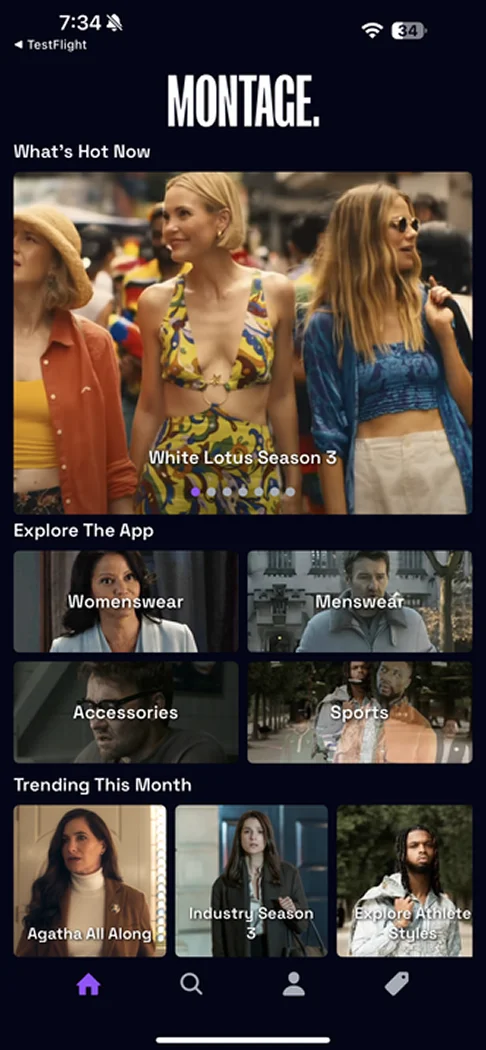
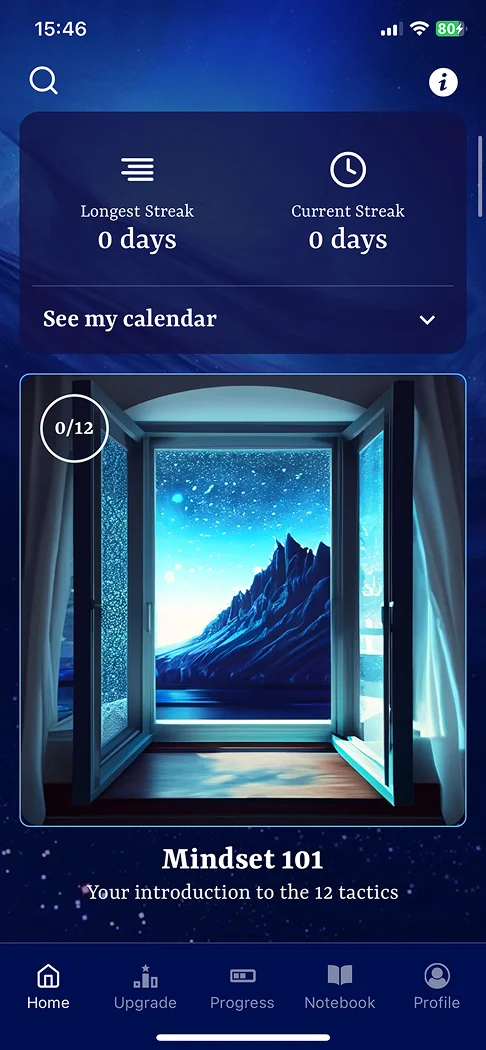
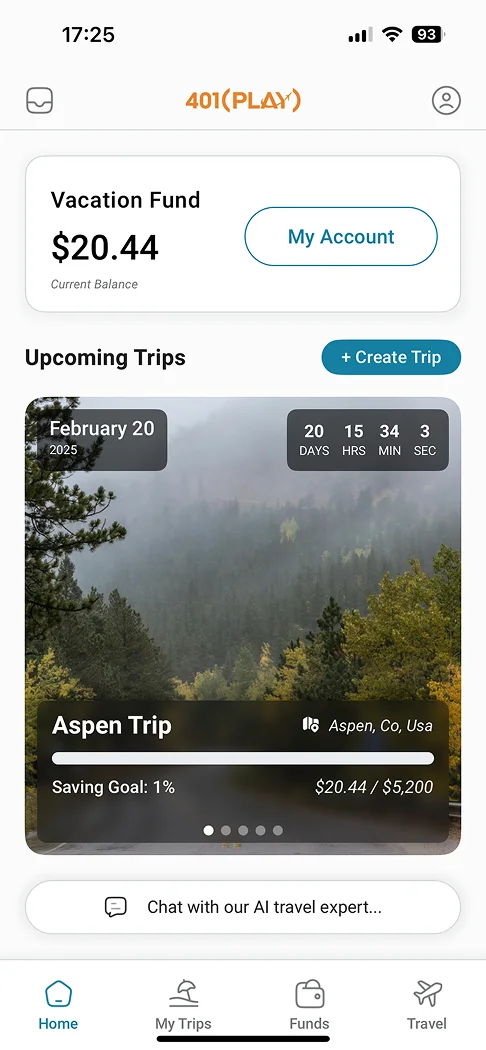
Lightning-fast Development,\
Zero Guesswork
--------------
1
### Tell us about your vision
Share your ideas — your app starts with your unique goals. Happy to sign an NDA.
2
### Choose your plan
Whether it's a one-off v1 project or a monthly retainer, we've got you covered.
3
### We deliver
With updates every 48 hours via Slack & email, we iterate until your app is ready.
Services
## What can experts do for you?
Whether it's a one-off project, MVP, or ongoing development — we've got you covered.
### Design & UI/UX
Create stunning interfaces that delight users with professional design guidance.
### Screen Building
Rapidly develop responsive screens that work flawlessly across all devices.
### Backend Development
Build robust APIs and database solutions to power your application's core.
### Custom Code & Functions
Implement complex business logic and advanced features with custom solutions.
### Integrations & SDKs
Connect your app to third-party services, APIs, and platforms.
### Custom Components
Get tailor-made UI components that fit your specific requirements.
### 1-on-1 Training
Learn directly from our experts with personalized training sessions.
### App Store Management
Navigate app store submissions and updates with expert guidance.
### Planning & Strategy
Get advice on refining scope, developing a roadmap, future-proofing, and more.
Packages
## Launch your app in record time
Transparent, predictable pricing to help you build and scale your app without hidden costs.
### Starter Backend
Create a minimal backend to accompany your Draftbit app. Ideal for connecting data to your app quickly.
Starting at
$2,500
/one time
[Book a meeting ](/experts-requests)
* Secure authentication & user roles
* GraphQL & REST CRUD API endpoints
* Scalable database schema
* Cloud deployment ready
* Comprehensive API documentation
### MVP
Popular
Launch your app quickly with a focused, functional MVP. Ideal for validating ideas and gaining early user feedback.
Starting at
$6,499
/one time
[Book a meeting ](/experts-requests)
* Complete MVP app in 4–8 weeks
* Clear scope, timeline, and pricing — no surprises
* One-time investment to validate your idea
* Mobile-first & desktop friendly app
* Modern, scalable tech stack
* Personalized, iterative development
* Team of experts in Design, Dev, and Launch
* 30 days of free maintenance
### v1
MVP + Backend + QA + App Store Submission & Approval. Everything you need for a successful launch.
Starting at
$12,999
/one time
[Book a meeting ](/experts-requests)
* Launch-ready app in 8–12 weeks
* Production backend with auth & roles
* Secure authentication and user management
* Scalable cloud deployment
* Comprehensive QA testing
* App Store & Google Play approval
* Analytics & push notifications integrated
* 60 days of maintenance & support
* Progress updates every 48 hours
Use Cases
## Already have an app?
Not every project starts from scratch. Whether your app needs a refresh, a new home, or a rescue — we've done it before.
### Upgrade an old app
Your app works but it's showing its age — slow, hard to maintain, or missing features users expect. We modernize the stack, clean up the codebase, improve performance, and add what's missing. You keep what works and get a better foundation for what comes next.
* Performance audit and optimization
* Dependency and framework upgrades
* UI/UX refresh with modern design patterns
* Code cleanup and technical debt reduction
* New feature development on the upgraded base
[Get an upgrade estimate](/experts-requests)
### Migrate from another platform
Locked into a platform that's limiting you? We move your app to Draftbit — or to a fully independent codebase — so you own the code and can keep building without restrictions. We handle the messy parts so you don't lose momentum.
* Full audit of your existing app and data
* Screen-by-screen rebuild in Draftbit
* Backend and API migration or reconnection
* Data migration with integrity checks
* Testing and QA before you switch over
[Plan your migration](/experts-requests)
### Fix a stuck vibe-coded app
Built something with AI that mostly works but now you're stuck? We see this a lot. Vibe-coded apps often hit a wall — broken logic, messy state, things that almost work but don't quite. We untangle it, fix what's broken, and get your app to a place where you can keep building confidently.
* Deep code review and issue diagnosis
* Fix broken logic, navigation, and state management
* Restructure AI-generated code for maintainability
* Connect or fix backend integrations
* Hand back a clean, working app you understand
[Get your app unstuck](/experts-requests)
Advisory
## You build, we guide
Keep building on your own terms with an expert in your corner. Get code review, architectural advice, and troubleshooting help — without handing off the work.
### Code Review
Get expert eyes on your code before you ship. Catch issues early, learn better patterns.
### Architecture Guidance
Make the right structural decisions now so you don't have to rebuild later.
### Troubleshooting
Stuck on a bug or a weird edge case? Get help working through it, fast.
### Private Slack Channel
Direct access to your advisor. Ask questions, share code, get answers — no tickets.
### Best Practices
Learn how experienced teams structure apps, manage state, handle auth, and ship reliably.
### Pause or Cancel Anytime
No lock-in. Use it when you need it, pause when you don't.
$150
/week
or
$500
/month
[Get started ](/experts-requests)
Monthly Plans
## Dedicated experts, month to month
Iterate and build whatever you need with a dedicated team on a predictable monthly budget.
### On all monthly plans
* Dedicated, cross-functional product team
* Transparent daily progress updates
* Private Slack channel for direct comms
* Predictable, fixed monthly investment
* Monthly flexibility: pause or cancel anytime
* Launch new apps or level-up existing products
* Work inside Draftbit or any other platform
* Weekly sprint prioritization with your team
* Full-time, salaried experts — never freelancers
* Effortless resource scaling as your needs evolve
* Proactive maintenance & performance tuning
* Same-day emergency support
### Bronze
A part-time expert dedicated to your project. One task at a time — ideal for steady feature work, bug fixes, and ongoing improvements.
$2,000
/month
[Book a meeting ](/experts-requests)
### Silver
Popular
A part-time team of experts working across design, development, and QA. Multiple workstreams moving in parallel at a steady pace.
$4,000
/month
[Book a meeting ](/experts-requests)
### Gold
A full product team dedicated to your roadmap. Parallel workstreams across design, development, backend, and QA for aggressive timelines.
$7,500
/month
[Book a meeting ](/experts-requests)
### Platinum
A custom team tailored to your needs. We assemble the right mix of designers, developers, backend engineers, and QA across the disciplines your project demands.
$12,000+
/month
[Book a meeting ](/experts-requests)
Testimonials
## Loved by startups and business owners
## Ready to bring your idea to life?
Get in touch and tell us about your project. We'll put together a plan and timeline that works for you.
[Talk to us ](/experts-requests)