
Draftbit vs Rork: With Rork, you build your app twice.
In Draftbit, you build the app once, as one React Native and Expo codebase for iOS and Android that also runs on the web, with the backend in the same project and your own Claude or ChatGPT plan in place of credits. Rork's docs put it plainly: "Two codebases. Swift for iPhone, Kotlin for Android. They are not one shared file." They also say the agent is how you keep the two in sync, so if you'd rather maintain one app than two, that's the difference that decides it.
By Brian Luerssen, Founder of Draftbit. Facts checked . Published by Draftbit, one of the two products compared.
Which should you choose?
Choose Draftbit if
- You want one app to maintain for iPhone and Android, not a Swift app and a Kotlin app.
- You already pay for Claude or ChatGPT and would rather build on that than buy credits.
- You want the backend to be code in your project, on a database you choose.
- You like making small changes by hand instead of prompting for each one.
Choose Rork if
- Your app is built around something each platform does natively, and you want real Swift and Kotlin.
- You're building for Apple Watch, Vision Pro, or iOS widgets as well as the phone.
- A developer will work in the repository too. Rork's GitHub sync goes both ways. In Draftbit that needs an app connected to a repository you already have, because GitHub export goes one way.
- You want Google Play testing tracks and staged rollouts managed from the builder.
Draftbit vs Rork at a glance
With both tools you describe an app and an agent builds it, so these rows are about how many codebases you end up with, what you build it on, and what you can take with you.
| What's compared | Draftbit | Rork |
|---|---|---|
| What you can build | ||
| Mobile code | One React Native and Expo codebase for iOS and Android, which also runs on the web. | "Two codebases. Swift for iPhone, Kotlin for Android. They are not one shared file." Source : Rork on mobile code |
| Beyond the phone | React Native and Expo apps for iOS and Android. Deeper native work means exporting the project and using a native toolchain. | iPad, Apple Watch, Vision Pro, native games, and iOS widgets on every Rork Max option. Source : Rork on beyond the phone |
| Google Play releases | Built, signed, and uploaded to Google Play from the Publish menu, with a staging option for the internal testing track, on Standard and up. | Internal, closed, and open testing, production, and a staged rollout you can increase, halt, resume, or complete. Source : Rork on google play releases |
| The AI | ||
| What you build on | Your own Claude or ChatGPT subscription or API key on every plan, Free included, or Draftbit credits. | Rork credits. One balance pays for building, simulator and emulator minutes, and AI features inside your apps. Source : Rork on what you build on |
| Agent and model | Claude Code or Codex, with a model picker on each thread. | Rork's agent. "On a paid plan, the model picker lets you choose the model for a message." Source : Rork on agent and model |
| The backend | ||
| Where it runs | An API backend in your project on Cloudflare D1, Supabase, or your own Postgres, or a Supabase backend we set up for you. | A hosted backend, in beta and free during it, with a database, access rules, and server-side functions, or your own Supabase or Firebase project. Source : Rork on where it runs |
| Taking it with you | The backend's code exports like any other app in the project, and a Supabase backend we set up can be moved into your own Supabase account. | One button moves the hosted backend into your own Supabase organization, with its data. "The transfer is one-way". Source : Rork on taking it with you |
| The code | ||
| Editing | Visual editor on every plan. Code editing on Standard and up. | "Reading is free, editing needs a paid plan." Source : Rork on editing |
| GitHub | One-way export to a branch you choose, and ZIP export, on Standard and up. An app connected to your own repository saves to your branch, and Sync brings in commits made outside. | Two-way sync on a paid plan, so you can edit locally and bring changes back. No separate ZIP download. Source : Rork on github |
Rork
- Describe the app
- iPhone app in Swift
- Android app in Kotlin
- Ask the agent to keep them in sync (you do this yourself)
- Hosted backend
- App Store
- Google Play
Draftbit
- Describe the app
- One app for iOS and Android
- Backend in your project
- App Store
- Google Play
One codebase or two
If you’d rather maintain one app than two, build it in Draftbit, because with Rork an iPhone app and an Android app are separate codebases.
Rork’s docs describe the pair as “Two codebases. Swift for iPhone, Kotlin for Android. They are not one shared file.” The same page calls React Native’s one shared codebase “a real engineering advantage”, and says of its own approach, “The two apps can still drift. A Swift change is not the same file as a Kotlin change. The agent is how you keep them in sync.”
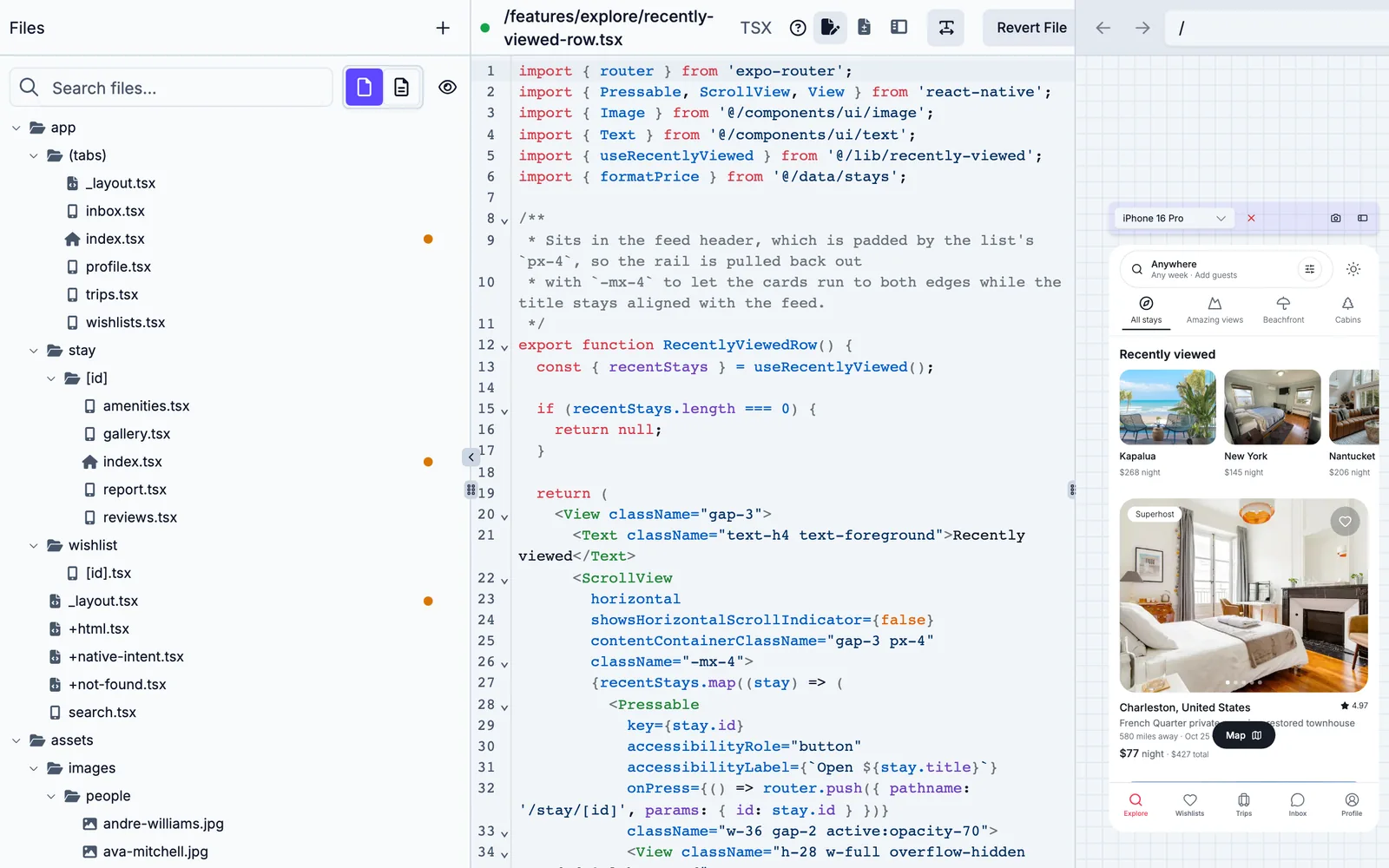
All of the code that Draftbit produces for mobile apps is React Native and Expo, so a screen is one set of source files for iOS and Android, and a fix you make once is in both. Some apps really are better written natively, though, and with Rork you get true Swift and Kotlin, plus iPad, Apple Watch, Vision Pro, and iOS widgets on every paid option. If your app depends on any of those, we’d pick Rork.
What you build on
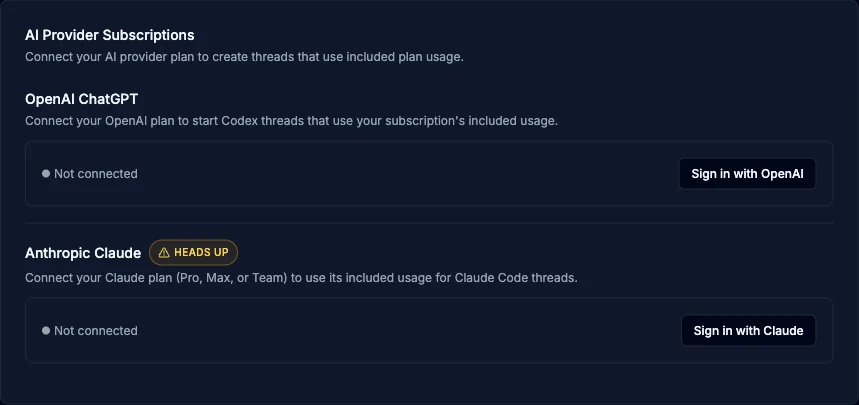
With Rork you build on Rork’s credits, and in Draftbit you can build on the Claude or ChatGPT subscription you already pay for.
Rork has one credit balance that pays for building, for simulator and emulator minutes, and for AI features inside your apps. Its docs say “A message costs what its work costs”, and we couldn’t find a way on Rork’s site to build on your own AI subscription or key.
We sell credits too, and we added bring your own AI because people get the most for their money from the paid ChatGPT and Claude plans. So on every Draftbit plan, Free included, you can sign in with your ChatGPT or Claude subscription, or add your own API key, and threads that run on it don’t use Draftbit credits. Your provider’s usage limits still apply.
The backend behind the app
With both tools you can start on a hosted backend and move it into your own Supabase account later, so the difference is whether that backend is code in your project.
Rork’s hosted backend is free while it’s in beta. It comes with a database, access rules, and server-side functions, and one button moves the whole thing into your own Supabase organization, though “The transfer is one-way”.
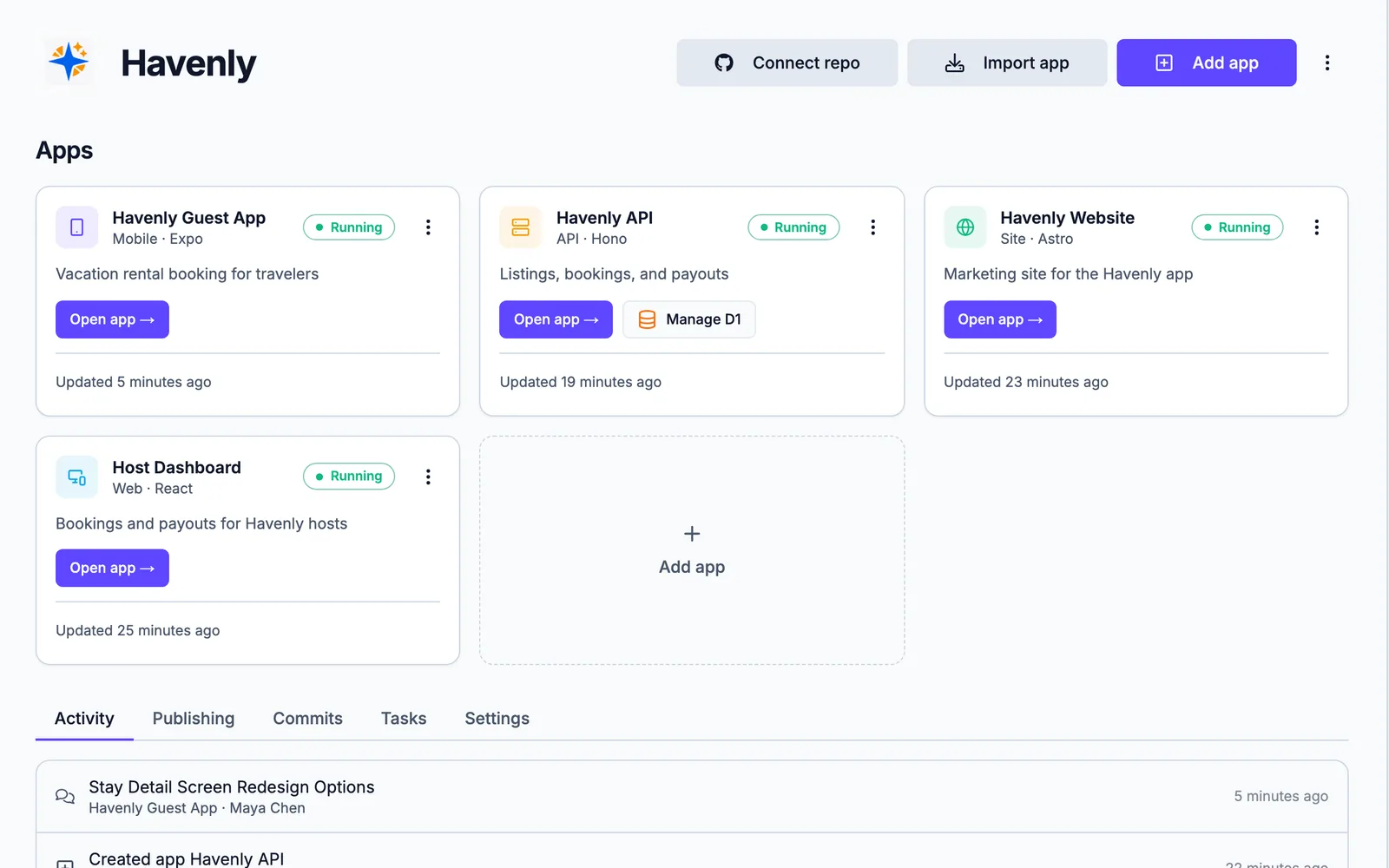
In Draftbit, the backend is another app in your project, so the agent can build a screen and the API behind it in the same pass. You choose the database (Cloudflare D1, Supabase, or a Postgres database you already run), and its code exports the same way as your other apps. If you’d rather we set up Supabase for you, its staging and production environments need a paid plan, and they use credits while they run.
Publishing and GitHub
With both tools the app is built and uploaded to the stores for you, and Rork is ahead of us on Google Play releases and on syncing with GitHub.
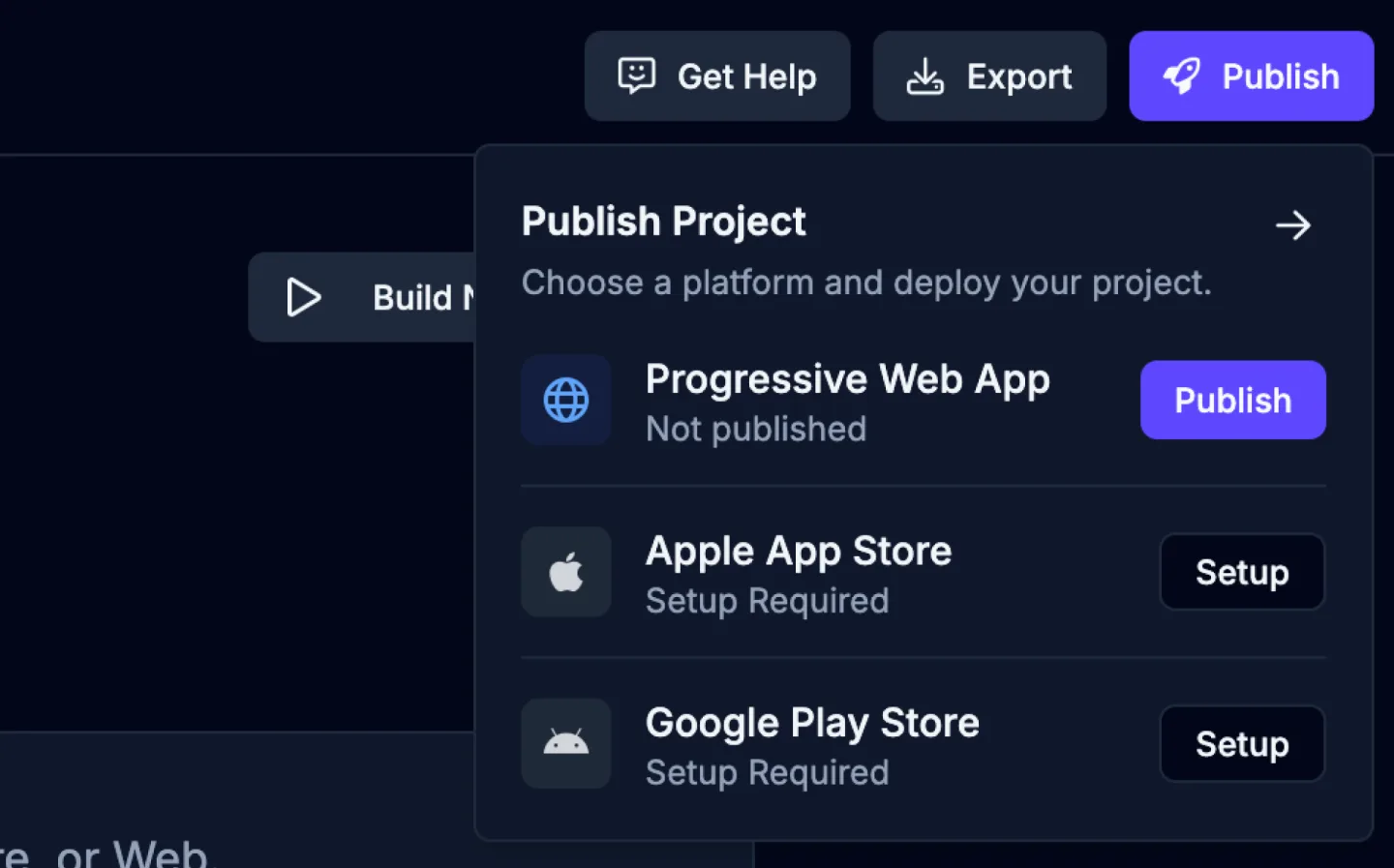
In Draftbit you publish from one menu, and on Standard and up the app is built, signed, and uploaded to App Store Connect and Google Play from the same source files. With Rork each platform is published on its own, since “An iPhone (Swift) app cannot go to Google Play.”
Rork does more after the upload. Its Google Play flow covers testing tracks, production, and staged rollouts, and its GitHub integration is two-way, so a developer can edit locally and bring those changes back. Our GitHub export goes one way. If a developer already has the app in a repository, you can connect that repository instead, so every save commits to your branch and Sync brings their commits in. For an app you started in Draftbit, though, that round trip is a real point in Rork’s favor.
What you'll pay
Draftbit Standard
$15/month; or $144/year ($12/month equivalent)
Base subscription with code editing, ZIP and GitHub export, custom domains, and iOS/Android publishing. AI usage is separate.
Rork Max, 100 credits
$20/month
100 credits a month with Build mode for iPhone, Android, and the web, plus iPad, Apple Watch, Vision Pro, iOS widgets, and code editing. Simulator minutes and AI features in your apps use the same credits.
If you already pay for Claude or ChatGPT, that subscription does the building in Draftbit, so Standard stays at $15 a month. If you'd rather not connect a subscription, you can add Draftbit credits to the plan, from $5 a month for 5,000. Rork Max starts at $20 a month with 100 credits, and the same balance also pays for simulator and emulator minutes and for AI features in your apps, with extra credits at $0.22 each, so what you spend depends on how much you build and test.
Prices are in US dollars and were checked on November 23, 2026. See every Draftbit plan and Rork's current pricing.
What other sites get wrong about Draftbit
Many comparisons on other sites describe an older Draftbit. Here's what they say, and what's true today.
- Claim Draftbit is a drag-and-drop builder.
- Fact Claude Code and Codex build the app from what you describe. The visual editor is for the changes you'd rather make by hand, and it edits the same code. Read more
- Claim Draftbit has no backend.
- Fact A project can hold an API backend with its own database, or a Supabase backend we set up for you and you can move into your own account. Read more
- Claim You have to buy AI credits.
- Fact You can build on your own Claude or ChatGPT subscription, or your own API key, on every plan, Free included. We sell credits too, for anyone who'd rather buy them from us. Read more
- Claim Draftbit only makes mobile apps.
- Fact It builds mobile apps, web apps, websites, games, and backends, and one project can hold all of them. Read more
What's new at Rork. On November 23, 2026, Rork's plans page changed so that new purchases are Rork Max from $20 a month, and Rork Pro continues only for people who already subscribe. On October 30, 2026, its separate Cloud Credits became part of the one credit balance.
Switching from Rork
If you've built an iPhone app in Rork and you're about to start the Android one, that's the point where we think one codebase is worth the move. Your Rork code is yours, so on a paid plan, start by exporting it to GitHub, and keep it as the reference for what the app does.
The screens won't carry over as they are, because our import takes JavaScript and TypeScript projects, and Swift and Kotlin are different code. In Draftbit, the agent builds the React Native version from your description of each screen, and you can adjust the layout by hand in the visual editor as it goes.
The backend is the easier part. Rork's hosted backend can be transferred into your own Supabase organization with its data, and its docs say the project's URL, data, and keys stay the same. From there it's a Supabase project in your own account, and an app you build in Draftbit can call a backend you already run.
Two kinds of Rork project are worth trying in our import before you rebuild. Older Rork projects were built on Expo and still export to GitHub, and Rork's web apps are built on Vite and React. Our import takes both kinds from GitHub or a zip file.
What Draftbit can import and how Draftbit Experts can do the move for you.
In customers' words
“Using Draftbit NEXT alongside ChatGPT made the whole process feel collaborative rather than overwhelming, and together they helped me turn an idea into something real and genuinely cool.”
Test it yourself
Don't take our word for it. Try these in both tools before you decide. Draftbit's Free plan is enough to run them.
- Build the same screen in both tools, then ask for one change to it, such as a new field on a form, and look at how many files changed for iPhone and Android.
- Add a table and a sign-in screen in each, then look at where the data lives and how you'd move it into an account you own.
- Price a month of building in each: the plan, plus what you'd spend on AI once the included credits run out, including the time a simulator is running.
Frequently asked questions
Does Rork still use React Native and Expo?
Not for new apps. Rork's docs say "You can no longer create Expo (React Native) projects in Rork", and that new apps are native iPhone in Swift, native Android in Kotlin, or web. Existing Expo projects keep working. In Draftbit, mobile apps are React Native and Expo, with one codebase for iOS and Android.
Is Draftbit cheaper than Rork?
It depends on how you pay for AI. Draftbit Standard is $15 a month if you bring your own Claude or ChatGPT plan, and Rork Max starts at $20 a month with 100 credits. Rork's credits also pay for simulator minutes and AI features in your apps, and extra credits cost $0.22 each. We couldn't find annual prices on Rork's site.
Do Draftbit's paid plans include AI credits?
No. Standard is $15 a month and that doesn't include credits, because you can build on your own Claude or ChatGPT subscription, or your own API key, on every plan. If you'd rather use Draftbit credits, you can add them to any paid plan, from $5 a month for 5,000.
Can I use my own Claude or ChatGPT subscription with Rork?
We couldn't find a way to on Rork's site. Building in Rork uses Rork credits, and on a paid plan you can choose the model for a message. In Draftbit, you can connect a Claude or ChatGPT subscription, or your own API key, on every plan, and threads that run on it don't use Draftbit credits.
Is Rork free?
For designing, yes. Rork's plans page says the Free plan runs in Design mode, with 5 design credits a day, and that Build mode needs a paid plan. Our Free plan includes the agents, the visual editor, 20 agent runs a week on your own AI subscription or key, and publishing a web app to a draftbit.dev address.
Can I move a Rork app to Draftbit?
A Swift or Kotlin app can't be imported, so it's rebuilt in React Native from your description, with the code you exported from Rork as the reference. An older Rork project built on Expo, or a Rork web app built on Vite, is worth trying in our import first. A backend you've transferred to your own Supabase organization can stay where it is.
Do I own the code in both?
Yes. Rork's FAQ quotes its terms, "You retain all rights to any content, applications, or data you create or process using our Services", and export is through GitHub on a paid plan. In Draftbit the code is yours too, with ZIP and GitHub export on Standard and up.
Sources
We publish Draftbit, so we have a stake in this comparison. Every fact about Rork comes from its own site and docs, checked on November 23, 2026.
- Rork: what happened to Expo, and the two codebases
- Rork subscription plans
- Rork pricing
- Rork credits
- Rork's hosted backend
- Rork code export FAQ
- Rork code and logs
- Rork publishing FAQ
- Rork for Android, including Google Play releases
- Rork: creating the Android App Bundle
- Rork: Swift, Kotlin, and web compared
Related comparisons
-
Draftbit vs a0
The code is the same in a0 and Draftbit. The difference is what else you get.
-
Draftbit vs Adalo
An Adalo app runs on Adalo, and the code costs extra.
-
Draftbit vs Bolt
With Bolt, publishing a mobile app starts with "download the code".
With Rork, you build your app twice.
Describe the app you have in mind once, connect the Claude or ChatGPT plan you already pay for, and see how far you get on the Free plan before you spend anything.