
Draftbit vs a0: The code is the same in a0 and Draftbit. The difference is what else you get.
Mobile apps from a0 and from Draftbit are both React Native and Expo, so the choice comes down to what's around the code. In Draftbit, you get a visual editor that changes those same source files, a backend you can open and test, and the option to build on the Claude or ChatGPT subscription you already pay for, where a0's plans are monthly credit allowances.
By Brian Luerssen, Founder of Draftbit. Facts checked . Published by Draftbit, one of the two products compared.
Which should you choose?
Choose Draftbit if
- You want to fix a label or a margin by hand in a visual editor, on the same code the agent writes.
- You already pay for Claude or ChatGPT and would rather build on that than on a monthly credit allowance.
- You want to open the backend, read its code, and send it test requests.
- You'd like to try the tool before paying. We couldn't find a free plan on a0's pricing page.
Choose a0 if
- You're shipping an iPhone app and want the build, the App Store Connect listing, and the upload done for you.
- You want over-the-air updates built in. Ours start on the Pro plan.
- You want push notification delivery built in, with no other push service to set up.
Draftbit vs a0 at a glance
The mobile app you get is React Native and Expo with either tool, so these rows are about what you build it on, what you can see of the backend, and how the app gets published.
| What's compared | Draftbit | a0 |
|---|---|---|
| The code | ||
| Mobile apps | React Native and Expo, one codebase for iOS and Android. A project can also hold web apps, websites, games, and backends. | React Native and Expo too. Its docs say "a0 projects are built on top of Expo." Source : a0 on mobile apps |
| Export | ZIP and GitHub export on Standard and up. | "Export your code" is listed under Pro. We couldn't find how the export works. Source : a0 on export |
| Editing by hand | Visual editor on every plan. Code editing on Standard and up. | Its docs cover prompting the agent, testing, and publishing. We couldn't find a visual editor in them. Source : a0 on editing by hand |
| The AI | ||
| What you build on | Your own Claude or ChatGPT subscription or API key on every plan, Free included, or Draftbit credits. | a0 credits: "100 credits per month" on Pro and "1,250 credits per month" on Max. We couldn't find a way to build on your own plan. Source : a0 on what you build on |
| Agent and model | Claude Code or Codex, with a model picker on each thread. | Set by the plan: "Access to advanced coding models" on Pro and "Access to our top AI models" on Max. Source : a0 on agent and model |
| The backend | ||
| What it is | An API backend in your project that you can open, read, and test from an API console, on Cloudflare D1, Supabase, or your own Postgres. Or a Supabase backend we set up for you. | Its home page lists "reliable backend support powered by Convex or Supabase". We couldn't find who runs it or whether you can change its schema. Source : a0 on what it is |
| Taking it with you | The backend's code exports like any other app in the project, and a Supabase backend we set up can be moved into your own Supabase account. | We couldn't find a cancellation, data, or export policy. Its pricing page says "Upgrade or downgrade any time." Source : a0 on taking it with you |
| Publishing | ||
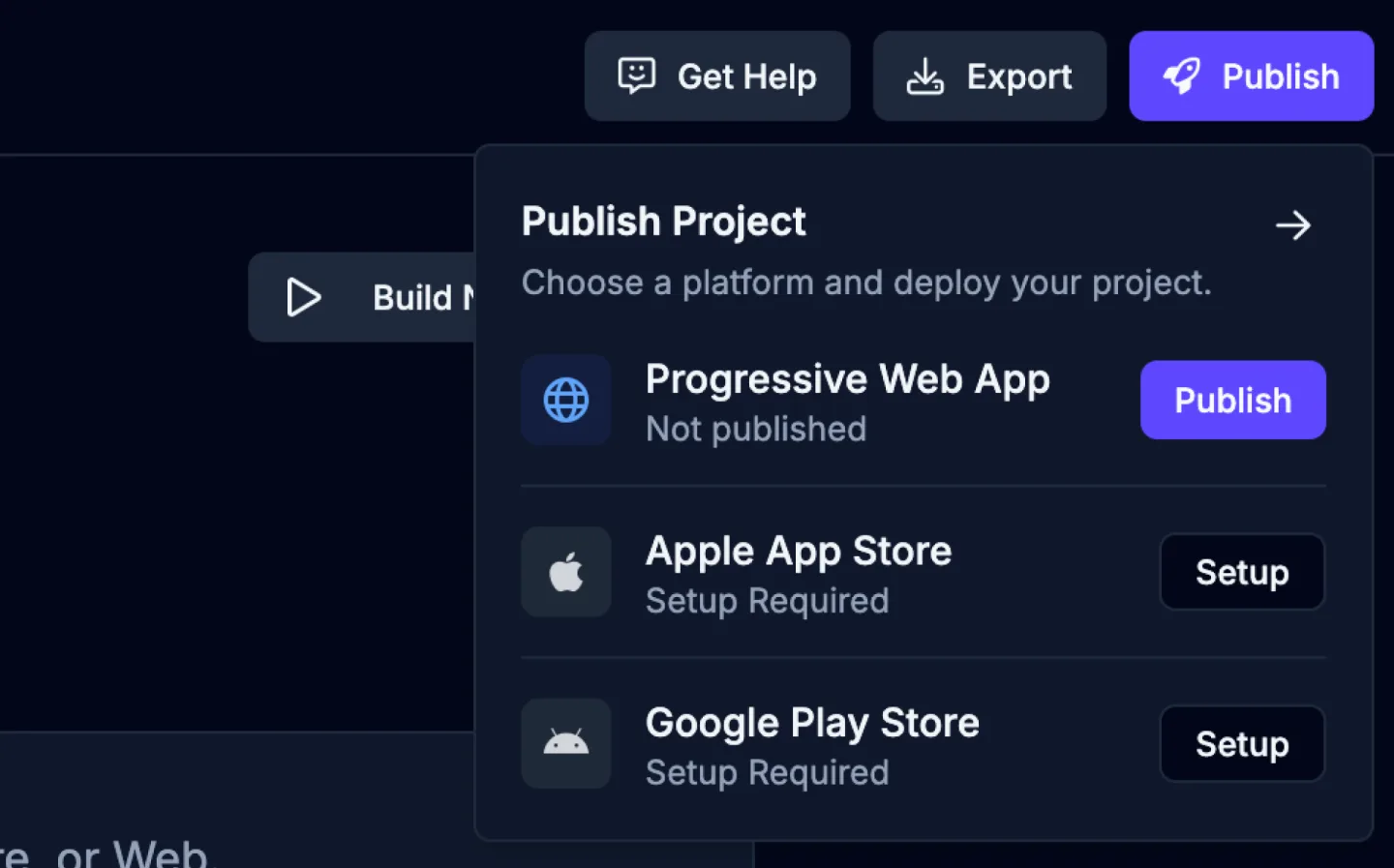
| App Store | Built, signed, and uploaded to App Store Connect from the Publish menu, on Standard and up. The store listing is yours to fill in. | One click. "We'll handle the build, create your App Store Connect listing, and upload it for you." Source : a0 on app store |
| Google Play | Built, signed, and uploaded to Google Play from the same menu, on Standard and up. | An APK for testing. We couldn't find Google Play upload steps in its docs. Source : a0 on google play |
| Over-the-air updates | On Pro and up. | Built in. Its docs say it's "built directly into a0 and works across all platforms". Source : a0 on over-the-air updates |
a0
- Describe the app
- React Native and Expo app
- Backend on Convex or Supabase
- App Store upload
- Android APK for testing
Draftbit
- Describe the app
- React Native and Expo app
- Visual editor on the same code
- Backend you can open and test
- App Store upload
- Google Play upload
Changing a screen by hand
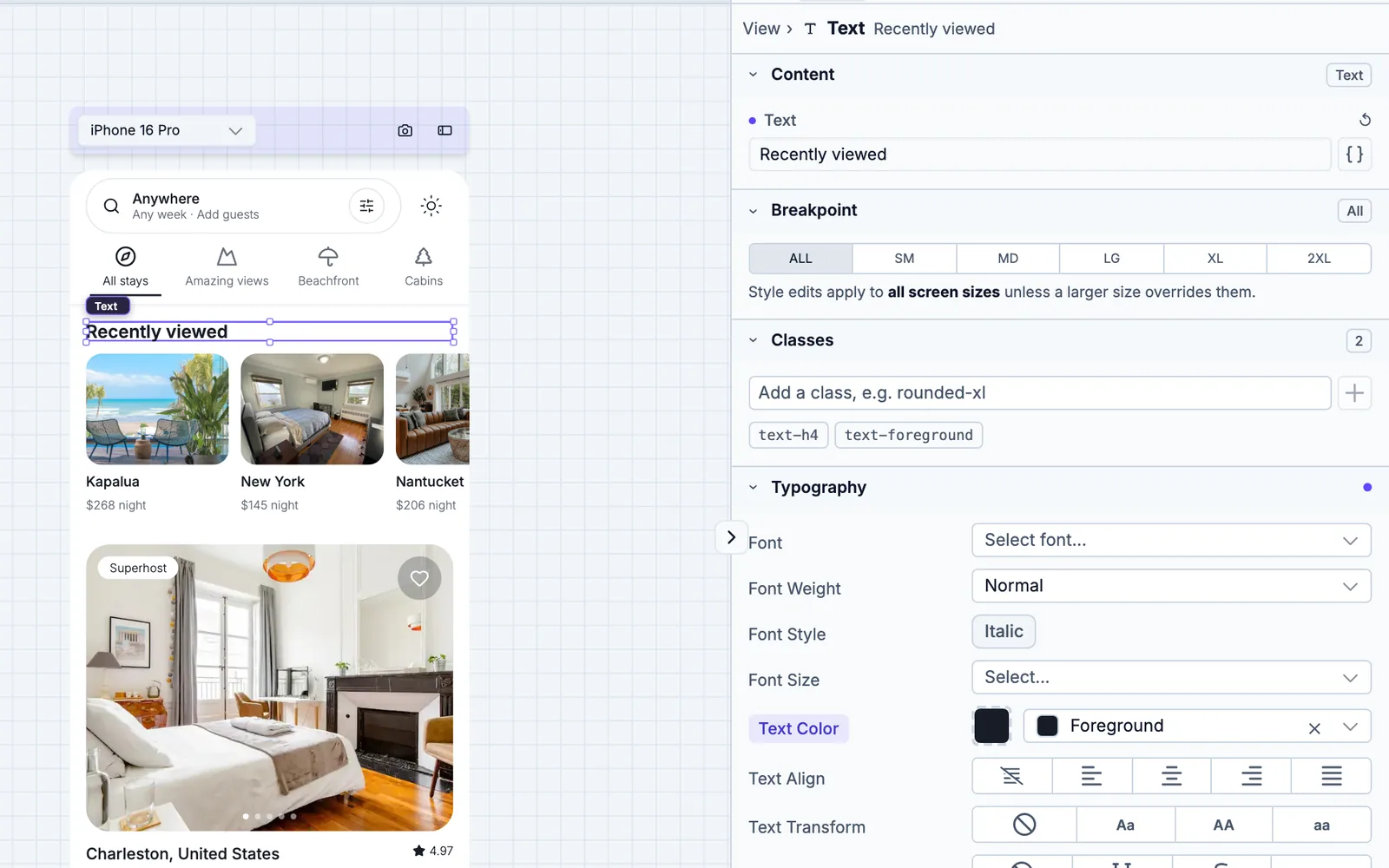
In Draftbit you can change a screen yourself in a visual editor, and the change lands in the same React Native and Expo code the agent writes.
According to a0’s docs, “a0 projects are built on top of Expo”, and all of the code that Draftbit produces for mobile apps is React Native and Expo too, so you aren’t choosing between two kinds of app. The difference shows up once the first version exists and you want a label reworded or a margin tightened. In Draftbit, you can select it in the preview and change it yourself, because the visual editor reads and writes the same source files as the agents. If the change is small and exact, that’s often quicker than describing it in a message.
The backend behind the app
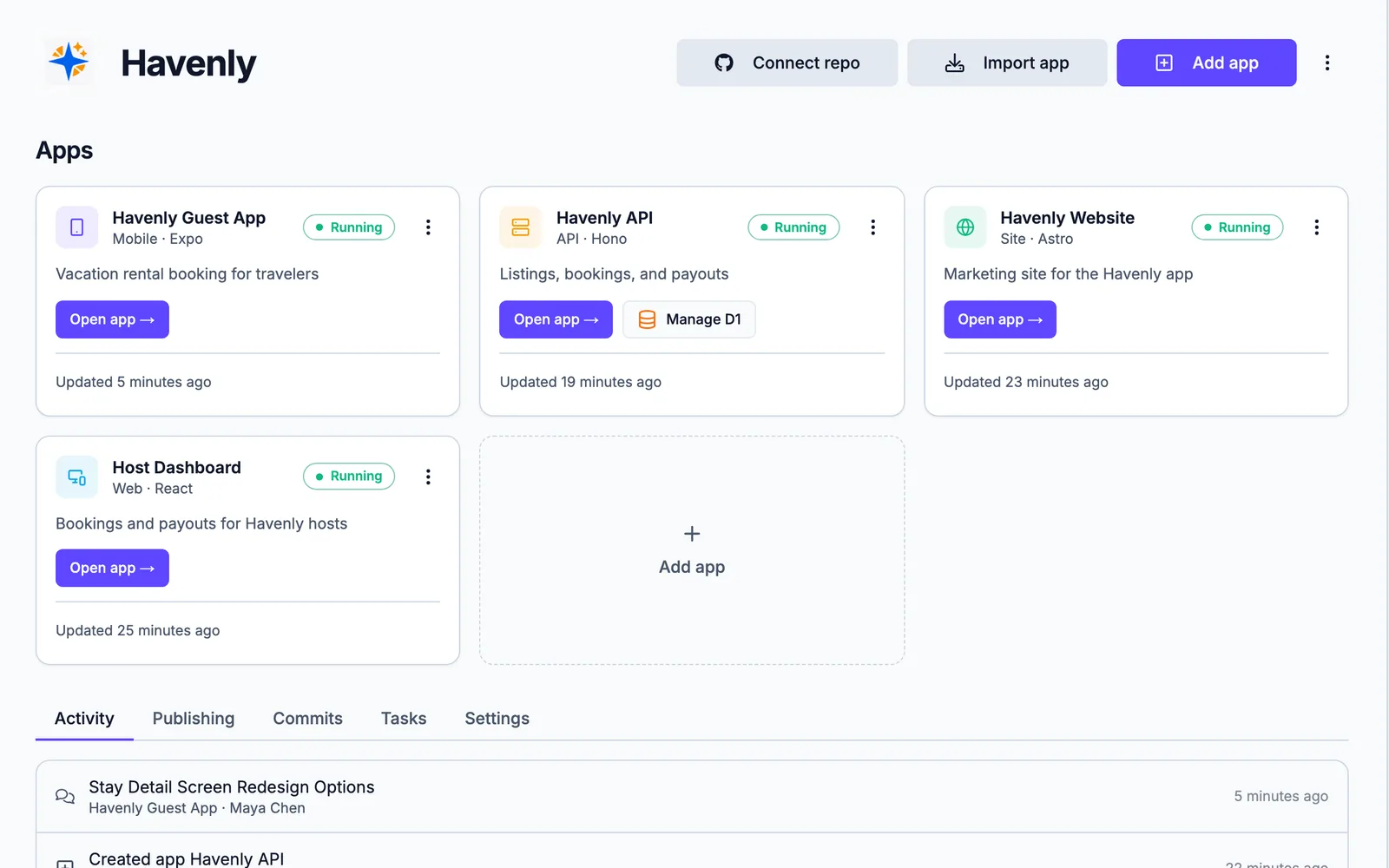
We couldn’t find much about a0’s backend on its site, while in Draftbit the backend is an app in your project that you can open, read, and test.
The home page for a0 lists “reliable backend support powered by Convex or Supabase”, and its docs show Convex code in the project for push notifications. We read the rest of the docs, though, and couldn’t find who runs that backend, whether you can change its schema, or whether it can leave with you. That may be fine for a first version, but it’s worth asking a0 before real users’ data is in it.
In Draftbit, an API backend sits beside the mobile app in the same project, which means you can read its code, see every endpoint in an API console, and send test requests. You also choose the database (Cloudflare D1, Supabase, or a Postgres database you already run). If you’d rather we set up Supabase for you, that project can be moved into your own Supabase account later. It isn’t free past development, though, because its staging and production environments need a paid plan and use credits while they run.
What you build on
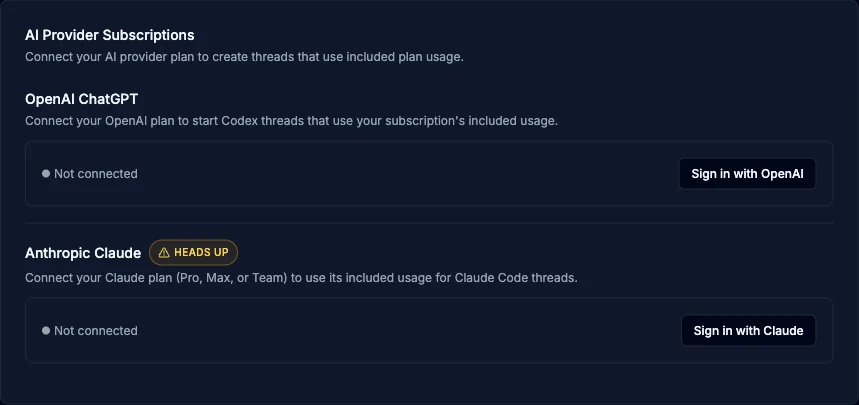
With a0 you build on a monthly credit allowance, and in Draftbit you can build on the Claude or ChatGPT subscription you already pay for.
The pricing page for a0 lists 100 credits a month on Pro for $20 and 1,250 on Max for $200, and the models you get depend on the plan. We couldn’t find what a credit buys, so it’s hard to say how far a month’s allowance goes. We also couldn’t find a free plan, or a way to build on your own subscription or API key.
In Draftbit, you can sign in with your ChatGPT or Claude subscription or add your own key on every plan, Free included, and threads that run on it don’t use Draftbit credits. Your provider’s usage limits still apply. We sell credits too, for anyone who’d rather not connect an account.
Where a0 does more
If you’re releasing an iPhone app, a0 does more of the work for you than we do, and its over-the-air updates are built in.
Its home page says of App Store publishing, “We’ll handle the build, create your App Store Connect listing, and upload it for you.” In Draftbit, the app is built, signed, and uploaded to App Store Connect and Google Play from the Publish menu on Standard and up, but the store listing is yours to fill in. Over-the-air updates are “built directly into a0”, while ours start on Pro. Android is less clear. The docs for a0 cover an APK for testing, and we couldn’t find Google Play upload steps there.
What you'll pay
Draftbit Standard
$15/month; or $144/year ($12/month equivalent)
Base subscription with code editing, ZIP and GitHub export, custom domains, and iOS/Android publishing. AI usage is separate.
a0 Pro
$20/month
100 credits a month, unlimited app builds, code export, and a custom domain without a0 branding.
If you already pay for Claude or ChatGPT, that subscription does the building in Draftbit, so Standard stays at $15 a month. If you'd rather not connect a subscription, you can add Draftbit credits to the plan, from $5 a month for 5,000. Pro on a0 is $20 a month with 100 credits, and the next plan up is Max at $200 a month with 1,250. We couldn't find what a credit buys on a0's site, or a free plan, so what you'd spend depends on how far 100 credits go on your app.
Prices are in US dollars and were checked on November 23, 2026. See every Draftbit plan and a0's current pricing.
What other sites get wrong about Draftbit
Many comparisons on other sites describe an older Draftbit. Here's what they say, and what's true today.
- Claim Draftbit is a drag-and-drop builder.
- Fact Claude Code and Codex build the app from what you describe. The visual editor is for the changes you'd rather make by hand, and it edits the same code. Read more
- Claim Draftbit has no backend.
- Fact A project can hold an API backend with its own database, or a Supabase backend we set up for you and you can move into your own account. Read more
- Claim You have to buy AI credits.
- Fact You can build on your own Claude or ChatGPT subscription, or your own API key, on every plan, Free included. We sell credits too, for anyone who'd rather buy them from us. Read more
- Claim Draftbit only makes mobile apps.
- Fact It builds mobile apps, web apps, websites, games, and backends, and one project can hold all of them. Read more
Switching from a0
Because the mobile apps from both tools are React Native and Expo, moving is closer to opening the same project somewhere else than to starting over. On a0's pricing page, "Export your code" is listed under Pro, and you can import Expo apps into Draftbit from GitHub or a zip file.
When you import, you choose between two modes, and the choice is permanent for that project. You can have an agent migrate the app to Draftbit's conventions, which gets you the full builder and the visual editor at the cost of a large diff, or you can import it with minimal changes and work with the agent, the code, and a preview in a simpler builder.
The backend is the part to check before you move. We couldn't find who runs an a0 backend, whether it can be exported, or what happens to it when a subscription ends, so ask a0 before you cancel anything. An imported app keeps calling whatever backend it's set up for, so if yours stays up, the app keeps working while you decide where the data should live.
Some parts of an a0 project are a0's own, such as its payments library and its push notification delivery. We couldn't find anything on a0's site about how those behave once you've left, so test them first after you import.
What Draftbit can import and how Draftbit Experts can do the move for you.
In customers' words
“The UI is genuinely intuitive—clean, pixel-perfect control, and real-time previews that make tweaking designs feel effortless.”
“Using Draftbit NEXT alongside ChatGPT made the whole process feel collaborative rather than overwhelming, and together they helped me turn an idea into something real and genuinely cool.”
Test it yourself
Don't take our word for it. Try these in both tools before you decide. Draftbit's Free plan is enough to run them.
- Build the same screen in both tools, then change one small thing on it by hand, such as a label or a margin.
- Ask each agent for a feature that saves data, then look for where that data lives and try sending a test request to the backend behind it.
- Work out what a month of building would cost you in each: a0's plan and its credits, or Draftbit's plan with the Claude or ChatGPT subscription you already have.
Frequently asked questions
Is a0 built on React Native?
Yes. Its docs say "a0 projects are built on top of Expo", which is the same React Native and Expo base that Draftbit's mobile apps use. That's why moving from one to the other starts with an export and an import.
Can I use my own Claude or ChatGPT subscription with a0?
We couldn't find a way to on a0's site. Its plans are monthly credit allowances, 100 on Pro and 1,250 on Max, and the models you get depend on the plan. In Draftbit, you can connect a Claude or ChatGPT subscription, or your own API key, on every plan, and threads that run on it don't use Draftbit credits.
Do Draftbit's paid plans include AI credits?
No. Standard is $15 a month and that doesn't include credits, because you can build on your own Claude or ChatGPT subscription, or your own API key, on every plan. If you'd rather use Draftbit credits, you can add them to any paid plan, from $5 a month for 5,000.
Is Draftbit cheaper than a0?
The entry plans are close. Draftbit Standard is $15 a month if you build on your own Claude or ChatGPT subscription, or $15 plus a credit add-on that starts at $5 a month for 5,000 credits, and a0 Pro is $20 a month with 100 credits. We couldn't find a free plan on a0's pricing page, and Draftbit has one, so you can try ours before you pay for either.
Can I move an a0 app into Draftbit?
Yes, once you've exported it. Code export is listed under a0's Pro plan, and you can import Expo apps into Draftbit from GitHub or a zip file. We couldn't find whether an a0 backend can be exported, so check that with a0 before you move.
Do I own the code in both?
We couldn't find a code ownership statement on a0's site, and its terms link leads to its privacy policy. Its Pro plan does list code export. In Draftbit the code is yours, with ZIP and GitHub export on Standard and up.
Does a0 include a backend?
Its home page lists "backend support powered by Convex or Supabase", and its docs show Convex code in the project for sending push notifications. We couldn't find who runs that backend or whether you can move it. In Draftbit, an API backend is an app in your project that you can open and test, and a Supabase backend we set up for you can be moved into your own Supabase account.
Sources
We publish Draftbit, so we have a stake in this comparison. Every fact about a0 comes from its own site and docs, checked on November 23, 2026.
Related comparisons
-
Draftbit vs Rork
With Rork, you build your app twice.
-
Draftbit vs Adalo
An Adalo app runs on Adalo, and the code costs extra.
-
Draftbit vs Bolt
With Bolt, publishing a mobile app starts with "download the code".
The code is the same in a0 and Draftbit. The difference is what else you get.
Build a screen on the Free plan, change it by hand in the visual editor, and connect the Claude or ChatGPT plan you already pay for. If you've already started in a0, you can export the Expo project and import it.