

Product update
Build games in Draftbit, starting from 39 templates
 Brian Luerssen
Hey everyone, it's been two weeks since our last update, and this one has a lot for the projects you're already working on, from games and briefs to a builder that's much easier to use on your phone.
TL;DR: In Draftbit, you can now:
- Build 2D and 3D games for iOS, Android, and the web, and tune them without code
- Start a game from one of 39 templates, from Solitaire to a 3D racer
- Have the agent write plans, research, and specs as briefs next to your app
- Review a plan and four design directions before a new project is built
- Share your app with a link that expires when you choose, with a password and your own logo
- Use the builder from your phone, with a full-screen preview and the agent on every page
- Use GPT-6.1 Terra and Claude Fable 5.2
If you build in Draftbit v1, new apps must start in the new Draftbit from November 15, and we'll shut down the v1 builder on January 15, 2027.
Build games for iOS, Android, and the web
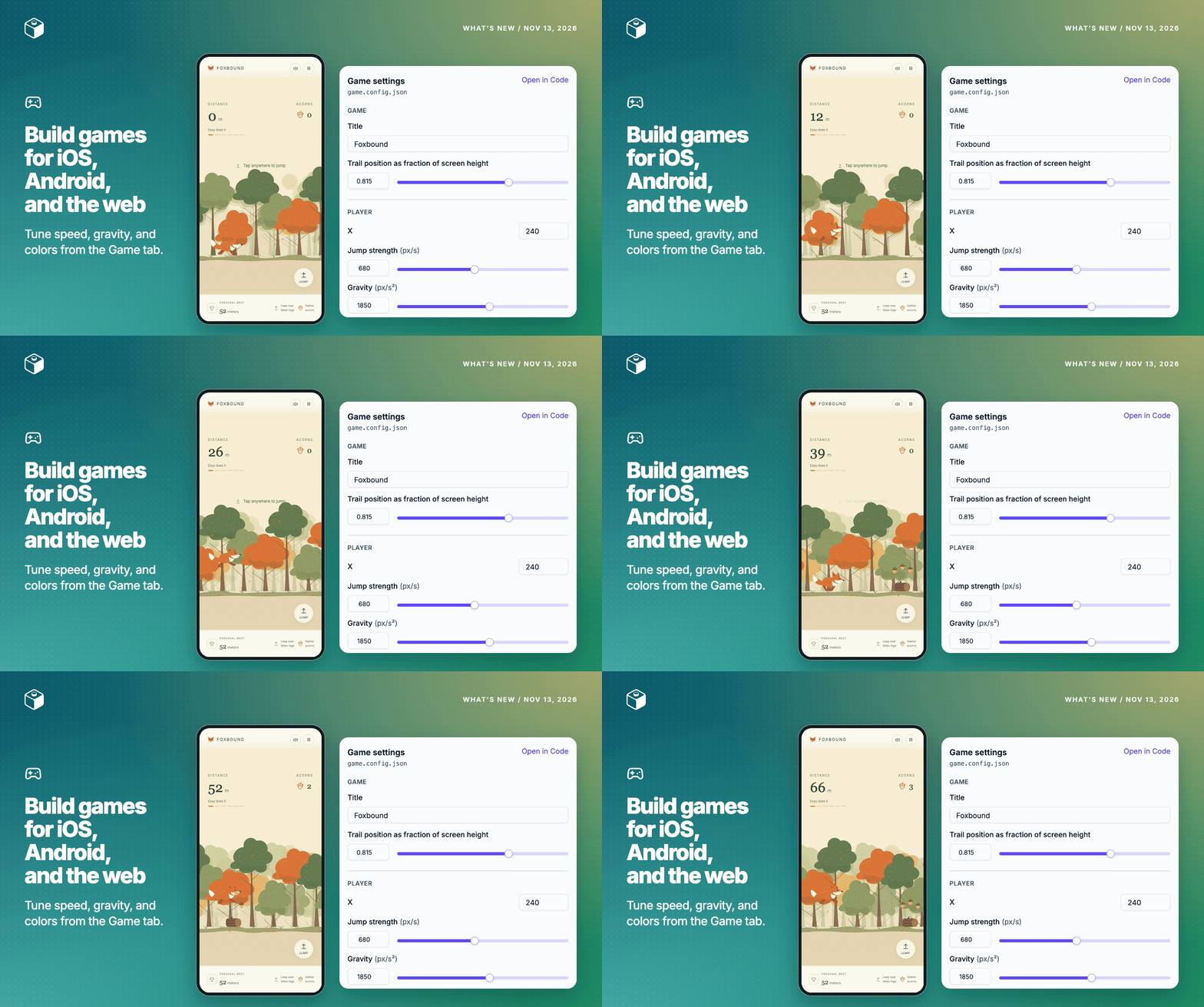
A game idea is easy to describe and hard to try out, since even a simple one needs controls, a game loop, and art before you can play it. Now you can add a game to any project: click Add app in your project and pick Game, or pick it when you start a new one. Each game is an Expo app, so the same game runs on iOS, Android, and the web, and the agent builds it with Phaser for 2D games or Three.js for 3D ones. You build it the way you build any app here, by describing what you want in the chat, playing it in the preview, and asking for changes.
To change how it plays without asking the agent, open the Game tab next to Chat, where the game's speeds, colors, and difficulty show up as sliders, switches, and color pickers. If a game you're working on doesn't have settings yet, click Ask the agent to add settings. A game publishes like any mobile app, to the App Store, Google Play, or the web, with over-the-air updates for changes that don't need a store review. The games guide has more.
Start a game from one of 39 templates
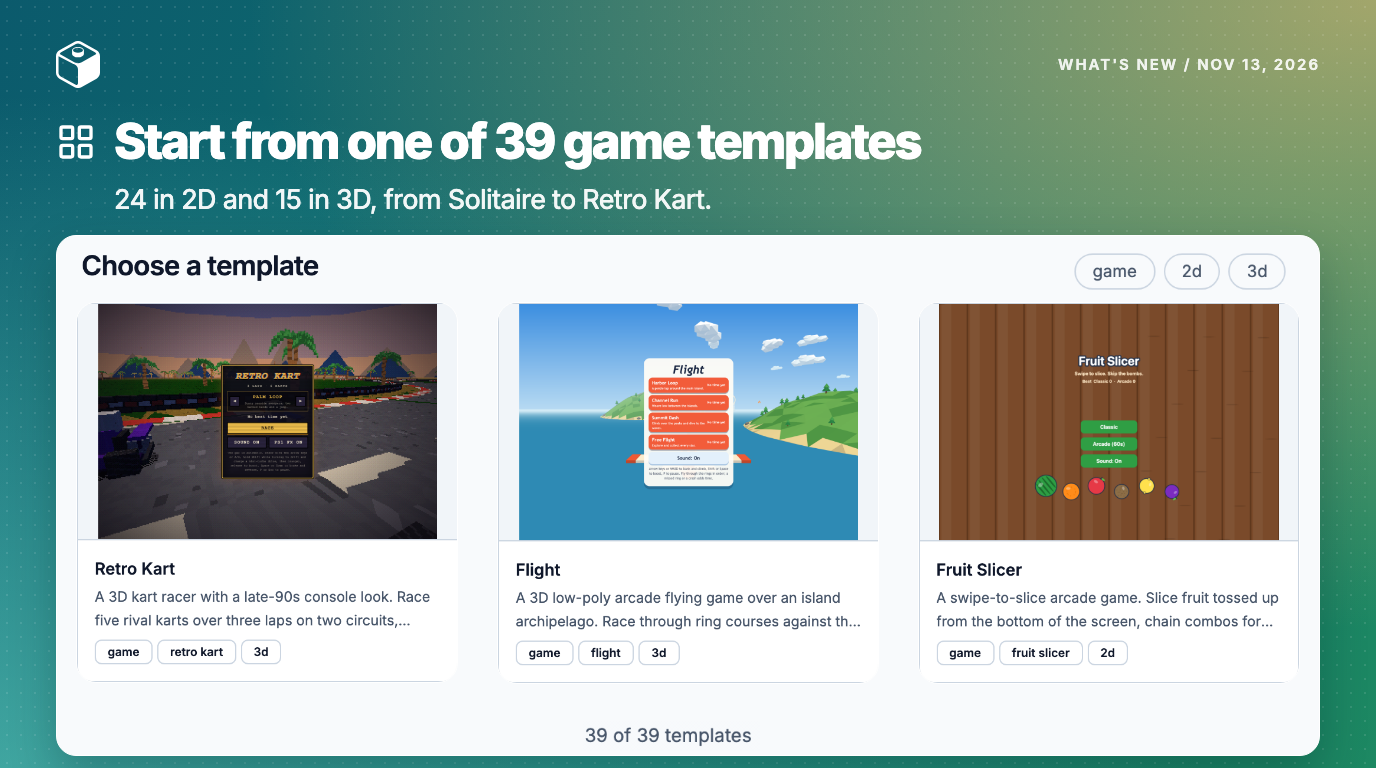
Starting from a working game is a lot faster than starting from a blank screen, so we've added 39 game templates, 24 in 2D and 15 in 3D. They range from Solitaire, Snake, and Mini Golf to Tower Defense, a Dungeon Crawler, and Retro Kart, and each one already has a title screen, gameplay, and a results screen. The agent changes the template to match what you describe, so you can have something playable in minutes.
To use one, choose A template when you're asked how you want to begin, then pick a game in Choose a template to see its screenshots, and click Use this template.
Keep plans and research next to your app
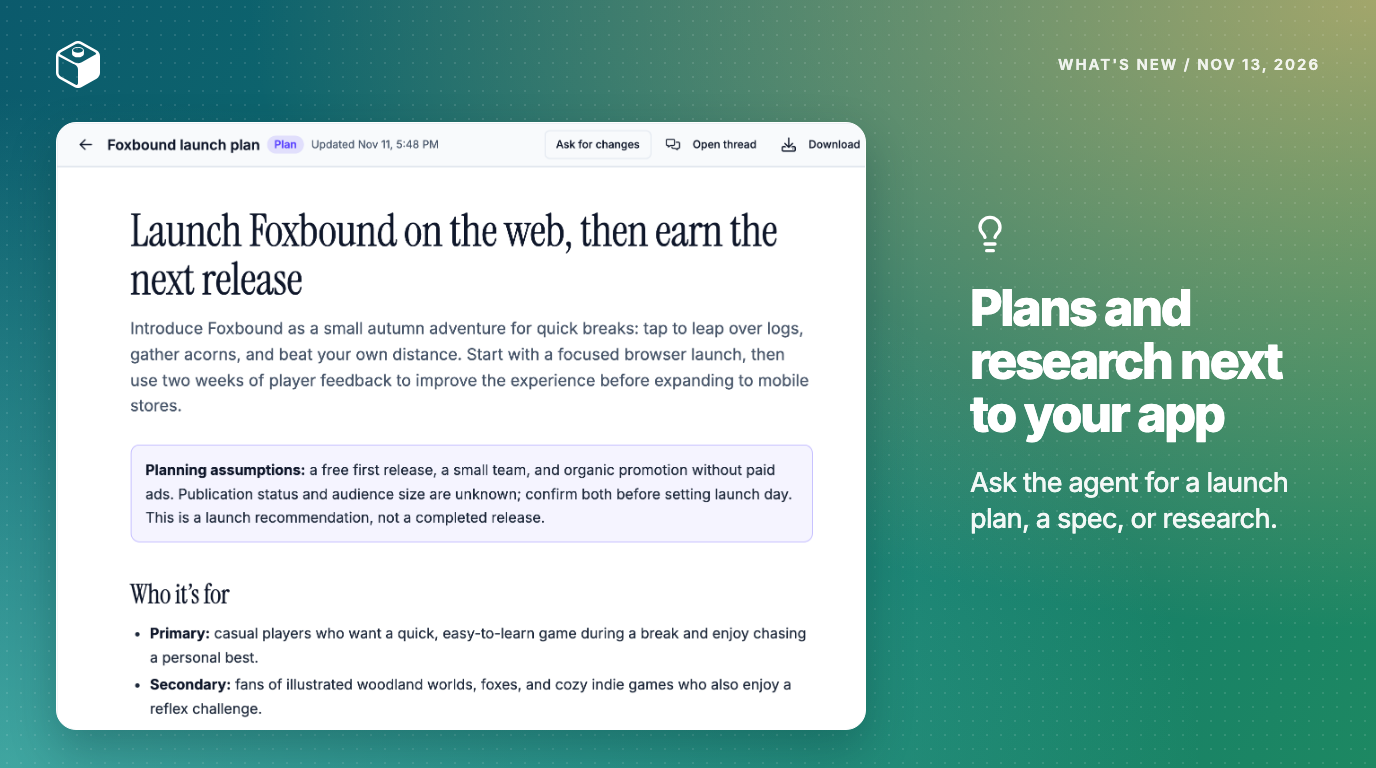
Plans, competitor research, and specs usually end up in a doc somewhere else, away from the app they're about, so now the agent can write them as briefs right next to it. Ask in chat, for example "Write a launch plan for this app," and a Brief ready card appears when it's done. Click Ask for changes to have the agent revise one, or Download to save it as a single HTML file you can print or save as a PDF. The briefs guide has more.
Briefs sit in the sidebar's new Plan group with Mockups and Tasks, and tasks connect to the agent now too: click Start from a task in a new thread, and the task moves to In Progress and then In Review as the agent works on it.
Draftbit v1 users: migrate your apps before January 15
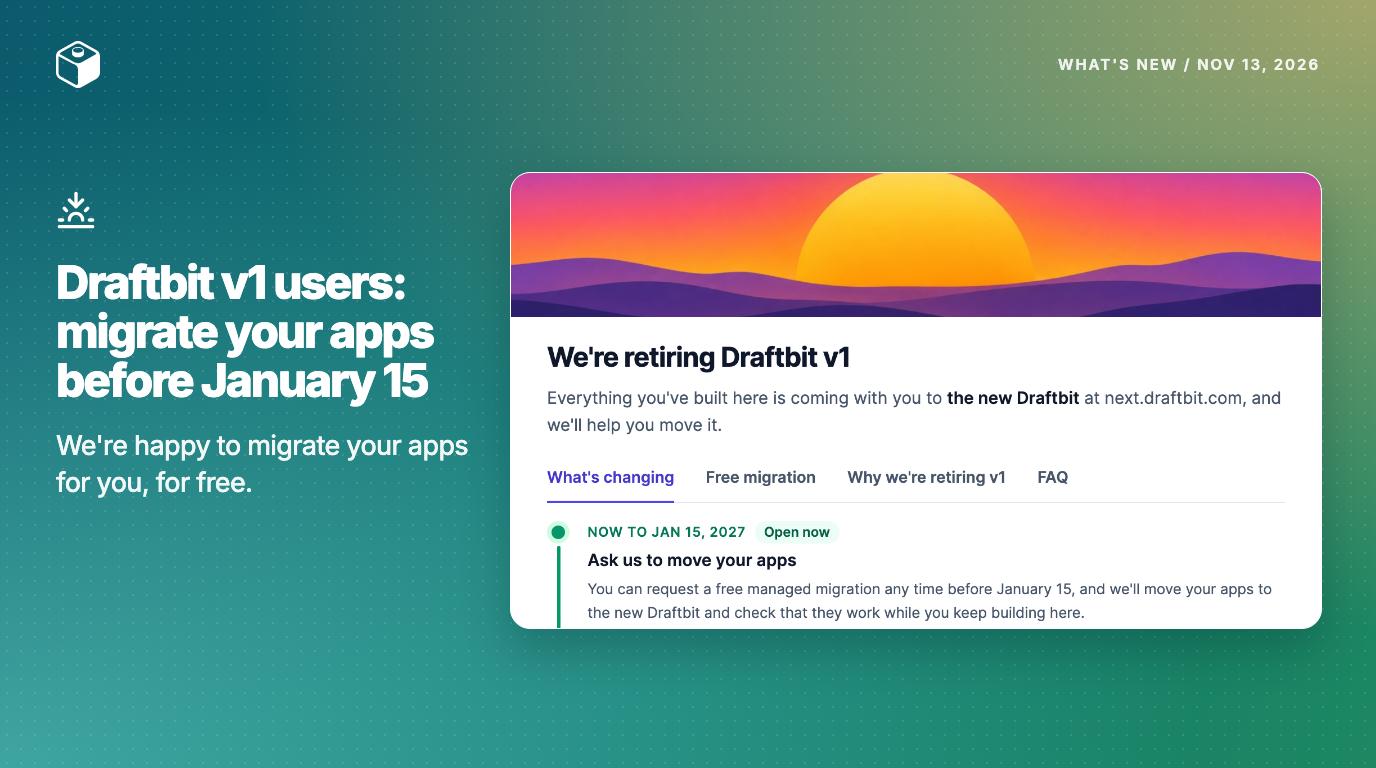
Most of you are already building in the new Draftbit. If you're still building in Draftbit v1, we're starting the process to sunset it, and we want to be straight with you about what's changing and why. We've kept v1 in maintenance mode while we built the new Draftbit, and it depends on tools we can't update anymore. We'd rather give it a clear end date and help you migrate than let it slowly break around you.
- November 15, 2026: new apps must start in the new Draftbit. We're also updating the Live Preview app to Expo 56 that day, and that version can't run v1 apps, so you'll preview v1 apps in the builder and simulators instead of on your phone.
- January 15, 2027: we shut down the v1 builder and publishing. Until then, you can keep editing and publishing the apps you already have. After that, we'll automatically migrate or archive any app that's still there.
- April 15, 2027: the last day we keep a zip export of every v1 app.
To make the transition easier, we're happy to migrate your apps for you. It's free, and it doesn't use any credits. In v1, open the sunset notice's Free migration tab and click Request a free migration, and our team will copy each app into the new Draftbit, fix anything that didn't carry over, and check that it works before you take it over. Your v1 app stays exactly as it is while we work. If you'd rather migrate an app yourself, open Migrate in the new Draftbit's sidebar and choose V1 Apps, and the migration guide walks through it. If you'd like to talk it through first, email help@draftbit.com and someone on our team will reply.
See a plan and designs before your next project is built
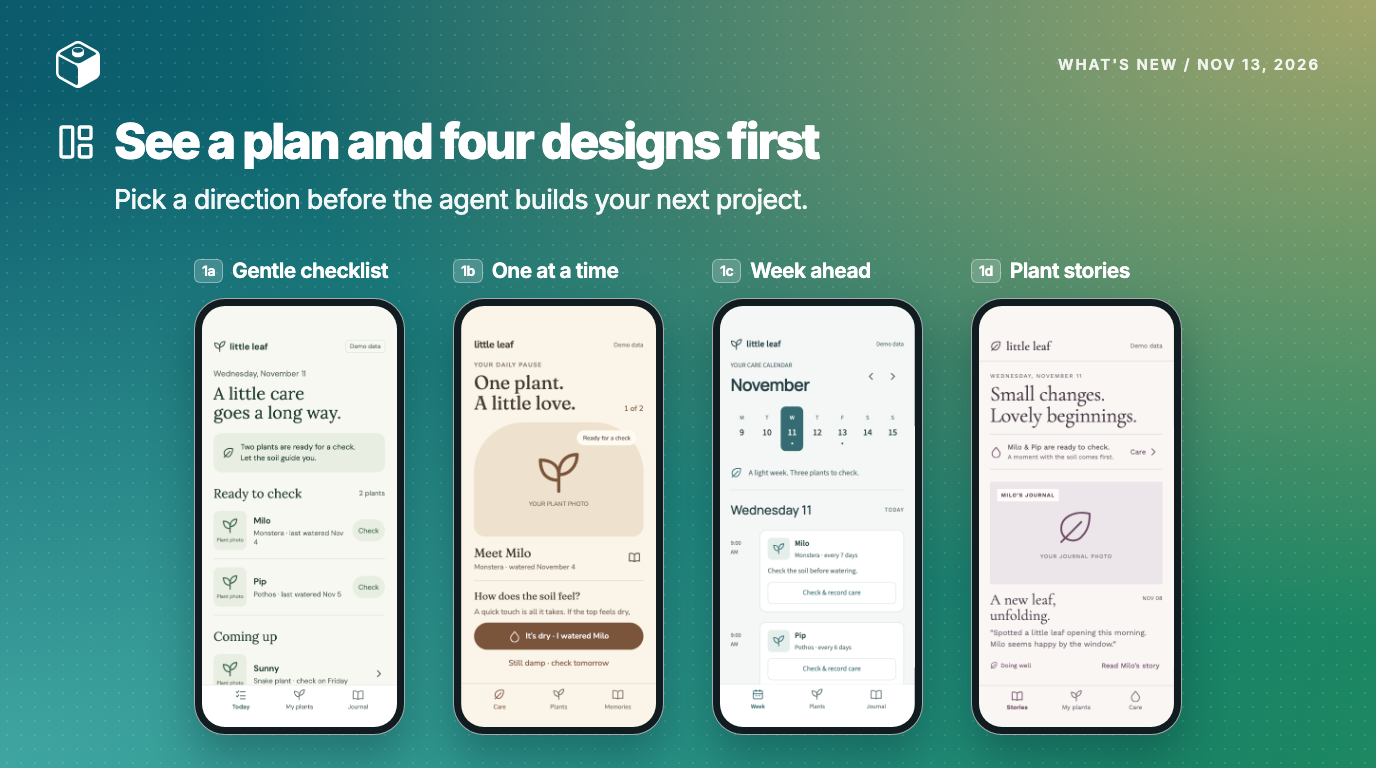
When you start an app from one prompt, the agent has to guess at a lot, from who it's for to how it should look, and you only find out what it guessed once the first version is built. So the next time you click Create New Project, we'll ask a few questions about your idea and recommend a backend, sign-in, and features from your answers, and you can choose Create a plan and designs first.
The agent writes a plan of your app, and once it looks right, click Design to see your key screens mocked up in four directions, each with its own layout, navigation, wording, colors, and fonts. Click Use this mockup on the one you like, then Build, and the agent builds the first version from the plan in that direction. The creating a new app guide walks through each step.
Share your app with a link, a password, and your logo
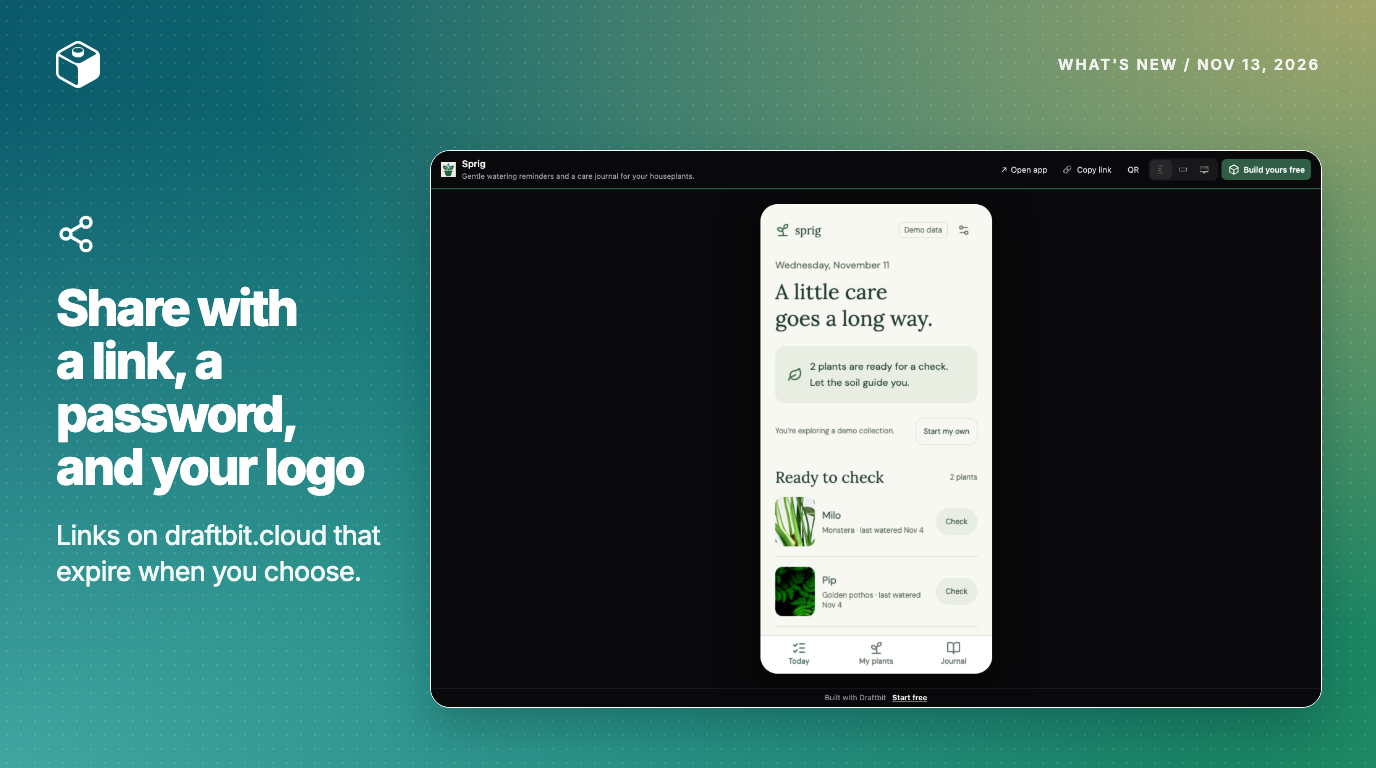
When you want someone to try your app, a link is a lot easier than asking them to install anything. Share links now live on draftbit.cloud, and you choose when each one expires: 7, 30, or 90 days, a date you pick, or never. Click Publish, turn on Share, choose an expiration, and click Create link. Expo apps open in a phone frame and websites in a desktop frame, and on a phone your app fills the screen.
In Share settings, you can give the page a title and description for link previews, add your logo and accent color or hide the Draftbit branding, and set a password so only the people you tell can open it. Links you shared before take people to the new address. The share page guide has the details.
Work on your app from your phone
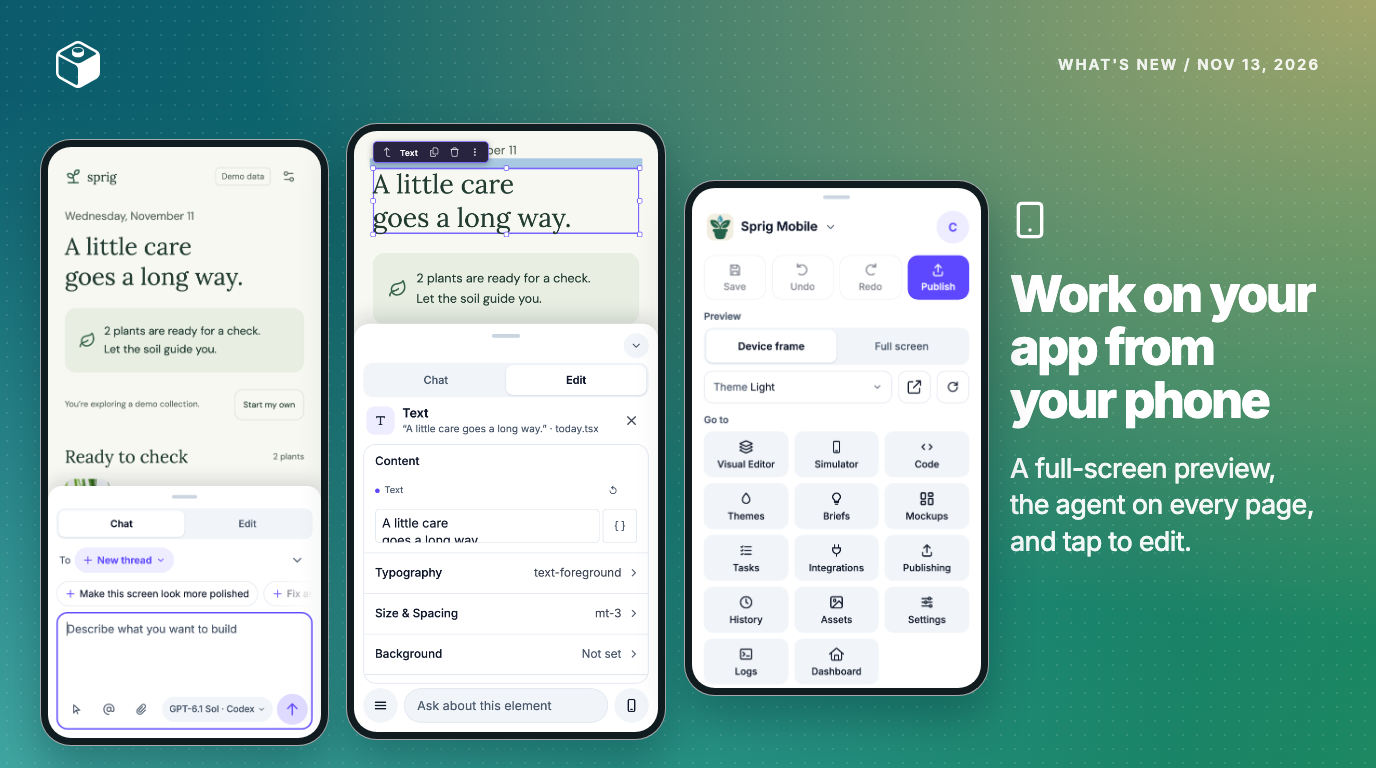
Checking on an agent run or making a quick fix from your phone meant working in tabs, with your app shrunk to a small part of the screen. We've rebuilt the builder for phones, so your app now fills the screen, with the agent in a sheet you drag up from the bottom. Swipe it up to chat or send another message, or switch it to Edit and tap any element to change its content, type, spacing, background, or border. The button in the corner switches between full screen and a Device frame.
Every page that used to have its own Agent tab, like Publishing, Settings, Integrations, and Tasks, now has the same agent box at the bottom, and since it sends to the thread you're already working in, you can ask for a change from wherever you are. When you leave the preview, your app follows you as a small floating preview you can drag to any corner, and it shows Working while the agent runs. Everything from the top bar, including Save, Undo, Publish, and Get help, is in the Menu. For games, the sheet opens on your Game settings.
GPT-6.1 Terra and Claude Fable 5.2
Anthropic released Claude Fable 5.2 on November 9. In Anthropic's tests, it scored 49.1% on the FrontierCode 2.0 agentic coding benchmark, against 32.4% for Fable 5.1, and its output is up to 30% faster. On Draftbit credits it costs 20% less per token than Fable 5.1, and about twice as much as Opus 5.5, which stays the Claude Code default.
OpenAI released GPT-6.1 Terra on October 26. In OpenAI's tests, it solved 50.3% of Terminal-Bench 4.0 coding tasks, against 21.5% for GPT-5.6 Terra, and on Draftbit credits it costs half as much per token as GPT-6.1 Sol, which stays the Codex default.
If you want to spend fewer credits, plan bigger changes with Fable 5.2 or GPT-6.1 Sol, then switch to Opus 5.5 or Terra for everyday changes. Both new models work with Draftbit credits, your Claude or ChatGPT plan, or your own API or OpenRouter key. Terra needs ChatGPT Plus or higher.
Additional new & improved
- AI: new threads start on the Claude or ChatGPT plan or key you've connected, and when one hits its usage limit, Continue in a new thread picks the thread up on another.
- Supabase: a Usage section shows each environment's compute, disk, database and storage size, and API requests, and the agent can read it too. Disable legacy keys turns off the anon and service_role keys, and Manage can transfer, reset, delete, or create each environment's project.
- Publishing: each publish in Activity links to the commit it was built from, version suggestions count publishes that are still running, and apps whose
app.configexports a function publish now. - Chat: everyone can see how much of the context window a thread is using, and the Save dialog tells you when an agent is still working.
- Builder: Markdown files in the code editor show their tables, links, images, and task lists, History groups auto-saves into one row, hovering the sidebar shows each item's name, and editors can click Generate a new icon for a project.
Add a game to your project from Add app and start from a template, or open your app on your phone and try the new builder. If something doesn't work the way this post says, reply here or reach out and we'll take a look. Happy building!

Build your app with Draftbit
Start free and build with AI in your browser.