

Product update
Connect your existing app from GitHub, and back up your code every day
 Brian Luerssen
Hey everyone, it's been a few weeks since our last update, and we have a long list of updates and improvements that rolled out over the past few days.
TL;DR: In Draftbit, you can now:
- Connect an existing app from GitHub and make changes to it
- Drag components straight onto the canvas, and copy and paste elements
- Edit text, images, links, and icons without opening code
- Preview every state of a screen, like empty lists and signed-out views
- Keep a daily backup of your code
- Use GPT-6.1 Sol, the new Codex default, plus Claude Sonnet 5.5 and Haiku 5.5
If you use the Stripe MCP, switch it to OAuth before October 31.
Connect your existing app from GitHub
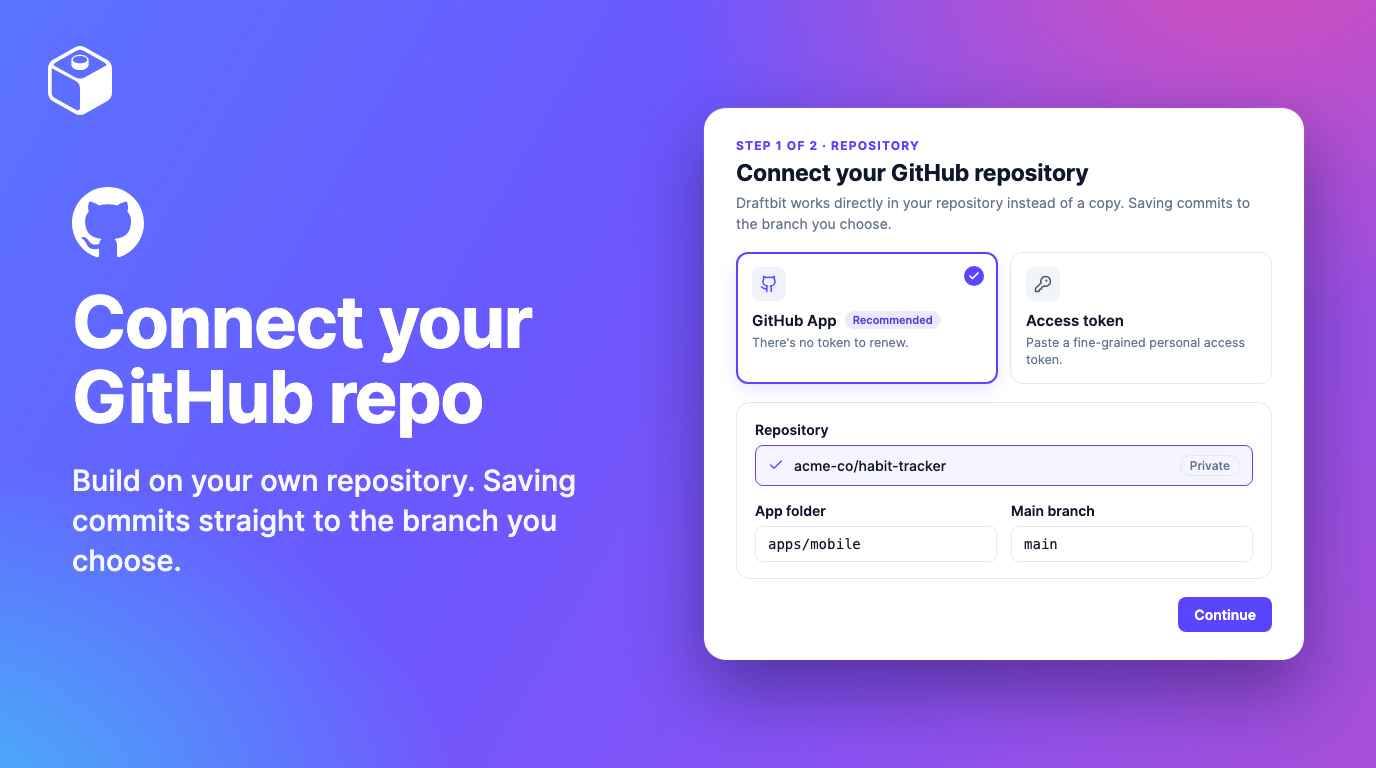
If you've already built an app, you shouldn't have to start over or copy it somewhere new to keep working on it. Now you can connect its GitHub repository to Draftbit. We work in your repo itself and leave your files as they are, so there's nothing to migrate, and you get chat, code editing, and a preview right away.
Open your project and click Connect repo, next to Import app. Use the Draftbit GitHub App if you can, since there's no token to renew. Then pick the branch and the app folder from a list, which shows every folder with a package.json, so an app inside a bigger repository is easy to find. When a teammate pushes to your branch, click Sync to bring their commits in before you save. The setup guide walks through each step.
If you'd rather keep your code in Draftbit and push copies to GitHub, GitHub Export connects through the GitHub App now too.
Connecting a repository works on every plan. GitHub Export is available on the Pro and Enterprise plans.
Big updates to visual development features
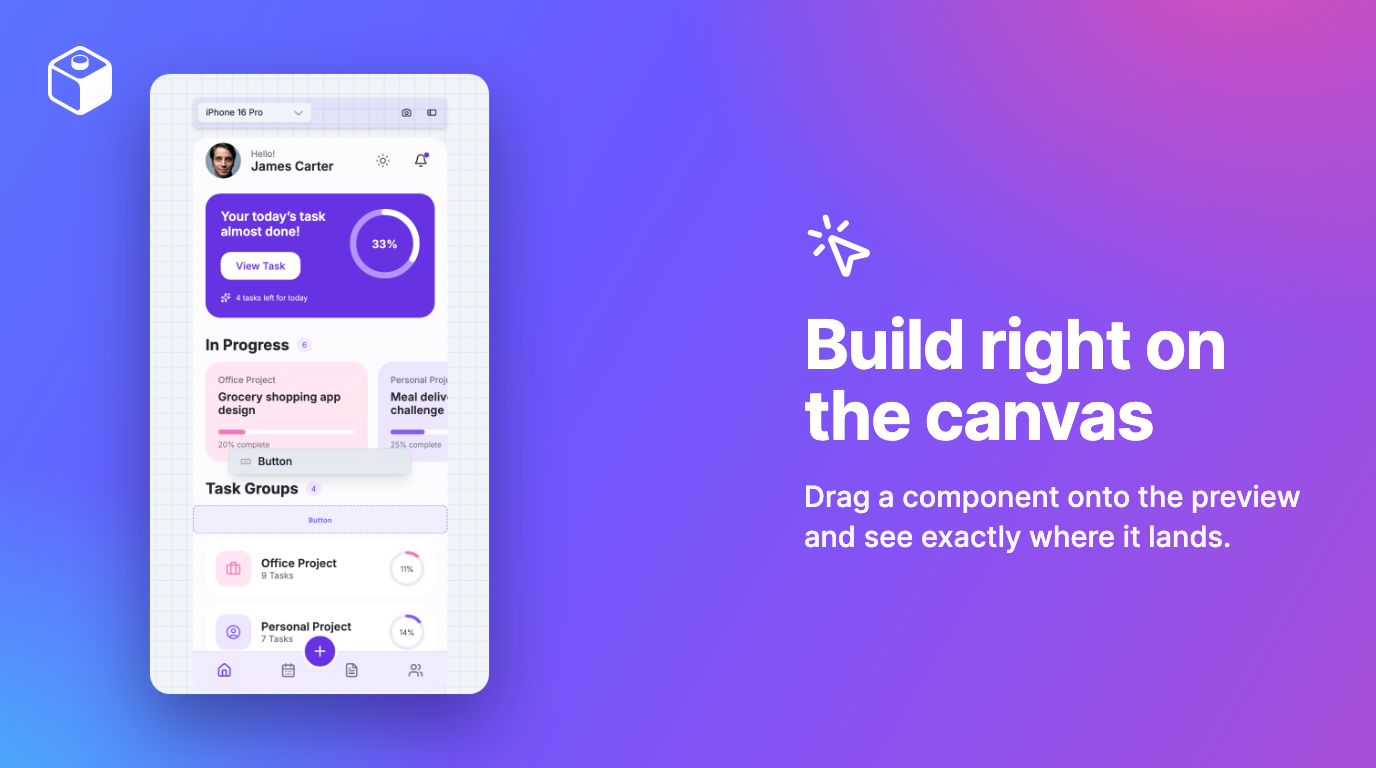
- Drag onto the canvas. Drag a component from Add Component straight onto the preview. The screen makes room as you move, so you see where it'll land before you let go.
- Duplicate, copy, and paste. Use ⌘D, ⌘C, and ⌘V (Ctrl on Windows) in the Component Tree or on the preview. Paste into another screen and the imports come along.
- Switch modes from anywhere. Press ⌘I to flip between Design and Preview.
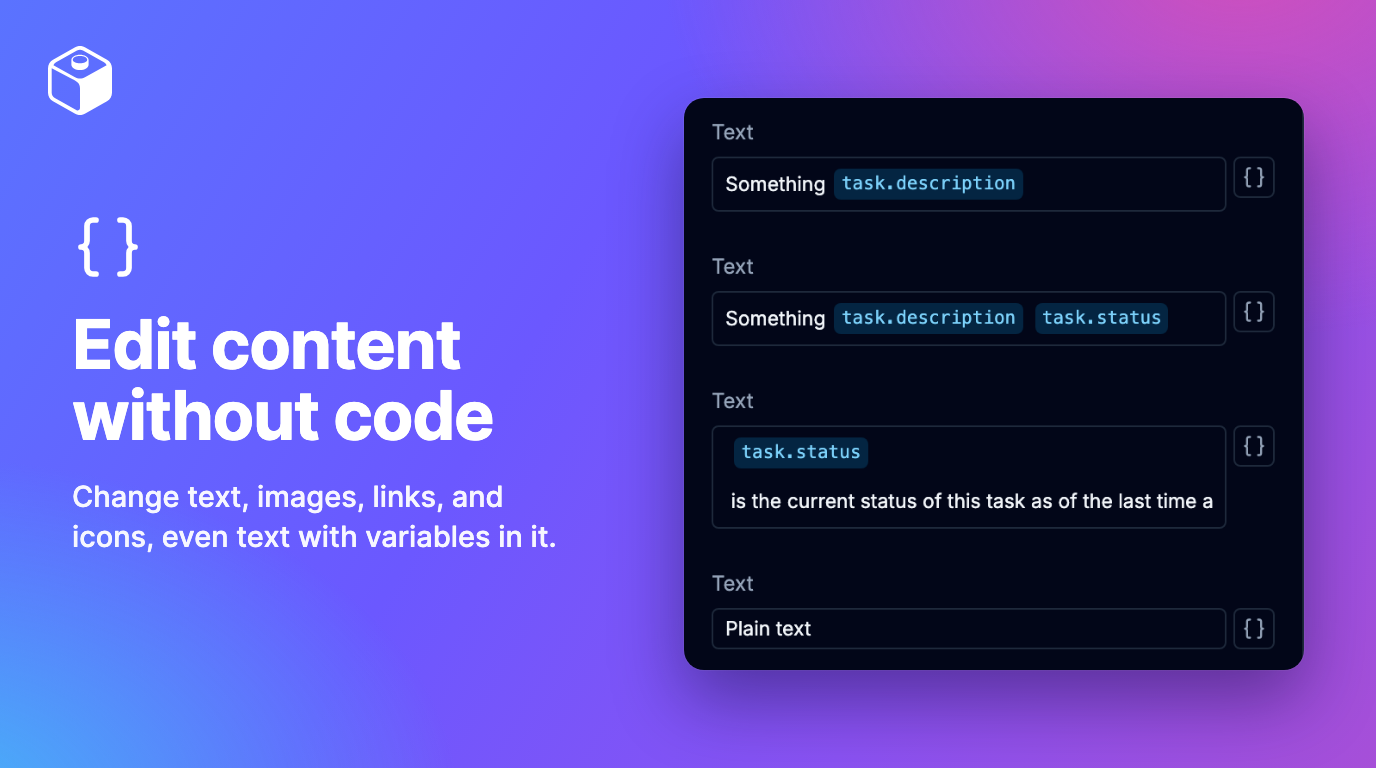
- Edit content without code. The Styles tab now starts with a Content section for what the selected component shows: its text, labels, images, links, and icons. Click Change to pick an image from Project Assets, upload one, link to another screen, or choose an icon.
- Edit text with variables in it. Words stay text and variables show as chips. Click a chip to swap it for another value, or type
{to add one. - A reworked Styles tab. Sections are ordered for whatever you select, and margin, padding, width, and height share one box model.
- Grouped Properties. Props are grouped into sections and searchable.
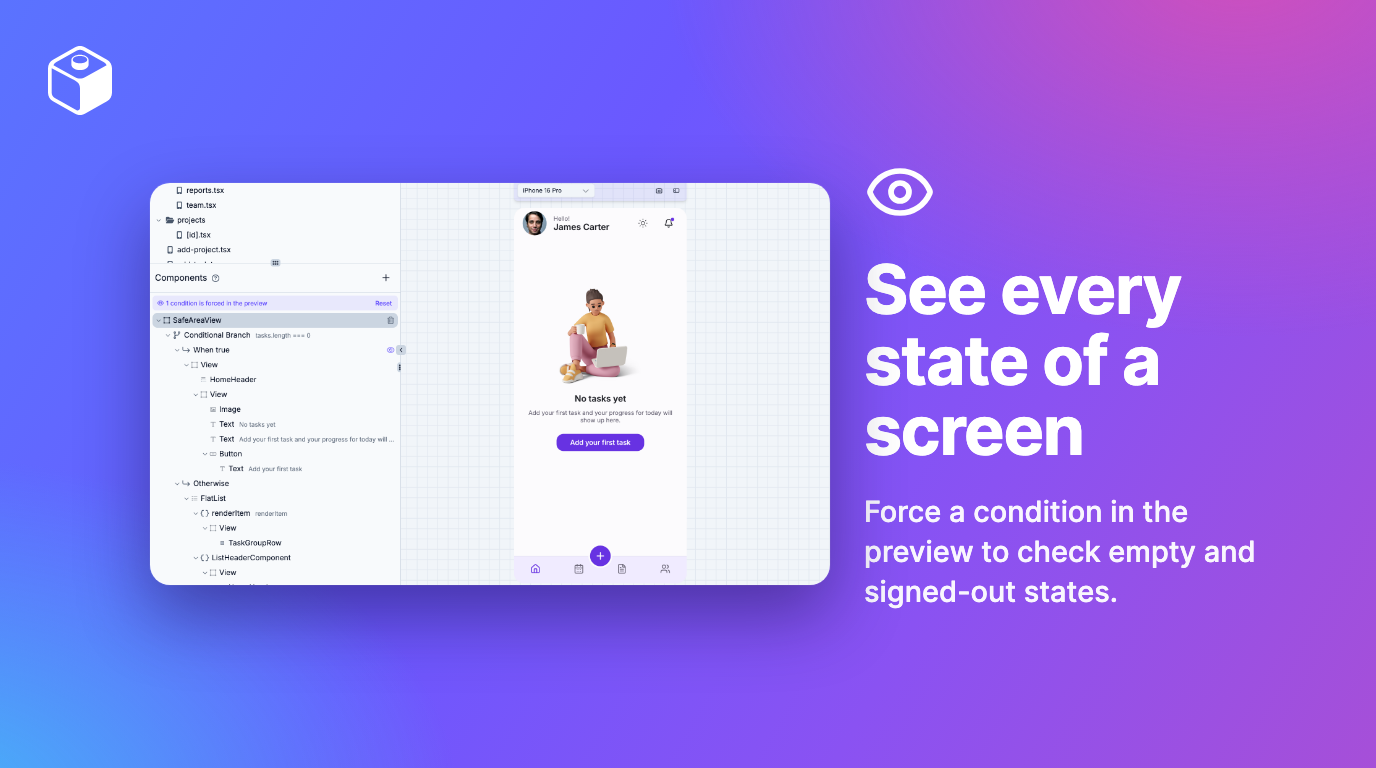
- Preview every state of a screen. Force either side of a condition from the Component Tree to check empty lists, signed-out views, and error messages. It only changes the preview, never your code.
- A fuller Component Tree. It shows everything your screen renders, including lists and what's inside your own components, and follows along as you click around the preview.
- Cleaner edits. Visual edits change only the lines they touch, so your diffs stay small.
- Your layout, remembered. The builder keeps your panel layout for each app.
Visual editing works on every plan.
Daily backups of your code
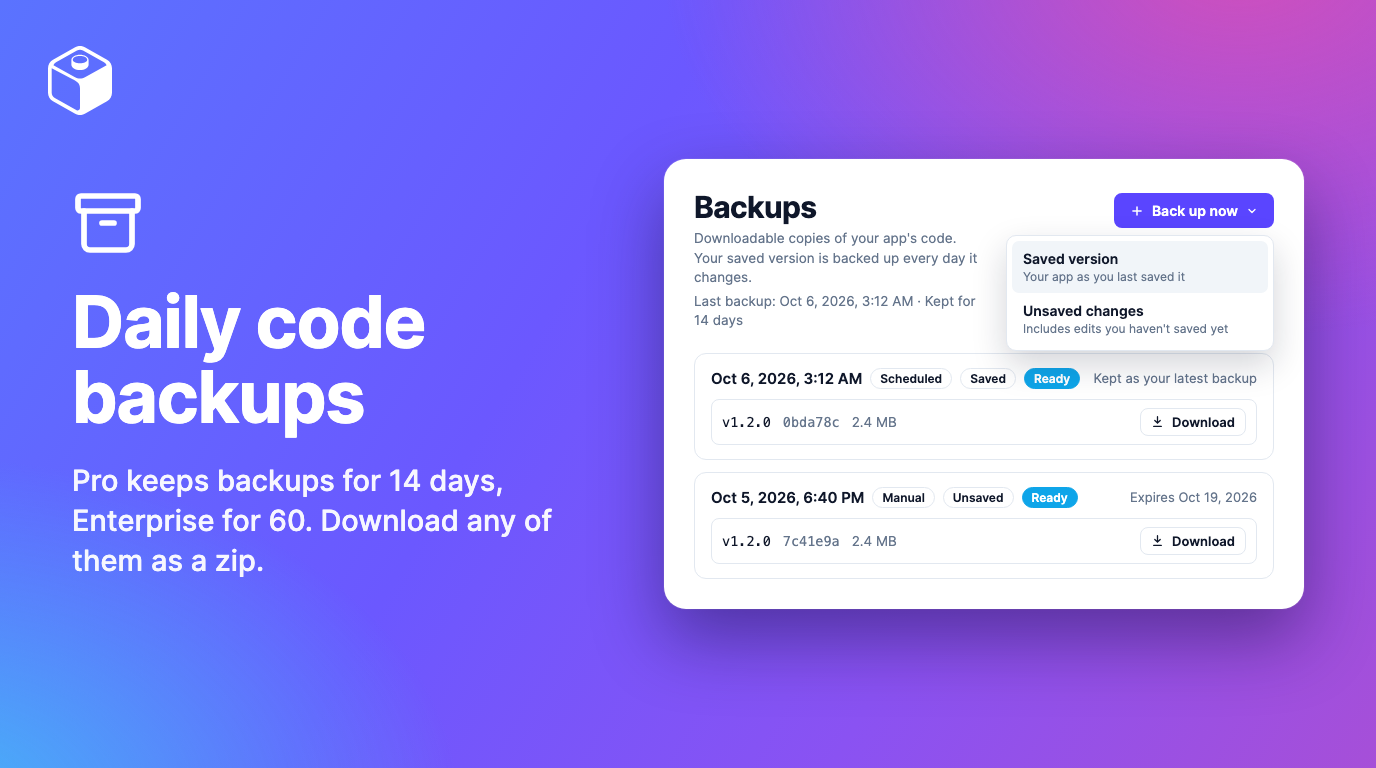
We think you should always have a copy of your code that you control. Now we automatically back up your app every day, whenever you've made changes since the last backup.
Open Backups from your app's menu to download any backup as a zip file. To restore one, import it as a new app. For a copy right now, click Back up now and choose your saved version or your unsaved changes. The backups guide has the details.
Automatic backups are available on Pro and higher plans.
GPT-6.1 Sol, Claude Sonnet 5.5, and Claude Haiku 5.5
OpenAI released GPT-6.1 Sol on September 29, and it's the new default for Codex threads. In OpenAI's tests, it nearly matches GPT-6 Astra on coding at a fifth of Astra's price. On Draftbit credits it costs the same as GPT-6 Sol, but cached input (the context the agent re-reads on every step) costs half.
Anthropic released Claude Sonnet 5.5 on September 28 and Claude Haiku 5.5 on October 7. Sonnet 5.5 uses about half the credits of Opus 5.5 per token, and it's good at everyday changes and bug fixes. Haiku 5.5 is Anthropic's fastest model, at about a twentieth of Sonnet's credits. Opus 5.5 stays the Claude Code default.
If you want to spend fewer credits, plan bigger changes with Opus 5.5 or GPT-6.1 Sol, then switch to Sonnet or Haiku for the small stuff.
All three work with Draftbit credits, your Claude or ChatGPT plan, or your own API or OpenRouter key.
Stripe MCP users: switch to OAuth before October 31
Starting October 31st, Stripe's MCP will only accept OAuth or Stripe Agent keys, so a connection that uses a regular API key will stop working. You'll need to reconnect if you're using Stripe: open your Stripe connection and choose Sign in with OAuth, or paste an Agent key. RevenueCat connections can use OAuth now too.
Additional new & improved
- Supabase: auth hooks, more than one file per edge function, a Publish button in the Supabase manager, and a dashboard that works on phones. Logs load again, too.
- Import: a committed
.envfile fills in Build Config, the App folder field is on the import form, and apps you imported with their existing setup can switch to the full builder later with Migrate. Zip files made with macOS Compress import now. - Projects: search by project or app name, and rename a project from its card menu.
- Chat: attach up to 10 files to a message, including certificates and keystores like
.p12and.mobileprovision. - Preview: the address bar and Back and Forward no longer reload Expo Router and React Router apps.
- Safari: fixed a crash when browser storage is full.
- Version History says what changed, like "Updated 3 files".
- Exports keep
yarn.lockin sync withpackage.json. - RSS: subscribe to What's New at https://draftbit.com/whats-new/rss.xml.
Connect a repo from your project page, or drag your next component onto the canvas. If something doesn't work the way this post says, reply here or reach out and we'll take a look. Happy building!

Build your app with Draftbit
Start free and build with AI in your browser.