
A Practical Playbook for Building Mobile Apps with Low-Code and AI
Use this low-code mobile app development playbook to scope smarter, build faster with AI, connect real data, test on devices, preserve source code access, and launch with expert support.
 Dave Sebekon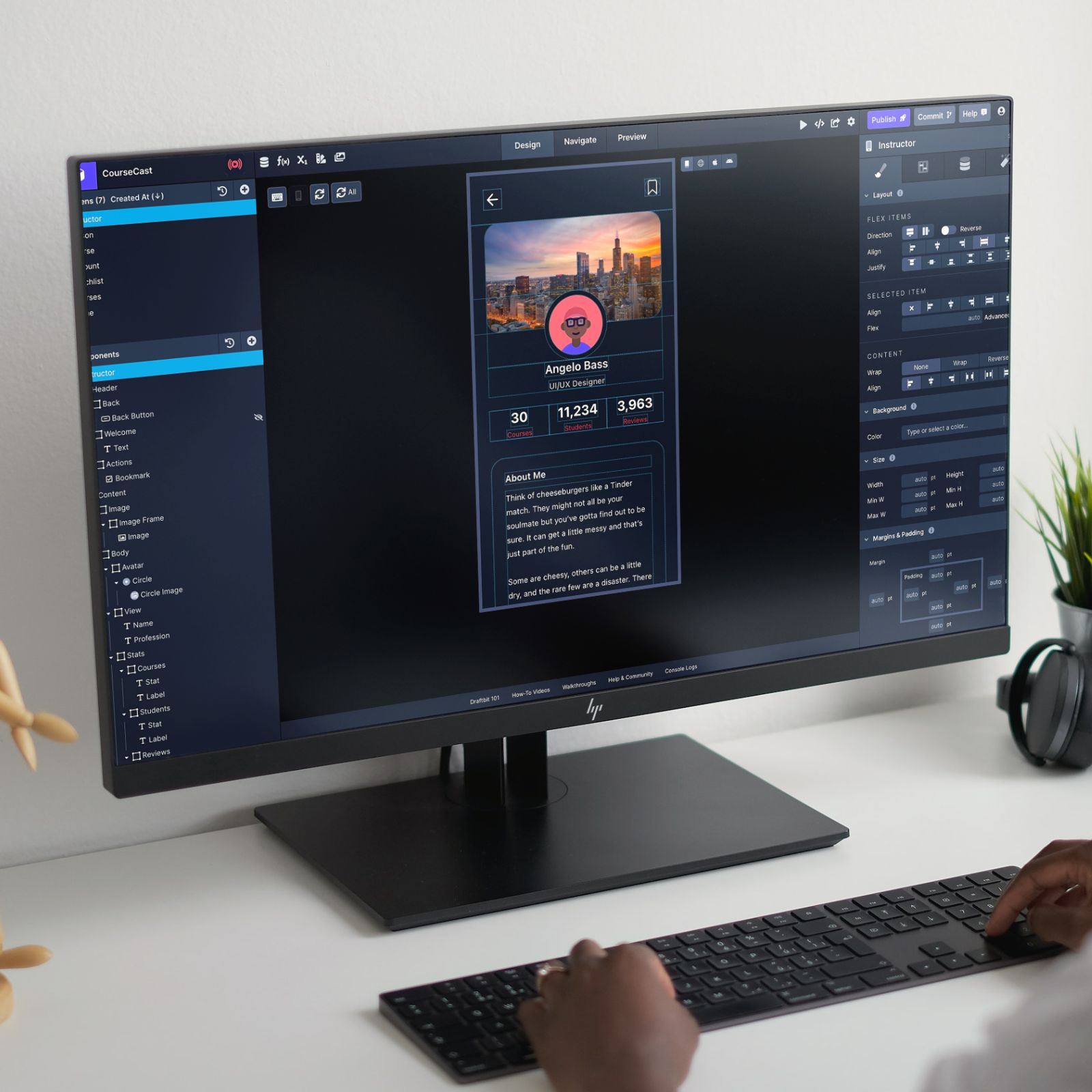
Low-code and AI can make mobile app development much faster, but speed alone does not make an app successful. The teams that get the best results use low-code as a structured build workflow: define the right scope, start from working patterns, connect real data early, test on real devices, add custom code only where it matters, and bring in expert help for the risky pieces.
Draftbit is designed for that workflow. You can build with AI agents and a visual editor, start from templates, connect REST and GraphQL APIs, add MCP tools for agents, preview live, publish, and keep access to real React Native and Expo source code.
Use this playbook when you want to move fast without creating a fragile prototype or a locked-in app.
1. Define the smallest useful launch
The most common low-code mistake is trying to build the whole product at once. Start with the smallest workflow that proves the app should exist.
Define:
- Who the first users are.
- What job the app helps them complete.
- Which screens are required for that job.
- What data the app needs.
- What must be real at launch.
- What can wait until after feedback.
A smaller first version is not less ambitious. It is a faster way to learn what the app should become.
2. Start from a template or AI-assisted first draft
Starting from a blank screen is rarely the fastest path. Most mobile apps share familiar patterns: onboarding, authentication, lists, detail screens, forms, profiles, dashboards, bookings, content feeds, and settings.
Use Draftbit mobile app templates or AI-assisted generation to create a first draft, then customize the structure to fit your app. The goal is not to accept the first version unchanged. The goal is to get to a working surface quickly so you can make better product decisions.
3. Build real flows, not isolated screens
Screens are easy to polish in isolation. Apps succeed when the whole flow works.
As you build, test the path a user will actually take:
- How they sign in.
- How they find the right content or task.
- How they create, update, or submit something.
- How errors and empty states appear.
- How they know the action succeeded.
- How they return later and continue.
Draftbit’s visual editor and live preview help you work on the app as an experience rather than a collection of static mockups.
4. Connect realistic data early
An app can look finished while still hiding the hardest product questions. Real or realistic data exposes those questions early.
Connect your app to the systems it will actually use:
- Backend databases.
- Authentication providers.
- CMS tools.
- Payment or subscription services.
- Search, maps, analytics, or notifications.
- Internal APIs.
- AI tools or business systems exposed through MCP.
Draftbit supports REST integrations, GraphQL integrations, and MCP servers, so the app can work with your existing stack instead of forcing a backend rewrite.
5. Use AI for iteration, then review the result
AI is excellent for speeding up first drafts, structured edits, refactors, and repetitive implementation work. It is not a substitute for product judgment, QA, accessibility review, security review, or backend design.
Use AI agents to:
- Generate initial screens.
- Rename and reorganize components.
- Apply consistent styling.
- Build common form and list patterns.
- Refactor confusing logic.
- Explore alternate flows.
Then review the output like you would review any implementation. Check whether the app still matches the user workflow, the data model, the brand, and the launch requirements.
6. Keep custom code for high-value work
Low-code works best when custom code is used intentionally. Do not hand-code every standard screen. Do not force the visual builder to solve a specialized problem it is not meant to solve.
Use custom code for:
- Unique interaction patterns.
- Custom components.
- Third-party packages.
- Complex business logic.
- Performance-sensitive areas.
- Integration edge cases.
- Behavior that creates real product differentiation.
Draftbit gives teams a visual workflow while preserving code paths for the places where engineering depth matters.
7. Test on real devices before the app feels done
Mobile behavior depends on device size, operating system, input patterns, network conditions, and user context. Test early on actual phones, not only in a desktop preview.
Before launch, check:
- Navigation across small and large screens.
- Loading states.
- Empty states.
- Error states.
- Keyboard behavior.
- Authentication recovery.
- Push notification or deep-link behavior if used.
- App store metadata and screenshots.
- Analytics events that matter for learning.
Testing earlier keeps fixes smaller and cheaper.
8. Bring in experts at the right moments
Expert help is most valuable when a mistake would be expensive later.
Consider Expert Services for:
- Scope and architecture review.
- Backend setup.
- REST or GraphQL integration work.
- MCP and AI workflow setup.
- Custom components.
- Custom code and packages.
- Migration from another app builder.
- QA and performance review.
- App store launch.
You do not need to outsource the whole project to get value from experts. Often the best model is to build visually, then bring in specialists for the parts that carry the most risk.
9. Preserve ownership from the beginning
Before you invest heavily in any low-code platform, understand the exit path.
Ask:
- Can I access or export the source code?
- Can I connect my own backend?
- Can I add custom code?
- Can I use external APIs and packages?
- Can a developer continue the project later?
- Can I publish where my users need the app?
Draftbit is built around real React Native and Expo source code, so teams can move quickly without treating the platform as a dead end.
10. Launch, learn, and iterate
The first launch should answer questions:
- Do users understand the app?
- Which workflow creates value?
- Where do users get stuck?
- What features are actually needed next?
- Which integrations or automations save the most time?
Low-code is useful after launch because iteration is part of the workflow. Update screens, adjust flows, improve data states, add integrations, and refine the experience based on what users actually do.
FAQ
What is the best way to start a low-code mobile app?
Start with a single user workflow, not a full feature list. Choose the smallest useful launch, start from a template or AI-assisted first draft, and connect realistic data as soon as possible.
Should I use AI to build my whole app?
Use AI to accelerate the work, but keep human review in the loop. AI can help generate and iterate, while humans should own product decisions, integration design, QA, accessibility, and launch readiness.
When should I add custom code to a low-code app?
Add custom code when it creates real product value or solves a requirement the visual builder should not handle alone. Common examples include custom components, third-party packages, advanced logic, and integration edge cases.
How do I avoid low-code platform lock-in?
Choose a platform that supports source code access, custom code, external APIs, and flexible publishing. Draftbit is designed around real React Native and Expo source code, which gives teams a stronger ownership path.
When should I use Draftbit Expert Services?
Use experts when the work carries execution risk: backend architecture, API connections, MCP setup, custom code, migration, QA, performance review, or app store launch.
Conclusion
Successful low-code mobile app development is not about skipping the hard parts. It is about sequencing the work so your team learns faster, avoids unnecessary custom implementation, and applies expert attention where it matters.
Draftbit supports that full path: start from templates, build visually, use AI agents, connect real services, add custom code, keep source code access, publish across platforms, and bring in experts when the app needs deeper support.