

Product update
Import Any App To Draftbit, Hono API Backends & D1, Create New Project Wizard, GPT-6 Astra & Claude Fable 5.1, 200+ Templates, Supabase Upgrades, Expo 55 + more!
 Brian Luerssen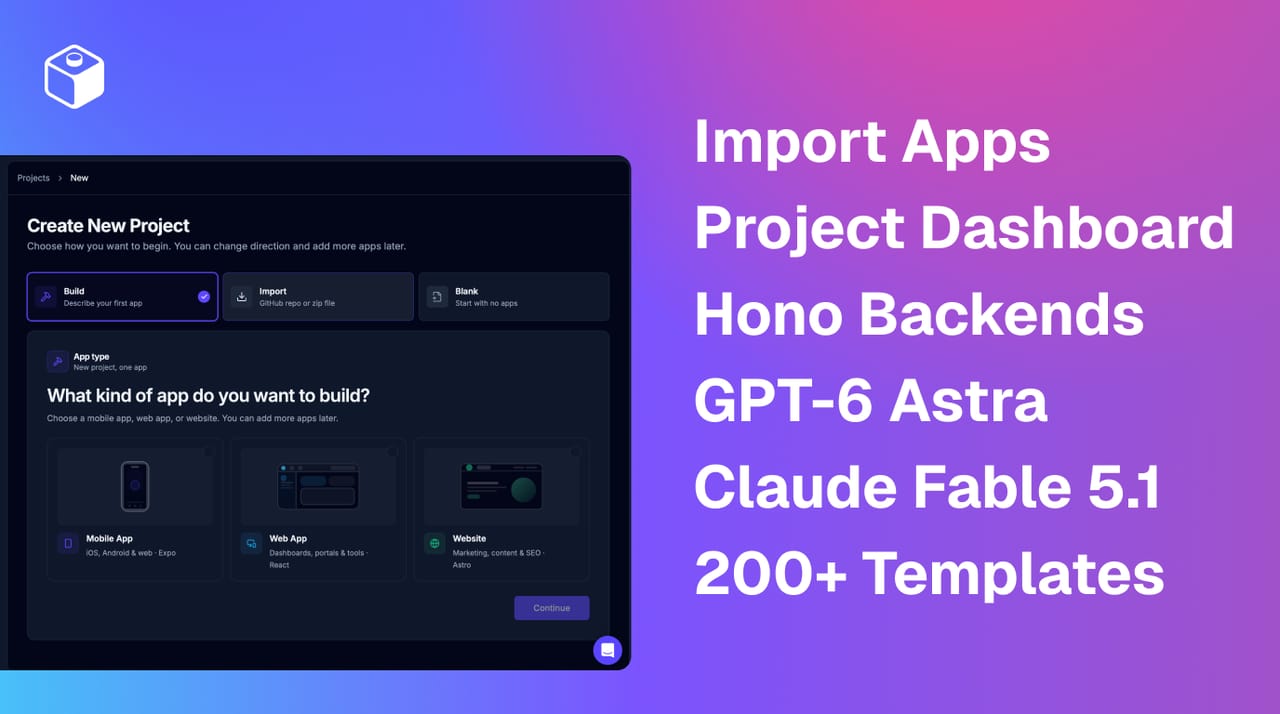
Hey everyone! It's been over two months since the last What's New update, but we haven't slowed down in adding new things you've requested, so this update covers a lot of ground. Let's dive in.
TL;DR: You can now import any existing JavaScript or TypeScript based project via GitHub repo or project zip and keep building it in Draftbit. We've also added a new type of app: Hono API backends paired with Cloudflare D1 databases or connected to your own existing Postgres. We have new ways to create projects and apps as well as the latest models including GPT-6 Astra and Claude Fable 5.1, and we've added more than 200 starting point templates to use for your next project to save you time and inference. Supabase also gets a full management UI, free and subscription users can pick any agent and model for their Draftbit Credits, and Expo 55 is the recommended SDK with Expo 56 in beta.
Import Existing Projects
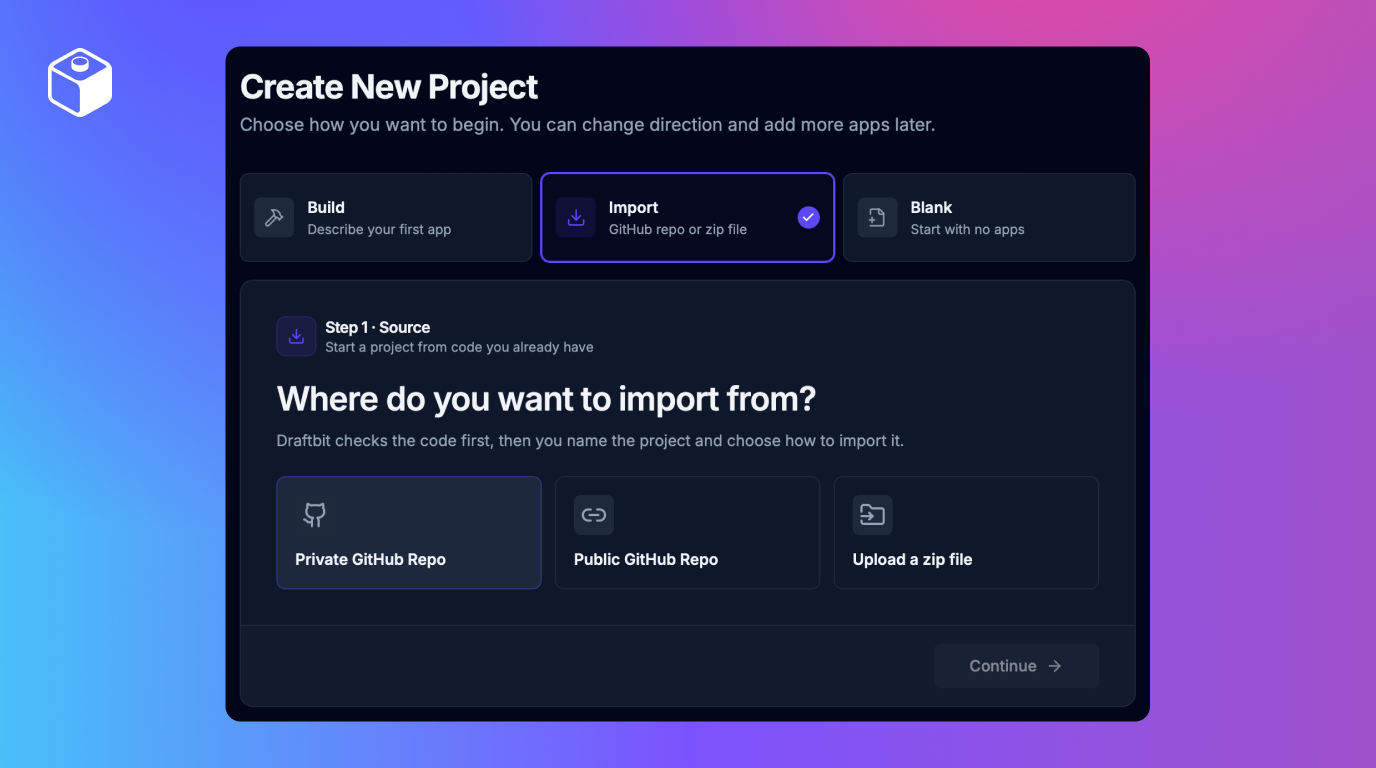
You no longer need to start from scratch to use Draftbit. Whether you have an old app you want to update, are migrating from another service, or found the perfect starter template or UI kit elsewhere, you can now import that code into Draftbit. You can import from public or private GitHub repos, or just upload a zip file if that is easier. This works best for Expo, React/Vite, or Astro projects but will work using our agent-led Sandbox model for any JavaScript or TypeScript focused app (like Next.js, etc.).
Before anything is imported, we check out the code and run validation against what we see in the code to make sure it's compatible. Assuming the check passes, we create a clone of the repo and let you iterate on it inside of Draftbit, using one of two sandbox models: migrate to Draftbit conventions or keep the app with minimal changes.
There are good reasons to migrate to using our conventions if you can, because it enables all of our visual editing, preview, and publishing features. But in some cases, you may be importing and editing a project that we don't have core underlying support for, like Next.js apps, or older Expo versions. In these cases, we have a special Sandbox model that we call Minimal that keeps things structured without many changes, but where some of our editor features are disabled.
This feature also enables something users have been asking us for years: the ability to export code, modify it elsewhere, and then bring it back into Draftbit. Try it out and let us know how it goes for you — so far we've had folks import some awesome new projects.
You can use an imported project as the basis for a new project, or you can import an existing app into an existing project. One note: we do not yet support importing multiple apps from the same monorepo, but it's on our list for future iteration.
Hono API Backends & D1 Databases
We've added a new app variant type: Hono API Backends. If you're not familiar, Hono is a great open source framework for building backends and APIs that are fast, reliable, and can be flexibly hosted. Like our published web apps, we are hosting these Hono APIs on Cloudflare Workers, and you build, preview, and publish them the same way you'd build a mobile app.
Since there's no UI to preview, the builder swaps the visual canvas for an API console. It reads your app's OpenAPI document and lists every endpoint. Pick one and the playground pre-fills the path, query, header, and body inputs, sends the request with your development key, and gives you a cURL command you can paste anywhere. Request logs and generated API docs sit alongside it.
Each backend comes with the ability to configure a bunch of different database options: you can utilize our managed Supabase Postgres instances, you can provision a new Cloudflare D1 (SQLite) database, and you can even connect to your own externally hosted Postgres instance. Cloudflare D1 gets a management page on the project with environment status, table browsing, a SQL console, and usage metrics, and you can open it without starting a sandbox. Like Supabase, it is also free temporarily during the managed database beta.
What's really special about these two things is it's now possible to have a single project that has multiple apps, each with separation of concerns but without a ton of manual wiring: you can have a mobile app, a web app, a marketing website, and a shared backend API and database that they all utilize. This is key to building reliability and stability into your product as you start and grow.
We've also made the agents aware of the different apps in your project, so when you're working on a feature in one app the agent can also start work or create Tasks in the other apps related to accomplishing that goal holistically. Gone are the days of doing some work in Draftbit and still needing to go to your backend provider to set up the rest of the API — now you can do it all right inside Draftbit.
GPT-6 Astra and Claude Fable 5.1
We've updated all of our agent/harness versions and added support for GPT-6 Astra, Fable 5.1, Opus 5, Grok 4.6, Kimi K3, Qwen 3.8 Max, Gemini 3.6 Flash, Muse Spark 1.2, and MiniMax M3. GPT-5.6 Terra and Luna picked up OpenAI's July price reductions, and the GPT-5.6 effort dropdown now goes up to Max and Ultra.
We've made it easier than ever to connect to your existing AI subscription providers, now in onboarding, on your organization page, or in your specific projects and apps. We've also simplified the error messages you'll see when using AI subscriptions or BYOK API keys, so you can track your usage and understand when your subscription plan is at its limits.
Please note that some subscription plans do not support all models. In particular, some Anthropic plans do not support Fable 5.1 yet — but this will automatically work when Anthropic adds this to your plan or when you upgrade your plan.
Tons of New Templates
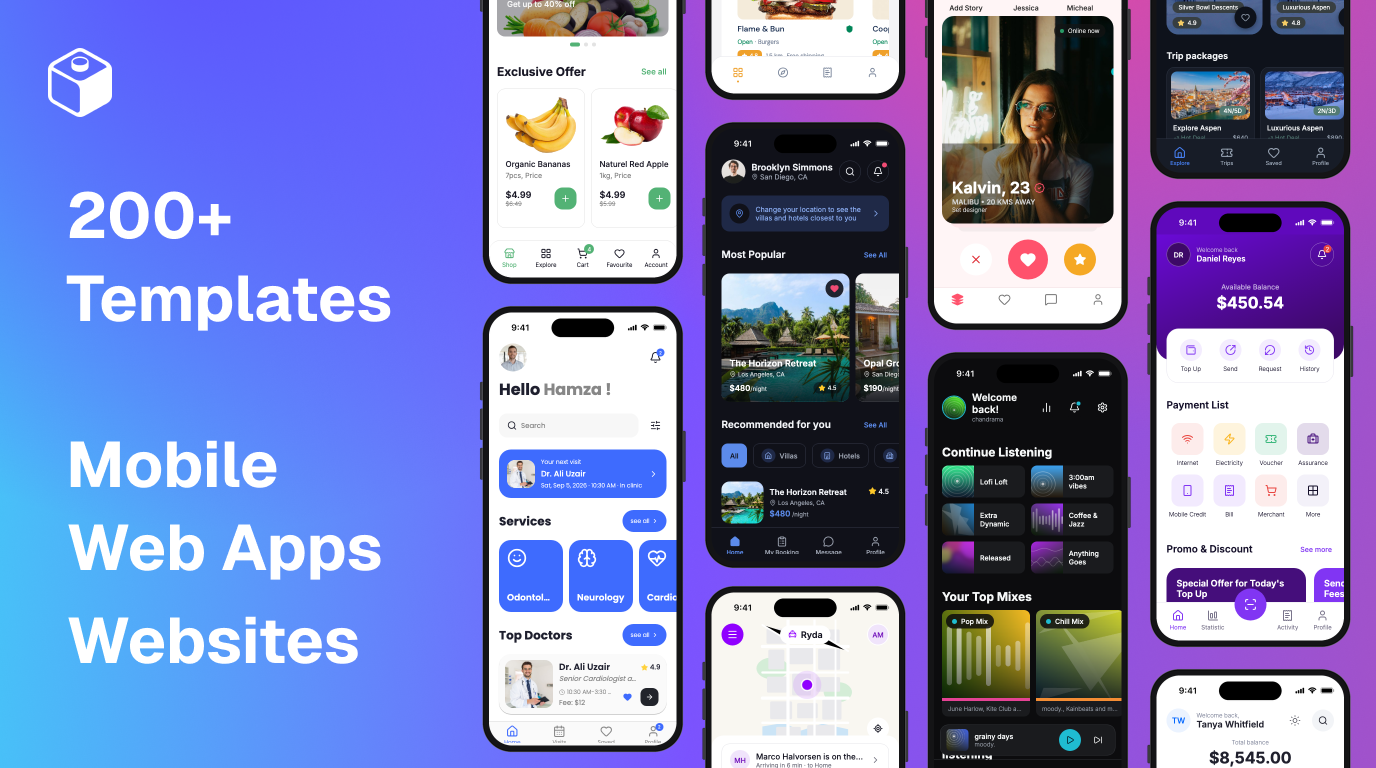
When starting new projects and apps, you have the capability to select starter UI to help you move even faster in establishing the look and feel you want, and our templates now span and expand into all of our frontend app types (Expo / Mobile Apps, Vite / Web Apps, and Astro / Websites & Landing Pages).
The gallery shows screenshots at their real size and shape, scrolls through every screenshot of a template in one carousel, and filters by curated category tags. Blank stays pinned first.
Every template has its own page on draftbit.com. Browse them at Mobile App Templates, Web App Templates, and Website Templates.
Managed Supabase Improvements
When we launched managed Supabase in June, the management view was somewhat limited. As we've seen usage expand, a number of users needed more control, access, and capabilities — which we've now added! You can now see more details about your database schema and structure, with tables now having paginated row viewing with row creation, editing, and deletion. Storage has a bucket browser. Edge Functions can be created, edited, deployed, renamed, and deleted from the builder, with per-function stats, invocations, and logs. Auth settings cover SMTP configuration, GitHub and Apple sign-in, redirect URLs, the site URL, and most of the remaining Supabase auth options. Project keys and database settings are in the UI too. So: a lot more management tools for your managed Supabase project. And many of these managed capabilities also extend into our new database offering, Cloudflare D1.
Supabase can also be its own app type, with a full Git repo behind it, allowing for proper source control of everything related to your managed backend. Every new managed Supabase Backend has its own repository, sandbox, and publish workflow, which suits projects where the backend is the product. Existing project-level connections keep working as they did.
Finally, we've also worked out many of the kinks in our "Claim Project" flow, so you can take the project over into your own Supabase account when you're ready. This is still a one-way move. We don't yet allow importing existing Supabase projects into Draftbit but if enough users request it, we'll build that too! :)
More Freedom in How You Pay for AI
For the past few months, we focused on providing the best possible experience for free plan users so you could really test Draftbit before we asked you to upgrade. So many of you wanted to use Claude Code and Anthropic models, but they were very token hungry, and as a result, ate a ton of Draftbit credits even to just try out the platform. That's why we made the decision to focus free plan users on Codex and OpenAI models — because they offered more efficiency for every dollar.
But in our last update, we made it possible for free plan users to connect their AI subscriptions and API keys to Draftbit without upgrading first, and so now we've made it possible for free plan users to use any harness and any model, so you can test and understand Draftbit's capabilities before you upgrade.
In addition, upgrading to a paid plan buys more credits, sandboxes, and features than ever before, at lower prices.
As users transition from credits to subscriptions or API keys, we've also made it easier to know when you're using your external AI provider vs. Draftbit credits, and to make it easy to switch from a thread/task using credits to your external AI provider. And when something goes wrong on your provider's side during a bring-your-own run, you now see the provider's own message instead of more generic messages.
Expo 55, and Expo 56 in Beta
A few weeks ago we launched Expo SDK 55 as the latest recommended version. If your app is on an older SDK version, you will see an upgrade note in the App Checks section of the builder. You should upgrade your apps to utilize our live preview app as we can only support one Expo version at a time. You can use the AI agent to upgrade your Expo version pretty easily. It usually takes the agent a minute or two. If you run into any issues, hit us up and we'll dive in and help.
Expo 56 is also now in beta, so feel free to check that out as well.
Draftbit v1
Many of you have asked about the status of the Draftbit v1 platform & apps. Now that the majority of Draftbit customers are using Draftbit Next, we've officially put Draftbit v1 into maintenance mode. That means we aren't adding new features or capabilities to v1. We love v1, but there are certain architecture and infrastructure reasons behind the scenes why we can't keep it at parity with Draftbit Next.
While we don't have any current plans to turn off or sunset v1 yet, we really believe Draftbit Next is a better place to be building: users using Draftbit Next are moving faster, building better and more complicated apps, and we think it's the right place to start new apps.
That's it for this round. Thanks for building with us, and keep the feedback coming. Happy building!

Build your app with Draftbit
Start free and build with AI in your browser.