

Product update
Saved Prompts, Better Git History + more!
 Dave Sebek
Hey everyone — I've got a freshly baked batch of updates for you to check out. Let’s get into it!
Saved Prompts
If you’ve found yourself retyping the same instructions to the AI over and over, that’s now a solved problem. You can save prompts and reuse them whenever you need, which makes repeat workflows faster and more consistent.
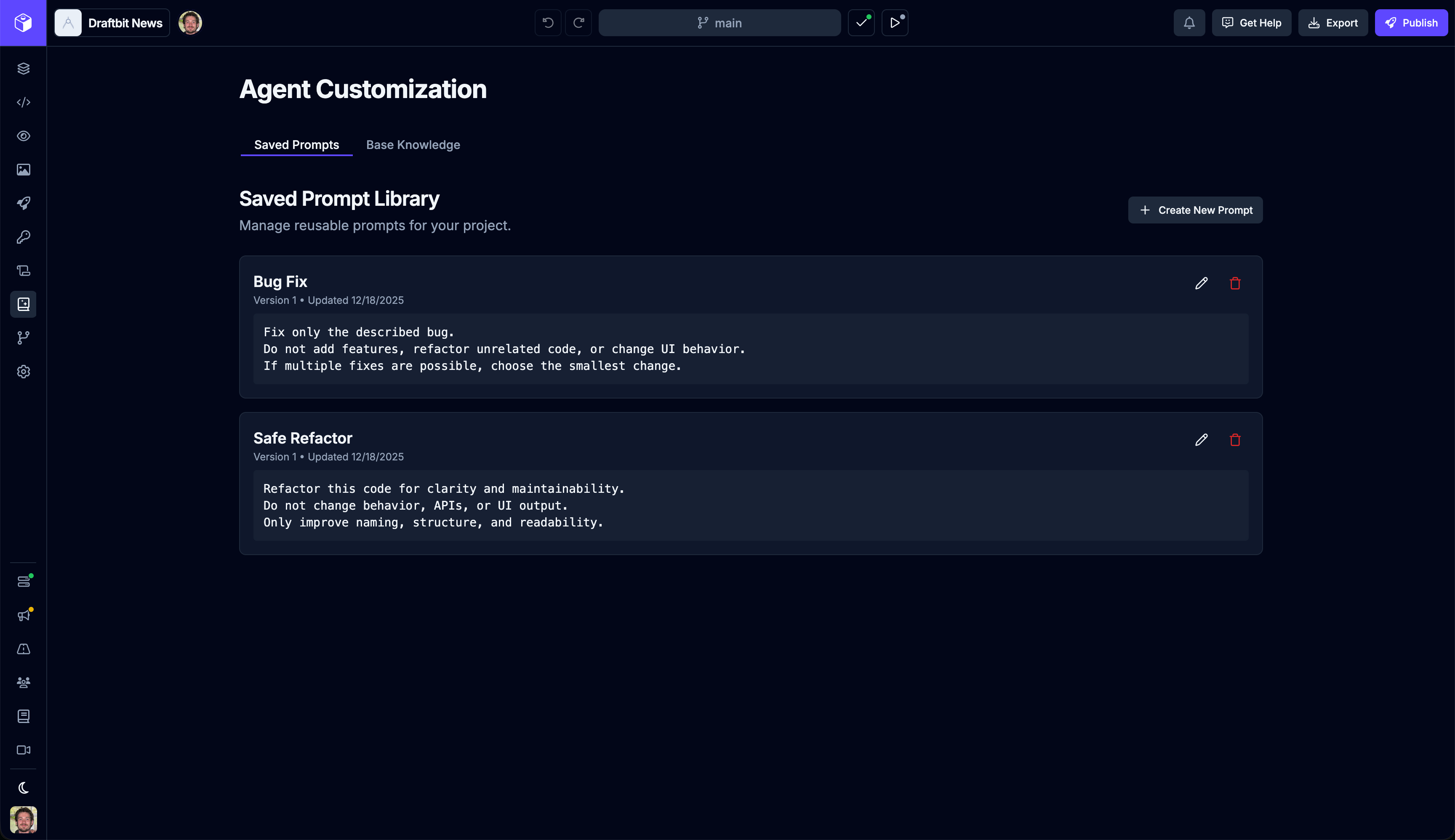
Once you've saved a prompt you can then access it easily from the AI agent chat.
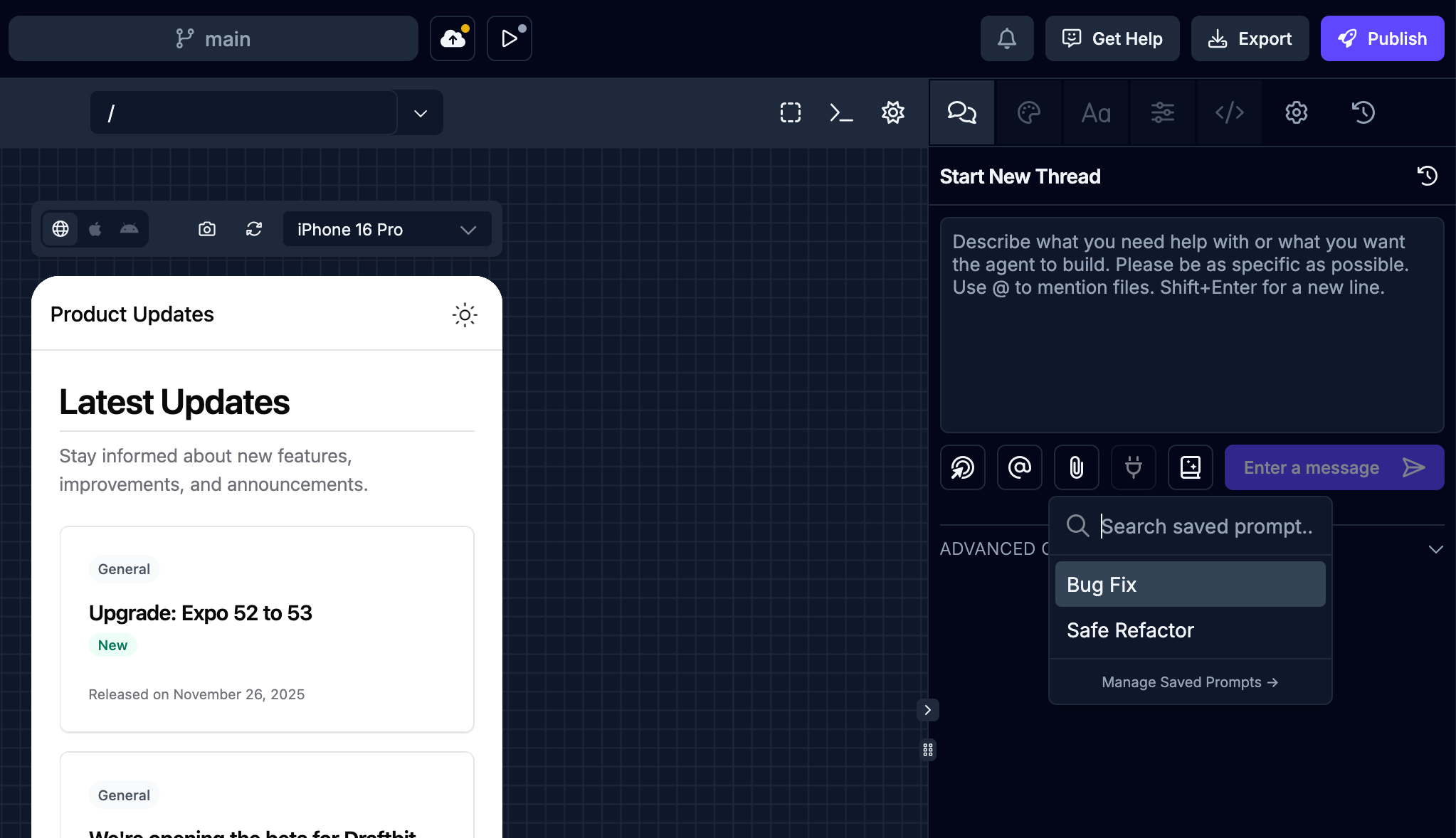
Set up your best guidance once, then stop wasting time recreating it. This is especially useful if you’ve dialed in prompts that reliably get good results.
Git History
We’ve added a dedicated Git History page so you can better see how your app has changed over time without digging around or guessing what happened when. This gives you an interactive view of commits, making it much easier to understand how features evolved, when changes were introduced, and how things fit together.
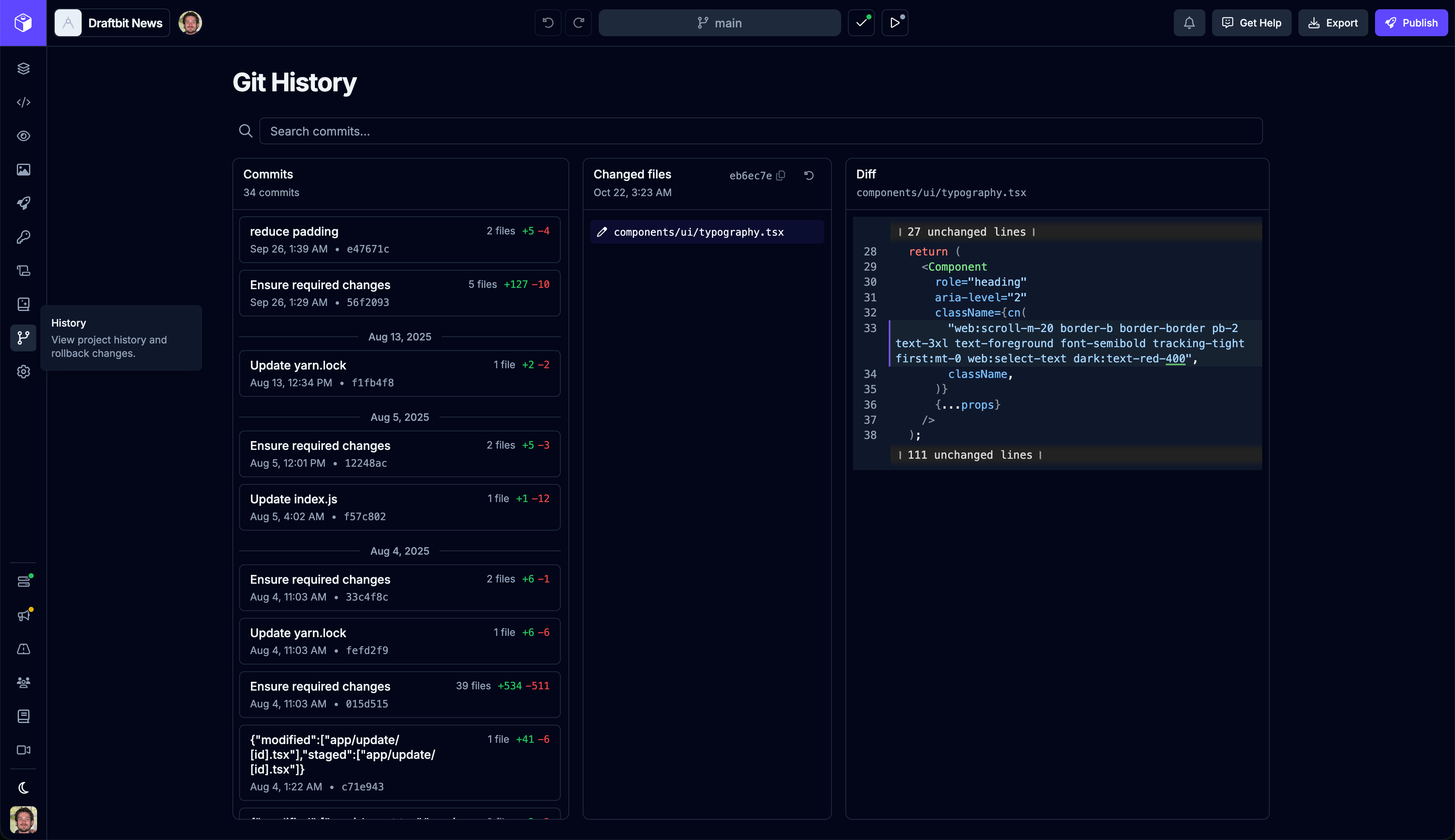
You can access Git History from the main navigation and the Activity tab in the right utility panel, so it’s always close at hand.
Device Preview Orientation
We’ve made device previews more flexible with a new orientation toggle in the preview toolbar. You can now switch between portrait and landscape instantly for each device in the preview canvas.
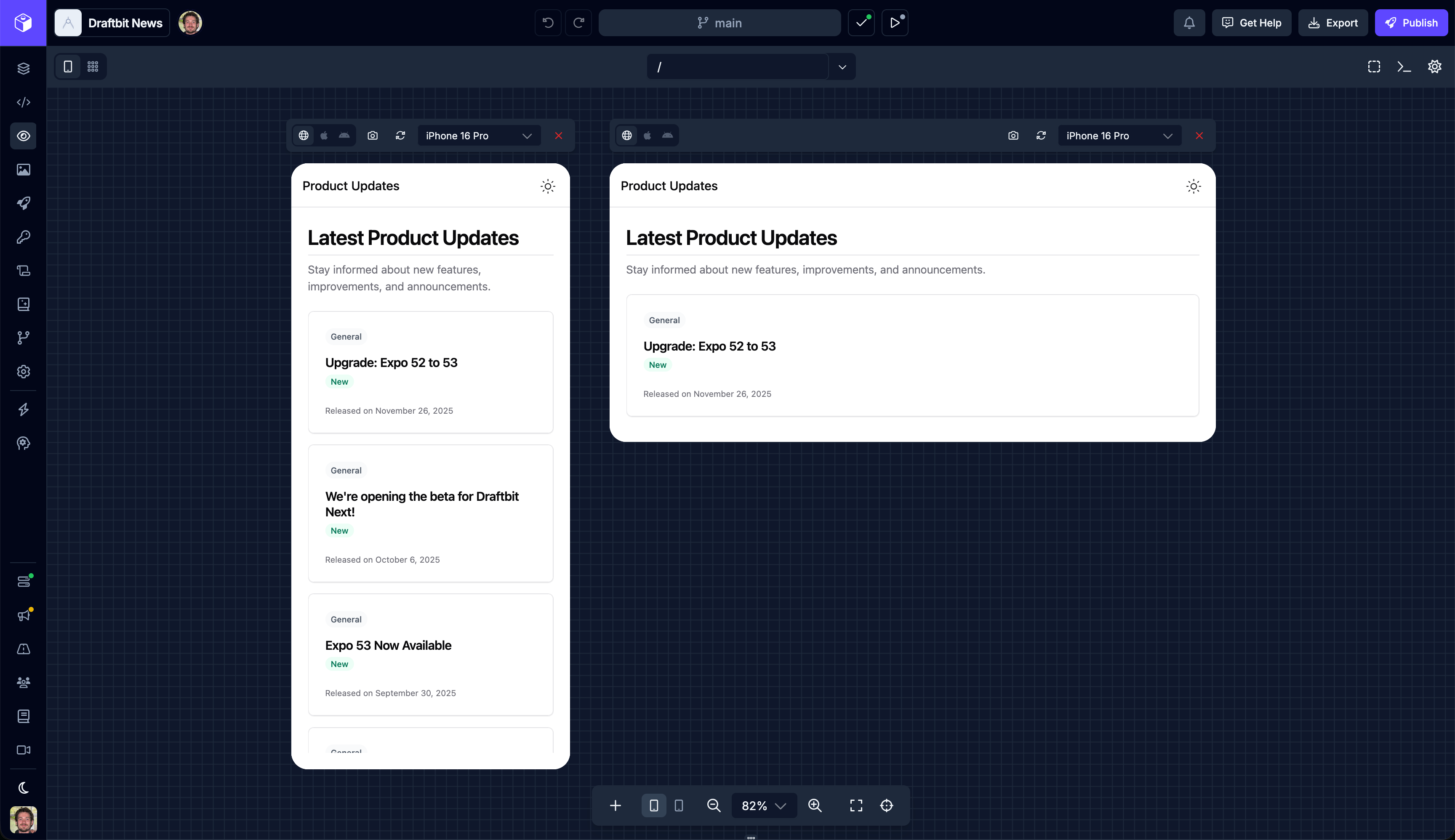
This makes it much easier to design, test, and sanity-check layouts that need to work well in both orientations without breaking your flow.
Pro Tip: On iOS and Android, portrait-only is common by default. If you need landscape support, tell the agent—supporting rotation may require enabling landscape and adjusting screen layouts.
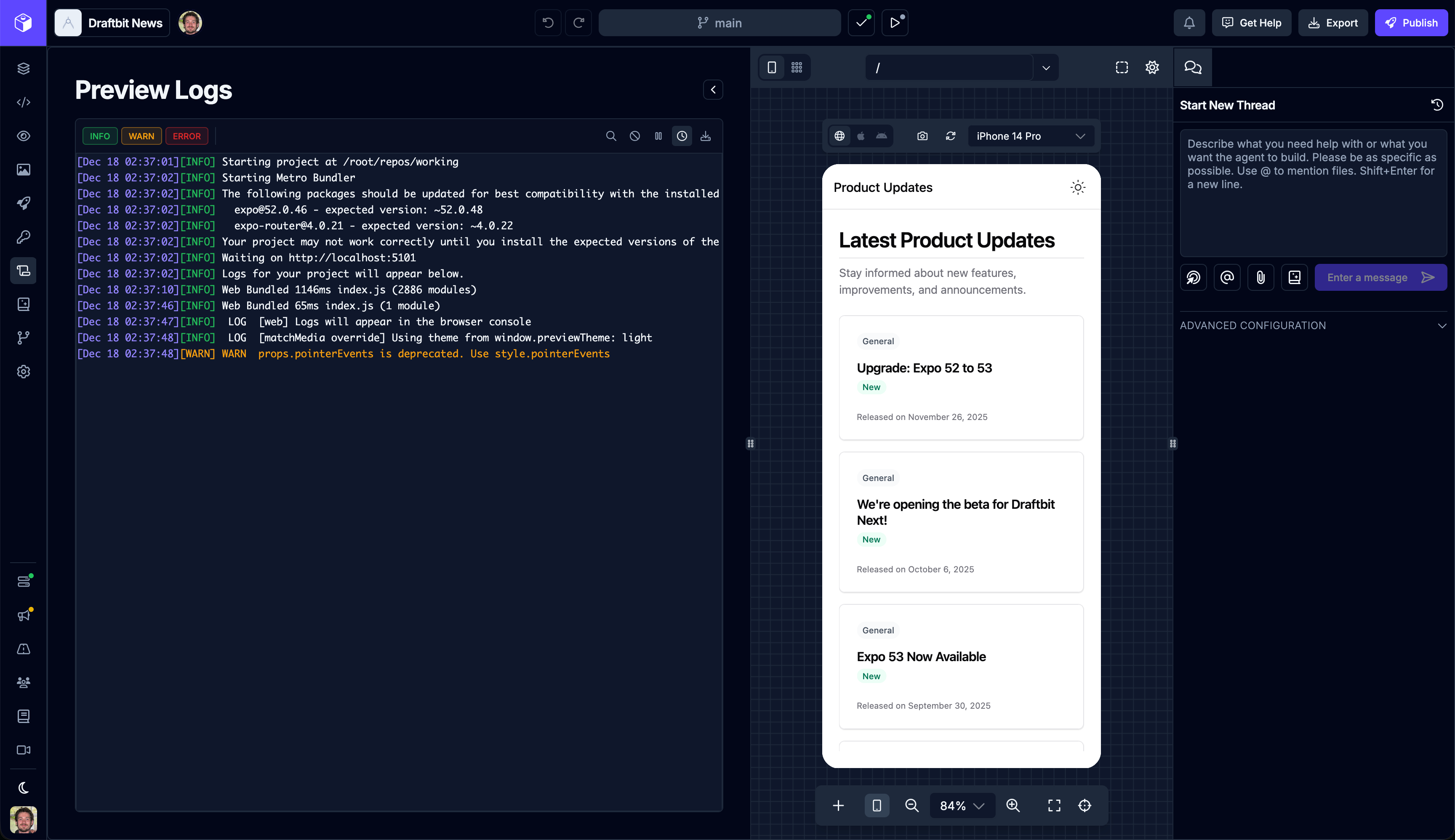
Improved Preview Logs
The new Preview Logs page available from the main navigation has been updated to also include the device preview canvas and agent chat.
Edit Text Directly in Previews
You can now double-click text directly inside the device preview to edit it in place. No hunting through trees or panels just to tweak a little copy.
This is meant for fast, lightweight edits — the kind of changes that shouldn’t interrupt your momentum. It’s a small interaction change, but it adds up quickly when you’re iterating. You can still make quick updates to component text from the Content tab in the right utility panel as well. And, of course, directly in the code.
In The Works
We're getting closer to releasing our first set of MCP connectors, including Figma, Supabase, Xano, Webflow, Linear, Github, and more so be on the lookout for those.
Also available soon will be an update to the recently introduced Design Blocks. We've been expanding this to include full screen designs, navigators, and more components.
Wrapping Up
That’s it for this update. As always, drop feedback or requests in the Roadmap — it directly influences what we ship next! Check the Changelog for smaller updates landing between announcements.
Let me know in the comments if there's specific guides you'd like us to add to our new help site for Draftbit Next.
Happy building!

Build your app with Draftbit
Start free and build with AI in your browser.