

Product update
MCP Integrations, Screen Design Blocks, Updated Agents and Models + more!
 Dave Sebek
Hey everyone! I hope you all had a great holiday season and are ready to kick off the new year full of excitement. Let's make things happen in 2026! We've been working on lots of new features, fixes, and improvements since the last update and there's a lot to cover so let's get to it.
We want to hear feedback from you! For those that are willing to do a video testimonial, we will provide 3 months of Draftbit Next for FREE to help us launch. Submit yours here →
TL;DR: Draftbit Next is moving to open beta in the next few weeks (and free unlimited AI credits will end at that time). Since the last update we shipped MCP integrations (Supabase, Xano, Directus, RevenueCat, Stripe, Linear, Sentry), full-screen Design Blocks, pixel-perfect App Store screenshot exports, more agent/model choices, and big upgrades to threads/messages, previews, importing, and sandbox stability—plus a responsive mobile builder and better code navigation/export. Next up: more MCPs (Figma/Webflow/Apollo + custom), a Live Preview app, and a new Component Library.
Open Beta Coming Soon
First of all, thanks to everyone who's helped us during the closed beta period while we iron out the kinks, gather feedback, and refine the experience. Your input and requests have helped us get the product to where it is today and we hope you've gotten a lot of value out of it so far.
We'll soon be opening up Draftbit Next to all users and, at the same time, discontinuing the free unlimited AI credits. We expect the switch to happen within the next few weeks, so take advantage of this time to really put some work into your app! We'll follow up with more details as we get closer to that date.
MCP Integrations
MCP Integrations let you connect the AI agent to third-party services. This allows the AI agent to access and use the data from these services in your app, in addition to managing these services for you.
For example, if you connect to your Supabase project the agent can create tables, set up user authentication in your app, write and deploy edge functions, and more! All you have to do is ask.
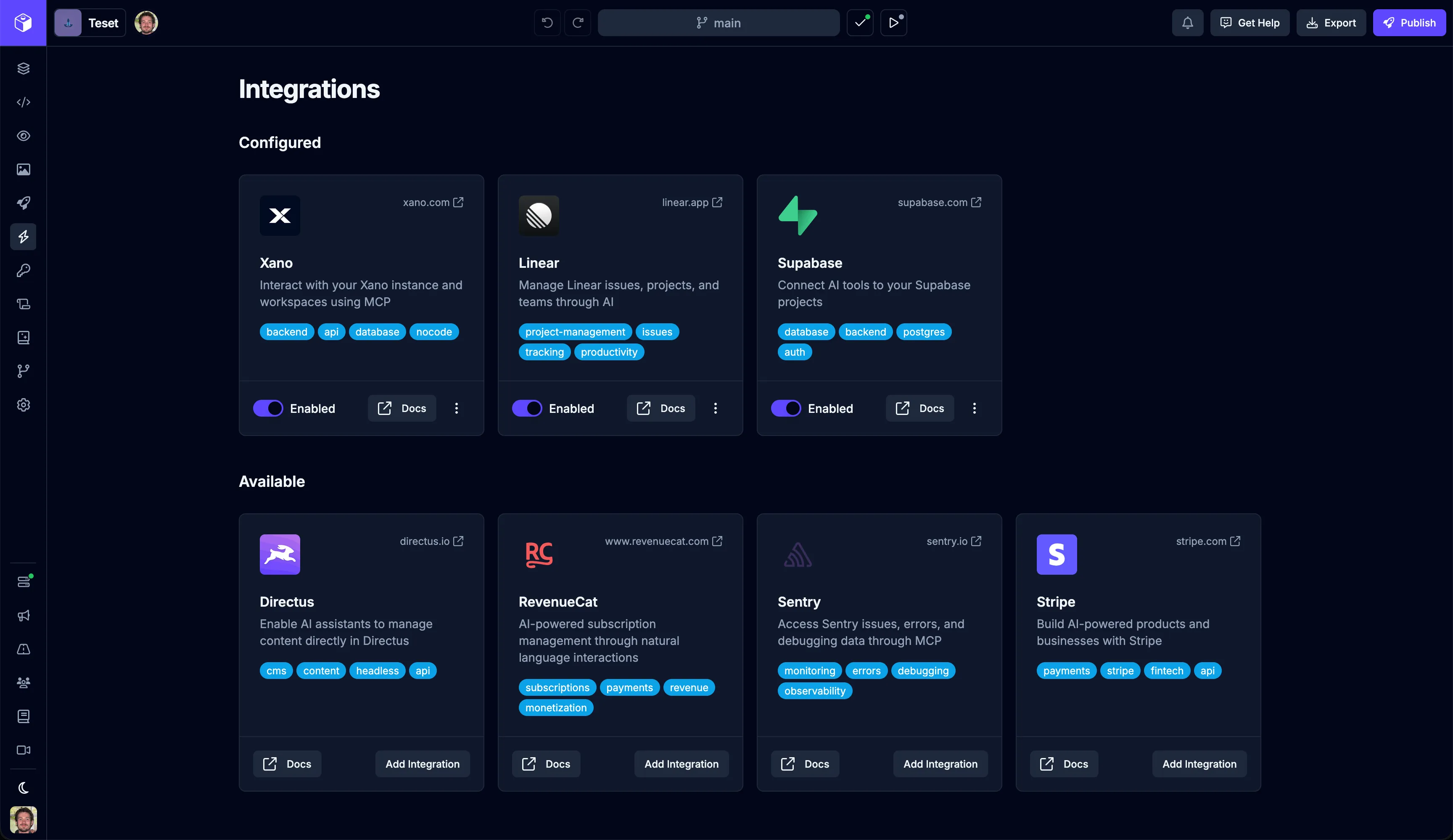
For most services, you'll simply be prompted to sign in to the service and grant access to Draftbit to allow the AI agent access to these services. For a few services, you'll need to provide additional credentials or API keys.
This initial batch of MCP servers includes Supabase, Xano, Directus, RevenueCat, Stripe, Linear, and Sentry.
Screen Design Blocks
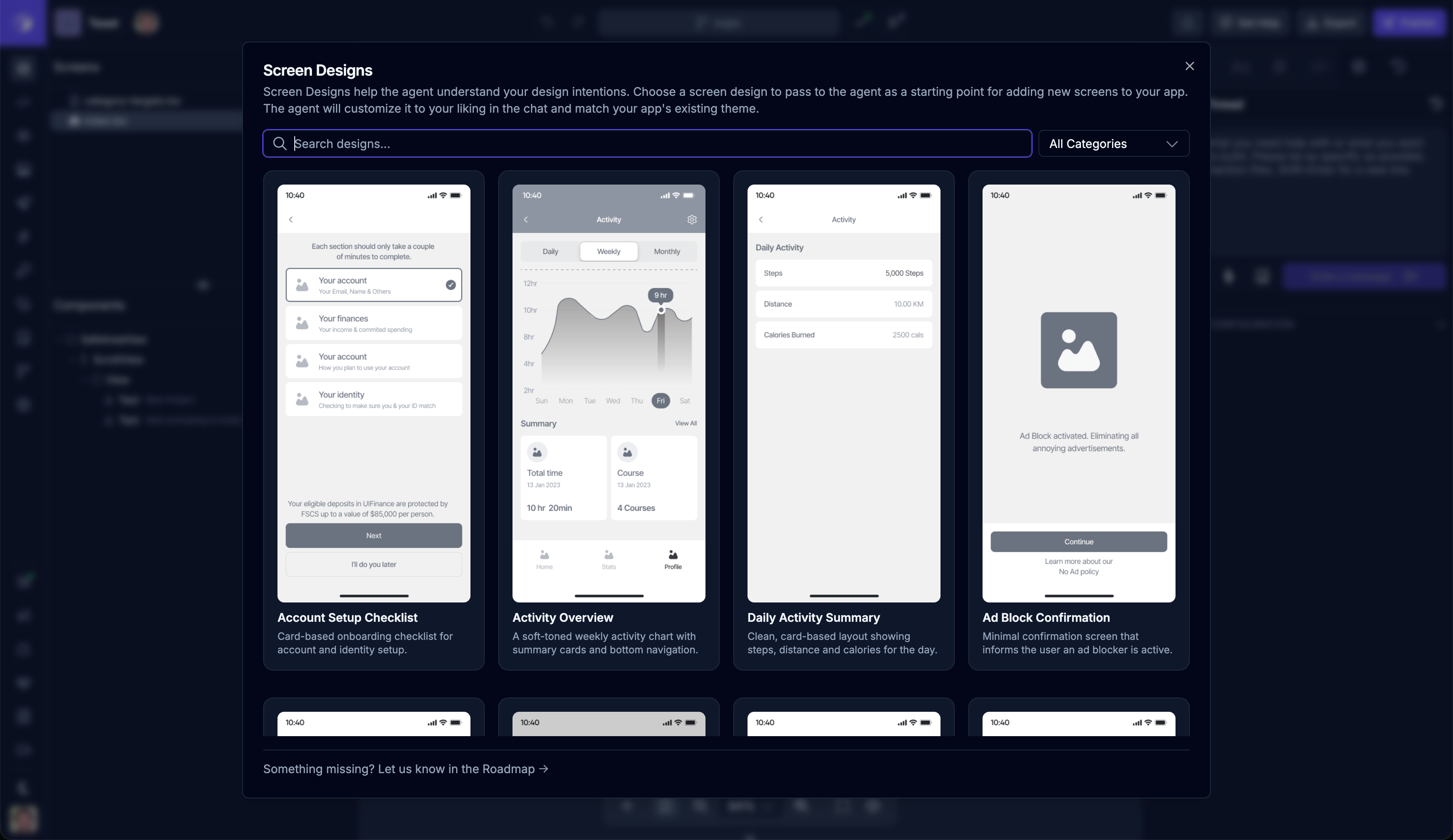
In November we announced Design Blocks which started as just designs of screen sections and components that you could pass to the agent to have built. We've since expanded Design Blocks to include full screen designs. You can access the new screen designs using the screen icon at the top of the Screens section in the left panel of the Builder.
App Store Screenshots
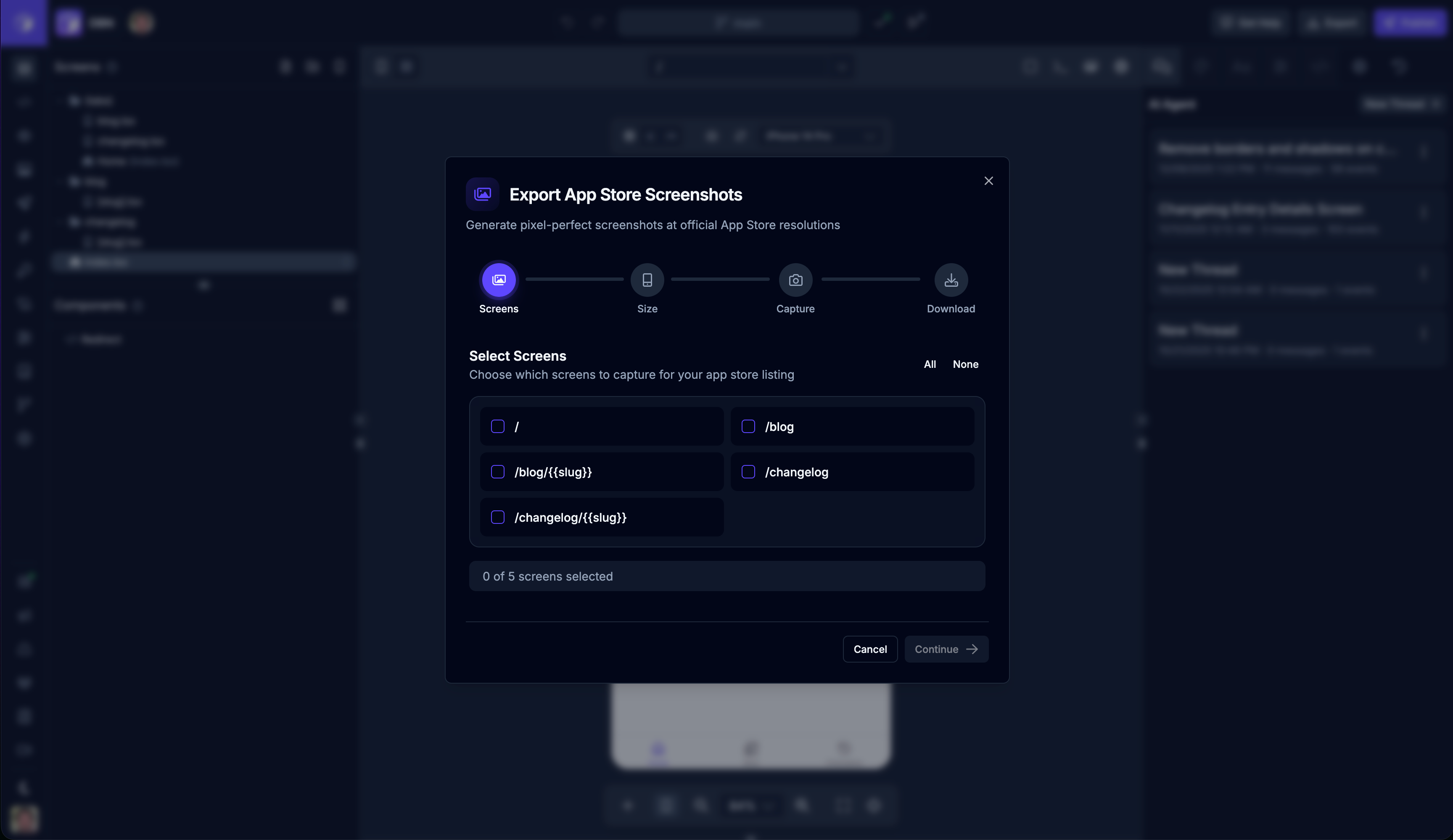
You can now export pixel-perfect App Store screenshots directly from the builder. A new export feature allows you to capture screenshots of your app screens in the correct dimensions for both iOS and Android App Store submissions. Launch it from the top toolbar in the Preview panel.
The feature includes a multi-step wizard to select screens, choose device sizes, and download screenshots with device frames overlaid. This streamlines the process of preparing your app for store submission.
App Configuration UI
We made it easier to update your app configuration details like app name, icon, splash screen, permissions and more! There's a new menu item to open the view where you can update the app configuration using a simple form UI.
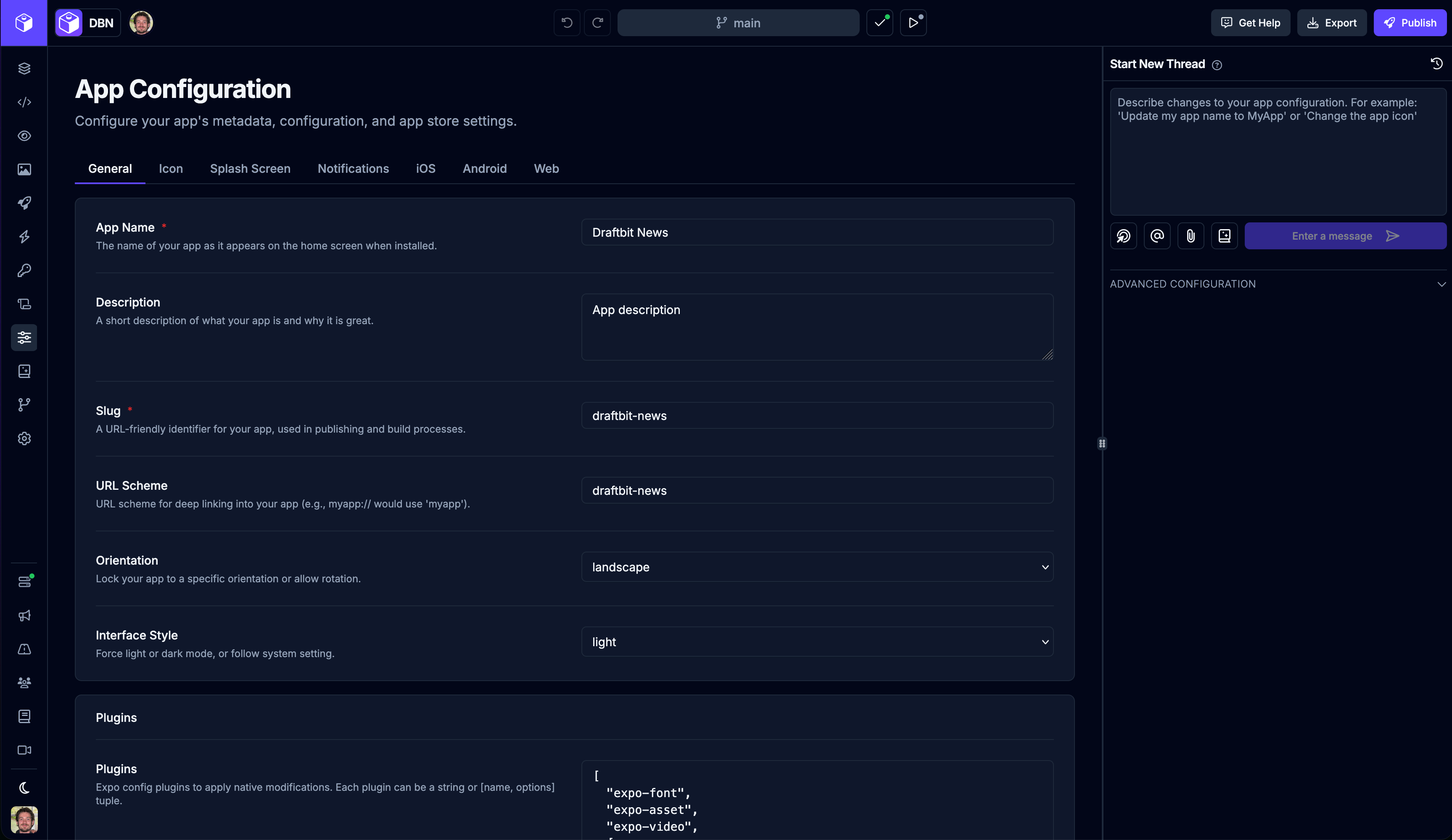
And you can still edit the app.json file manually in the Code Editor, of course!
Updated AI Agents and Models
In Draftbit Next, you can use the latest models from OpenAI and Anthropic with their AI agents - Codex and Claude Code. Google’s Gemini models are also available through Claude Code.
You may have wondered what the difference is between an AI agent and a model. Put simply: the agent is the “doer” and the model is the “thinker” powering it.
Imagine an agent as a worker - it can plan steps toward a goal, use tools (like tools to build apps), check what happened (errors, logs, diffs, test output), and keep iterating until it finishes or hits a limit. In other words, an agent can take actions. A model is like the brain the worker uses. You can often swap brains in and out. Some are better at writing code, some at reasoning, some at following instructions, etc.
Different AI providers offer both models (the brains) and agent-style products (the workers that use those brains plus tools). OpenAI has their models you've probably heard of like GPT-5.2, but they also have their own coding agent - Codex. The same goes for Anthropic with their Claude Code agent and models like Sonnet-4.5 and Opus-4.5. Draftbit allows you to use these agents and models to build apps for/with you.
When you start a new chat thread, you can choose which agent and model you'd like to use. Keep in mind that in most cases Codex can only use OpenAI models and Claude can only use models from Anthropic (with the exception of Google Gemini as mentioned above). Once you start a thread with an agent and model, each message in that thread will use your chosen combination.
Also, be aware that more advanced models like Opus can consume significantly more credits than average models which work perfectly fine for most tasks. But as always, experiment and find what works best with your app and preferences.
Thread and Message Upgrades
AI session context is now automatically saved after every turn with a 5-second debounce, ensuring your conversation progress is preserved even if deployments or interruptions occur. This is especially important during long conversations like the create app flow, where losing session information could mean losing significant progress. The system now maintains up-to-date session state in the background without blocking your interactions.
Chat events now properly show as completed when a thread is stopped, even if the sandbox fails or restarts before the agent finishes. This ensures you always have accurate visual feedback about the status of ongoing operations in your conversations.
We also fixed an issue where users could not continue conversations in threads that were stopped after a sandbox restart or crash. The system now automatically clears orphaned run status, allowing you to continue your conversations without interruption.
Better Sandbox Stability
We've continued to improve the stability and reliability of the sandboxes that run each app as you're building. This includes better error handling, request timeouts, and rate limiting to prevent crashes caused by request storms or hanging operations.
Retry logic for sandbox operations was also added to handle transient network failures. When performing sandbox operations, the system will automatically retry failed requests, reducing the likelihood of errors due to temporary network issues.
And the system now includes enhanced monitoring and automatic recovery mechanisms to keep your previews running smoothly.
Preview Enhancements
App previews have also received lots of attention. Apps can now access device APIs in preview mode, including geolocation, camera, microphone, clipboard, fullscreen, autoplay, and screen-wake-lock. This allows you to test apps that use these features directly in the preview without needing to build a full mobile app.
When previews fail or crash, you now have better recovery options. A "View Logs" button lets you quickly navigate to the app preview logs to diagnose issues, and an "Ask Agent to Fix" button starts a new conversation thread with the AI agent pre-seeded with context about the preview failure to help resolve the problem.
App Importing Improvements
We've continued to make improvements to the whole process for importing apps from Draftbit 'Classic' to Draftbit 'Next'. The flow is now more reliable and the UI is easier to use.
The page has been redesigned with a clearer workflow. You can now search for apps by name, description, or UUID, and apps are automatically categorized into "Ready to Import" and "Requires Action" sections. The import process now includes workspace selection and better visual feedback throughout.
Small But Notable
Responsive Builder
The Draftbit builder is now fully responsive and optimized for mobile devices. When accessing the builder on a mobile device, you'll see a redesigned interface with tabbed panels, swipe navigation, and a mobile-friendly navigation drawer. The desktop experience remains unchanged with resizable panels, while mobile users get an optimized interface that makes it easier to build apps on the go. More improvements to come.
Code Navigation
You can now Cmd+Click (or Ctrl+Click on Windows/Linux) on any symbol in the code editor to jump to its definition. This works both within the current file and across files, making it easier to navigate your codebase.
Better Code Export
Exported apps now have cleaner code by removing unnecessary initialization code and internal package dependencies. This results in smaller, more maintainable exported projects without any Draftbit-specific dependencies that aren't needed in the final exported app.
Prompt Character Limit
Added a character counter to help you track prompt length. Prompts are now limited to 4,000 characters, with a warning shown after 2,000 characters to help you stay within the limit.
Coming Soon
Here's a look at just a few of the upcoming features we have in the works.
More MCP Integrations
We'll continue to expand and improve on existing features, like adding MCP integrations for more services like Figma, Webflow, and Apollo GraphQL, as well as giving you an option to make custom MCP connections.
Live Preview App
We're close to releasing a new Live Preview app for Draftbit Next that will let you preview your app live on your physical device as you build. This new version doesn't require scanning a QR code - you just sign in to your Draftbit account and select the app you want to preview.
Component Library
It's the spiritual successor to the old Component Picker. Here you can browse a ton of different components that can be quickly added to your screens. And of course, the AI agent can help you fully customize them to fit your design needs.
Staying Productive
Don't forget to visit our new documentation for Draftbit Next at https://help.draftbit.com/ where you can learn more about Draftbit's features and best practices for building your app with AI.
Did you know? You can ask the AI agent to search our docs and answer questions about the Builder right in the chat! Just say: "Search Draftbit docs for..."
That's all for now - happy building!

Build your app with Draftbit
Start free and build with AI in your browser.