

Product update
Design Blocks, Environment Variables + Claude Code
 Dave Sebek
Hey everyone! I'm excited to share what we've been up to in the past few weeks. We're getting some great feedback from all our beta users and it's really helping us to refine and improve the experience overall. Thanks to everyone who's participating 💜. Let's dive in...
Design Blocks
First up are Design Blocks. If you're coming from the original 'Classic' Draftbit you may be familiar with Blocks over there, but these are a bit different. These Design Blocks are individual sections of UI that follow common design patterns and help the agent understand your design intentions. Browse the gallery of designs and choose a block to pass to the agent as a starting point for adding new sections to your screen.
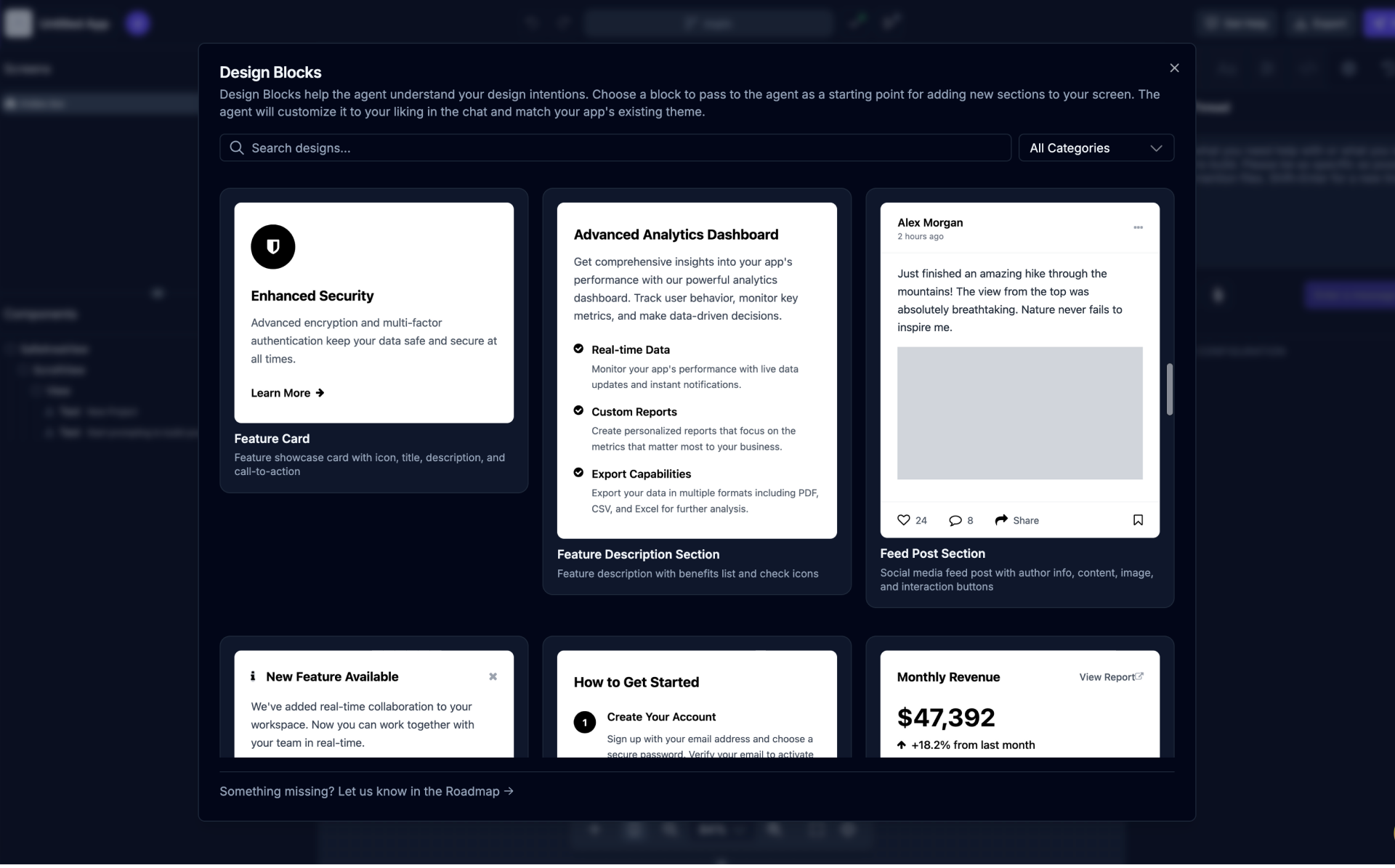
You can open the Design Blocks gallery using the blocks icon above the Component Tree. When you click on a design you like it will be added to the chat where you can provide specific instructions on the way you want to change the design to make it uniquely yours. The agent will customize it to your liking in the chat and match your app's existing theme automatically.
Environment Variables
Environment variables are key-value pairs that store configuration data outside of your application code. In apps built with Draftbit, environment variables are injected into your app at build time. This means they’re available throughout your app code, but they’re not included in your source code repository, keeping sensitive data secure.
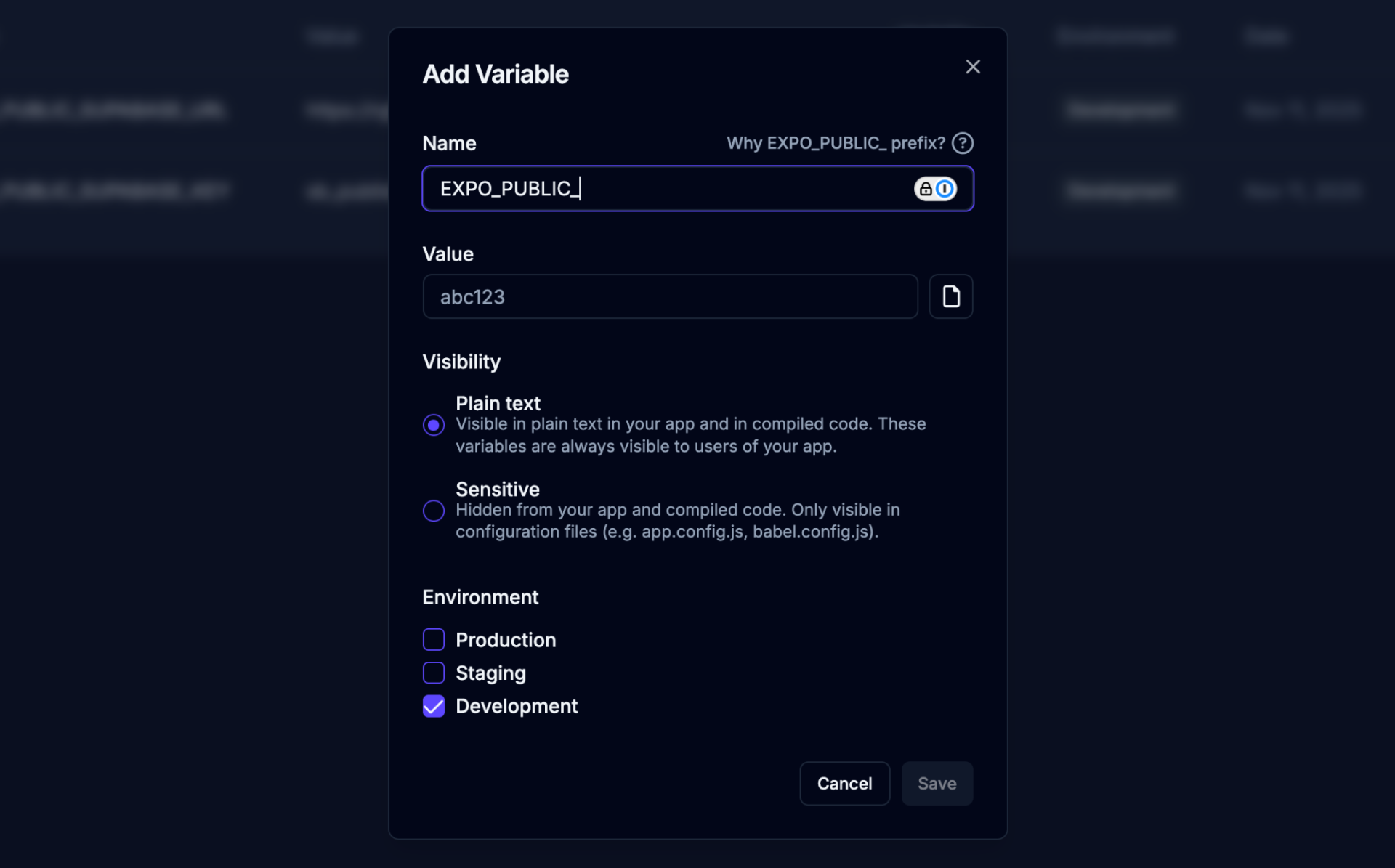
These variables can be used to:
- Store API keys and secrets - Keep sensitive credentials out of your codebase
- Configure API endpoints - Use different backend URLs for development vs production
- Set feature flags - Enable or disable features based on the environment
- Manage app configuration - Store app IDs, bundle identifiers, and other build settings
Check out the docs to learn more.
Advance Agent Selection
There's a new set of Advanced Configuration options below the AI chat where you can now select between using OpenAI's Codex agent and Anthropic's Claude Code agent.
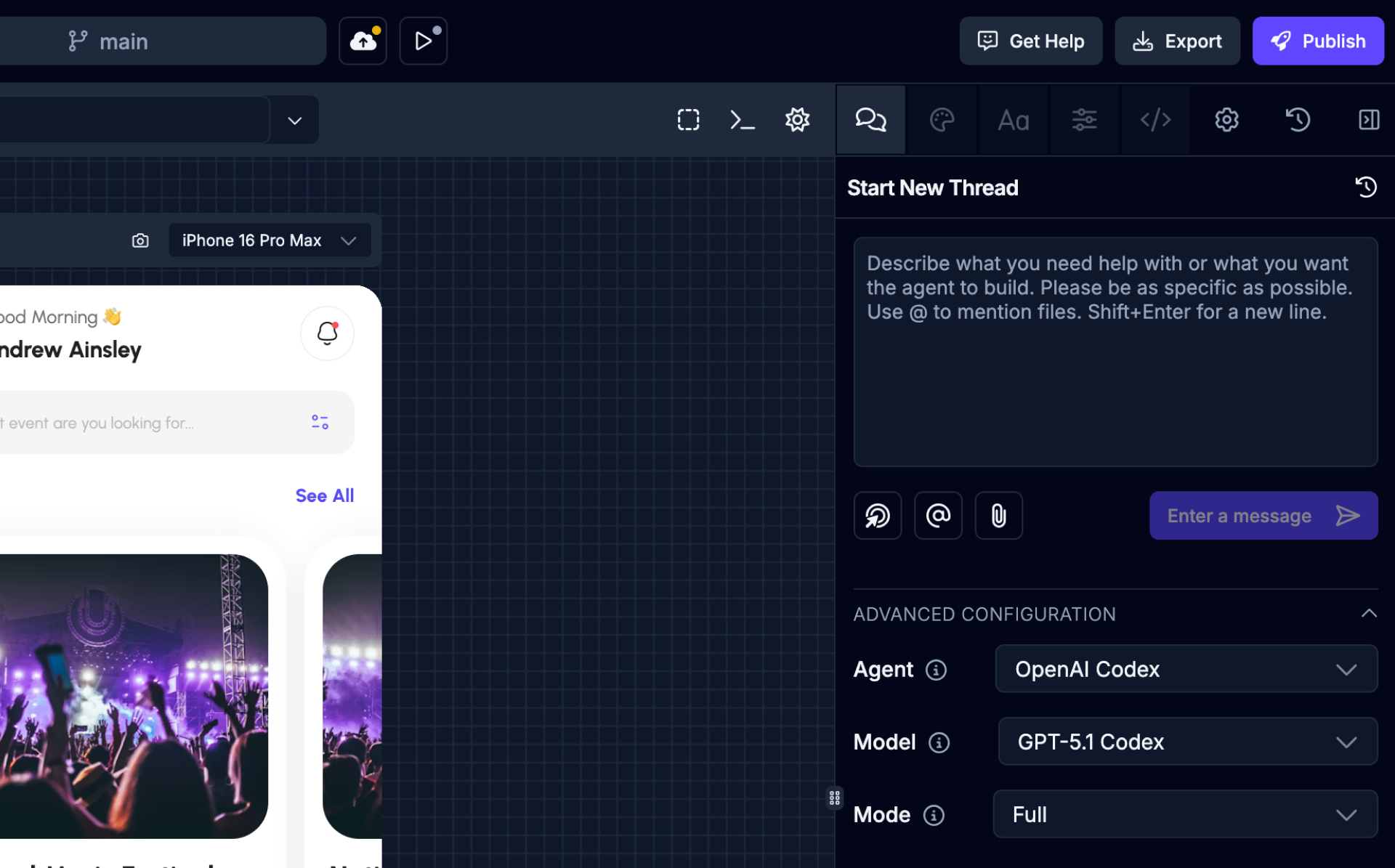
Depending on which agent you select, you'll see different models to choose from which the agent will then use. For example, with Codex you can select from different versions of GPT-5 or if you've selected Claude you can select between Sonnet and Haiku models. Beyond that, you can put the agent into 'Read-only' mode which prevents the AI from making any changes.
Once you select an agent and model for a thread it stays configured with those settings. Different agents and models usually have their strengths and weaknesses, so play around and try different ones out depending on the task at hand.
Soon we'll also have Google Gemini and other agents and models to choose from.
Staying Productive
Now that the state of Draftbit 'Next' is solidify, we're starting to invest more in resources to help you get started and stay productive as you build.
Visit the site of our new docs where you can find in-depth details on features and building with Draftbit, including some initial guides to help you along:
Best practices
Building your app
Coming Soon
We've got a lot more that we want to add and improve, but the next big thing coming soon will be the ability to connect the AI agent with third-party provider MCP servers to act on your behalf. This includes connecting to backend services like Supabase and Xano so the AI agent can help build your backend right inside of Draftbit!
Wrapping Up
Don't forget to check out the Changelog for frequent updates on all the changes happening in Draftbit on a weekly basis. And, be sure to let us know in the Roadmap if you have issues or feature requests - we want to hear from you!
That's it for this update, stay tuned for more and happy building!

Build your app with Draftbit
Start free and build with AI in your browser.